Buku Panduan Pengguna Multimeter Digital Genggam KEYSIGHT U1242C
Model: U1242C
1. Pendahuluan
The KEYSIGHT U1242C is a robust and reliable handheld digital multimeter (DMM) designed for professional and industrial use. It offers high accuracy, durability, and advanced features for various electrical measurements. This manual provides essential information for the safe and efficient operation, maintenance, and troubleshooting of your U1242C DMM.
Fitur utama meliputi:
- 50,000 counts resolution on dual display
- 0.03% basic DC voltagakurasi
- True RMS AC measurement
- Data logging to DMM (max. 200 points) & PC with software bundle
- IP 67 certified for dust and water resistance
- Withstands up to 3-meter (10 feet) drop
- Senter LED bawaan
2. Informasi Keselamatan
WARNING: Read and understand all safety instructions before operating this device. Failure to follow these instructions may result in injury or damage to the meter.
- Produk ini ditujukan untuk penggunaan profesional saja.
- Selalu patuhi kode keselamatan lokal dan nasional.
- Jangan gunakan meteran jika tampak rusak atau jika isolasinya terganggu.
- Pastikan kabel uji dalam kondisi baik dan terhubung dengan benar sebelum melakukan pengukuran.
- Jangan melebihi batas input maksimum untuk fungsi apa pun.
- Berhati-hatilah saat bekerja dengan voltagTegangan di atas 30V AC RMS, 42V puncak, atau 60V DC. Tegangan-tegangan initagmenimbulkan bahaya sengatan listrik.
- Selalu matikan daya sirkuit dan buang semua muatan tegangan tinggi.tagperiksa kapasitor sebelum melakukan pengujian resistansi, kontinuitas, atau dioda.
- Replace the battery and fuses only with the specified type and rating.
3. Produk Lebihview
3.1 Depan View

This image displays the front of the KEYSIGHT U1242C Digital Multimeter, showing its large orange casing, the dual display screen, the rotary dial for function selection, and the input jacks for test leads. Various buttons for functions like Max/Min, Hz, Log, Hold, and Range are visible around the display.
3.2 Sisi View
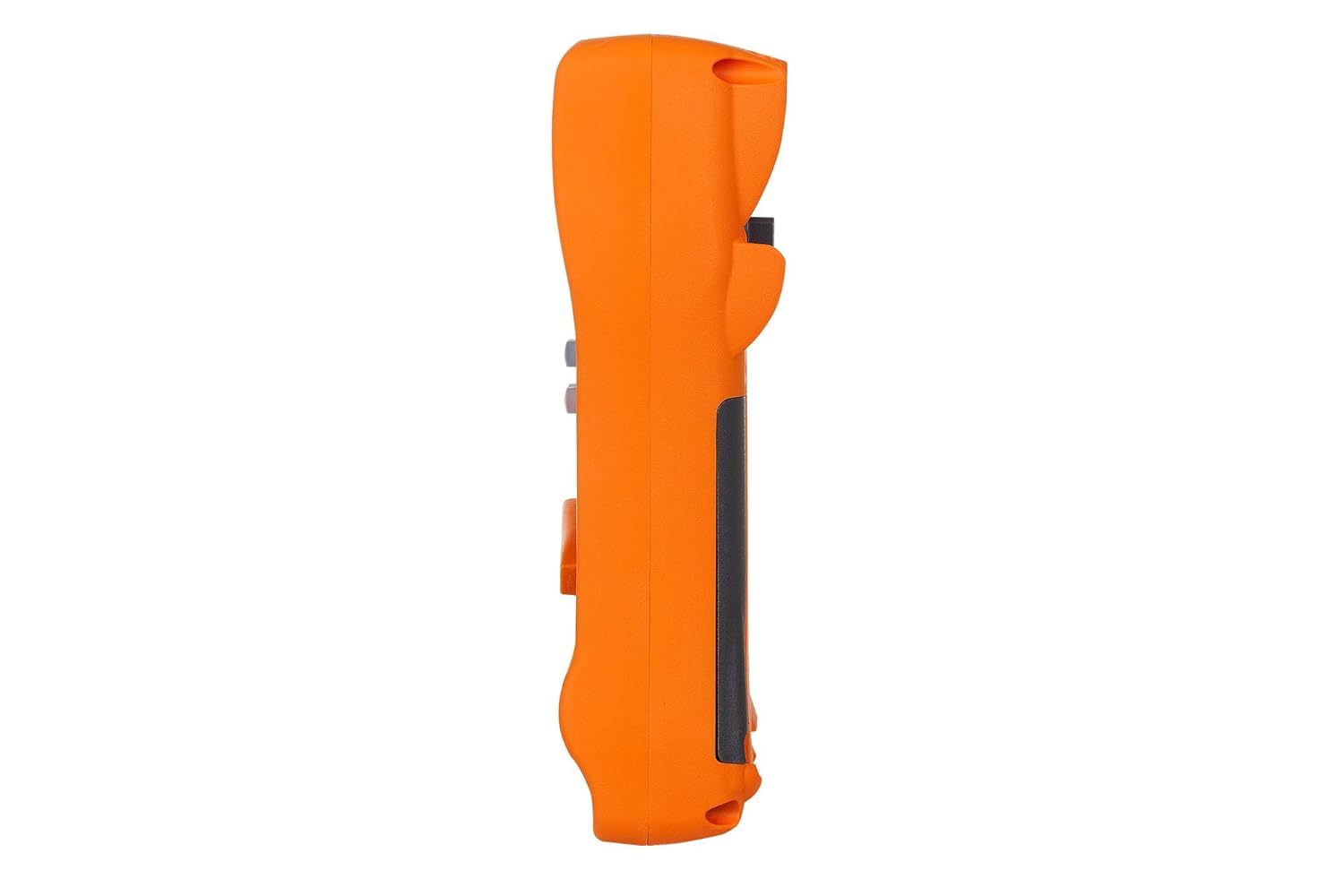
Gambar ini menunjukkan sisi profile of the KEYSIGHT U1242C Digital Multimeter, highlighting its ergonomic design and the textured grip on the orange casing. The side view emphasizes the compact and robust build of the device.
3.3 Kembali View

This image presents the back of the KEYSIGHT U1242C Digital Multimeter, revealing the battery compartment cover, the kickstand for hands-free operation, and the product label with model and serial number information. The robust construction of the casing is also evident.
3.4 Kontrol dan Konektor
- Menampilkan: Large dual display for primary and secondary readings.
- Saklar Putar: Memilih fungsi pengukuran (Volume)tag(misalnya, Arus, Hambatan, dll.).
- Tombol Fungsi: Max/Min, Hz, Log, Hold, Range, View, Shift.
- Jack masukan:
- VΩHz: Masukan untuk volumetage, resistance, frequency, capacitance, and diode tests.
- KOMENTAR: Input umum untuk semua pengukuran.
- mAµA: Masukan untuk miliampere dan mikroamppengukuran arus saat ini.
- Sekring Maksimum 10A: Input untuk pengukuran arus tinggi (hingga 10A).
4. Pengaturan
4.1 Pemasangan Baterai
- Pastikan multimeter dalam keadaan MATI.
- Temukan kompartemen baterai di bagian belakang meteran.
- Gunakan obeng untuk melonggarkan sekrup yang menahan penutup baterai.
- Lepaskan penutup baterai.
- Insert the specified batteries (e.g., 4 x AAA batteries) observing the correct polarity (+/-).
- Pasang kembali penutup baterai dan kencangkan sekrupnya dengan kencang.
4.2 Koneksi Kabel Uji
Always connect the test leads to the appropriate input jacks for the measurement you intend to perform. Incorrect connection can lead to damage to the meter or personal injury.
- Untuk sebagian besar pengukuran (Volume)tage, Resistance, Continuity, Diode, Capacitance, Frequency), connect the black test lead to the DAPAT Jack dan kabel uji merah mengarah ke VΩHz mendongkrak.
- For current measurements (mA/µA), connect the black test lead to the DAPAT Jack dan kabel uji merah mengarah ke mAµA mendongkrak.
- For high current measurements (up to 10A), connect the black test lead to the DAPAT Jack dan kabel uji merah mengarah ke 10A MAX FUSED mendongkrak.
5. Petunjuk Pengoperasian
This section outlines the basic steps for performing common measurements with your U1242C DMM.
5.1 Mengukur Vol AC/DCtage
- Putar saklar putar ke volume yang diinginkantage range (V~ for AC, V- for DC). The meter may have an auto-ranging feature.
- Hubungkan kabel uji hitam ke DAPAT Jack dan kabel uji merah mengarah ke VΩHz mendongkrak.
- Hubungkan probe uji secara paralel di seluruh rangkaian atau komponen yang akan diukur.
- Baca vol.tagnilai e pada layar.
5.2 Mengukur Arus AC/DC
CAUTION: Never connect the meter in parallel with a voltagSumber arus listrik dapat menyebabkan putusnya sekring atau kerusakan pada meteran.
- Turn the rotary switch to the desired current range (A~ for AC, A- for DC, or mA/µA ranges).
- Hubungkan kabel uji hitam ke DAPAT mendongkrak.
- For mA/µA measurements, connect the red test lead to the mAµA Untuk pengukuran 10A, hubungkan kabel uji merah ke jack. 10A MAX FUSED mendongkrak.
- Open the circuit where current is to be measured and connect the meter in series with the circuit.
- Baca nilai terkini yang ditampilkan.
5.3 Mengukur Resistansi
- Turn the rotary switch to the Ω (Ohms) range.
- Hubungkan kabel uji hitam ke DAPAT Jack dan kabel uji merah mengarah ke VΩHz mendongkrak.
- Pastikan rangkaian atau komponen tersebut telah dimatikan dayanya sebelum mengukur resistansi.
- Hubungkan probe pengujian di seluruh komponen yang akan diukur.
- Baca nilai resistansi di layar.
5.4 Uji Kontinuitas
- Turn the rotary switch to the continuity symbol (speaker icon).
- Hubungkan kabel uji hitam ke DAPAT Jack dan kabel uji merah mengarah ke VΩHz mendongkrak.
- Pastikan sirkuit tersebut telah dimatikan alirannya.
- Hubungkan probe penguji melintasi rangkaian atau komponen.
- The meter will beep if continuity is detected (resistance below a certain threshold).
5.5 Pencatatan Data
The U1242C supports data logging. Refer to the detailed user manual for specific instructions on activating and managing data logging functions, including connecting to a PC with the software bundle for extended logging capabilities.
6. Pemeliharaan
6.1 Pembersihan
Bersihkan meteran casing dengan iklanamp Gunakan kain dan deterjen ringan. Jangan gunakan bahan abrasif atau pelarut. Pastikan meteran benar-benar kering sebelum digunakan.
6.2 Penggantian Baterai
When the battery indicator appears on the display, replace the batteries as described in Section 4.1. Prompt battery replacement ensures accurate readings and proper operation.
6.3 Penggantian Sekring
WARNING: Always replace blown fuses with fuses of the exact same type and rating to maintain safety and performance.
- Ensure the multimeter is turned OFF and all test leads are disconnected.
- Buka kompartemen baterai seperti yang dijelaskan pada Bagian 4.1.
- Cari sekring di dalam kompartemen.
- Gently remove the blown fuse.
- Insert a new fuse of the correct rating (e.g., 10A/1000V for the 10A input).
- Pasang kembali penutup baterai dan kencangkan sekrupnya dengan kencang.
6.4 Kalibrasi
The U1242C is factory calibrated. For continued accuracy, periodic calibration by a qualified service center is recommended. Refer to KEYSIGHT's official support channels for calibration services.
7. Penyelesaian masalah
| Masalah | Kemungkinan Penyebab | Larutan |
|---|---|---|
| Meter tidak menyala | Baterai mati atau tidak dipasang dengan benar | Ganti baterai, periksa polaritasnya |
| Tidak ada pembacaan atau "OL" (Kelebihan Beban) yang ditampilkan | Incorrect function selected; Open circuit; Input exceeds range | Select correct function; Check circuit continuity; Select higher range or auto-range |
| Pembacaan yang tidak akurat | Low battery; Dirty test leads; Environmental interference; Needs calibration | Replace battery; Clean leads; Move away from interference; Consider calibration |
| Pengukuran arus tidak berfungsi | Blown fuse; Incorrect lead connection; Meter not in series | Check/replace fuse; Verify lead connection; Ensure meter is in series with circuit |
8. Spesifikasi
| Fitur | Spesifikasi |
|---|---|
| Nomor Model | U1242C |
| Jumlah Tampilan | 50,000 |
| Basic DC Voltage Akurasi | 0.03% |
| Pengukuran AC | RMS sejati |
| Peringkat Perlindungan Ingress (IP) | IP 67 |
| Perlindungan Jatuh | Hingga 3 meter (10 kaki) |
| Sumber Daya | Bertenaga Baterai |
| Berat Barang | 1 pon (16 ons) |
| Pabrikan | PENGLIHATAN KUNCI |
| Tanggal Pertama Tersedia | 22 Mei 2018 |
9. Garansi dan Dukungan
9.1 Penafian Hukum
Keysight Technologies products are classified as industrial monitoring and control equipment designed exclusively for professional or industrial use and related training programs. Keysight products are designed and certified to meet national industrial safety standards (such as Electrical Equipment for Measurement, Control and Laboratory Use) where products are sold solely for use by trained professionals. Keysight products are not intended for consumer use in a residential setting and may not meet consumer level standards for EMC and other regulated radiated emissions. Keysight products are intended for use in the country where the product was originally sold.
9.2 Dukungan Teknis
For technical assistance, service, or warranty claims, please contact KEYSIGHT customer support through their official website or authorized service centers. Provide your product model number (U1242C) and serial number when seeking support.