Biconic Bluetooth Tough Weatherproof Portable Wireless Speaker User Manual
Model: ABC-AU-BS-103-BK
Merek: Bytech
1. Produk Lebihview
The Biconic Bluetooth Tough Weatherproof Portable Wireless Speaker is designed for robust outdoor and indoor use, providing enhanced bass and clear audio. Its wireless capabilities allow for easy connection to various devices, and its durable, weatherproof construction ensures reliable performance in diverse environments.

Gambar 1.1: Depan view of the Biconic Bluetooth Speaker, showcasinberkat desainnya yang kokoh dan kisi-kisi speakernya.
Fitur Utama:
- Konektivitas Nirkabel: Seamless Bluetooth pairing with smartphones, tablets, and other compatible devices.
- Desain Tahan Cuaca: IPX6 water resistance protects against strong jets of water, making it suitable for outdoor use.
- Bass yang Ditingkatkan: Delivers rich, deep bass for a superior audio experience.
- Portabel: Compact design with a durable strap for easy transport.
- Waktu Bermain yang Lama: Up to 4 hours of continuous audio playback on a single charge.
2. Informasi Keselamatan
Harap baca semua peringatan dan petunjuk keselamatan dengan saksama sebelum menggunakan produk ini untuk memastikan pengoperasian yang aman dan mencegah kerusakan.
- Jangan biarkan speaker terkena suhu ekstrem (panas atau dingin).
- Do not immerse the speaker in water. While it is IPX6 water resistant, it is not designed for submersion.
- Keep the speaker away from direct heat sources, open flames, and flammable liquids.
- Use only the provided charging cable and a compatible power adapter (5V/1A recommended) to charge the device.
- Jangan mencoba membongkar, memperbaiki, atau memodifikasi speaker. Hal ini akan membatalkan garansi dan dapat menyebabkan kerusakan.
- Jauhkan dari jangkauan anak-anak.
- Bersihkan speaker dengan kain lembut dan kering. Jangan gunakan pembersih atau pelarut abrasif.
3. Isi Paket
Pastikan semua barang ada di dalam paket saat membuka kemasan:
- Biconic Bluetooth Tough Weatherproof Portable Wireless Speaker
- Kabel Pengisian Daya USB
- User Manual (dokumen ini)
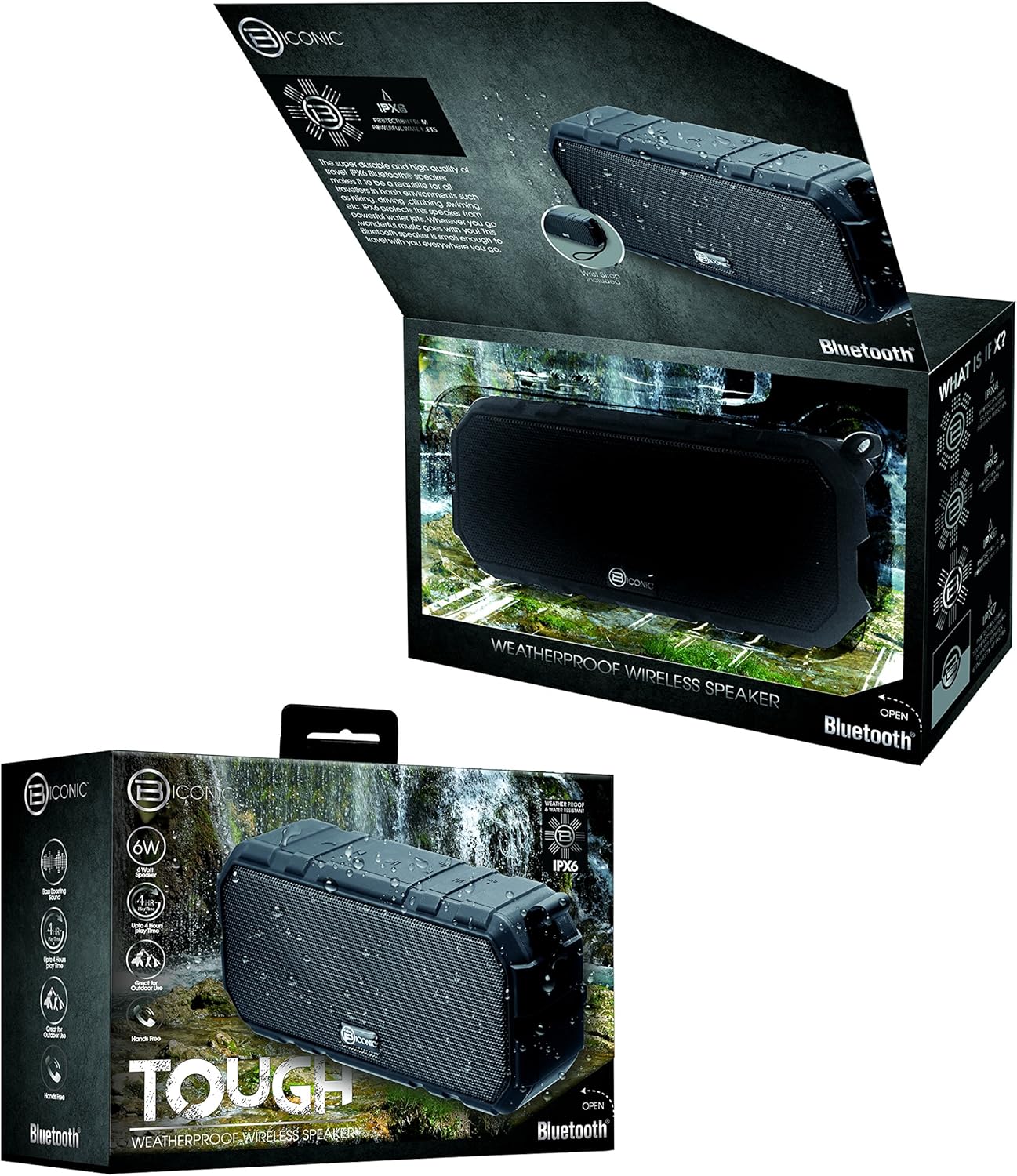
Figure 3.1: The Biconic Bluetooth Speaker shown with its retail packaging, indicating typical package contents.
4. Pengaturan
4.1 Mengisi Daya Speaker
- Locate the charging port on the side of the speaker. This port is typically protected by a rubber flap to maintain water resistance.
- Buka penutup karet.
- Connect the small end of the provided USB charging cable to the speaker's charging port.
- Hubungkan ujung kabel USB yang lebih besar ke sumber daya USB (misalnya, port USB komputer, adaptor dinding USB).
- Lampu indikator pengisian daya akan menyala, biasanya berwarna merah, untuk menunjukkan bahwa speaker sedang diisi daya.
- Once fully charged (approximately 2-3 hours), the indicator light will change color (e.g., turn off or turn blue/green). Disconnect the charging cable and close the rubber flap securely to maintain water resistance.
4.2 Menghidupkan/Mematikan
- Untuk menghidupkan: Press and hold the Power button (usually marked with a power symbol) for a few seconds until you hear an audible tone or see an indicator light illuminate.
- Untuk mematikan: Press and hold the Power button again for a few seconds until you hear an audible tone or the indicator light turns off.
5. Petunjuk Pengoperasian
5.1 Pemasangan Bluetooth
Before first use, you need to pair the speaker with your Bluetooth-enabled device.
- Ensure the speaker is fully charged and powered on. It will automatically enter pairing mode, indicated by a flashing blue LED light.
- On your smartphone, tablet, or other Bluetooth device, go to the Bluetooth settings menu.
- Aktifkan Bluetooth jika belum diaktifkan.
- Scan for available devices. You should see "Biconic Speaker" or a similar name appear in the list.
- Select "Biconic Speaker" to connect. Once successfully paired, you will hear a confirmation tone, and the blue LED light on the speaker will stop flashing and remain solid.
- Jika diminta kata sandi, masukkan "0000".
- Speaker akan secara otomatis terhubung kembali ke perangkat yang terakhir dipasangkan saat dihidupkan, jika perangkat tersebut berada dalam jangkauan dan Bluetooth diaktifkan.
5.2 Pemutaran Musik
Once paired, you can control music playback directly from your connected device or using the speaker's controls.
- Putar/Jeda: Press the Play/Pause button (often marked with a triangle or || symbol) once to play or pause music.
- Volume Naik: Press the Volume Up button (+) to increase the volume.
- Volume Turun: Press the Volume Down button (-) to decrease the volume.
- Lagu Berikutnya: Press and hold the Volume Up button (+) for a few seconds to skip to the next track.
- Lagu Sebelumnya: Press and hold the Volume Down button (-) for a few seconds to go to the previous track.

Gambar 5.1: Atas view of the Biconic Bluetooth Speaker, highlighting the control buttons for power, volume, and playback.
5.3 Answering Calls (Hands-Free Function)
The speaker supports hands-free calling when connected to a smartphone.
- Menjawab Panggilan: Saat ada panggilan masuk, tekan tombol Putar/Jeda sekali untuk menjawab.
- Akhiri Panggilan: During a call, press the Play/Pause button once to end the call.
- Tolak Panggilan: Tekan dan tahan tombol Putar/Jeda selama beberapa detik untuk menolak panggilan masuk.
6. Pemeliharaan
Perawatan yang tepat memastikan umur panjang dan kinerja speaker Anda yang optimal.
- Pembersihan: Usap speaker dengan lembut, damp cloth. Do not use harsh chemicals, solvents, or abrasive cleaners. Ensure the charging port flap is closed before cleaning with a damp kain.
- Penyimpanan: Simpan speaker di tempat yang sejuk dan kering, jauh dari sinar matahari langsung dan suhu ekstrem saat tidak digunakan dalam jangka waktu lama.
- Perawatan Baterai: To preserve battery life, fully charge the speaker before storing it for long periods. Recharge every 3-6 months if not used regularly.
- Tahan Air: Always ensure the rubber flap covering the charging port is securely closed to maintain the IPX6 water resistance rating.

Figure 6.1: The Biconic Bluetooth Speaker demonstrating its water-resistant capabilities, highlighting the importance of proper sealing for maintenance.
7. Penyelesaian masalah
| Masalah | Kemungkinan Penyebab | Larutan |
|---|---|---|
| Speaker tidak menyala. | Baterai habis. | Isi daya speaker hingga penuh. |
| Tidak dapat memasangkan dengan perangkat Bluetooth. | Bluetooth is off on your device; speaker is not in pairing mode; device is too far. | Ensure Bluetooth is enabled on your device. Power off and on the speaker to re-enter pairing mode. Move device closer to the speaker (within 10 meters). Forget the device on your phone and try pairing again. |
| Tidak ada suara atau volume rendah. | Volume terlalu rendah pada speaker atau perangkat; speaker tidak terhubung. | Naikkan volume pada speaker dan perangkat yang terhubung. Pastikan speaker telah dipasangkan dan terhubung dengan benar. |
| Distorsi suara. | Volume terlalu tinggi; gangguan; baterai lemah. | Reduce volume. Move speaker away from other electronic devices. Charge the speaker. |
8. Spesifikasi
| Fitur | Detil |
|---|---|
| Nomor Model | ABC-AU-BS-103-BK |
| Merek | Bytek |
| Teknologi Konektivitas | Bahasa Indonesia: Bluetooth |
| Daya Keluaran Maksimum Speaker | 3 Watt |
| Mode Keluaran Audio | Stereo |
| Peringkat Tahan Air | IPX6 (Water resistant, not submersible) |
| Jenis Baterai | 1 baterai Lithium Ion (diperlukan) |
| Waktu Bermain | Hingga 4 jam |
| Dimensi Produk | Ukuran 2.54x2.54x2.54 cm |
| Berat Barang | 522 gram |
| Jenis Pemasangan | Meja |
9. Garansi dan Dukungan
For warranty information and technical support, please contact Bytech customer service. Details are typically provided on the product packaging or the official Bytech weblokasi.
Harap simpan bukti pembelian Anda untuk klaim garansi apa pun.
Catatan: Ketentuan garansi dapat berbeda-beda tergantung wilayah.


