Perkenalan
The FLIR One Pro is a thermal imaging camera designed to connect to Android smartphones via USB-C. It enables users to visualize heat patterns, detect temperature differences, and identify potential issues in various applications. This manual provides essential information for setting up, operating, and maintaining your FLIR One Pro.
Isi Paket
- FLIR One Pro Thermal Imaging Camera
- Kasus Pelindung
- Kabel Pengisian Daya

The FLIR One Pro camera shown alongside its protective carrying case.
Pengaturan
1. Mengisi Daya Perangkat
Before initial use, fully charge your FLIR One Pro using the provided USB-C charging cable. The device has an independent battery.
2. Instalasi Aplikasi
Download and install the official FLIR One app from the Google Play Store on your Android smartphone.
3. Menghubungkan ke Ponsel Pintar Anda
Ensure the FLIR One Pro is charged and powered on (the LED indicator will turn green). Adjust the OneFit™ adjustable connector to fit your phone, especially if using a protective case. Plug the FLIR One Pro into your smartphone's USB-C port. The FLIR One app should launch automatically.

The FLIR One Pro attached to an Android smartphone, showing a thermal view of an electrical panel.

Detail of the FLIR One Pro, highlighting the adjustable USB-C connector for compatibility with various phone cases.
Operating the FLIR One Pro
Operasi Dasar
Once connected and the app is running, the camera will display a live thermal image on your smartphone screen. You can switch between different display modes and measurement tools within the app.
Mengambil Gambar dan Video
Use the capture button within the app to take thermal images or record videos. Images are saved directly to your phone's gallery.

A smartphone screen showing multiple thermal images, demonstrating the camera's ability to capture and store visual data.
Fitur Utama
Super Resolution with VividIR™
The FLIR One Pro utilizes VividIR™ technology to enhance the native 160x120 infrared resolution to 480x360, providing sharper and more detailed thermal images.
A side-by-side comparison illustrating the enhanced detail provided by VividIR Super Resolution versus native thermal resolution.
MSX® Technology
FLIR MSX® (Multi-Spectral Dynamic Imaging) technology overlays visual details from the camera's visible light sensor onto the thermal image. This enhances clarity and helps identify objects and text within the thermal scene.
An official FLIR video demonstrating the benefits of MSX technology in thermal imaging, showing how visual details are integrated for clearer identification.
Wide Temperature Range and Sensitivity
The FLIR One Pro can measure temperatures from -20°C to 400°C (-4°F to 752°F) with a sensitivity that detects temperature differences down to 70 mK.
Jobsite Durability
Designed to withstand demanding environments, the device is rated to survive drops from 1.5 meters (5.9 feet).

A user inspecting an electrical panel with the FLIR One Pro, emphasizing the device's robust construction for professional use.
Aplikasi
The FLIR One Pro is a versatile tool suitable for various professional and personal applications, including:
- Inspeksi Rumah: Identifying air leaks, moisture buildup, insulation gaps, and electrical hot spots.
- Pemecahan Masalah HVAC: Diagnosing heating and cooling system issues.
- Inspeksi Listrik: Detecting overheating components in electrical panels and wiring.
- Diagnostik Otomotif: Pinpointing heat-related problems in vehicles.
- Pipa saluran air: Locating hot water pipes or leaks behind walls.

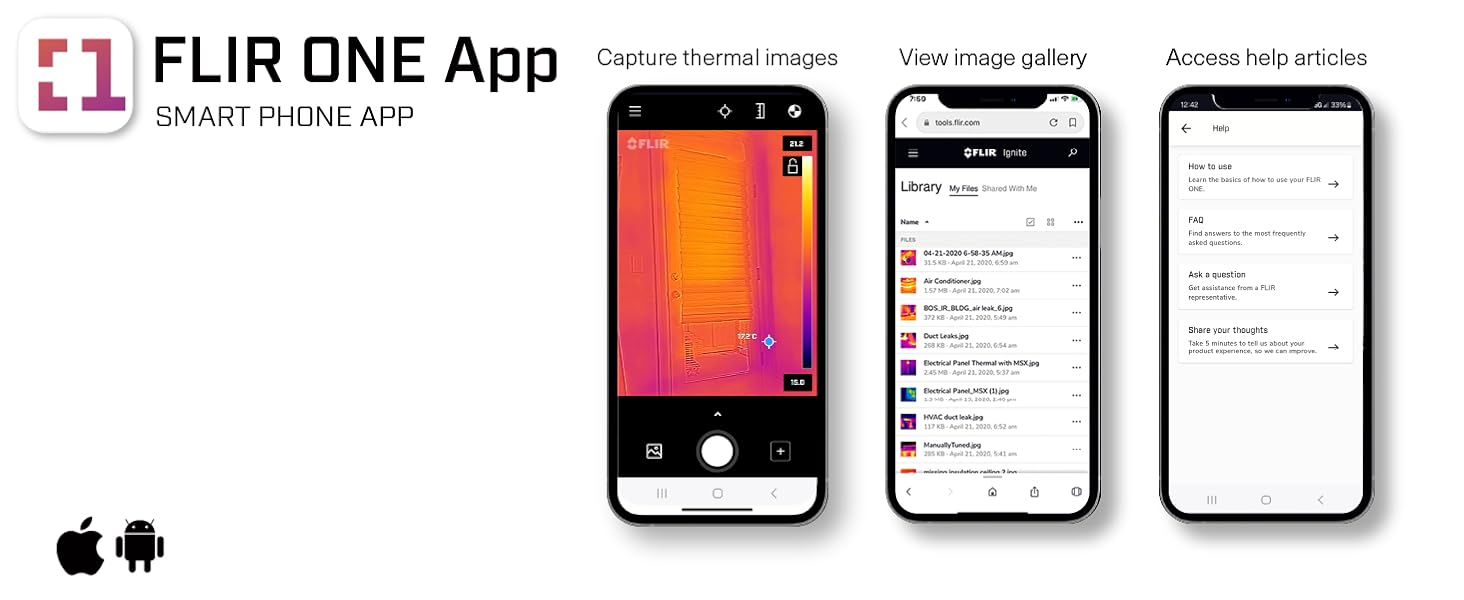
The FLIR One App interface, showcasing its inspection guides for identifying common issues like air leaks and moisture.
An official FLIR video demonstrating the FLIR One Pro's use in various Android applications, including inspections and diagnostics.
Pemeliharaan
Pembersihan
Gently wipe the camera lenses and device exterior with a soft, lint-free cloth. Avoid abrasive materials or harsh chemicals.
Penyimpanan
Store the FLIR One Pro in its protective case when not in use to prevent damage.
Penyelesaian Masalah
Perangkat Tidak Terhubung
- Ensure the FLIR One Pro is fully charged and powered on.
- Verify the FLIR One app is installed and up to date.
- Check the USB-C connection for proper seating. Adjust the OneFit™ connector if necessary.
- Restart your smartphone and the FLIR One app.
Masalah Kualitas Gambar
- Ensure the camera lenses are clean and free of smudges or dust.
- Allow the camera to stabilize for a few seconds after connecting.
- Check app settings for resolution and image enhancement options (e.g., MSX, VividIR).
Spesifikasi
| Fitur | Detil |
|---|---|
| Dimensi Produk | 0.55x2.68x1.34 inci |
| Berat Barang | 1.38 ons |
| Nomor model barang | ONE Pro USB-C |
| Baterai | 1 baterai Lithium Ion diperlukan. (termasuk) |
| Rentang Fokus Makro | 15 - Infinity Centimeters |
| Mode Pemotretan | otomatis / manual |
| Jenis Kontrol Eksposur | otomatis / manual |
| Warna | Hitam |
| Resolusi Pengambilan Video | ukuran 1440x1880 |
| Resolusi Termal | 160x120 (480x360 Super Resolution) |
| Kisaran Suhu | -20°C hingga 400°C (-4°F hingga 752°F) |
| Jatuhkan Peringkat | 1.5 meter |
Garansi dan Dukungan
Informasi Garansi
For detailed warranty information, please refer to the documentation included with your product or visit the official FLIR weblokasi.
Dukungan Pelanggan
For technical assistance or support, please contact FLIR customer service through their official website or the FLIR One app.


