1. Pendahuluan
This manual provides essential information for the safe and efficient operation of your Amazon Basics 400VA Standby Uninterruptible Power Supply (UPS) with Battery Backup and Surge Protection. Please read these instructions thoroughly before use and retain them for future reference.
2. Informasi Keselamatan
- Penempatan: Do not lie the UPS on its side. Ensure proper ventilation and avoid placing it near heat sources or in direct sunlight.
- Tagihan Awal: For optimal performance, plug in the UPS and allow it to charge for at least 8 hours before connecting devices.
- Kapasitas Beban: Do not overload the UPS. For optimal system performance, keep the total load below 80% of the unit's rated capacity (255W).
- Baterai: Contains a sealed lead-acid battery. Do not attempt to disassemble or incinerate. Refer to local regulations for proper battery disposal.
- Pemutus Sirkuit: The unit includes a circuit breaker to prevent overload. If it trips, reduce the load and press the breaker to reset.
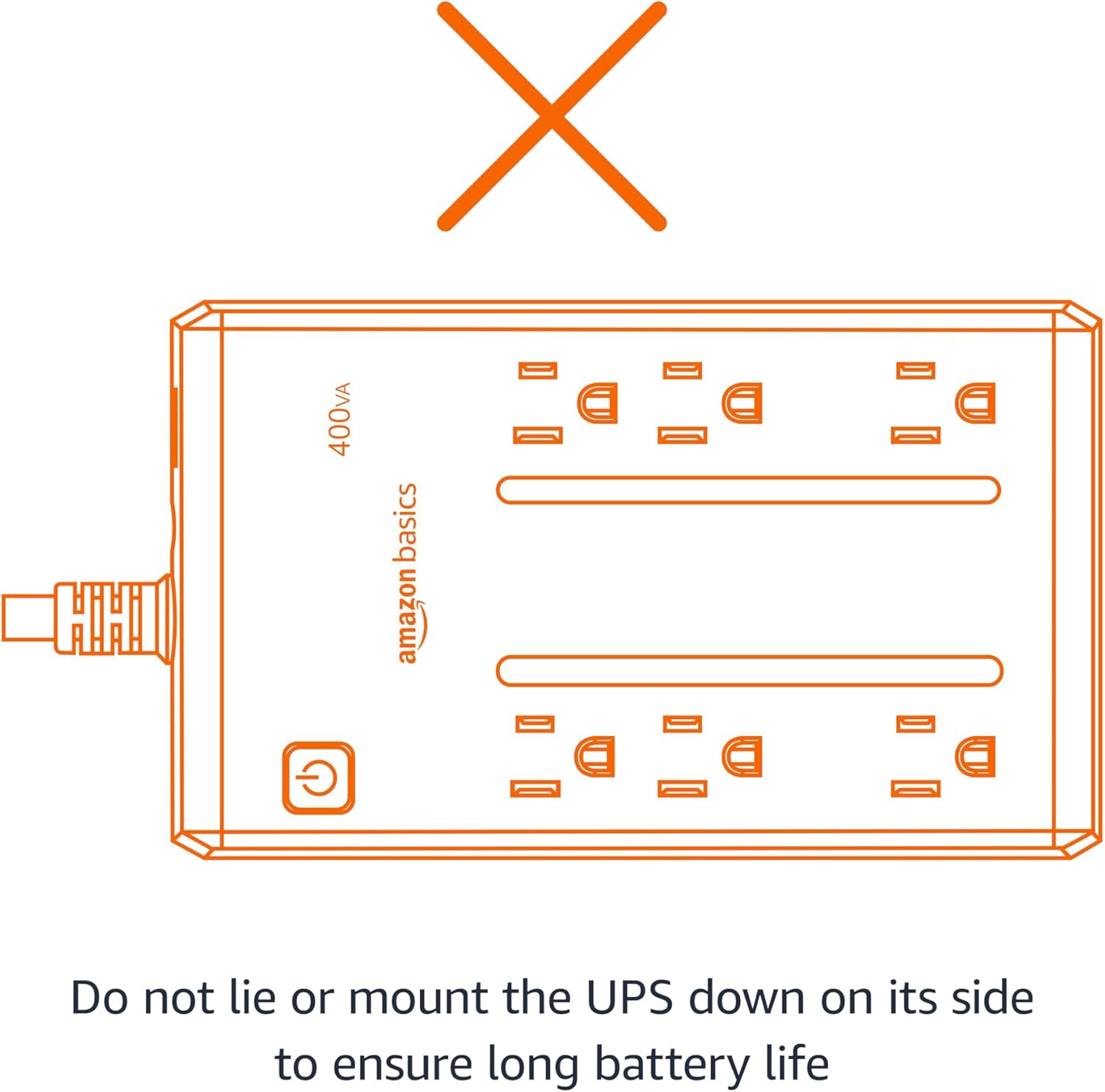
Figure 2.1: Proper orientation is crucial for battery life and unit performance. Avoid lying the UPS on its side.
3. Isi Paket
Verifikasi bahwa semua item ada dalam paket:
- Amazon Basics 400VA Standby UPS Unit
- Panduan Pengguna

Figure 3.1: The Amazon Basics 400VA Standby UPS unit.
4. Produk Lebihview
The Amazon Basics 400VA UPS features a compact design with multiple outlets for power protection.
- Jumlah Outlet: 6 (NEMA 5-15R)
- Stopkontak Cadangan Baterai & Perlindungan Lonjakan Arus: 3 outlets provide continuous power during outagdan melindungi dari lonjakan daya.
- Stopkontak dengan Perlindungan Lonjakan Arus Saja: 3 outlets protect against surges but do not provide battery backup during power outagyaitu.
- Tombol Daya: Controls the unit's power.
- Kabel Daya: 5-foot cord with NEMA 5-15P right-angle and 45-degree offset plug.

Figure 4.1: Key features and outlet types of the UPS.

Gambar 4.2: Rinci view of the UPS outlets, distinguishing between battery-backed and surge-only ports.
5. Pengaturan
- Membongkar: Carefully remove the UPS unit from its packaging.
- Tagihan Awal: Plug the UPS into a standard wall outlet. Press and hold the power button for 2 seconds to turn the unit on. The green LED indicator will illuminate. Allow the unit to charge for a minimum of 8 hours before connecting any critical devices.
- Hubungkan Perangkat: Plug your electronic devices into the appropriate outlets. For devices requiring continuous power during outages (e.g., routers, modems, computers), use the Battery Backup & Surge Protection outlets. For devices needing only surge protection, use the Perlindungan Lonjakan Arus outlet.
Video 5.1: Demonstrates connecting devices to the UPS, highlighting the distinction between battery-backed and surge-only outlets.
6. Mengoperasikan UPS
Once fully charged and devices are connected, your UPS is ready for operation.
- Daya Hidup/Mati: Press and hold the power button for approximately 2 seconds to turn the UPS on or off. The green LED indicates power status.
- Power Otage: Jika terjadi pemadaman listriktage, devices connected to the Battery Backup & Surge Protection outlets will continue to receive power from the internal battery. The UPS may emit an audible alarm to indicate it is operating on battery power.
- Kontrol Alarm: To silence the audible alarm during a power outage, quickly press the power button twice. To reactivate the alarm, press the power button twice again.
- Waktu tayang: The battery backup runtime varies based on the power consumption of connected devices. At half load (200VA/127.5W), the UPS provides approximately 6 minutes of backup power. At full load (400VA/255W), it provides approximately 1.5 minutes of backup power.
Video 6.1: Sebuah overview of the Amazon Basics 400VA UPS, demonstrating its features and functionality.
7. Pemeliharaan
- Penggantian Baterai: The internal battery is a sealed lead-acid type. Its typical lifespan is 3-5 years, depending on usage. Battery replacement should be performed by qualified personnel.
- Pembersihan: Disconnect the UPS from the power outlet and wipe the exterior with a dry cloth. Do not use liquid cleaners.
- Penyimpanan: If storing the UPS for an extended period, ensure it is fully charged and recharge it every 3 months to maintain battery health.
8. Penyelesaian masalah
Lihat tabel berikut untuk masalah umum dan solusinya:
| Gejala | Kemungkinan Penyebab | Larutan |
|---|---|---|
| UPS tidak menyala. | Baterai tidak terhubung atau kosong. | Ensure battery is connected. Plug into wall outlet and charge for 8 hours. |
| UPS berbunyi bip terus-menerus. | Kelebihan beban atau baterai lemah. | Reduce connected load. Allow battery to recharge. |
| No power from battery backup outlets during outage. | Devices plugged into surge-only outlets. | Ensure critical devices are plugged into Battery Backup & Surge Protection outlet. |
| Pemutus sirkuit tersandung. | Kelebihan muatan. | Unplug some devices, then press the circuit breaker to reset. |
9. Spesifikasi
| Fitur | Detil |
|---|---|
| Model | ABST400 |
| Kapasitas | 400VA / 255W |
| Masukan Voltage | 120V~, 10A, 50/60Hz |
| Volume Keluarantage | 120V~, 5.0A, 50/60Hz |
| Total Output Saat Ini | 10A (Including Surge Outlets) |
| Jenis Baterai | Asam Timbal Tersegel |
| Dimensi (P x L x T) | 7.24 x 4.33 x 3.22 inci (18.39 x 11 x 8.18 cm) |
| Berat Barang | 3.8 pon |
| Panjang Kabel | 5 kaki |

Figure 9.1: Physical dimensions of the UPS unit.
10. Garansi dan Dukungan
This Amazon Basics UPS is backed by a limited 1-year warranty, including the battery. For support or warranty claims, please refer to the Amazon Basics customer service channels.
Additionally, a $75,000 connected equipment guarantee is provided. Please refer to the product documentation or Amazon's website for full details on how to make a claim.


