Perkenalan
This manual provides comprehensive instructions for the safe and proper installation, operation, and maintenance of your Amazon Basics Heavy-Duty Tilting TV Wall Mount and High-Speed HDMI Cable. This wall mount is designed to securely hold flat-panel televisions ranging from 37 inches to 80 inches, with a maximum weight capacity of 120 pounds. The included HDMI cable supports Ethernet, 3D, and 4K video, along with Audio Return Channel (ARC) for versatile connectivity.
Please read this manual thoroughly before beginning installation to ensure correct setup and to prevent damage to the product or injury.
Informasi Keselamatan
PERINGATAN: Failure to read and follow all instructions can result in personal injury or property damage. The manufacturer is not responsible for damage or injury caused by incorrect mounting, incorrect assembly, or incorrect use.
- Pastikan struktur dinding mampu menopang berat gabungan dudukan dan televisi dengan aman. Konsultasikan dengan profesional yang berkualifikasi jika ragu.
- Jangan melebihi kapasitas berat maksimum 120 pon (54.4 kg).
- Dudukan ini dirancang untuk digunakan dengan TV layar datar berukuran antara 37 dan 80 inci.
- Selalu gunakan perlengkapan keselamatan yang sesuai, termasuk pelindung mata, selama pemasangan.
- Verify the location of electrical wires, water pipes, and gas lines behind the wall before drilling.
- Two people are recommended for installation due to the size and weight of TVs.
- Jauhkan semua bagian kecil dan bahan kemasan dari jangkauan anak-anak.
Isi Paket
Buka kemasan dengan hati-hati dan pastikan semua komponen ada dan tidak rusak. Jika ada komponen yang hilang atau rusak, jangan coba memasangnya. Hubungi dukungan pelanggan untuk bantuan.
- Wall Plate Assembly (1)
- TV Mounting Brackets (2)
- High-Speed HDMI Cable (1)
- Perlengkapan Pemasangan (berbagai macam sekrup, ring, pengatur jarak, jangkar)
- Instruksi Manual (dokumen ini)


Pengaturan dan Instalasi
Alat yang Diperlukan (Tidak Termasuk):
- Pencari pejantan
- Bor dengan mata bor yang sesuai (kayu/beton)
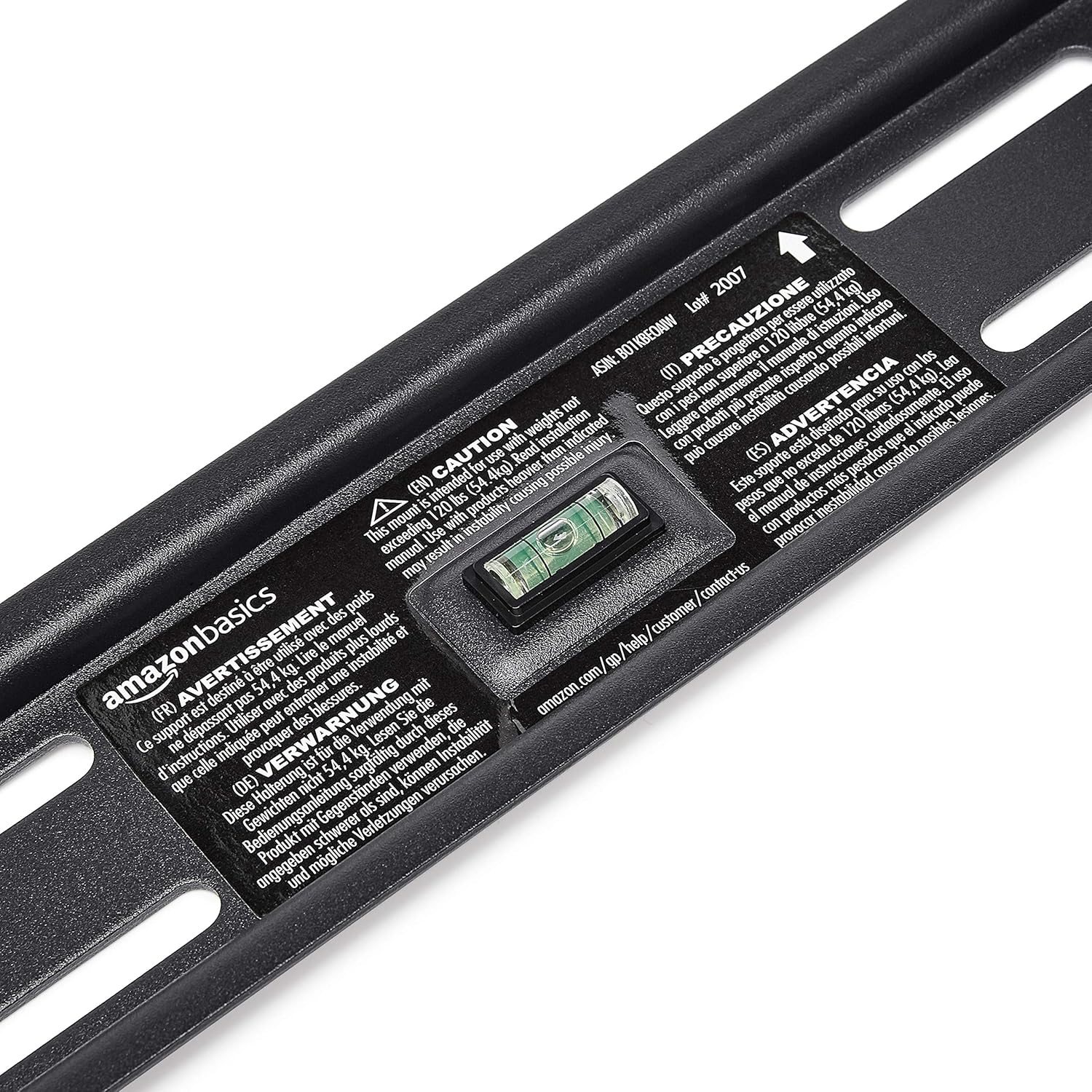
- Level (though one is built into the mount)
- Obeng kepala Phillips
- Socket wrench or adjustable wrench
- Pensil
- Pita pengukur
Langkah 1: Tentukan Lokasi Pemasangan
Choose a location on your wall that is structurally sound and free from electrical wires, water pipes, or gas lines. Use a stud finder to locate wood studs if mounting to drywall, or ensure you have appropriate concrete anchors if mounting to masonry.
Langkah 2: Pasang Pelat Dinding
- Hold the wall plate against the wall at the desired height. Use the built-in level to ensure it is perfectly horizontal.
- Tandai lokasi pengeboran melalui lubang-lubang pada pelat dinding dengan pensil.
- Drill pilot holes at the marked locations. The size of the drill bit will depend on your wall type and the anchors/lag bolts being used.
- Secure the wall plate to the wall using the provided lag bolts and washers. Ensure it is firmly attached and level.

Step 3: Attach TV Mounting Brackets to TV
- Lay your TV face down on a soft, clean surface to prevent screen damage.
- Identifikasi lubang pemasangan VESA di bagian belakang TV Anda.
- Pilih sekrup, ring, dan pengatur jarak yang sesuai dari perlengkapan perangkat keras yang cocok dengan lubang pemasangan TV Anda.
- Attach the two vertical TV mounting brackets to the back of your TV, ensuring they are centered and aligned with the VESA pattern. The hooks on the brackets should face upwards.

Langkah 4: Pasang TV ke Pelat Dinding
- With assistance, carefully lift the TV and hook the brackets onto the top edge of the wall plate.
- Gently lower the TV until the brackets fully engage with the wall plate. You should hear a click or feel it lock into place.
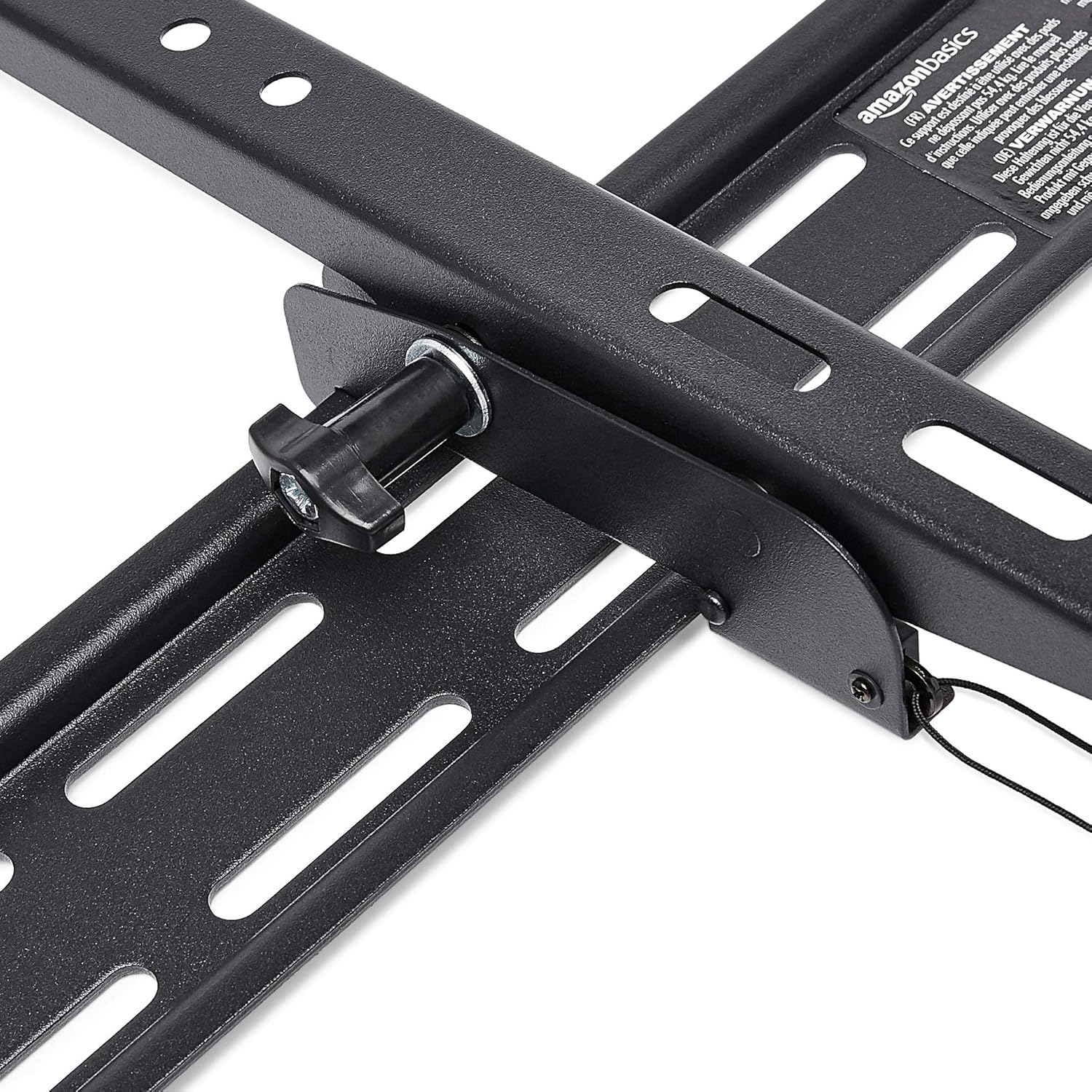
- Pull the release strings (if applicable) to ensure the TV is securely latched to the mount. Some models have safety screws to further secure the TV; tighten these if present.


Step 5: Connect HDMI Cable
Connect one end of the included High-Speed HDMI cable to the HDMI output port on your source device (e.g., Blu-ray player, game console, streaming device) and the other end to an HDMI input port on your TV.

Petunjuk Pengoperasian
Memiringkan TV:
This wall mount allows for 18 degrees of tilt, ranging from +15 degrees (upward) to -3 degrees (downward), to achieve an optimal viewing angle and reduce glare. To adjust the tilt:
- Locate the tilt adjustment knobs or levers on the side of the TV mounting brackets.
- Loosen the knobs or levers to allow the TV to tilt freely.
- Miringkan TV dengan hati-hati ke sudut yang Anda inginkan.
- Tighten the knobs or levers to secure the TV in place.
Pemeliharaan
- Periksa semua sekrup dan baut secara berkala untuk memastikan semuanya tetap kencang dan aman.
- Clean the mount and HDMI cable with a soft, dry cloth. Avoid abrasive cleaners or solvents.
- Do not hang anything from the mount or TV that exceeds the weight capacity.
Penyelesaian Masalah
| Masalah | Kemungkinan Penyebab | Larutan |
|---|---|---|
| TV tidak rata setelah pemasangan. | Pelat dinding tidak rata selama pemasangan. | Carefully remove TV, loosen wall plate screws, adjust level using built-in bubble level, and re-tighten. Re-mount TV. |
| TV not securely attached to mount. | Brackets not fully engaged or safety screws not tightened. | Ensure brackets are fully seated on the wall plate. Tighten any safety screws on the bottom of the brackets. |
| Tidak ada gambar/suara melalui HDMI. | Incorrect input selected on TV, loose cable connection, or faulty source device. | Verify TV input matches the connected HDMI port. Ensure HDMI cable is firmly connected at both ends. Test with another HDMI cable or source device if possible. |
Spesifikasi
- Merek: Dasar-Dasar Amazon
- Model: Heavy-Duty Tilting TV Wall Mount & High-Speed HDMI Cable
- ASIN: B074SVCYZY
- Tipe Pemasangan: Memiringkan
- Ukuran TV yang Kompatibel: 37 hingga 80 inci
- Kapasitas Berat Maksimal: 120 pon (54.4 kg)
- Sudut kemiringan: +15 to -3 degrees (18 degrees total)
- Panjang Kabel HDMI: 10 Kaki
- Fitur HDMI: Supports Ethernet, 3D, 4K video, Audio Return Channel (ARC)
Garansi dan Dukungan
For warranty information and customer support, please refer to the official Amazon Basics websitus web atau hubungi layanan pelanggan Amazon secara langsung. Simpan struk pembelian Anda untuk klaim garansi.
Weblokasi: Amazon Basics Store


