Perkenalan
The Gardena Smart Power Adapter Plug Set allows you to expand your existing Gardena Smart System by integrating various electrical devices. This set of three robust, weatherproof adapter plugs enables convenient control of garden tools, lighting, water features, and other electrical appliances via the Gardena Smart App or directly on the device. Designed for year-round outdoor use, these adapter plugs operate reliably in temperatures down to -20 °C.
Informasi Keselamatan
- Ensure the adapter plugs are correctly installed in suitable outdoor sockets.
- The product is designed for outdoor use and is splash-proof (IP44 rating). However, avoid submerging it in water.
- Jangan membuka atau mencoba memperbaiki perangkat ini. Serahkan semua perbaikan kepada personel yang berkualifikasi.
- Operate within the specified temperature range of up to -20 °C.
- Ensure the total power consumption of connected devices does not exceed the maximum load capacity of 3680 Watts.
- Keep children away from electrical connections. The plugs feature child safety mechanisms.
Isi Paket
The Gardena Smart Power Adapter Plug Set includes:
- 3 x Gardena Smart Power Adapter Plugs
- Instruksi Manual (dokumen ini)
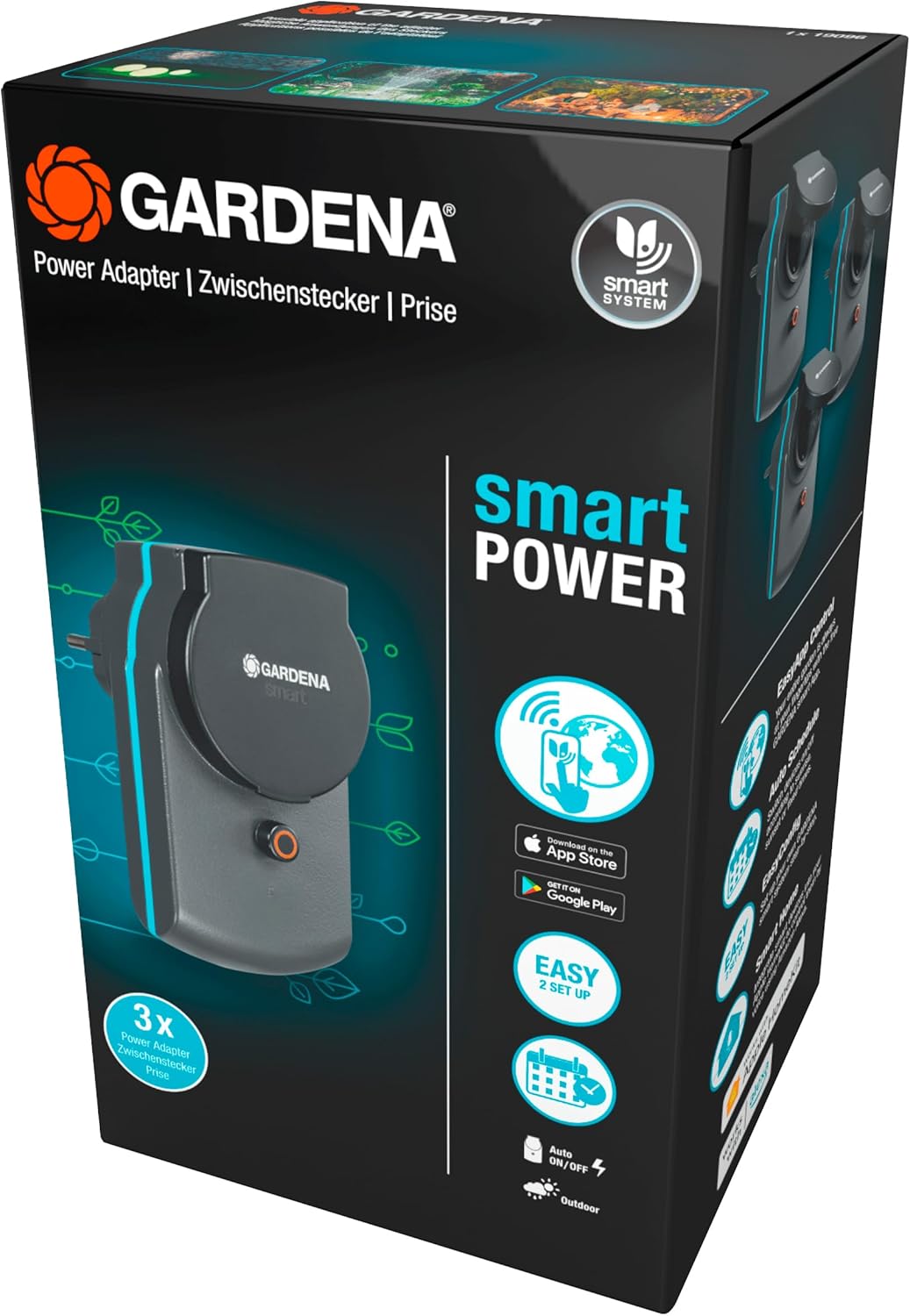
Image: Packaging of the Gardena Smart Power Adapter Plug Set, showing three adapter plugs.
Pengaturan
To set up your Gardena Smart Power Adapter Plugs, follow these steps:
- Prasyarat: Ensure you have an existing Gardena Smart System Gateway installed and configured. The adapter plugs require this gateway for smart functionality.
- Menyambungkan: Insert the Gardena Smart Power Adapter Plug into a suitable outdoor electrical socket. The device will automatically enter discovery mode.
- Tambahkan ke Aplikasi: Open the Gardena Smart App on your smartphone or tablet. Follow the in-app instructions to add a new device. The app will guide you through the connection process with your Smart System Gateway.
- Pembaruan Firmware: After successful pairing, the app may prompt you to perform a firmware update. It is crucial to complete this update for full functionality. This process may take approximately 20 minutes. Ensure the adapter plug remains powered during the update.

Image: A Gardena Smart Power Adapter Plug installed in an outdoor wall socket with its protective cover open.
Pengoperasian
The Gardena Smart Power Adapter Plugs offer flexible control options:
- Via Gardena Smart App:
Once connected to your Smart System Gateway, you can control the adapter plugs remotely using the Gardena Smart App. This includes:
- Hidup/Mati Manual: Switch connected devices on or off instantly.
- Penjadwalan: Create custom schedules for automatic activation and deactivation of devices at specific times.
- Duration Control: Set devices to operate for a chosen duration (e.g., 1, 5, 30 minutes; 1, 2, 5, 12 hours; 1, 3 days; 1, 2 weeks).
- Sakelar Manual:
Each adapter plug features a manual button directly on the device. Press this button to toggle the power to the connected appliance on or off, providing immediate control without needing the app.

Image: Two Gardena Smart Power Adapter Plugs, illustrating the protective cover in both open and closed positions, with a Wi-Fi signal icon indicating smart connectivity.

Image: A Gardena Smart Power Adapter Plug installed in an outdoor socket with an electrical cable connected to it, ready for use.
Pemeliharaan
The Gardena Smart Power Adapter Plugs are designed for durability and minimal maintenance:
- Pembersihan: Periodically wipe the exterior of the adapter plugs with a damp kain untuk menghilangkan kotoran dan debu. Jangan gunakan bahan kimia keras atau pembersih abrasif.
- Inspeksi: Regularly inspect the plugs and connected cables for any signs of damage, wear, or corrosion. If any damage is observed, discontinue use and contact Gardena support.
- Perlindungan Cuaca: While robust and splash-proof, ensure the protective cover is properly closed when no device is connected or when a device is connected and the plug is exposed to rain or moisture.
Penyelesaian Masalah
If you encounter issues with your Gardena Smart Power Adapter Plugs, consider the following:
- Device Not Responding in App:
- Check if the adapter plug is securely plugged into the wall socket and receiving power.
- Verify that your Gardena Smart System Gateway is powered on and connected to the internet.
- Ensure the adapter plug is within range of the Smart System Gateway. Signal strength can be checked in the app.
- Attempt a manual on/off toggle using the button on the adapter plug.
- Restart the Gardena Smart App.
- Pembaruan Firmware Gagal:
- Ensure a stable internet connection for your Smart System Gateway during the update process.
- Keep the adapter plug powered and close to the gateway during the update.
- If repeated failures occur, contact Gardena support.
- No Power to Connected Device:
- Confirm the adapter plug is switched on via the app or the manual button.
- Check the connected device's power cable and ensure it is functioning correctly when plugged directly into a standard socket.
- Verify that the total load does not exceed 3680 Watts.
Spesifikasi
| Nomor Model | Nomor telepon 19096-20 |
| Dimensi Produk (P x L x T) | Ukuran 12.3x7.6x22.9 cm |
| Berat Barang | 620 gram |
| Bahan | Plastik |
| Warna | Dark Grey, Black, Turquoise |
| Kelas Perlindungan | IP44 (Tahan percikan) |
| Suhu Operasional | Up to -20 °C |
| Beban Maksimum | 3680 Watt |
| Sumber Daya | Listrik bertenaga |
| Kesesuaian | Requires Gardena Smart System Gateway |
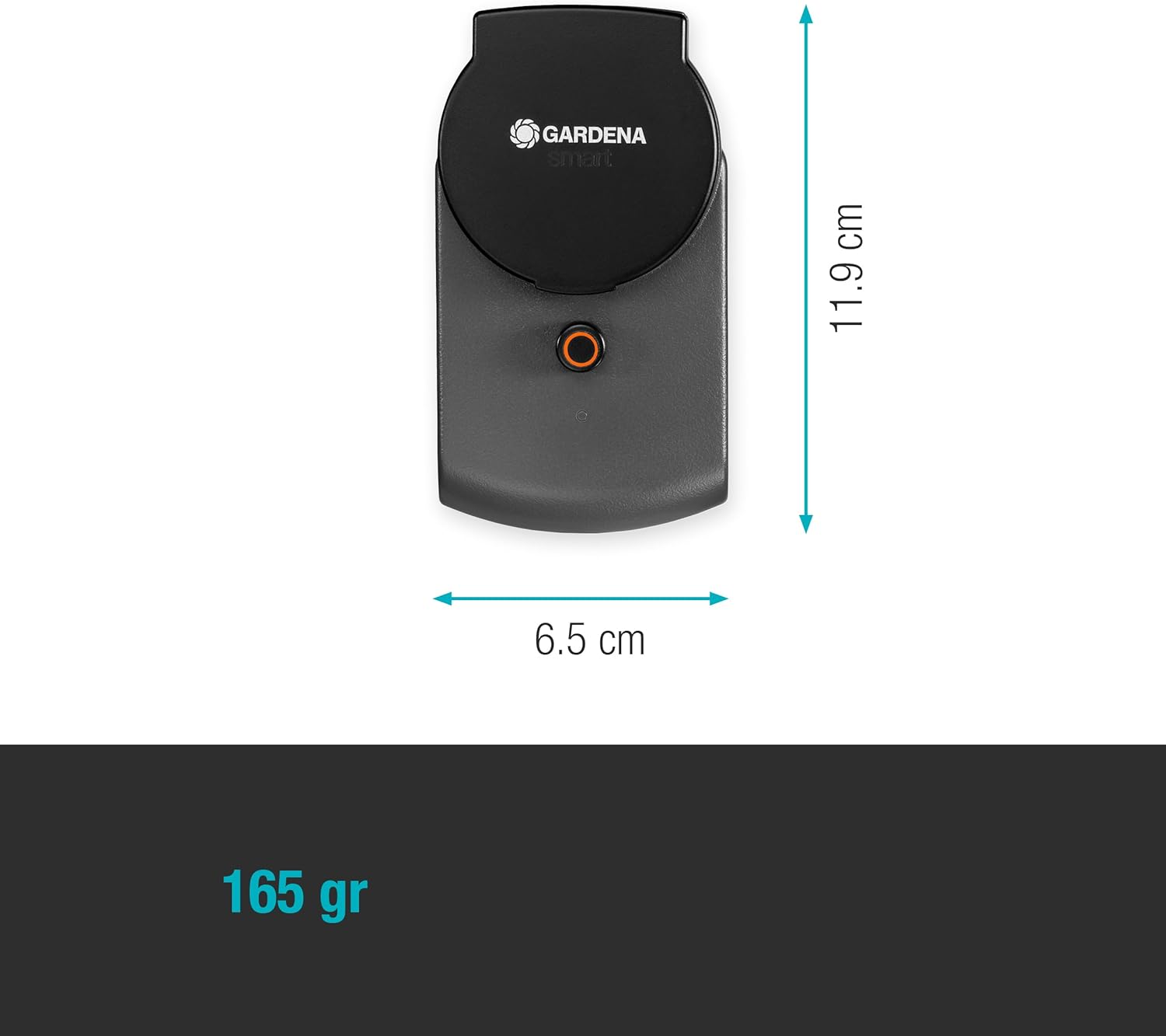
Image: Diagram illustrating the dimensions of the Gardena Smart Power Adapter Plug (11.9 cm height, 6.5 cm width).
Garansi dan Dukungan
For warranty information, product support, or to report any issues, please contact Gardena customer service. Details can typically be found on the official Gardena websitus atau dalam kemasan produk Anda.
Gardena Official Weblokasi: www.gardena.com


