Perkenalan
Thank you for choosing the KROM Kernel TKL Mechanical Gaming Keyboard. This compact, tenkeyless (TKL) keyboard is designed for gaming enthusiasts, offering a responsive mechanical experience with customizable RGB backlighting and a Spanish layout. This manual provides detailed instructions for setup, operation, maintenance, and troubleshooting to ensure optimal performance and longevity of your device.
Produk Selesaiview
Fitur Utama
- Sakelar Mekanik: Durable and responsive mechanical key switches for precise input.
- Desain Tenkeyless (TKL): Compact form factor without a numeric keypad, ideal for saving desk space and improving mouse movement.
- Lampu Latar RGB: Customizable LED backlighting with various effects and colors.
- Fungsi Makro: Assign macro functions to any key for personalized commands.
- Tombol Multimedia: Dedicated or function-layer multimedia controls for convenience.
- Anti-Ghosting: Memastikan semua penekanan tombol terdaftar secara akurat, bahkan selama sesi bermain game yang intens.
- Konstruksi Tahan Lama: Dibuat dengan material berkualitas untuk performa tahan lama.
- Spanish Layout: Designed with a QWERTY Spanish key layout.
Isi Paket
- KROM Kernel TKL Mechanical Gaming Keyboard
- Kabel USB (terlampir)
- User Manual (dokumen ini)
- (Note: Additional accessories may vary by region or specific product bundle.)
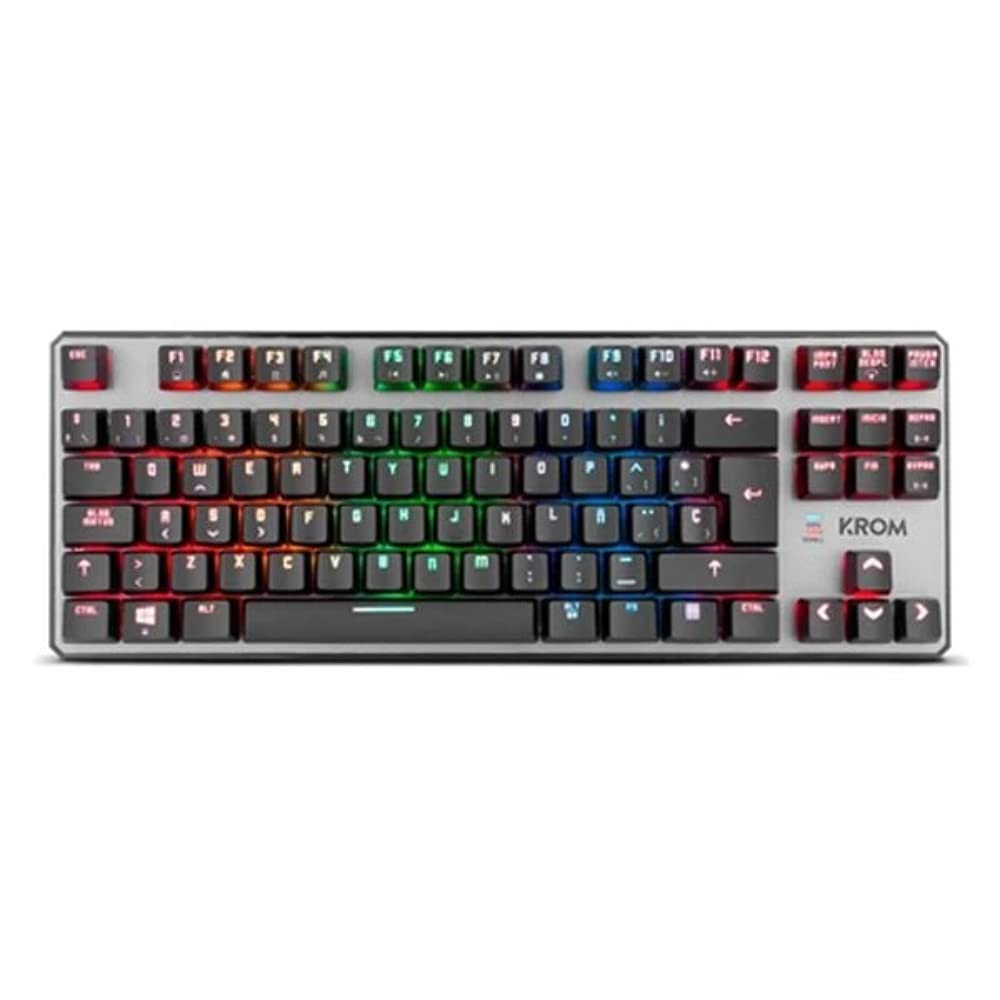
Gambar 1.1: KROM Kernel TKL Mechanical Gaming Keyboard packaging, showing the front and back of the box with product features and design.

Gambar 1.2: Perintahkan ke bawah view of the KROM Kernel TKL keyboard, showcasing its compact design and vibrant RGB backlighting across all keys.
Pengaturan
- Bongkar Keyboardnya: Carefully remove the KROM Kernel TKL keyboard from its packaging.
- Hubungkan ke Komputer: Locate the USB cable attached to the keyboard. Plug the USB connector into an available USB port on your computer (PC or laptop).
- Instalasi Driver: The keyboard is plug-and-play. Your operating system (Windows 7/8/8.1/10) should automatically detect and install the necessary drivers. This process may take a few moments.
- Verifikasi Fungsionalitas: Once drivers are installed, test the keyboard by typing in a text editor or browser to ensure all keys are responsive.
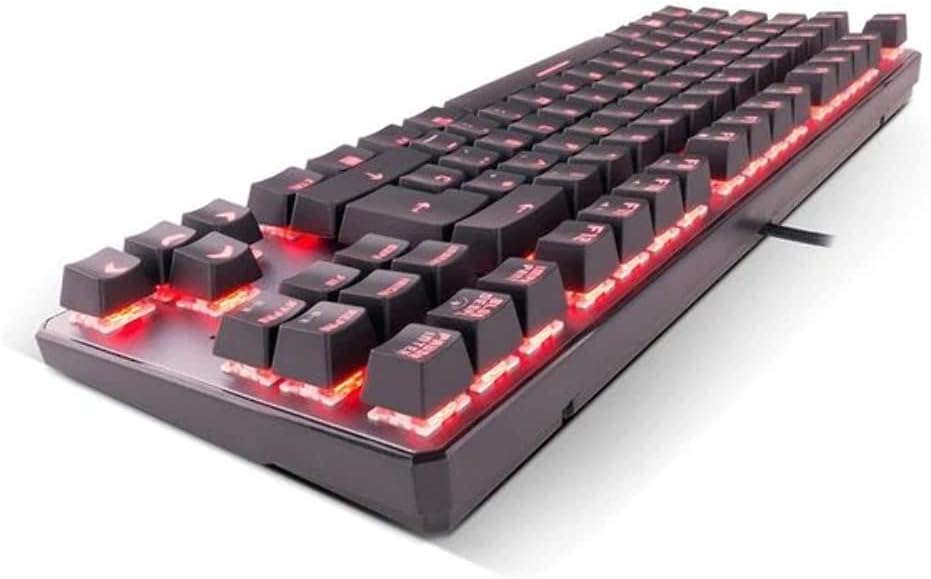
Gambar 2.1: Samping view of the KROM Kernel TKL keyboard, highlighting the red backlighting visible beneath the keycaps and the compact profile.
Petunjuk Pengoperasian
Kontrol Lampu Latar RGB
The KROM Kernel TKL keyboard features dynamic RGB backlighting. Use the following key combinations to adjust lighting effects:
- Fn + [Tombol]: Specific function keys (often F1-F12 or dedicated keys) are used in combination with the Function (Fn) key to cycle through lighting modes, adjust brightness, change speed, or select colors. Refer to the keyboard's keycap legends for specific symbols indicating lighting controls.
- Penyesuaian Kecerahan: Typically Fn + Up/Down arrow keys or dedicated brightness keys.
- Effect Speed: Often Fn + Left/Right arrow keys to increase or decrease the speed of dynamic lighting effects.
- Pergantian Mode: Cycle through various pre-set RGB lighting modes (e.g., wave, ripple, breathing, static color) using a dedicated Fn combination.

Gambar 3.1: The KROM Kernel TKL keyboard displaying its full RGB spectrum backlighting, enhancing the visual appeal during use.
Macro Function Assignment
The keyboard supports on-the-fly macro recording or software-based macro assignment. For on-the-fly recording:
- Initiate Recording: Press a specific Macro Record key (often labeled "MR" or a Fn combination).
- Select Target Key: Press the key you wish to assign the macro to.
- Record Sequence: Ketik urutan tombol yang ingin Anda rekam sebagai makro.
- Akhiri Rekaman: Press the Macro Record key again to save the macro.
Note: Detailed macro programming instructions may require specific software or refer to the full digital manual available on the KROM weblokasi.
Tombol Multimedia dan Pintasan
Access multimedia functions and system shortcuts using the Fn key in combination with the F-keys (F1-F12) or other designated keys. Common functions include:
- Kontrol Volume: Fn + Fx (e.g., F1-F3 for Mute, Volume Down, Volume Up).
- Pemutaran Media: Fn + Fx (e.g., F5-F8 for Play/Pause, Stop, Previous Track, Next Track).
- Pintasan Aplikasi: Fn + Fx (e.g., F9-F12 for Email, Web Browser, My Computer, Calculator).

Gambar 3.2: Sebuah close-up view of the KROM Kernel TKL keyboard's keycaps, clearly showing the Spanish QWERTY layout and secondary functions.
Pemeliharaan
Perawatan yang tepat memastikan umur panjang dan kinerja keyboard Anda.
- Pembersihan:
- Lepaskan keyboard dari komputer sebelum membersihkan.
- Gunakan kaleng udara bertekanan untuk membersihkan debu dan kotoran dari sela-sela penutup tombol.
- Bersihkan tutup tombol dan permukaan keyboard dengan kain lembut dan sedikit kering.ampkain bebas serat. Hindari kelembapan berlebih.
- Jangan gunakan bahan kimia keras, pembersih abrasif, atau pelarut.
- Penyimpanan: Simpan keyboard di tempat yang kering dan sejuk, jauhkan dari sinar matahari langsung dan suhu ekstrem.
- Penanganan: Avoid dropping the keyboard or exposing it to liquids. Do not attempt to disassemble the keyboard as this may void the warranty.

Gambar 4.1: Sisi profile view of the KROM Kernel TKL keyboard, illustrating its ergonomic tilt and compact design.

Gambar 4.2: A close-up image showing a mechanical switch on the KROM Kernel TKL keyboard, highlighting its design and potential for easy replacement (CIY Technology).

Gambar 4.3: The CIY Technology logo, indicating that the keyboard features hot-swappable mechanical switches for easy customization or replacement.
Penyelesaian Masalah
If you encounter issues with your KROM Kernel TKL keyboard, refer to the following common solutions:
- Keyboard Tidak Merespons:
- Pastikan kabel USB terpasang dengan benar ke keyboard dan komputer.
- Cobalah mencolokkan keyboard ke port USB lain di komputer Anda.
- Hidupkan ulang komputer Anda.
- Uji keyboard pada komputer lain untuk menentukan apakah masalahnya terletak pada keyboard atau sistem Anda.
- Lampu latar tidak berfungsi atau tidak akurat:
- Check if the backlighting is turned off. Use the Fn key combinations to cycle through lighting modes and adjust brightness.
- Ensure no software conflicts are interfering with the lighting controls.
- Tombol Tidak Terdaftar atau Terjadi Kesalahan Penekanan:
- Clean the affected keys with compressed air to remove any debris.
- If the keyboard uses hot-swappable switches (like the "CIY Technology" mentioned in an image), try gently removing and re-inserting the switch for the problematic key.
- Pastikan driver sistem operasi Anda sudah diperbarui.
- Fungsi Makro Tidak Berfungsi:
- Review the macro programming steps to ensure correct recording.
- Check if any software is overriding the keyboard's native macro functions.
Spesifikasi
| Fitur | Detil |
|---|---|
| Nomor Model | NXKROMKRNLTKL |
| Jenis Papan Ketik | Mekanis |
| Tata Letak | Spanish QWERTY (TKL) |
| Pencahayaan latar | Lampu LED RGB |
| Koneksi | Wired USB (Gold-plated) |
| Panjang Kabel | 180 cm (Braided) |
| Kekuatan Aktuasi | 60 +/- 10g |
| Tingkat Polling | 1000Hz |
| Memori Internal | 64 KB (for macros/profiles) |
| Konsumsi Saat Ini | 100-260mA |
| Jil.tage | 5.0 +/- 0.25 V |
| Dimensi (P x L x T) | Ukuran 361x133.5x22.5 mm |
| Berat | 950 +/- 30g |
| Kesesuaian | Jendela 7/8/8.1/10 |
| Fitur Khusus | Macro function assignment, Multimedia keys, Shortcut keys |
Garansi dan Dukungan
KROM products are designed for reliability and performance. This product comes with a standard manufacturer's warranty. For specific warranty terms and conditions, please refer to the warranty card included with your product or visit the official KROM weblokasi.
For technical support, driver downloads, or further assistance, please visit the KROM official support page or contact their customer service. Contact information can typically be found on the KROM websitus atau kemasan produk.
KROM Resmi Weblokasi: www.kromgaming.com (Catatan: Ini adalah tempat penampung URL, please verify the actual KROM support weblokasi.)