1. Pendahuluan
Thank you for choosing the ASAKUKI Smart Wi-Fi Essential Oil Diffuser. This device combines aromatherapy with smart technology, allowing you to control it via a mobile application or voice commands. It is designed to humidify and purify the air, creating a relaxing atmosphere in your home or office.
This manual provides detailed instructions for the safe and efficient use of your diffuser. Please read it thoroughly before operation and retain it for future reference.

Image: The ASAKUKI Smart Wi-Fi Essential Oil Diffuser is versatile for various environments, including nurseries, family rooms, bedrooms, yoga studios, and workspaces.
2. Tindakan pencegahan keselamatan
Untuk memastikan pengoperasian yang aman dan mencegah kerusakan, harap perhatikan hal-hal berikut:
- Always place the diffuser on a flat, stable surface.
- Do not exceed the maximum water fill line (500ml).
- Gunakan hanya air keran bersih atau air suling. Hindari penggunaan air panas.
- Add essential oils carefully to avoid spilling on the exterior of the unit.
- Jauhkan diffuser dari jangkauan anak-anak dan hewan peliharaan.
- Do not cover the mist outlet during operation.
- Cabut perangkat dari stopkontak sebelum membersihkan atau mengisi ulang.
- Jangan merendam unit di dalam air atau cairan lainnya.
- If the unit is damaged, do not attempt to repair it yourself. Contact customer support.
- The diffuser features an automatic shut-off when water runs out, but it is recommended to monitor water levels.
3. Isi Paket
Verifikasi bahwa semua item ada dalam paket Anda:
- ASAKUKI Smart Wi-Fi Essential Oil Diffuser (Model DF010)
- Adaptor Daya
- Panduan Pengguna
- Gelas ukur (mungkin disertakan)
4. Produk Lebihview
Familiarize yourself with the main components of your diffuser:

Image: The ASAKUKI Smart Wi-Fi Essential Oil Diffuser, showing its sleek design and the accompanying mobile app for control.
- Tutup: Top cover of the diffuser.
- Outlet Kabut: Di tempat kabut dilepaskan.
- Tangki Air: Holds up to 500ml of water.
- Batas Air Maksimum: Menunjukkan tingkat pengisian maksimum.
- Ultrasonic Plate: Terletak di bagian bawah tangki air, bertanggung jawab untuk menghasilkan kabut.
- Ventilasi udara: Located on the base.
- Drain Side: Indicated for proper water drainage.
- Tombol Lampu: Mengontrol fungsi lampu LED.
- Mist/Wi-Fi Button: Controls mist output and initiates Wi-Fi pairing.
- Jack Daya: Untuk menghubungkan adaptor daya.
5. Petunjuk Penyiapan
Ikuti langkah-langkah berikut untuk pengaturan awal:
- Letakkan Diffuser: Position the diffuser on a flat, stable, and water-resistant surface.
- Lepaskan Tutupnya: Gently lift the top lid off the diffuser.
- Tambahkan air: Using a measuring cup, fill the water tank with clean tap water or distilled water up to the maximum water line (500ml). Do not overfill.
- Tambahkan Minyak Atsiri: Add 3-5 drops of your preferred essential oil directly into the water tank. Adjust the amount based on personal preference and room size.
- Ganti Tutupnya: Securely place the lid back onto the diffuser.
- Hubungkan Daya: Plug the power adapter into the power jack at the base of the diffuser, then plug the adapter into a wall outlet.
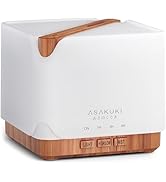
Image: Simple setup guide illustrating connecting power, app pairing, and wireless control.
6. Petunjuk Pengoperasian
6.1 Kontrol Manual
- Pengendalian Kabut: Tekan tombol Mist/Wi-Fi button once for continuous mist. Press again for intermittent mist (30 seconds on, 30 seconds off). Press a third time to turn off the mist.
- Kontrol Cahaya: Tekan tombol Lampu button once to turn on the LED light with automatic color cycling. Press again to fix the light to a specific color. Continue pressing to cycle through colors. Press and hold the Light button to turn off the light.
6.2 Smart Wi-Fi and App Control
The diffuser can be controlled remotely using the TuyaSmart app.
- Unduh Aplikasi: Pencarian untuk "TuyaSmart" in your smartphone's app store (iOS or Android) and download it.
- Daftar/Masuk: Buka aplikasi dan daftarkan akun baru atau masuk jika Anda sudah memiliki akun.
- Masuk ke Mode Penyandingan: With the diffuser plugged in, press and hold the Mist/Wi-Fi button for 5 seconds until the indicator light flashes rapidly. This indicates the diffuser is in pairing mode.
- Tambahkan Perangkat: In the TuyaSmart app, tap "Add Device" or the "+" icon. Select "Small Home Appliance" > "Diffuser" (Wi-Fi).
- Hubungkan ke Wi-Fi: Follow the in-app instructions to connect the diffuser to your 2.4GHz Wi-Fi network. Ensure your phone is also connected to the same 2.4GHz network during setup.
- Kontrol: Once successfully paired, you can control the mist, light, set timers, and create schedules directly from the TuyaSmart app.

Image: The mobile app allows for convenient control of the diffuser's functions.
6.3 Kontrol Suara dengan Alexa
The diffuser is compatible with Amazon Alexa for voice control.
- Aktifkan Keterampilan: In the Alexa app, search for and enable the "TuyaSmart" skill.
- Tautkan Akun: Link your TuyaSmart account to your Alexa account.
- Temukan Perangkat: Ask Alexa to "Discover devices" or manually discover them in the Alexa app.
- Perintah Suara: Setelah ditemukan, Anda dapat menggunakan perintah seperti:
- "Alexa, turn on the diffuser."
- "Alexa, turn off the diffuser."
- "Alexa, set the diffuser to red."
- "Alexa, set diffuser brightness to 50%."

Image: Voice control with Alexa allows hands-free operation of the diffuser.
7. Pemeliharaan
Pembersihan rutin membantu menjaga kinerja optimal dan memperpanjang umur pakai diffuser Anda.
7.1 Pembersihan
Bersihkan diffuser setelah setiap 5-6 kali penggunaan atau setiap 3-5 hari, terutama saat mengganti minyak esensial.
- Cabut: Disconnect the diffuser from the power outlet.
- Air Kosong: Remove the lid and carefully pour out any remaining water from the drain side of the water tank.
- Bersihkan: Use a soft cloth or cotton swab with a small amount of mild dish soap to gently wipe the inside of the water tank and the ultrasonic plate.
- Bilasan: Bilas tangki air dengan air bersih, berhati-hatilah agar air tidak masuk ke lubang ventilasi udara.
- Kering: Wipe all parts dry with a clean, soft cloth.
- Deep Clean (Optional): For stubborn residue, add a small amount of white vinegar to the water tank and let it sit for 10-15 minutes before wiping and rinsing.
7.2 Penyimpanan
When not in use for an extended period, ensure the diffuser is clean and completely dry. Store it in a cool, dry place away from direct sunlight.
8. Penyelesaian masalah
Jika Anda mengalami masalah, lihat masalah umum dan solusi berikut:
| Masalah | Kemungkinan Penyebab | Larutan |
|---|---|---|
| Tidak ada kabut atau keluaran kabut rendah |
|
|
| Diffuser does not power on |
|
|
| Tidak dapat terhubung ke Wi-Fi/Aplikasi |
|
|
| Kebocoran air |
|
|
9. Spesifikasi
| Fitur | Detil |
|---|---|
| Merek | ASAKUKI |
| Nomor Model | DF010 |
| Kapasitas | 500 Mililiter |
| Ukuran | 6"P x 6"L x 7"T |
| Bahan | Acrylonitrile Butadiene Styrene (ABS), Polypropylene (PP) |
| Sumber Daya | Listrik Kabel |
| Apatage | 10 watt |
| Area Cakupan | Hingga 323 Kaki Persegi |
| Fitur Khusus | App Control, Automatic Shut-Off, Multiple Light Settings, Multiple Mist Settings, Voice Control (Alexa) |
| Tingkat Kebisingan | Lower than 35 dB |
| Runtime (Full Capacity) | Up to 16 hours (on weak mist setting) |
10. Garansi dan Dukungan
The ASAKUKI Smart Wi-Fi Essential Oil Diffuser comes with a 1-year technical support warrantyGaransi ini mencakup cacat produksi dan masalah yang timbul dari penggunaan normal.
For technical assistance, troubleshooting, or warranty claims, please contact ASAKUKI customer support through the retailer where you purchased the product or visit the official ASAKUKI websitus untuk informasi kontak.
Please have your model number (DF010) and proof of purchase ready when contacting support.


