1. Pendahuluan
Thank you for choosing the Vandlion V8 Keychain Voice Recorder. This compact and versatile device is designed for high-quality audio recording in various environments, offering ease of use and portability. It also functions as an MP3 player and a USB storage device. Please read this manual thoroughly to understand the features and proper operation of your new device.
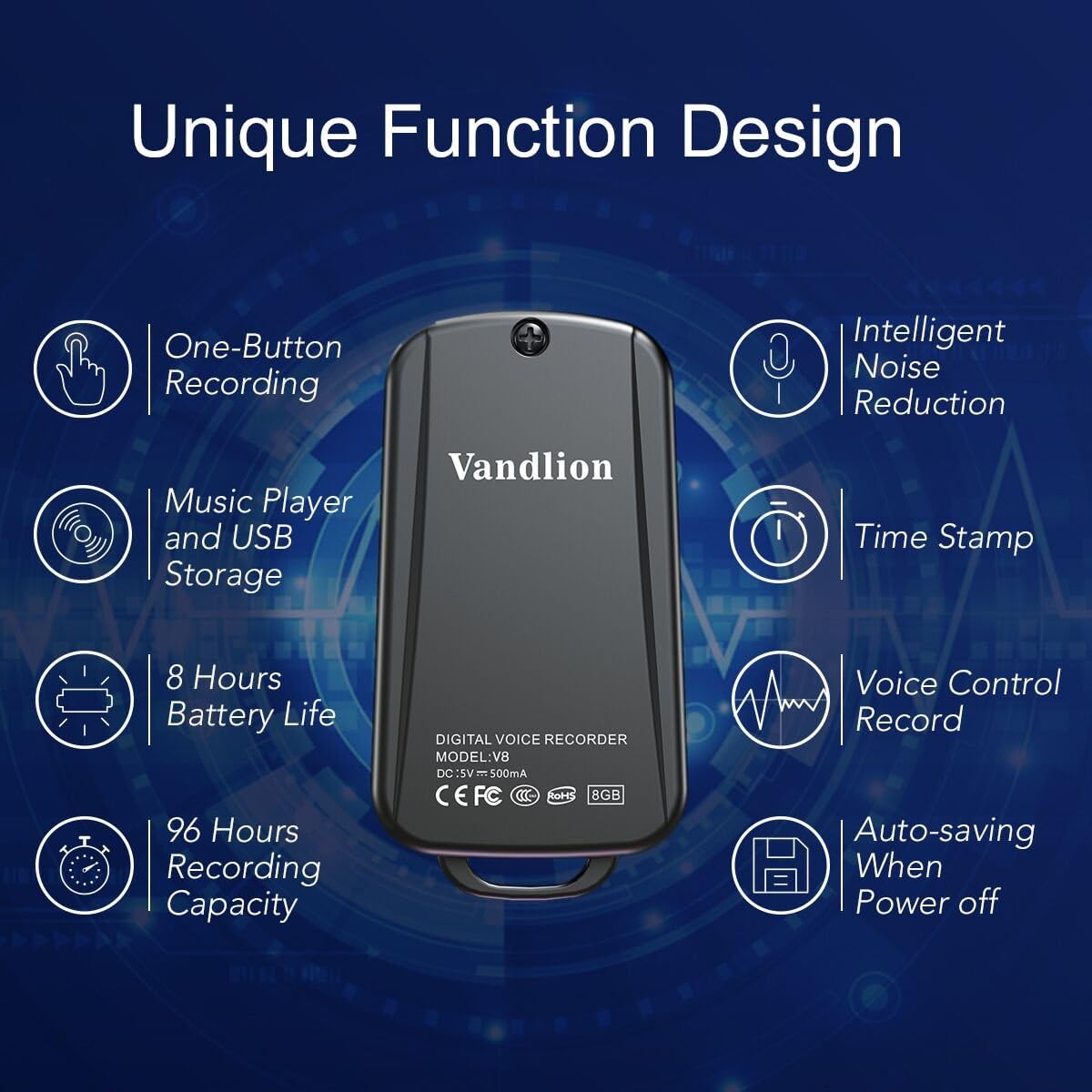
Image 1: Vandlion V8 Keychain Voice Recorder highlighting features like one-button recording, intelligent noise reduction, time stamp, voice control record, auto-saving, music player, USB storage, 8 hours battery life, and 96 hours recording capacity.
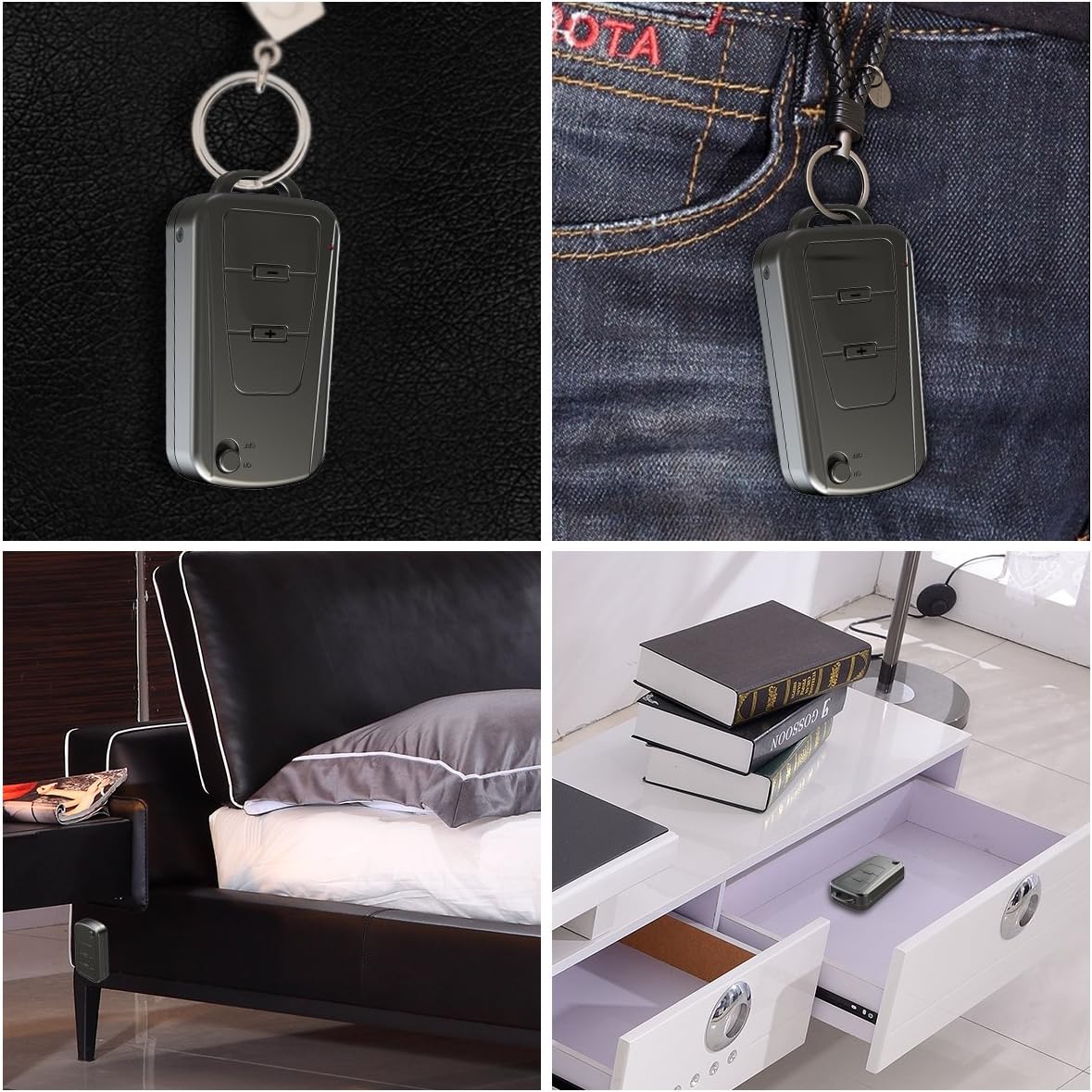
Image 2: The Vandlion V8 recorder shown in various discreet usage scenarios, including attached to a keychain, clipped to trousers, placed beside a bed, and hidden in a drawer.

Image 3: The Vandlion V8 recorder depicted in various application scenarios such as classes, meetings, speeches, concerts, interviews, and for forensic purposes.
2. Isi Paket
- 1 x Perekam Suara Vandlion V8
- 1 x Kabel USB
- 1 x Panduan Pengguna (dokumen ini)
3. Perangkat Berakhirview
Kenali komponen fisik perekam suara Anda.
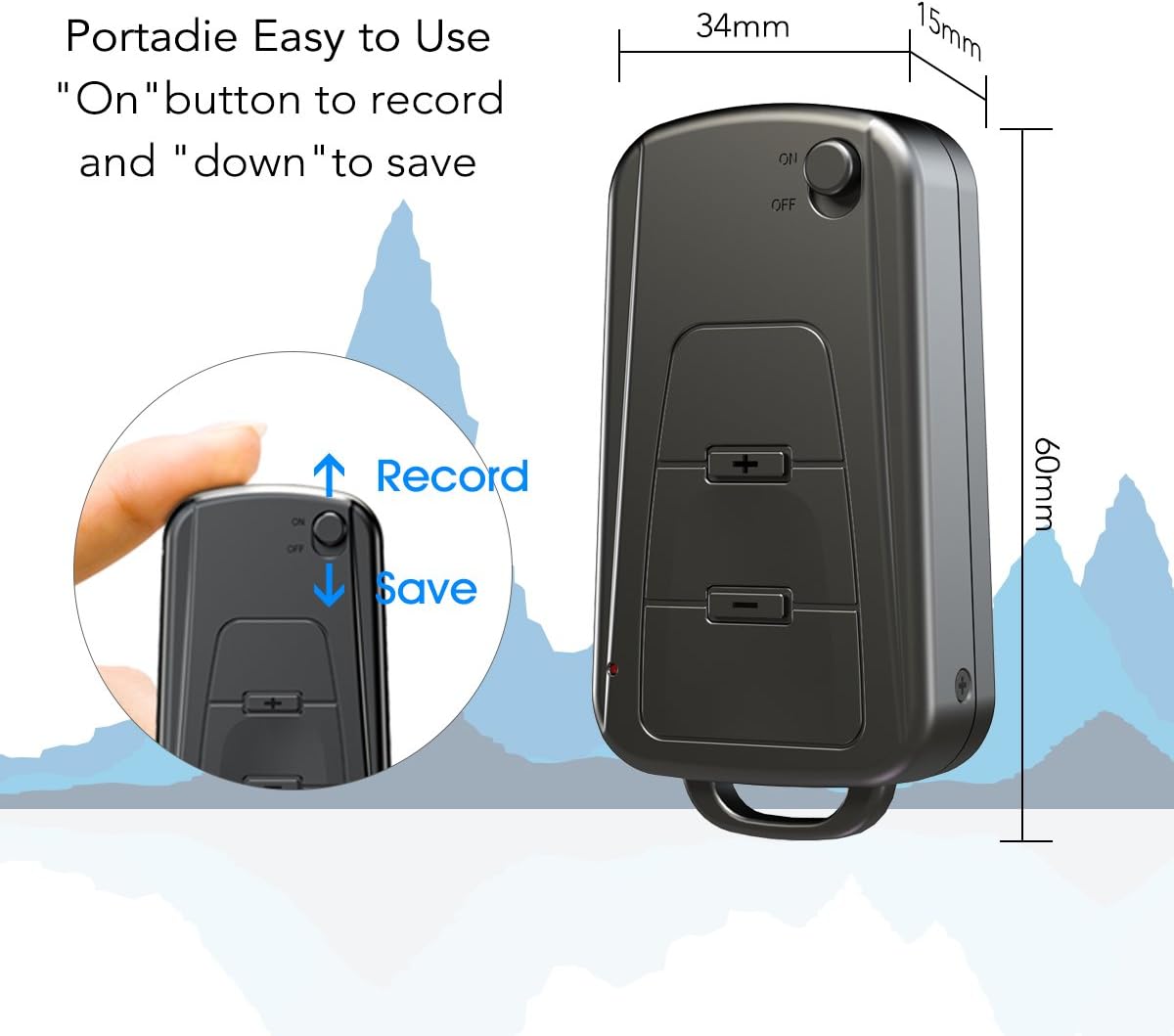
Gambar 4: Samping view of the Vandlion V8 recorder, illustrating the ON/OFF switch for recording and saving, along with volume control buttons. Dimensions are also shown: 60mm length, 34mm width, 15mm thickness.
- Saklar ON/OFF: Used to start and stop recording, and to power the device.
- Port USB: Untuk mengisi daya dan menghubungkan ke komputer.
- Jack Headphone: Untuk pemutaran audio.
- Mikropon: Terintegrasi untuk perekaman audio.
- Lampu Indikator: Memberikan umpan balik status (misalnya, perekaman, pengisian daya).
4. Pengaturan
4.1. Mengisi Daya Perangkat
Before first use, fully charge the voice recorder. Connect the device to a computer's USB port or a USB wall adapter using the provided USB cable. The indicator light will typically show a specific color (e.g., red) during charging and change (e.g., blue or off) when fully charged. A full charge provides approximately 20 hours of operation.
4.2. Daya Awal Menyala
Slide the ON/OFF switch to the "ON" position to power on the device. The indicator light will briefly illuminate.
5. Petunjuk Pengoperasian
5.1. Perekaman Satu Tombol
- Untuk memulai perekaman, geser sakelar ON/OFF ke "PADA" position. The device will automatically begin recording. The indicator light will not flicker during recording to ensure discreet operation.
- To save the recording, slide the ON/OFF switch to the "MATI" position. The device will save the current recording and power off.
Image 5: Close-up of the Vandlion V8 recorder demonstrating the simple "ON" to record and "OFF" to save operation.
5.2. Perekaman yang Diaktifkan Suara (VOR)
The device features a smart voice-activated system. When enabled, the recorder will only record when sound is detected, conserving storage space and battery life. Refer to the full user guide (if available from manufacturer) for detailed instructions on enabling/disabling VOR, as this feature may require specific button presses or software settings not covered by the basic one-button operation.
5.3. Memutar Ulang Rekaman
- Connect headphones to the headphone jack on the device.
- Power on the device by sliding the ON/OFF switch to "ON".
- Use the volume buttons (if present) to navigate through recordings and adjust playback volume.
Alternatively, connect the device to a computer to play back recordings.
5.4. Mentransfer Files ke Komputer
- Ensure the recorder is powered off.
- Connect the recorder to your computer using the supplied USB cable. The device will be recognized as a removable storage drive.
- Open the drive, locate the recording files (typically in WAV format), and drag them to your computer.
- Note for Mac users: You may need to use VLC Media Player or similar software to play WAV files recorded by this device.
5.5. Using as an MP3 Player
The device supports WAV, WMA, and MP3 audio formats. You can transfer music files to the device's storage via USB connection, similar to transferring recordings. Once music files are on the device, connect headphones and power on the device to listen to your music.
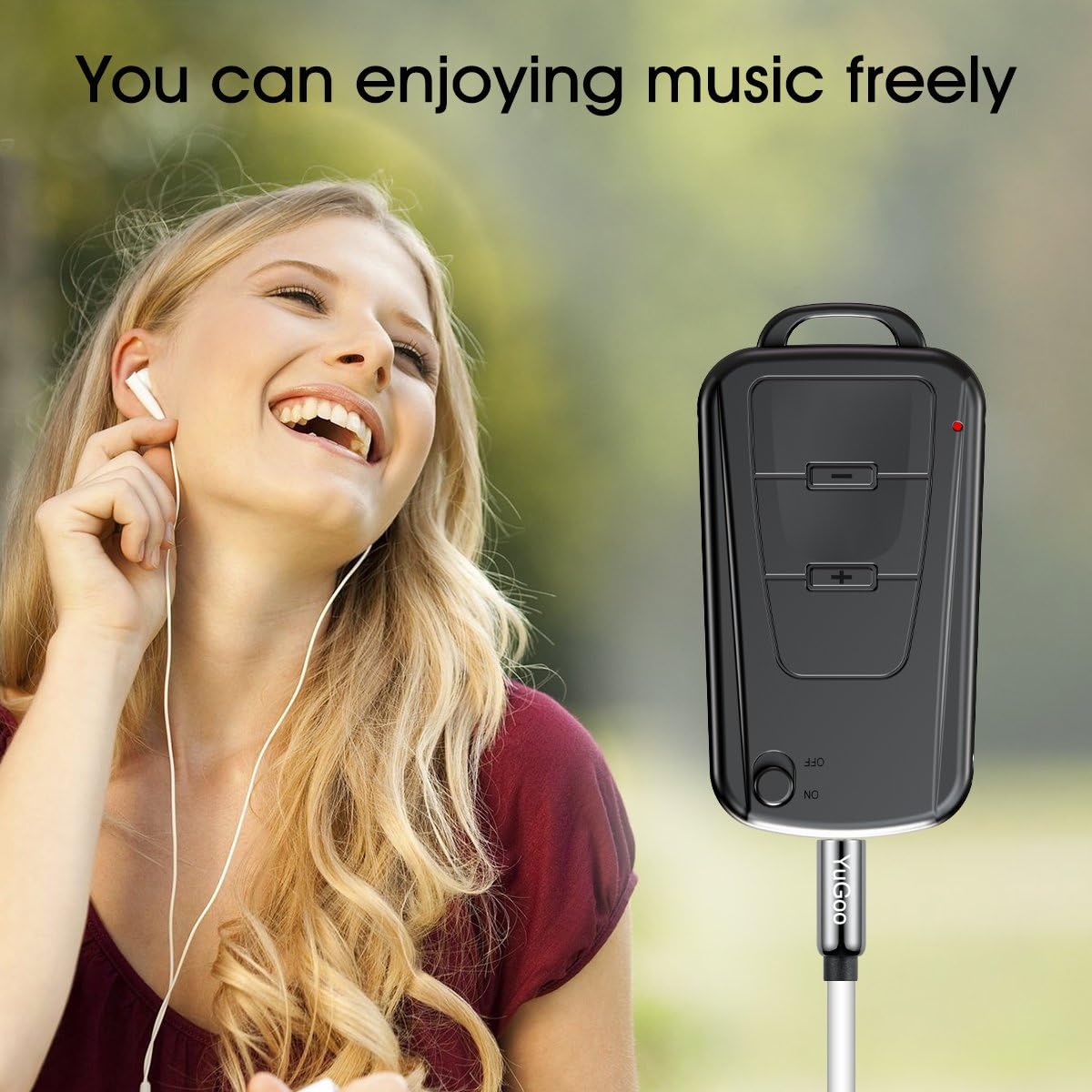
Image 6: The Vandlion V8 recorder connected to earphones, demonstrating its capability as an MP3 player for enjoying music.
6. Pemeliharaan
- Jaga perangkat tetap kering. Hindari paparan kelembapan atau cairan.
- Bersihkan perangkat dengan kain lembut dan kering. Jangan gunakan bahan kimia keras atau pembersih abrasif.
- Simpan perangkat di tempat yang sejuk dan kering, jauhkan dari sinar matahari langsung dan suhu ekstrem.
- Charge the battery regularly, even if not in use, to maintain battery health. Avoid fully discharging the battery for extended periods.
7. Penyelesaian masalah
- Perangkat tidak menyala:
- Pastikan baterai terisi daya. Hubungkan ke sumber daya dan coba lagi.
- Tidak dapat merekam:
- Check if the device has sufficient storage space. Ensure the ON/OFF switch is in the "ON" position.
- Kualitas rekaman buruk:
- Ensure the microphone is not obstructed. Record in a quiet environment. The device features DSP noise reduction for clear audio.
- Perangkat tidak dikenali oleh komputer:
- Try a different USB port or cable. Ensure the device is powered off before connecting. Restart your computer.
- Tidak bisa bermain files on Mac:
- Mac users are advised to use VLC Media Player for optimal playback of recorded WAV files.
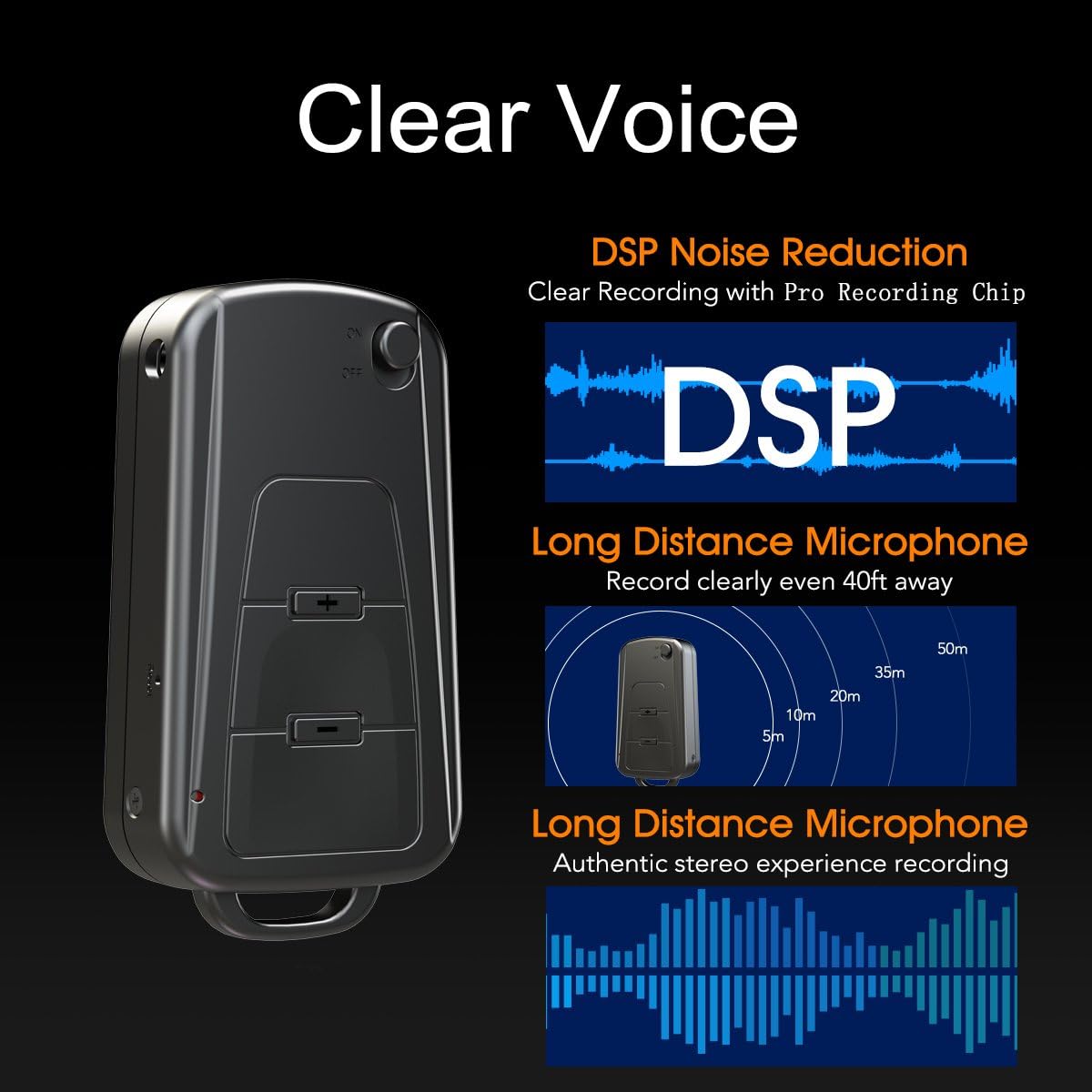
Image 7: Diagram illustrating the Vandlion V8's DSP noise reduction technology for clear recording and its long-distance microphone, capable of capturing sound clearly from up to 40 feet away, providing an authentic stereo experience.
8. Spesifikasi
| Fitur | Spesifikasi |
|---|---|
| Model | V8 |
| Kapasitas Penyimpanan | 8GB (approx. 96 hours recording capacity) |
| Daya Tahan Baterai (Perekaman) | Sekitar 20 jam |
| Format Rekaman | Bahasa Indonesia: WAV |
| Format Musik | WAV, WMA, MP3 |
| SampTarif ling | 192Kbps |
| Ukuran | 60 x 34 x 15 mm (2.36 x 1.33 x 0.59 inci) |
| Berat | 27g (1.46 ons) |
| Antarmuka | USB |
| Perangkat yang Kompatibel | MP3 Player, Personal Computer |
| Mode Operasi Mikrofon | Stereo |
9. Garansi dan Dukungan
9.1. Garansi Pabrik
This Vandlion V8 Keychain Voice Recorder comes with a Six Months Manufacturer's Warranty Terhitung sejak tanggal pembelian. Garansi ini mencakup kerusakan material dan pengerjaan dalam penggunaan normal. Garansi ini tidak mencakup kerusakan yang disebabkan oleh penyalahgunaan, kecelakaan, modifikasi tanpa izin, atau keausan normal.
9.2. Dukungan Pelanggan
For further assistance, technical support, or warranty claims, please contact Vandlion customer service through the retailer where the product was purchased or refer to the official Vandlion website for contact information. Additional resources, such as a PDF version of the user manual and updated user guides, may be available for download from the manufacturer's support page.
10. Informasi Keselamatan Penting
- Jangan mencoba membongkar atau memodifikasi perangkat.
- Jauhkan dari jangkauan anak-anak.
- Buang perangkat dan baterainya secara bertanggung jawab sesuai dengan peraturan setempat.
- Hindari suhu ekstrim dan sinar matahari langsung.