1. Pendahuluan
This manual provides detailed instructions for the proper use and maintenance of your Edifier W820BT Bluetooth Headphones. Please read this manual thoroughly before using the product to ensure optimal performance and longevity.
2. Isi Paket
Verify that all items listed below are included in your package. If any items are missing or damaged, please contact Edifier customer support.
- Edifier W820BT Bluetooth Headphones
- Kabel Pengisian Daya (USB)
- Kabel Audio (3.5mm)
- User Manual (dokumen ini)
3. Produk Lebihview
The Edifier W820BT headphones are designed for comfort and extended listening, featuring Bluetooth v4.1 connectivity and a long-lasting battery.
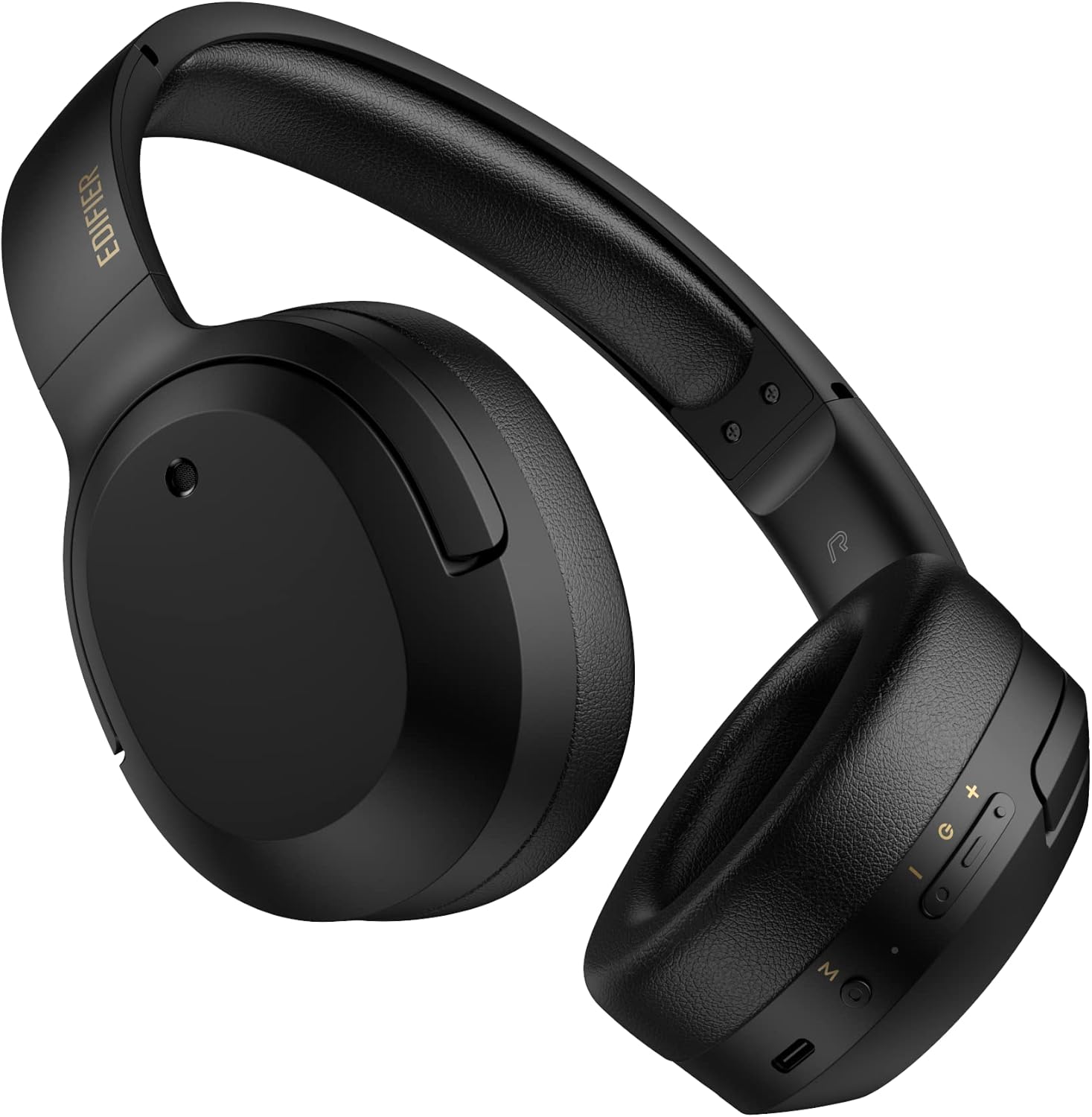
Gambar 3.1: Depan view of the Edifier W820BT Bluetooth Headphones.

Gambar 3.2: Sisi view of the Edifier W820BT Bluetooth Headphones, highlighting the control buttons.
Fitur Utama:
- Bluetooth V4.1 with CSR Technology for stable wireless connection.
- Daya tahan baterai hingga 80 jam.
- Foldable design for portability.
- Soft leather ear pads for comfort.
- Durable and flexible steel headband.
- On-ear controls for media playback and calls.
4. Pengaturan
4.1 Mengisi Daya Headphone
Sebelum digunakan pertama kali, isi daya headphone hingga penuh.
- Connect the micro-USB end of the charging cable to the charging port on the headphone (located on the right earcup).
- Hubungkan ujung USB-A kabel pengisi daya ke adaptor daya USB (tidak termasuk) atau port USB komputer.
- Indikator LED akan menyala selama pengisian daya dan mati setelah terisi penuh.
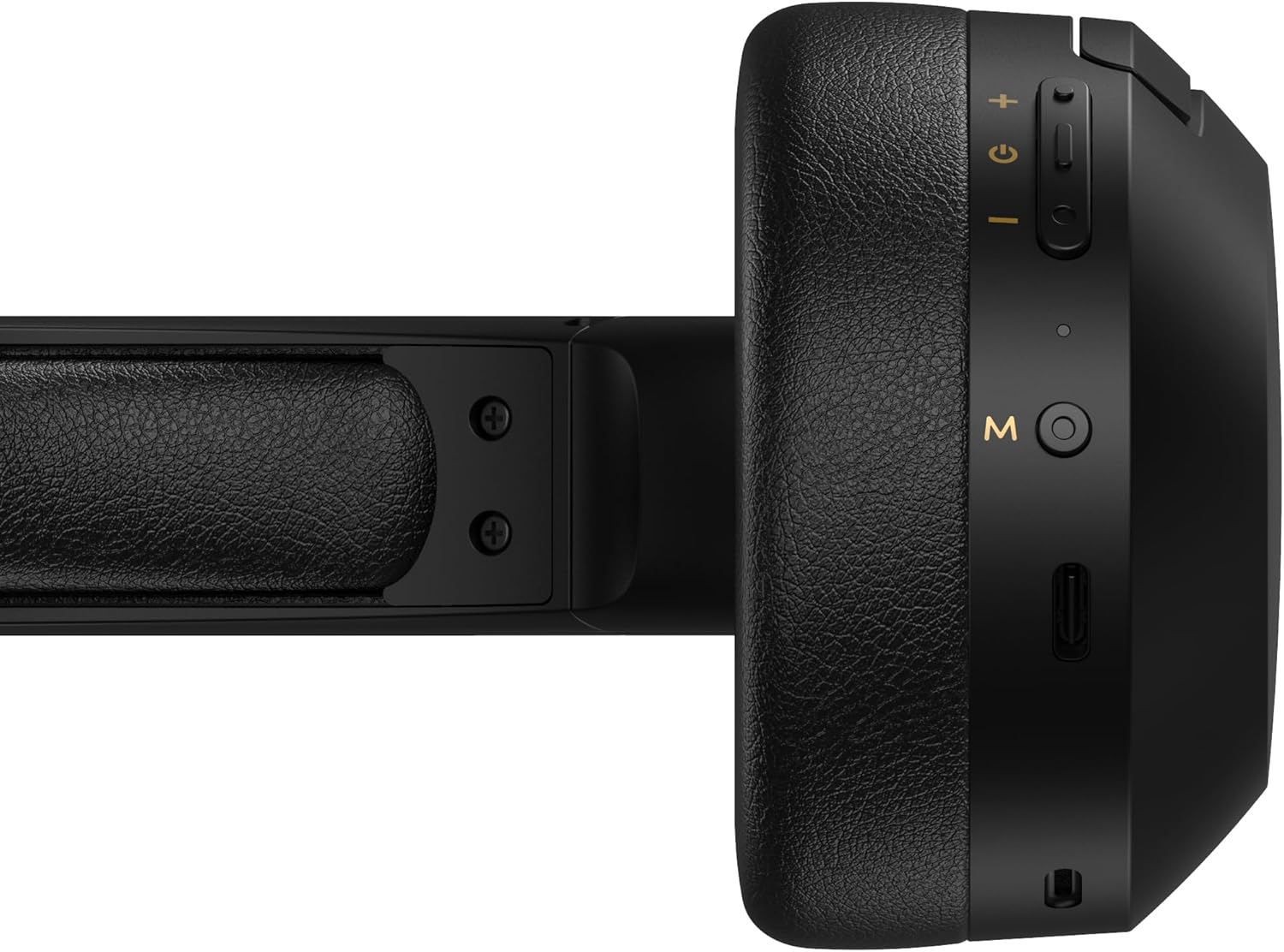
Figure 4.1: Close-up of the charging port and control buttons on the right earcup.
4.2 Menghidupkan/Mematikan
- Untuk menghidupkan: Press and hold the multi-function button (usually marked with a power icon or 'M') for approximately 3 seconds until the LED indicator flashes blue.
- Untuk mematikan: Tekan dan tahan tombol multifungsi selama kurang lebih 5 detik hingga indikator LED berkedip merah lalu mati.
4.3 Pemasangan Bluetooth
Untuk menghubungkan headphone Anda ke perangkat berkemampuan Bluetooth:
- Pastikan headphone dimatikan.
- Tekan dan tahan tombol multifungsi selama kurang lebih 5-7 detik hingga indikator LED berkedip merah dan biru secara bergantian. Ini menandakan mode pemasangan (pairing).
- Pada perangkat Anda (ponsel pintar, tablet, komputer), aktifkan Bluetooth dan cari perangkat yang tersedia.
- Select "EDIFIER W820BT" from the list of found devices.
- Setelah dipasangkan, indikator LED akan berkedip biru perlahan.
Catatan: Headphone akan secara otomatis mencoba menyambungkan kembali ke perangkat yang terakhir dipasangkan saat dihidupkan.
5. Petunjuk Pengoperasian
5.1 Kontrol di Telinga
Tombol kontrol terletak di penutup telinga sebelah kanan.
| Tombol/Tindakan | Fungsi |
|---|---|
| Tombol Multifungsi (M) |
|
| Volume Naik (+) |
|
| Volume Turun (-) |
|
5.2 Koneksi Kabel
The W820BT headphones can also be used with a wired connection.
- Connect one end of the 3.5mm audio cable to the audio input jack on the left earcup of the headphones.
- Hubungkan ujung kabel audio 3.5 mm lainnya ke jack output audio perangkat Anda.
- Headphone akan secara otomatis beralih ke mode kabel. Fungsi Bluetooth akan dinonaktifkan.

Figure 5.1: Connecting the 3.5mm audio cable for wired listening.
6. Pemeliharaan
- Bersihkan headphone dengan kain lembut dan kering. Jangan gunakan pembersih abrasif atau pelarut.
- Hindari memaparkan headphone pada suhu ekstrem, kelembapan, atau sinar matahari langsung.
- Simpan headphone di tempat yang sejuk dan kering saat tidak digunakan. Desainnya yang dapat dilipat memungkinkan penyimpanan yang ringkas.
- Do not disassemble the headphones. This will void the warranty.
7. Penyelesaian masalah
If you encounter issues with your Edifier W820BT headphones, refer to the following common problems and solutions:
| Masalah | Larutan |
|---|---|
| Tidak bisa menyala | Ensure the headphones are charged. Connect to a power source using the charging cable. |
| Tidak dapat memasangkan melalui Bluetooth |
|
| Tidak ada suara |
|
| Kualitas suara buruk |
|
8. Spesifikasi
| Fitur | Detil |
|---|---|
| Nama Model | W820BT |
| Teknologi Konektivitas | Nirkabel (Bluetooth), Berkabel (Jack 3.5mm) |
| Versi Bluetooth | 4.1 |
| Daya Tahan Baterai | Hingga 80 Jam |
| Bentuk Lubang Suara | Di Atas Telinga |
| Bahan | Steel (headband) |
| Berat Barang | 1.14 pon (sekitar 517g) |
| Dimensi Produk | 9.25x7.64x3.41 inci |
| Pabrikan | Pendidik |
9. Garansi dan Dukungan
Edifier provides a garansi satu tahun in the USA and Canada for the W820BT headphones. For warranty claims or technical support, please contact Edifier customer service.
For more information, visit the official Edifier webatau merujuk pada dokumen pembelian Anda.
10. Demonstrasi Video
Watch the official product video for a visual guide on the Edifier W820BT Bluetooth Headphones' features and usage.
Video 10.1: Produk resmi selesaiview of the Edifier W820BT Bluetooth Headphones, demonstrating features like battery life, comfort, foldable design, and on-ear controls.


