Perkenalan
This manual provides essential instructions for the safe and efficient use of your itel it2160 dual SIM mobile phone. Please read this guide thoroughly before operating the device and retain it for future reference.
Isi Paket
Verifikasi bahwa semua item ada dalam paket produk Anda:
- itel it2160 Mobile Phone
- Baterai
- Pengisi daya
- User Manual (dokumen ini)
Tata Letak Perangkat
Familiarize yourself with the key components of your itel it2160 phone.

Gambar: Depan view of the itel it2160 mobile phone, showing the display, keypad, and navigation buttons.
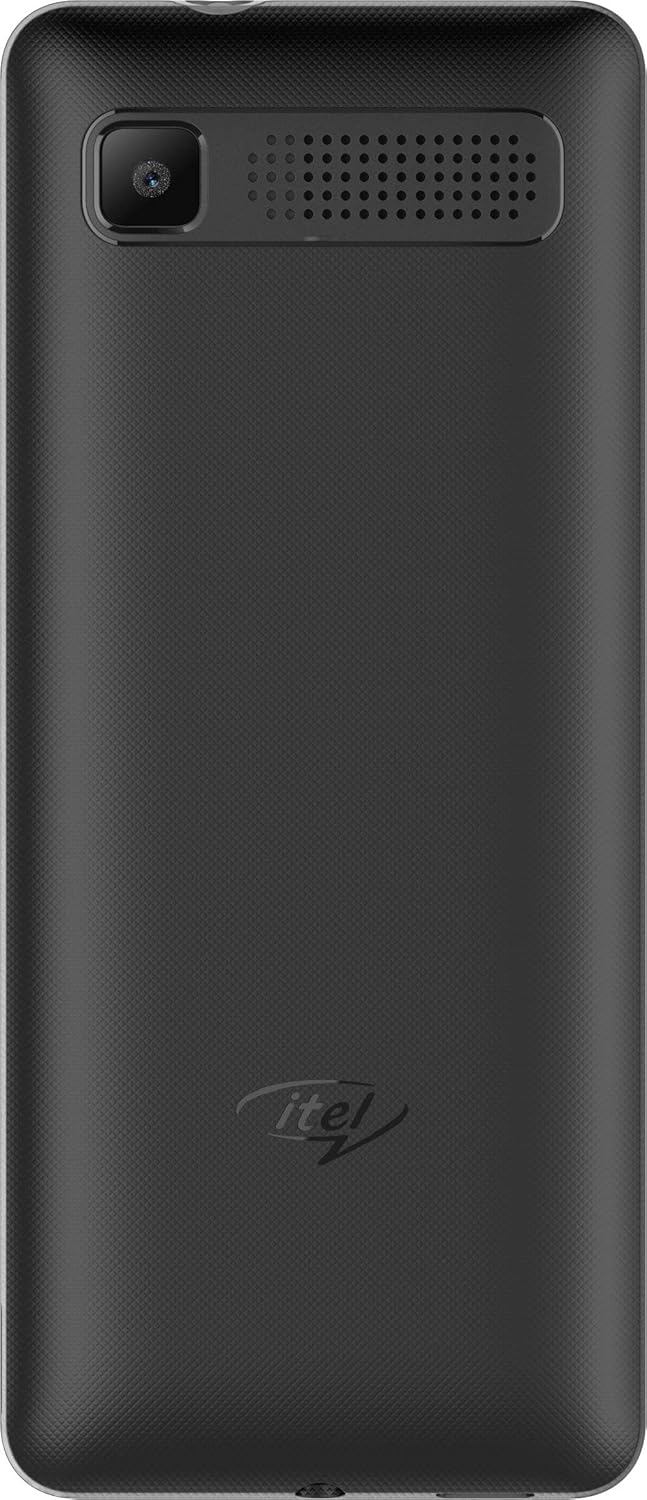
Gambar: Belakang view of the itel it2160 mobile phone, showing the camera and speaker grille.
- Menampilkan: Layar 1.77 inci untuk viewinformasi.
- Papan tombol: Alphanumeric keys for dialing and text input.
- Tombol Navigasi: Untuk navigasi dan pemilihan menu.
- Tombol Panggil/Akhiri: To initiate and terminate calls.
- Kamera Belakang: Located on the back for capturing photos.
- Pembicara: Untuk keluaran audio.
Pengaturan
1. Installing SIM Cards and Battery
- Lepaskan penutup belakang ponsel dengan cara mencongkelnya perlahan dari bagian lekukan (notch).
- Insert your SIM card(s) into the designated SIM slots. Ensure the gold contacts face downwards. This phone supports dual SIM cards.
- Jika memungkinkan, masukkan kartu microSD ke dalam slot kartu memori untuk memperluas penyimpanan.
- Masukkan baterai, sejajarkan kontak dengan benar.
- Pasang kembali penutup belakang hingga terkunci dengan aman dan berbunyi klik.
2. Mengisi Baterai
- Hubungkan pengisi daya ke port pengisian daya di ponsel Anda.
- Hubungkan pengisi daya ke stopkontak.
- Biarkan ponsel terisi daya penuh sebelum digunakan pertama kali. Indikator baterai di layar akan menunjukkan status pengisian daya.
3. Menghidupkan/Mematikan
- Untuk menghidupkan: Press and hold the Power/End key until the screen lights up.
- Untuk mematikan: Press and hold the Power/End key until the power-off options appear, then select "Power off".
Petunjuk Pengoperasian
1. Melakukan dan Menerima Panggilan
- Untuk Menelepon: Enter the phone number using the keypad and press the Call key. If using dual SIM, select the desired SIM for the call.
- Untuk Menerima Panggilan: Tekan tombol Panggil saat telepon berdering.
- Untuk Mengakhiri Panggilan: Tekan tombol Akhiri.
2. Mengirim dan Menerima SMS
- Untuk Mengirim SMS: Go to "Menu" > "Messages" > "Write message". Enter your message and the recipient's number, then send.
- To Read SMS: New messages will be indicated on the screen. Go to "Menu" > "Messages" > "Inbox" to view.
3. Menggunakan Kamera
- Navigate to "Menu" > "Camera".
- Atur komposisi bidikan Anda menggunakan layar.
- Press the center navigation key or a designated camera key to capture the image.
4. Radio FM
- Connect headphones to the phone's audio jack (headphones act as an antenna).
- Go to "Menu" > "FM Radio".
- Gunakan tombol navigasi untuk memindai stasiun atau menyetel secara manual.
Pemeliharaan
- Perawatan Baterai:
- Hindari suhu ekstrem.
- Jangan mengisi daya berlebihan atau menguras baterai sepenuhnya secara berulang-ulang.
- Gunakan hanya pengisi daya asli yang disertakan dengan perangkat.
- Pembersihan:
- Wipe the phone with a soft, dry cloth.
- Avoid using liquid cleaners or aerosols.
- Penyimpanan:
- Simpan ponsel di tempat yang sejuk dan kering, jauhkan dari sinar matahari langsung.
- Jauhkan dari jangkauan anak-anak dan hewan peliharaan.
Penyelesaian Masalah
| Masalah | Solusi yang mungkin |
|---|---|
| Telepon tidak menyala. | Pastikan baterai terpasang dengan benar dan terisi daya. Sambungkan pengisi daya dan coba lagi. |
| Tidak ada sinyal jaringan. | Check if SIM cards are properly inserted. Move to an area with better network coverage. Contact your service provider. |
| Tidak dapat membuat atau menerima panggilan. | Verify network signal. Check if call barring is active. Ensure sufficient balance on your SIM card. |
| Baterai cepat terkuras. | Reduce screen brightness. Close unused applications. Limit background activities. |
Spesifikasi
| Fitur | Detil |
|---|---|
| Nama Model | IT2160 |
| Ukuran Layar | 1.77 inci |
| Resolusi Tampilan | 128 x 160 piksel |
| Kamera Belakang | 1.3 Megapiksel |
| Kamera Depan | Tidak ada |
| RAM Sistem | 4 Megabytes |
| Kapasitas Penyimpanan | 256 Gigabytes (Expandable) |
| Sistem Operasi | Proprietary Feature Phone OS |
| Model CPU | Basic Feature Phone Processor |
| Kecepatan CPU | Frekuensi 260 MHz |
| Dimensi Produk | 11.2 x 4.8 x 1.43 cm; 80 gram |
Informasi Garansi
Your itel it2160 mobile phone comes with a warranty. Please review kondisi berikut:
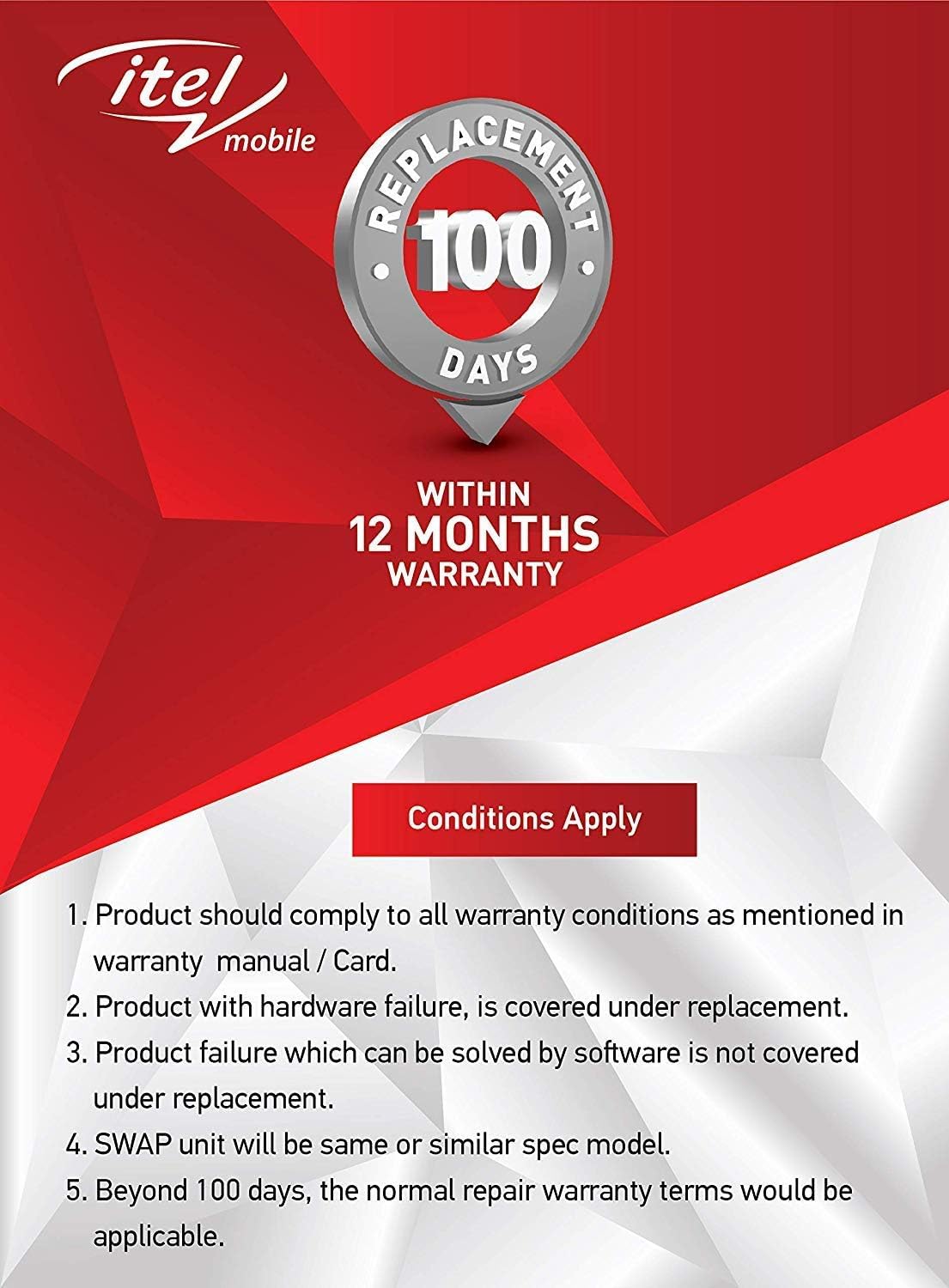
Gambar: Warranty details for itel mobile products, indicating 100 days replacement and 12 months warranty.
- Product must comply with all warranty conditions as mentioned in the warranty manual/card.
- Product with hardware failure is covered under replacement.
- Product failure which can be solved by software is not covered under replacement.
- A SWAP unit will be the same or a similar spec model.
- Beyond 100 days, the normal repair warranty terms would be applicable.
- The warranty period is typically 12 months from the date of purchase.
For detailed warranty terms and conditions, refer to the warranty card included in your package or contact itel customer support.
Mendukung
For further assistance, technical support, or service inquiries, please contact itel customer service. Contact details can typically be found on the official itel websitus atau pada kartu garansi Anda.
Sumber Daya Daring: You may find additional support and FAQs on the official itel brand store.


