Perkenalan
This manual provides comprehensive instructions for the safe and efficient use of your Paulmann MaxLED 79797 RGBW Controller. This device allows you to control Paulmann MaxLED RGBW light strips, enabling functions such as switching, dimming, and changing light colors and effects via the included wireless remote control. The controller operates without requiring direct line-of-sight to the remote, offering a range of up to 30 meters.
Petunjuk Keselamatan Penting
- Baca semua instruksi dengan seksama sebelum pemasangan dan pengoperasian.
- Simpan manual ini untuk referensi di masa mendatang.
- Produk ini dirancang hanya untuk penggunaan di dalam ruangan (peringkat IP20). Jangan sampai terkena kelembapan atau suhu ekstrem.
- Pastikan aliran listrik terputus sebelum melakukan pekerjaan instalasi atau perawatan apa pun.
- Only use with Paulmann MaxLED RGBW strips and compatible 24V power supplies.
- Do not attempt to open or modify the controller or remote control. This will void the warranty.
- Jauhkan baterai dari jangkauan anak-anak. Buang baterai bekas secara bertanggung jawab.
Isi Paket
Verifikasi bahwa semua komponen ada dalam paket:
- 1x Paulmann MaxLED RGBW Controller (Model 79797)
- 1x Kontrol Jarak Jauh Nirkabel
- 1x Assembly Instructions (this manual)
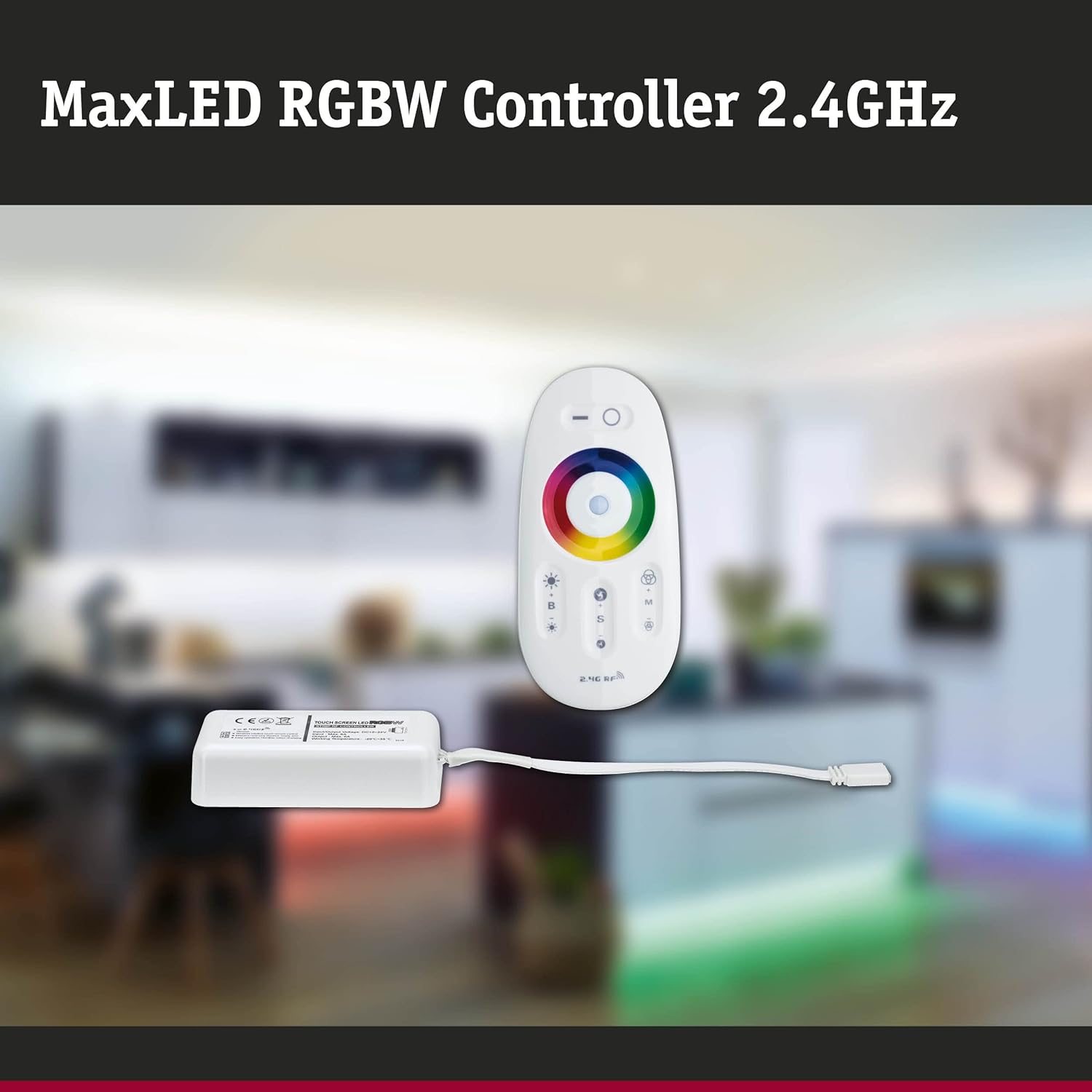
Image: The MaxLED RGBW Controller and its wireless remote control. The controller is a small white rectangular unit with a cable, and the remote is an oval-shaped white device with various buttons and a color wheel.

Image: Diagram showing the MaxLED RGBW Controller and remote control with their approximate dimensions. The controller measures 22.5x85x45mm and the remote 20x110x53mm. A 150mm cable connects the controller to the LED strip.
Pengaturan dan Instalasi
Follow these steps for proper installation of your MaxLED RGBW Controller:
- Siapkan Area Instalasi: Ensure the surface where the LED strip will be mounted is clean, dry, and free of dust.
- Hubungkan Strip LED: Connect your Paulmann MaxLED RGBW strip to the output cable of the controller. The system uses an easy plug-in connection. Ensure the connectors are securely fastened.
- Hubungkan Catu Daya: Connect a compatible 24V Paulmann power supply (not included) to the input side of the MaxLED RGBW Controller.
- Pasang Pengontrol: The controller is designed for hidden installation. Place it in a discreet location where it is protected from physical damage and moisture, but still allows for proper signal transmission from the remote (up to 30m range).
- Nyalakan: Once all connections are secure, plug the power supply into a suitable electrical outlet.
- Pairing the Remote Control (if necessary): The remote control is usually pre-paired. If not, refer to the "Operating Instructions" section for pairing procedures.
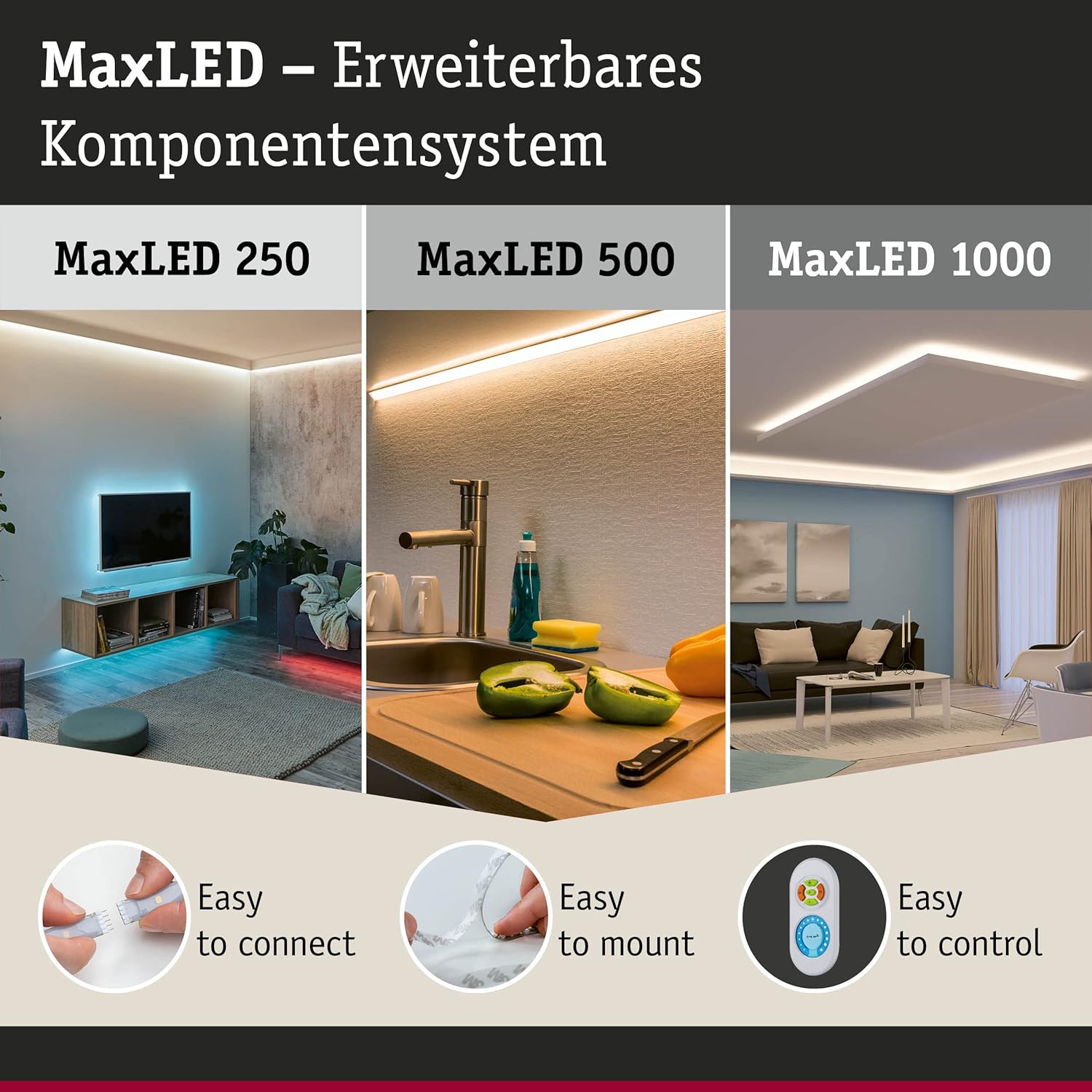
Image: This image illustrates the MaxLED expandable component system, highlighting three key aspects: "Easy to connect" (showing a hand connecting an LED strip), "Easy to mount" (showing an LED strip being applied to a surface), and "Easy to control" (showing the remote control). This demonstrates the simplicity of the setup process.
Petunjuk Pengoperasian
The wireless remote control allows full command over your MaxLED RGBW strips.
Fungsi Kontrol Jarak Jauh:

Gambar: Detail view of the MaxLED RGBW remote control, showing its various buttons and the central color wheel. The remote features power, brightness, mode, speed, and color selection controls.
- Tombol power (O): Press to turn the LED strips On or Off.
- Kontrol Kecerahan (B +/-): Use the '+' button to increase brightness and '-' to decrease brightness.
- Roda Warna: Touch the color wheel to select a desired static color for your LED strips.
- Mode Selection (M): Cycle through various pre-programmed light effects and color changing modes.
- Speed Control (S +/-): When in a dynamic mode, use the '+' button to increase the speed of the effect and '-' to decrease it.
Memasangkan Remote Control:
If your remote control is not responding, it may need to be paired with the controller:
- Pastikan pengontrol dihidupkan.
- Within 3 seconds of powering on the controller, press and hold the "Mode" (M) button on the remote control for a few seconds.
- The LED strips should flash to indicate successful pairing.
Pemeliharaan
Pembersihan:
To clean the controller and remote control, gently wipe with a soft, dry cloth. Do not use abrasive cleaners, solvents, or excessive moisture, as this can damage the components.
Penggantian Baterai Remote Control:
The remote control requires batteries (type not specified in product data, typically CR2032 or similar button cell). If the remote's range decreases or it stops responding, replace the battery:
- Temukan tempat baterai di bagian belakang remote control.
- Buka kompartemen menggunakan obeng kecil atau dengan menggeser penutupnya.
- Remove the old battery and insert a new one, ensuring correct polarity (+/-).
- Tutup rapat tempat baterai.
- Buang baterai lama sesuai peraturan setempat.
Penyelesaian Masalah
| Masalah | Kemungkinan Penyebab | Larutan |
|---|---|---|
| LED strips do not light up. | No power, loose connection, faulty power supply, remote not paired. | Check power supply connection. Ensure all cables are securely plugged in. Verify power outlet is functional. Re-pair the remote control (see Operating Instructions). |
| Kontrol jarak jauh tidak merespons. | Dead battery, remote not paired, out of range. | Replace remote control battery. Re-pair the remote control. Move closer to the controller (within 30m). |
| Warna tidak akurat atau tidak konsisten. | Loose connection to LED strip, faulty LED strip. | Check the connection between the controller and the LED strip. Ensure the strip is fully compatible. |
| Dimming or effects not working. | Remote control issue, incompatible LED strip. | Ensure the remote control battery is good and it is paired. Verify the LED strip is an RGBW dimmable type. |
Spesifikasi
| Merek | Paulman |
| Nomor Model | 79797 |
| Dimensi Produk (P x L x T) | 5.3 x 11 x 2 cm (Controller); 20 x 110 x 53 mm (Remote) |
| Berat | 102 gram |
| Peringkat IP | IP20 (Hanya Penggunaan Dalam Ruangan) |
| Bahan | Plastik |
| Maks. apatage | 144 Watt |
| Jil.tage | 24 Volt |
| Jenis Sumber Cahaya | LED (for compatible strips) |
| Sumber Daya | AC (via external 24V power supply) |
| Fitur Khusus | Dimmable, Variable Intensity, Remote Control, RGBW Color Change |
| Frekuensi Kontrol Jarak Jauh | 2.4 GHz RF |
| Jangkauan Kontrol Jarak Jauh | Up to 30 meters (non-line-of-sight) |
| Baterai Diperlukan (Remote) | Ya (tidak termasuk) |

Image: The MaxLED RGBW Controller and its remote control, emphasizing the 2.4 GHz RF wireless technology for reliable communication.
Garansi dan Dukungan
Jaminan:
Paulmann offers a 1-year availability for spare parts for this product. For specific warranty terms and conditions, please refer to the official Paulmann websitus atau hubungi pengecer Anda.
Dukungan Pelanggan:
For further assistance, technical support, or inquiries regarding your Paulmann MaxLED RGBW Controller, please visit the official Paulmann website or contact their customer service department. Contact information can typically be found on the product packaging or the Paulmann weblokasi.
Paulman Weblokasi: www.paulmann.com


