Perkenalan
Thank you for choosing the SoBuy FWT31-W Corner Desk. This manual provides essential information for the safe assembly, operation, and maintenance of your new desk. Please read these instructions carefully before beginning assembly and retain them for future reference.
Informasi Keselamatan
- Selalu rakit meja di atas permukaan yang lembut dan bersih untuk mencegah goresan.
- Pastikan semua komponen ada dan tidak rusak sebelum perakitan. Jangan lanjutkan perakitan jika ada komponen yang hilang atau rusak.
- Use only the provided hardware. Substituting parts may compromise the desk's stability and safety.
- Do not overtighten screws, as this can damage the material.
- Jauhkan komponen-komponen kecil dari jangkauan anak-anak selama perakitan untuk menghindari bahaya tersedak.
- Letakkan meja di permukaan yang rata untuk mencegahnya terguling.
- Jangan melebihi kapasitas beban maksimum 75 kg (165 lbs).
Isi Paket
Before assembly, verify that all components listed in the packing list are present. All parts are numbered for easy identification.

Image: Detailed diagram illustrating the dimensions and various components of the SoBuy FWT31-W corner desk.
Jika ada bagian yang hilang atau rusak, silakan hubungi dukungan pelanggan untuk mendapatkan bantuan.
Pengaturan dan Perakitan
The SoBuy FWT31-W corner desk is designed for easy self-assembly. Follow the illustrated instructions provided in the package. It is recommended to have two people for assembly to ensure stability and ease of handling.
- Bongkar Komponen: Carefully remove all parts from the packaging and lay them out on a clean, soft surface. Check against the parts list.
- Merakit Rangka: Begin by attaching the main support legs to the desk frame using the designated screws and connectors. Ensure all connections are secure but do not fully tighten yet.
- Pasang Rak: Attach the two lower shelves to the frame. These shelves provide additional storage space.
- Pasang Rel Laci: Secure the drawer slides to the desk frame according to the instructions.
- Merakit Laci: Construct the drawer box and attach the drawer front with the handle.
- Sisipkan Laci: Geser laci yang telah dirakit dengan hati-hati ke dalam rel laci yang telah terpasang.
- Pengencangan Akhir: Once all components are in place, gently tighten all screws and fasteners. Do not overtighten.
- Meja Posisi: Move the assembled desk to its desired corner location.

Image: The SoBuy FWT31-W corner desk fully assembled and placed in a room, showcasing desainnya yang ringkas.
Pengoperasian dan Penggunaan
The SoBuy FWT31-W corner desk is designed for versatile use in various settings such as offices, kitchens, bedrooms, living rooms, or studios. Its corner design optimizes space utilization.
- Permukaan Kerja: Use the spacious tabletop for your computer, books, or other work essentials.
- Penyimpanan Laci: The integrated drawer provides convenient storage for stationery, documents, or personal items, keeping your workspace tidy.
- Rak Bawah: Utilize the two shelves below the tabletop for additional storage of books, decorative items, or storage boxes.
- Distribusi berat: Distribute weight evenly across the desk surface and shelves to maintain stability.
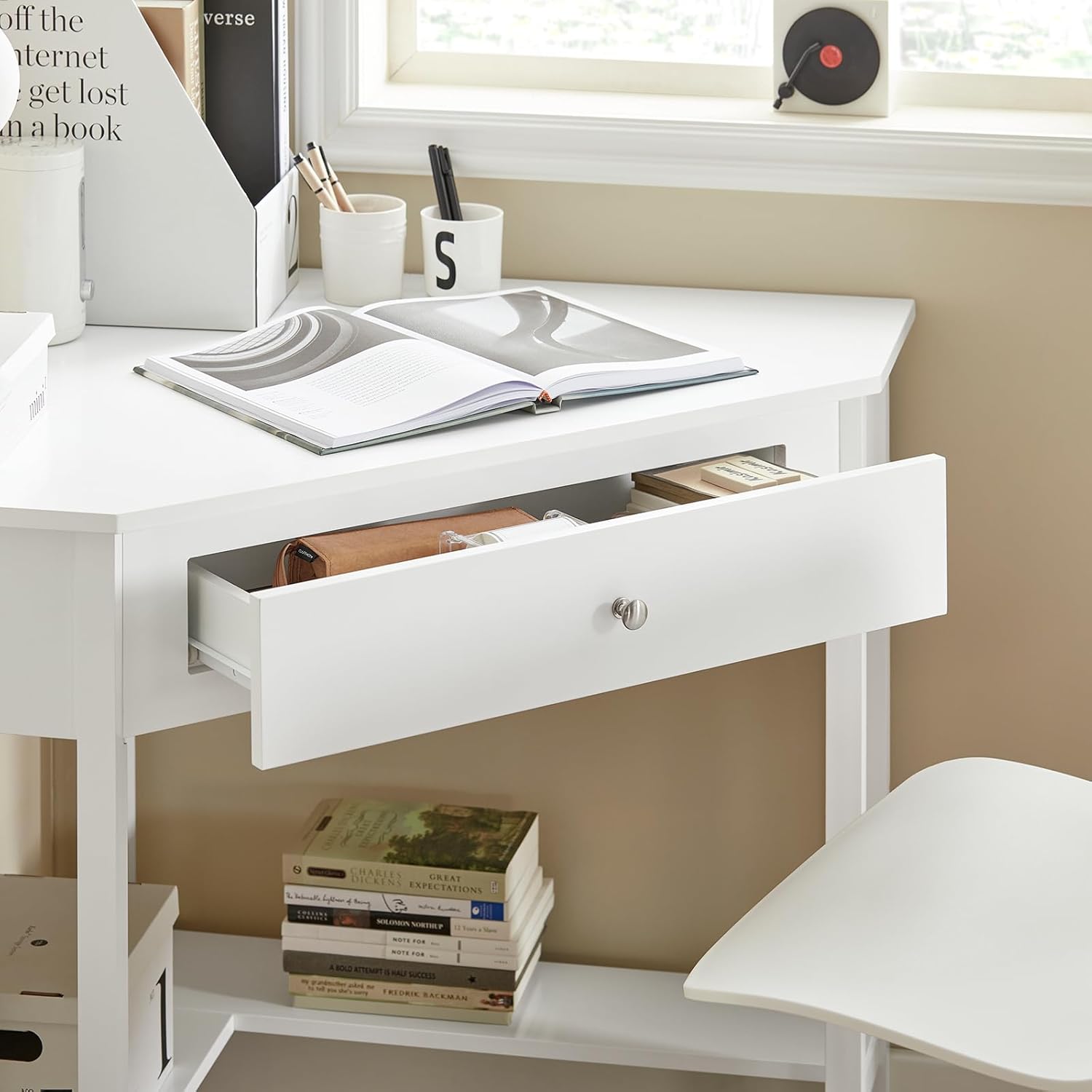
Gambar: Close-up view of the desk's drawer pulled open, showing various office supplies and personal items neatly stored inside.

Image: A detailed shot of the lower shelf of the desk, featuring a white storage box placed on it.
Pemeliharaan
Perawatan yang tepat akan memperpanjang umur dan menjaga penampilan meja SoBuy FWT31-W Anda.
- Pembersihan: Bersihkan permukaan meja dengan kain lembut dan kering.amp Gunakan kain. Hindari pembersih abrasif atau bahan kimia keras yang dapat merusak lapisan pernis.
- Tumpahan: Clean up spills immediately to prevent staining or damage to the wood material.
- Pemeriksaan Perangkat Keras: Periksa semua sekrup dan pengencang secara berkala untuk memastikan semuanya tetap kencang. Kencangkan kembali jika perlu, tetapi jangan terlalu kencang.
- Hindari sinar matahari langsung: Paparan sinar matahari langsung dalam waktu lama dapat menyebabkan memudar atau perubahan warna pada lapisan akhir.
- Perlindungan Panas: Gunakan tatakan gelas atau alas pelindung di bawah benda panas untuk mencegah kerusakan akibat panas.
Penyelesaian Masalah
| Masalah | Kemungkinan Penyebab | Larutan |
|---|---|---|
| Meja goyang atau tidak stabil. | Screws are loose; desk is on an uneven surface. | Check and tighten all screws. Move the desk to a level surface or use shims under the legs. |
| Laci tidak dapat digeser dengan mulus. | Geser laci tidak sejajar atau terhalang. | Ensure drawer slides are correctly installed and free of debris. Apply a silicone-based lubricant if needed. |
| Goresan atau bekas pada permukaan. | Benda tajam atau pembersihan abrasif. | Use furniture polish or touch-up pens for minor scratches. Avoid placing sharp objects directly on the surface. |
Spesifikasi
- Model: FWT31-W
- Merek: JadiBeli
- Warna: Putih
- Bahan: Engineered Wood (MDF with white lacquered finish)
- Dimensi (P x L x T): 76 cm x 76 cm x 76 cm (29.9 x 29.9 x 29.9 inci)
- Berat Produk: 19 kg (41.9 pon)
- Kapasitas Beban Maksimum: 75 kg (165 pon)
- Fitur: 1 Drawer, 2 Shelves, Space-saving Corner Design
Garansi dan Dukungan
SoBuy products are designed for quality and durability. If you encounter any issues with your FWT31-W desk, or if you are not satisfied with the product, please contact SoBuy customer support.
For returns or product problems, you may be eligible for a free return voucher. Please refer to your purchase documentation or contact the seller directly for specific warranty terms and support procedures.
Informasi Kontak: Please refer to the contact details provided with your purchase or visit the official SoBuy websitus untuk dukungan.


