Perkenalan
This user manual provides comprehensive instructions for the setup, operation, maintenance, and troubleshooting of your Alienware M15 Gaming Laptop. Please read this manual thoroughly to ensure optimal performance and longevity of your device. For additional support, refer to the official Alienware support resources.
Produk Selesaiview
Fitur Utama
- 8th Generation Intel Core i7-8750H (6-Core, 9MB Cache, up to 4.1GHz w/ Turbo Boost)
- 15.6" FHD (1920 x 1080) 60Hz Anti-glare IPS, 300-nits 72% Color gamut, narrow-border Display
- 16GB, 2x8GB, DDR4, 2666MHz RAM
- 128GB PCIe M.2 SSD + 1TB (+8GB SSHD) Hybrid Drive
- Nvidia GeForce GTX 1060 with 6GB GDDR5 Graphics Card
- Sistem Operasi Windows 10 Home
Komponen Fisik

Gambar 1: Depan view of the Alienware M15 laptop, showcasing the display with the Alienware logo.

Gambar 2: Perintahkan ke bawah view of the open Alienware M15 laptop, highlighting the keyboard layout and touchpad.

Gambar 3: Sisi kiri view of the Alienware M15 laptop, showing various ports such as USB 3.0.
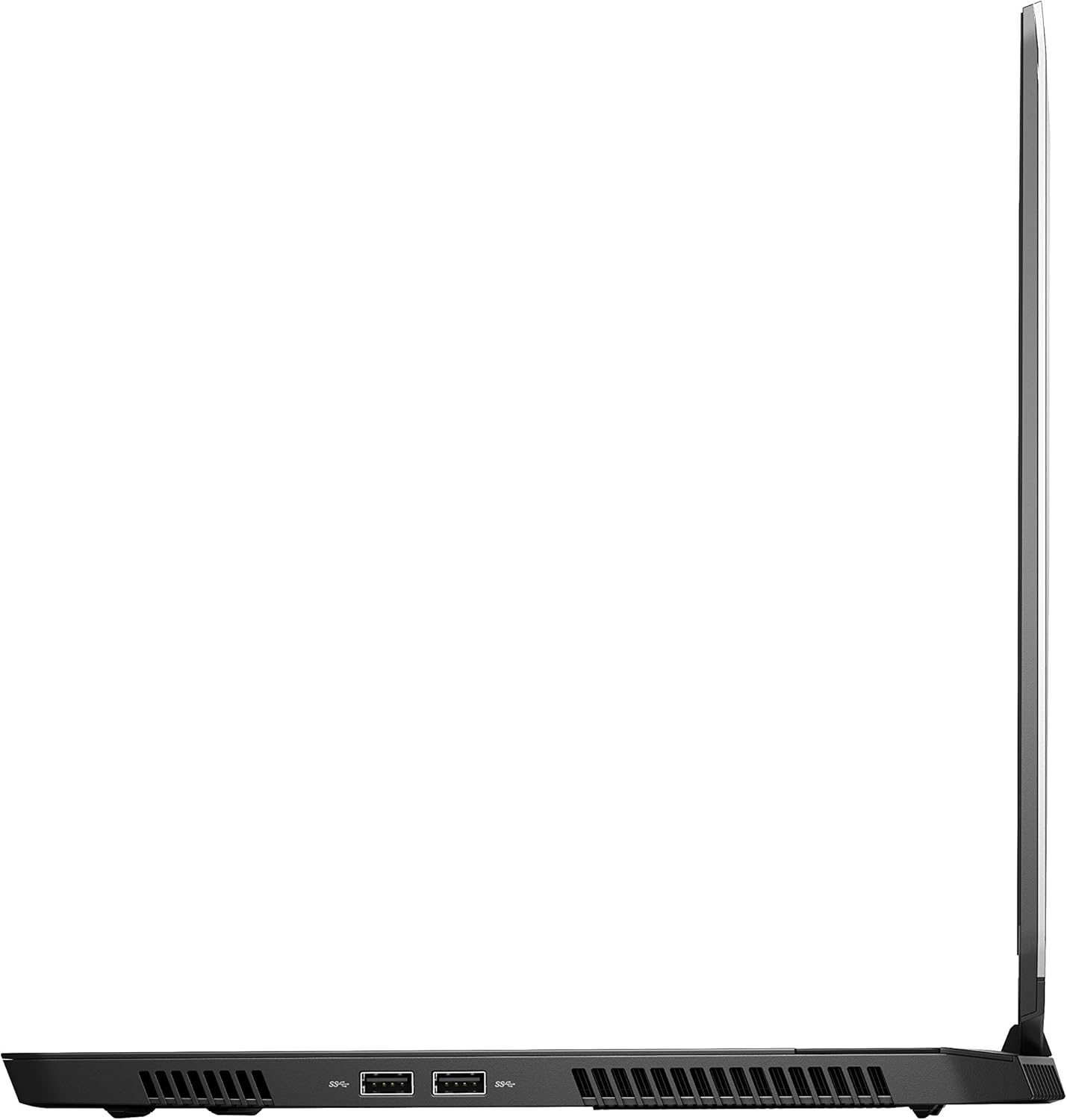
Gambar 4: Sisi kanan view of the Alienware M15 laptop, displaying additional ports and ventilation.

Gambar 5: Meledak view illustrating the internal cooling system of the Alienware M15 laptop, including fans and heat sinks.
Pengaturan
Membongkar
Keluarkan semua komponen dari kemasan dengan hati-hati. Pastikan barang-barang berikut ada:
- Alienware M15 Gaming Laptop
- Kabel Listrik
- Adaptor Daya 180W
Pengaktifan Awal
- Hubungkan adaptor daya ke port input daya laptop.
- Sambungkan kabel daya ke stopkontak di dinding.
- Open the laptop lid and press the power button, typically located on the top right of the keyboard deck or a dedicated button on the chassis.
- Ikuti petunjuk di layar untuk menyelesaikan proses pengaturan Windows 10 Home, termasuk pemilihan bahasa, koneksi jaringan, dan pembuatan akun pengguna.
Petunjuk Pengoperasian
Operasi Dasar
Your Alienware M15 laptop runs on Windows 10 Home. Familiarize yourself with the operating system's interface. The keyboard features customizable backlighting via Alienware's software. The touchpad supports multi-touch gestures for navigation.
Performa Gaming
The Alienware M15 is designed for high-performance gaming. For optimal gaming experience, ensure the laptop is connected to the power adapter. This allows the system to utilize its full power capabilities for the CPU and GPU. While gaming, the laptop may generate significant heat; this is normal for high-performance hardware. Consider using a cooling pad for extended gaming sessions to enhance thermal management.
Pemeliharaan
Pembersihan
- Layar: Gunakan kain lembut dan bebas serat untuk sedikit membersihkannya.ampBersihkan dengan air atau pembersih layar. Hindari bahan kimia keras.
- Keyboard dan Sasis: Use a soft brush or compressed air to remove dust from keys and vents. Wipe surfaces with a microfiber cloth.
- Pelabuhan: Use compressed air to clear dust from USB, HDMI, and other ports.
Pembaruan Perangkat Lunak
Regularly update your Windows operating system, graphics drivers (NVIDIA GeForce), and Alienware software. Updates often include performance improvements, security patches, and bug fixes. Access Windows updates through Settings > Update & Security. Graphics drivers can be updated via the NVIDIA GeForce Experience application.
Perawatan Baterai
To maximize battery lifespan, avoid consistently discharging the battery completely. For prolonged use while plugged in, consider using battery management features (if available in Alienware Command Center) to limit charging to 80-90% capacity.
Penyelesaian Masalah
This section addresses common issues you might encounter with your Alienware M15 laptop.
| Masalah | Kemungkinan Penyebab / Solusi |
|---|---|
| Laptop gets excessively hot during use. | High-performance components generate heat. Ensure ventilation vents are clear. Use a cooling pad. Update graphics drivers. |
| "No media present" error or SSD/HDD not detected. | This can sometimes be a temporary software glitch. Try restarting the laptop. If persistent, ensure the power cable is securely connected and try a hard reboot (unplug power, hold power button for 15 seconds, then reconnect and power on). If the issue persists, contact support. |
| Wi-Fi connection drops frequently. | Ensure Wi-Fi drivers are up to date. Check for interference from other devices. Restart your router and the laptop. If the issue persists, consider reinstalling Wi-Fi drivers or contacting support. |
| System performance is slow or lagging. | Ensure the laptop is plugged into power for full performance. Close unnecessary background applications. Check for malware. Ensure sufficient free space on the SSD/HDD. |
Spesifikasi
Detailed technical specifications for the Alienware M15 Gaming Laptop (Model: AWM15-7830SLV-PUS).
| Fitur | Detil |
|---|---|
| Ukuran tampilan layar berdiri | 15.6 inci |
| Resolusi Layar | 1920 x 1080 piksel |
| Resolusi Layar Maksimum | 1920x1080 Piksel |
| Prosesor | 4.1 GHz core_i7_8750h |
| RAM | Memori DDR16 4 GB |
| Kecepatan Memori | Frekuensi 2666 MHz |
| Perangkat Keras | 1000 GB 128GB PCIe M.2 SSD + 1TB (+8GB SSHD) Hybrid Drive |
| Koprosesor Grafis | Kartu grafis NVIDIA GeForce GTX 1060 |
| Merek Chipset | NVIDIA |
| Deskripsi Kartu | Berdedikasi |
| Ukuran RAM Kartu Grafis | 6 GB |
| Tipe Nirkabel | Nomor seri 802.11a/b/g/n |
| Jumlah Port USB 3.0 | 3 |
| Merek | Perangkat Lunak Alienware |
| Seri | AWm15-7830SLV-PUS |
| Nomor model barang | AWM15-7830SLV-PUS |
| Sistem Operasi | Windows 10 Rumah |
| Berat Barang | 4.8 pon |
| Dimensi Produk | 10.8x14.3x0.8 inci |
| Warna | Hitam |
| Merek Prosesor | Intel |
| Jumlah Prosesor | 6 |
| Jenis Memori Komputer | Memori DDR4 SDRAM |
| Ukuran Memori Flash | 16 |
| Antarmuka Hard Drive | Keadaan Padat |
| Kecepatan Rotasi Hard Drive | 5400 putaran/menit |
| Jenis Drive Optik | Tidak Ada Drive Optik |
| Jil.tage | 240 Volt |
| Baterai | 1 baterai Lithium Metal yang dibutuhkan. (termasuk) |
| Tanggal Pertama Tersedia | 5 Januari 2019 |
| Nama Model | AWm15-7830SLV-PUS |
| Ukuran Layar | 15.6 inci |
| Ukuran Hard Disk | 1000 GB |
| Model CPU | Prosesor inti i7 8750H |
| Ukuran Memori RAM Terpasang | 16 GB |
| Fitur Khusus | Lapisan Anti Silau |
Garansi dan Dukungan
For detailed warranty information, please refer to the documentation included with your purchase or visit the official Alienware support website. For technical assistance, driver downloads, and further resources, please visit the Alienware support portal.
Panduan Pengguna resmi (PDF) juga tersedia untuk diunduh: Unduh Panduan Pengguna PDF


