Produk Selesaiview
The Cisco 562 Headset is a wireless DECT 6.0 stereo headset designed for professional use, offering clear audio and comfortable wear. It features an over-the-head, binaural design with supra-aural ear placement and a uni-directional electret condenser microphone. This manual provides essential information for setting up, operating, and maintaining your headset.
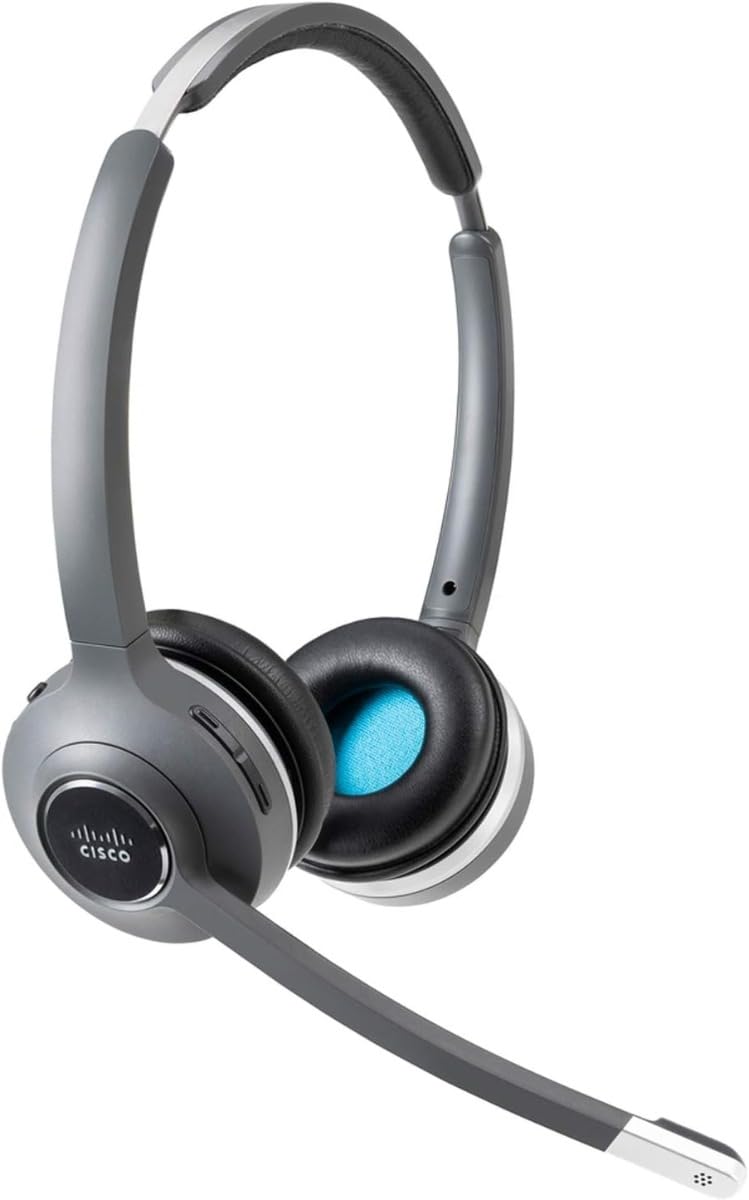
Image: Cisco 562 Wireless DECT Headset with its charging base. The headset is gray and black, featuring an adjustable headband and a microphone boom. The charging base has LED indicators for battery status.
Pengaturan
1. Mengisi Daya Headset
Place the Cisco 562 Headset onto its charging base. Ensure the headset is properly seated for charging. The LED indicators on the base will illuminate to show the charging status. A fully charged headset will display all indicators lit.
2. Menyesuaikan Headset
The headset features an adjustable headband for a comfortable fit. Extend or retract the headband as needed. The microphone boom is also adjustable and can be positioned for optimal voice pickup.
Petunjuk Pengoperasian
Kontrol Volume
Locate the volume control buttons on the headset earcup. Press the '+' button to increase volume and the '-' button to decrease volume.
Fungsi Bisu
A dedicated mute button is available on the headset for quickly muting or unmuting your microphone during calls.
Menjawab/Mengakhiri Panggilan
Use the call control button on the headset to answer incoming calls or end active calls.
Kenyamanan dan Kesesuaian
The headset is designed for extended wear with comfortable ear cushions and an adjustable fit. Ensure the headset is positioned correctly on your head for maximum comfort and sound isolation.
Pemeliharaan
To ensure the longevity and optimal performance of your Cisco 562 Headset, follow these general maintenance guidelines:
- Keep the headset and charging base clean using a soft, dry cloth.
- Hindari memaparkan headset pada suhu ekstrem, kelembapan, atau sinar matahari langsung.
- Store the headset on its charging base when not in use to maintain battery health.
- Jangan mencoba membongkar atau memperbaiki headset sendiri, karena hal ini dapat membatalkan garansi.
Penyelesaian Masalah
If you encounter issues with your Cisco 562 Headset, consider the following general troubleshooting steps:
- Tidak Ada Audio: Ensure the headset is powered on and properly connected to your device. Check volume settings on both the headset and the connected device.
- Mikrofon Tidak Berfungsi: Verify the microphone is not muted. Check microphone settings on your connected device.
- Masalah Koneksi: Ensure the headset is within the wireless operating range (up to 300 ft). Re-pair the headset with your device if necessary.
- Masalah Kualitas Panggilan: For call quality problems, ensure your connected device's software and the headset's firmware are up to date. Refer to Cisco's official support resources for advanced diagnostics.
Spesifikasi
| Merek | Bahasa Indonesia: Cisco |
| Model | 562 |
| Teknologi Konektivitas | Nirkabel (DECT 6.0) |
| Jarak Pengoperasian Nirkabel | 300 kaki |
| Mode Suara | Stereo |
| Respon Frekuensi Maksimum | frekuensi 48kHz |
| Penempatan Telinga | On Ear (Supra-aural) |
| Faktor Bentuk | Over-The-Head, Binaural |
| Jenis Mikrofon | Uni-Directional, Electret, Condenser |
| Impedansi | 90 Ohm |
| Warna | Hitam |
Garansi dan Dukungan
For detailed warranty information, technical support, and additional resources, please refer to the documentation included with your product or visit the official Cisco support website. Specific warranty terms and support options may vary by region and product registration.
Anda dapat mengunjungi Cisco Store untuk informasi produk lebih lanjut.


