1. Pendahuluan
The Osmo Genius Starter Kit for iPad & iPhone transforms your device into a hands-on learning tool, combining physical play with digital interaction. Designed for children aged 6-10, this kit offers five educational games that cover subjects like math, spelling, creativity, and problem-solving. Children interact with physical game pieces, and the Osmo Base and Reflector allow the device to 'see' and react to their real-life movements, bringing their creations and actions to life on screen.
Official Osmo overview video demonstrating the interactive learning experience.
2. Apa yang ada di dalam kotak
Your Osmo Genius Starter Kit includes the following components:
- Osmo Base & Reflector for iPad
- Tangram pieces
- Numbers tiles
- Words tiles
- Stackable storage for each game
- Access to 5 Game Apps: Numbers, Tangram, Words, Newton, and Masterpiece
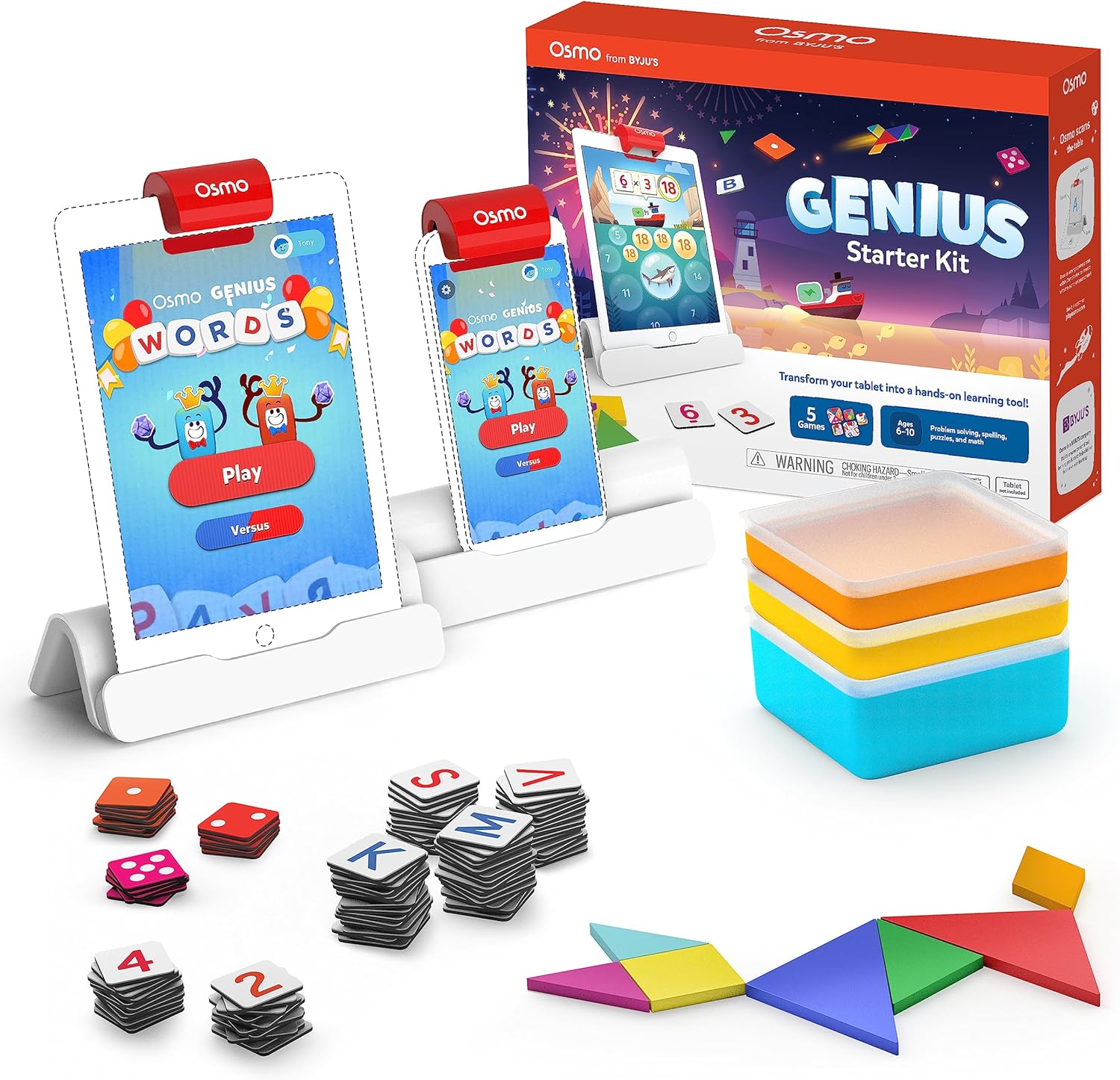
Image showing the Osmo Genius Starter Kit packaging, base, and included game pieces.
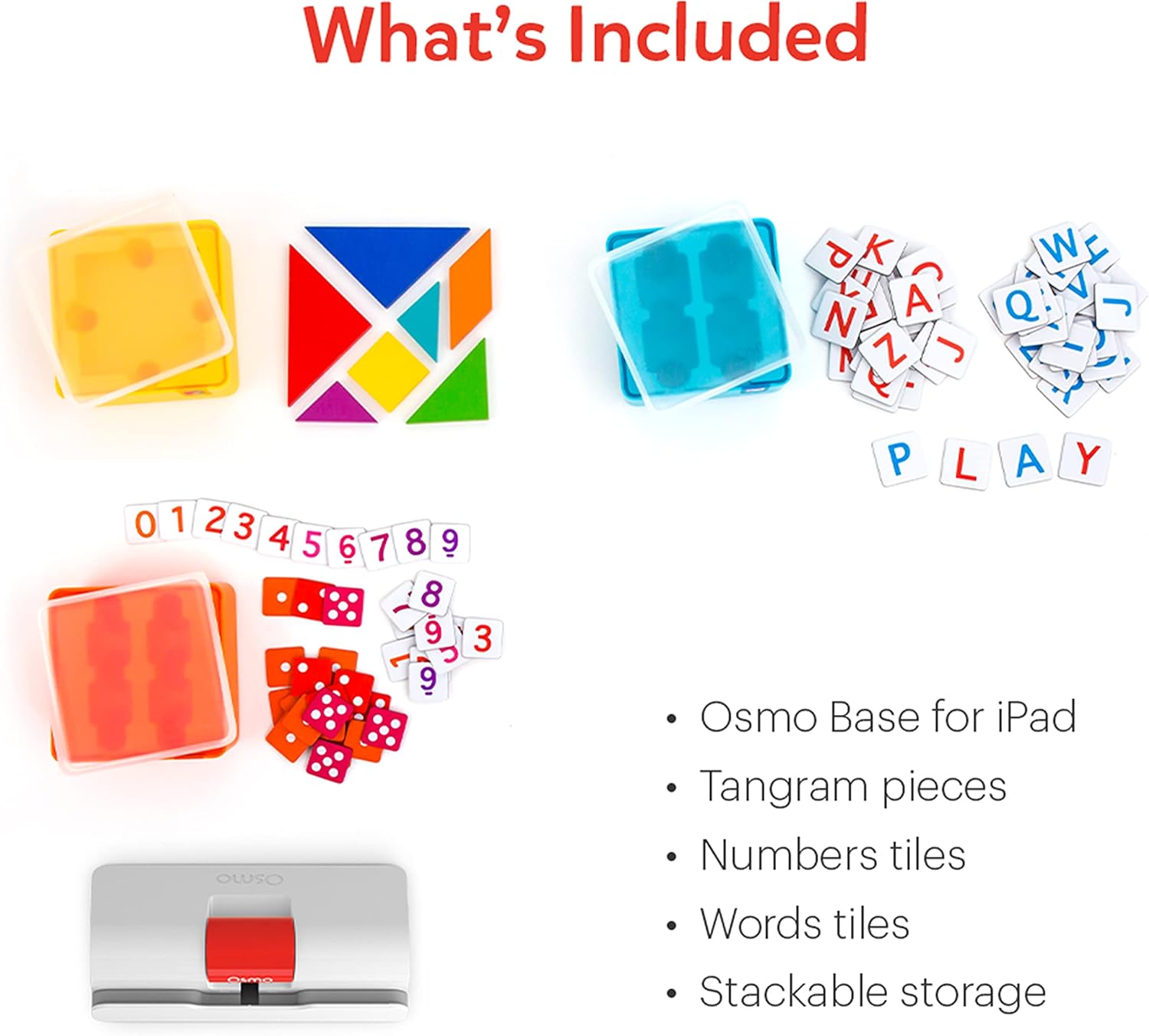
Terperinci view of the physical game pieces and their convenient stackable storage containers.
3. Kompatibilitas
The Osmo Genius Starter Kit is compatible with most iPad and iPhone models. Please verify your device's compatibility before use.
- iPad Compatibility: All iPads except Generation 1-4, Air Gen 1, & iPad Mini Gen 1-3. The new iPad 10th Gen, iPad Pro 11” (4th Gen), & iPad Pro 12.9” (6th Gen) are not currently compatible; compatibility coming later in 2023. iPad Reflector 2021 required for: iPad Mini 6, iPad Air 4-5, iPad Pro 11-inch & iPad Pro 12.9-inch. The minimum iOS version needed is iOS 15.
- Kompatibilitas iPhone: iPhone 12, 12 Pro, 12 Pro Max, 13, 13 Pro, 13 Pro Max, 14, 14 Plus. No other iPhones are compatible. Requires the Osmo iPad base & 2021 reflector hardware. The minimum iOS needed is iOS 14.0.

Visual guide to compatible iPhone and iPad models for the Osmo system.
4. Petunjuk Penyiapan
Follow these steps to set up your Osmo Genius Starter Kit:
- Place your device in the Osmo Base: Ensure your iPad or iPhone is securely seated in the white Osmo Base. The device should be positioned vertically.
- Attach the Reflector: Gently place the red Osmo Reflector over the top edge of your device, ensuring it covers the front-facing camera. The reflector is crucial for the Osmo system to 'see' the physical game pieces on your table.
- Download Osmo Apps: Pencarian untuk
Dokumen Terkait - Nomor telepon 901-00011

Nomor Osmo dan Manual Pengguna Osmo Newton
Panduan lengkap tentang penggunaan Osmo Numbers dan Osmo Newton, merinci mekanisme permainan, kiat, dan praktik terbaik untuk pengalaman pendidikan yang menarik.
Memulai dengan Kata-kata Osmo
Panduan lengkap Osmo Words, mencakup pengaturan gim, gameplay, mode permainan, pembuatan album kustom, dan praktik terbaik untuk performa optimal. Pelajari cara menggunakan ubin huruf untuk mengeja kata berdasarkan gambar, jelajahi berbagai mode gim seperti Adventure, Versus, dan Zen, serta temukan cara membuat dan membagikan album kata Anda sendiri.
Panduan Pengaturan Osmo untuk Tablet Fire
Panduan ini memberikan petunjuk langkah demi langkah untuk menyiapkan mainan edukasi Osmo dengan Tablet Amazon Fire, yang mencakup kompatibilitas perangkat, pengaturan dasar, pembuatan akun, unduhan game, dan profile pengelolaan.
Osmo Setup Guide for iPad and Fire Tablet
A comprehensive setup guide for Osmo products, including the Osmo Creative Set and Osmo Newton, detailing compatibility, setup steps, game instructions, and troubleshooting.
Getting Started with Osmo Numbers
A guide to Osmo Numbers, an educational game for early learners focusing on math concepts like counting, addition, subtraction, and multiplication. Learn how to play, master game modes, and discover tips for maximizing scores and unlocking new content.
Memulai dengan Osmo Tangram
Panduan Osmo Tangram, yang merinci fitur permainan, level, pencapaian, dan praktik terbaik untuk pengalaman optimal. Pelajari cara bermain, menavigasi menu, dan menyimpan potongan Tangram Anda.