1. Pendahuluan
The iConnectivity PlayAUDIO12 is a professional-grade audio and MIDI interface designed for live performance and studio applications. It provides a robust and reliable solution for integrating computer-based audio and MIDI into your setup, featuring fail-safe computer switching and high-quality audio conversion.
This manual provides detailed instructions for setting up, operating, maintaining, and troubleshooting your PlayAUDIO12 device to ensure optimal performance and longevity.

Gambar 1.1: Depan view of the PlayAUDIO12, highlighting its compact design and intuitive controls.
2. Isi Paket dan Pengaturan
2.1. Buka kotak
Setelah membuka kemasan, pastikan semua komponen ada dan tidak rusak. Paket standar meliputi:
- iConnectivity PlayAUDIO12 Audio Interface
- USB Cables (Type-B to Type-A)
- Adaptor Daya
- Quick Start Guide (digital version available online)
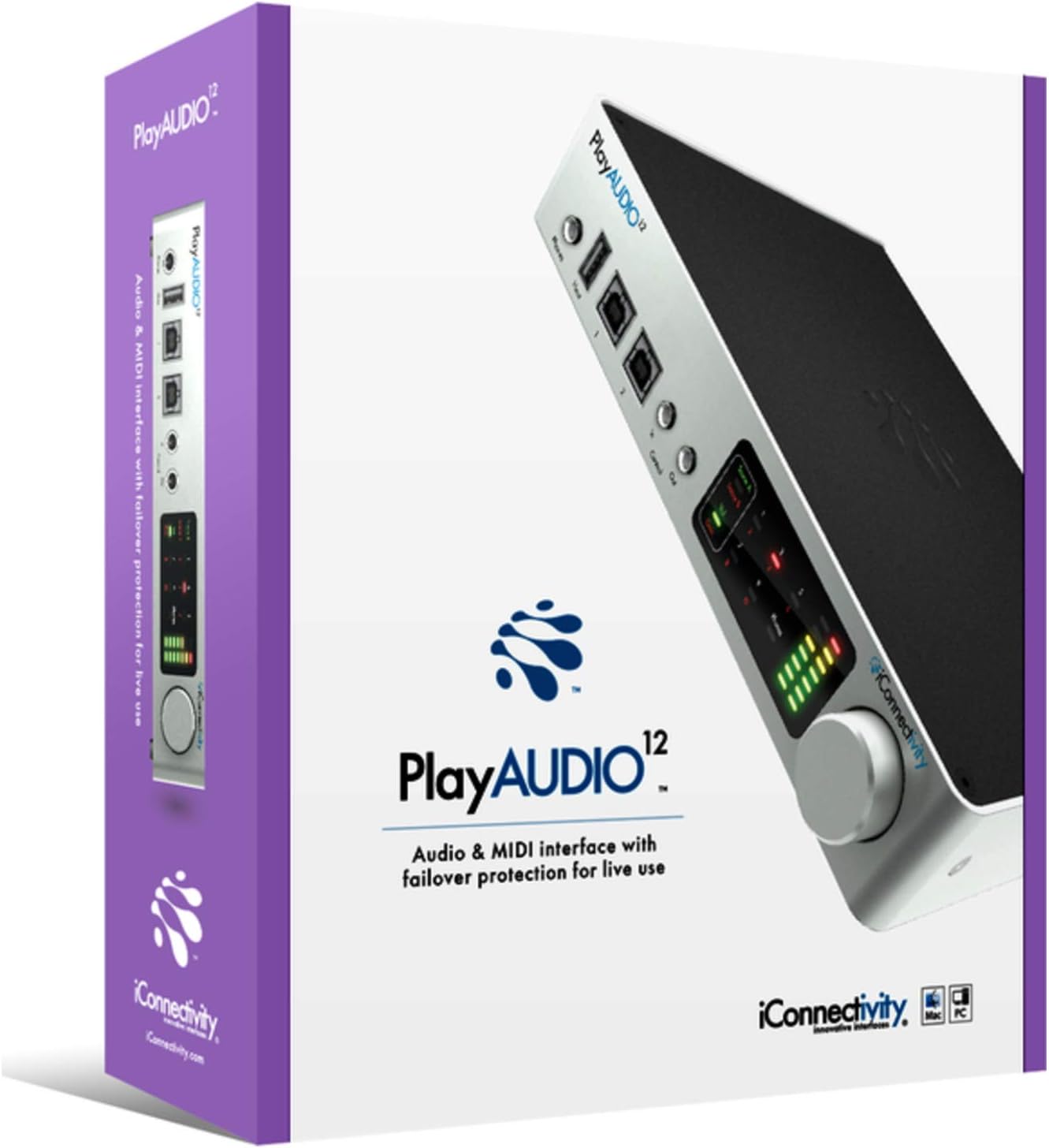
Figure 2.1: The PlayAUDIO12 packaging, ensuring safe transport and clear branding.
2.2. Menghubungkan Perangkat
Follow these steps to connect your PlayAUDIO12 to your computer and audio system:
- Sambungan Daya: Connect the included power adapter to the DC input on the rear panel of the PlayAUDIO12 and then to a power outlet.
- Koneksi USB: Use the provided USB cables to connect the PlayAUDIO12's "Host 1" and "Host 2" USB ports to your computer(s). For failover protection, connect both ports to two separate computers.
- Keluaran Audio: Connect your studio monitors, mixer, or PA system to the 12 ultra-low noise outputs on the rear panel using appropriate cables.
- Kontrol Input/Output: If using external footswitches or linking additional PlayAUDIO12 units, connect them to the "Control In" and "Control Out" ports on the front panel.

Figure 2.2: Rear panel connections of the PlayAUDIO12, detailing the 12 audio outputs and power input.
2.3. Instalasi Perangkat Lunak
The PlayAUDIO12 is class-compliant on Windows, meaning no specific drivers are typically required for basic functionality. However, for advanced features and firmware updates, it is recommended to download and install the latest iConnectivity software from the official weblokasi.
- Visit the official iConnectivity weblokasi: www.iconnectivity.com
- Navigate to the Support or Downloads section for PlayAUDIO12.
- Download and install any available drivers, firmware updates, or control applications.
3. Operating the PlayAUDIO12
3.1. Kontrol Panel Depan
The front panel of the PlayAUDIO12 features capacitive touch controls and clear metering for easy operation, even in low-light conditions.
- Pengukuran: Visual indicators for audio levels, allowing you to monitor your signals at a glance.
- Keluaran Telepon: Dedicated headphone output for monitoring.
- Host 1 / Host 2 Indicators: Show which computer is currently active.
- Kontrol Masuk/Keluar: Ports for external footswitches or linking additional PlayAUDIO12 units.

Gambar 3.1: Sudut view of the PlayAUDIO12, showcasing the front panel's capacitive touch controls and metering.
3.2. Computer Switching and Failover
The PlayAUDIO12 is designed for seamless computer switching, providing a robust failover solution for live performances. If one connected computer fails, the unit can automatically switch to the secondary computer, ensuring uninterrupted audio and MIDI flow.
- Peralihan Otomatis: Configurable through the iConnectivity software to automatically switch based on signal loss or other parameters.
- Peralihan Manual: Utilize the "Control In" footswitch input for manual computer switching, allowing for user-assignable controls.
3.3. MIDI Capabilities
Beyond its audio capabilities, the PlayAUDIO12 offers extensive MIDI connectivity, leveraging iConnectivity's expertise in MIDI technology. It can route MIDI data between connected computers, external MIDI devices, and software applications.
- MIDI Routing: Flexible routing options for complex MIDI setups.
- MIDI Host Ports: Connect USB MIDI controllers and devices directly to the PlayAUDIO12.
3.4. Expanding Your Setup
For larger productions requiring more outputs, the PlayAUDIO12 can be linked with additional PlayAUDIO12 interfaces. Use the "Control Out" connection to slave additional units, expanding your connectivity as your production needs grow.
4. Pemeliharaan
Proper maintenance ensures the longevity and reliable performance of your PlayAUDIO12.
- Pembersihan: Use a soft, dry cloth to clean the exterior of the device. Avoid abrasive cleaners or solvents.
- Penyimpanan: Saat tidak digunakan, simpan perangkat di tempat sejuk dan kering, jauh dari sinar matahari langsung dan suhu ekstrem.
- Pembaruan Firmware: Regularly check the iConnectivity website for firmware updates. Keeping your device's firmware up-to-date can improve performance, add new features, and resolve potential issues.
5. Penyelesaian masalah
If you encounter issues with your PlayAUDIO12, refer to the following common troubleshooting steps:
- Tidak Ada Keluaran Audio:
- Pastikan semua kabel audio tersambung dengan benar.
- Check the volume levels on the PlayAUDIO12, your computer, and your audio system.
- Ensure the correct audio output device is selected in your computer's sound settings and DAW.
- Computer Not Recognizing Device:
- Coba sambungkan ke port USB lain di komputer Anda.
- Ensure USB cables are not damaged.
- Restart your computer and the PlayAUDIO12.
- Verify that the necessary drivers or software are installed (if applicable).
- Masalah MIDI:
- Check MIDI routing settings within your DAW or iConnectivity software.
- Ensure MIDI devices are properly connected and powered.
- Koneksi Intermiten:
- Ensure power supply is stable.
- Avoid using unpowered USB hubs.
For more complex issues, consult the detailed troubleshooting guide on the iConnectivity websitus atau hubungi dukungan pelanggan.
6. Spesifikasi
| Fitur | Detil |
|---|---|
| Nomor Model | AUDIO12 |
| Berat Barang | 2.29 pon |
| Dimensi Produk | 3x3x3 inci |
| Teknologi Konektivitas | USB |
| Jumlah Saluran | 12 |
| Perangkat Lunak yang Didukung | Windows (class compliant) |
| Sistem Operasi | Jendela |
| Perangkat yang Kompatibel | Komputer Pribadi |
| Konversi AD/DA | Hingga 24-bit/96 kHz |
7. Garansi dan Dukungan
7.1. Informasi Garansi
iConnectivity products typically come with a limited manufacturer's warranty covering defects in materials and workmanship. Please refer to the warranty card included with your product or visit the official iConnectivity website for the most current and detailed warranty terms and conditions.
Catatan: Warranty terms may vary by region and retailer. Keep your proof of purchase for warranty claims.
7.2. Dukungan Pelanggan
For technical assistance, product registration, or further inquiries, please contact iConnectivity customer support through their official channels:
- Weblokasi: www.iconnectivity.com/support
- Sumber Daya Daring: FAQs, knowledge base, and user forums may be available on their weblokasi.
When contacting support, please have your product model (AUDIO12) and serial number ready.


