1. Pendahuluan
Thank you for choosing the ZIPRO Boost Exercise Bike. This manual provides essential information for the safe and effective assembly, operation, and maintenance of your new fitness equipment. Please read this manual thoroughly before first use and keep it for future reference.
2. Informasi Keselamatan
- Konsultasikan dengan dokter sebelum memulai program olahraga apa pun.
- Pastikan semua bagian terpasang dengan aman sebelum setiap penggunaan.
- Jauhkan anak-anak dan hewan peliharaan dari peralatan selama pengoperasian.
- Letakkan sepeda statis di permukaan yang datar dan stabil.
- Kenakan pakaian olahraga dan alas kaki yang sesuai.
- Jangan melebihi kapasitas berat pengguna maksimum yaitu 120 kg.
- Hentikan latihan segera jika Anda merasa lemas, pusing, atau merasakan nyeri.
3. Isi Paket
Before assembly, verify that all components are present and undamaged:
- Bingkai Utama
- Stabilizer Depan dan Belakang
- Pedal (Kiri dan Kanan)
- Tiang Jok dan Pelana
- Tiang Stang dan Stang
- Latihan Komputer
- Perangkat Keras Perakitan (baut, ring, mur)
- Assembly Tools (wrenches, Allen keys)
- Panduan Pengguna
4. Petunjuk Perakitan
Ikuti langkah-langkah ini untuk perakitan yang benar. Disarankan untuk melibatkan dua orang untuk beberapa langkah tertentu.
- Pasang Stabilizer: Secure the front and rear stabilizers to the main frame using the provided bolts and washers. Ensure they are firmly tightened.
- Pasang Pedal: Identify the left (L) and right (R) pedals. The left pedal screws counter-clockwise, and the right pedal screws clockwise. Tighten securely.
- Mount Seat Post and Saddle: Insert the seat post into the main frame and adjust to the desired height. Attach the saddle to the seat post and secure it.
- Pasang Tiang Stang: Insert the handlebar post into the main frame.
- Install Handlebars and Computer: Attach the handlebars to the handlebar post. Connect the sensor wires from the main frame to the exercise computer. Mount the computer onto the handlebar post.

Figure 4.1: Detailed assembly diagram for the ZIPRO Boost Exercise Bike.

Gambar 4.2: Meledak view of the exercise bike components, illustrating how parts fit together during assembly.
5. Petunjuk Pengoperasian
5.1 Menyesuaikan Resistansi
The ZIPRO Boost features an 8-level magnetic resistance system. To adjust the resistance, turn the tension control knob located below the computer display. Turn clockwise to increase resistance (harder) and counter-clockwise to decrease resistance (easier).

Figure 5.1: The resistance adjustment knob, showing levels 1 through 8.
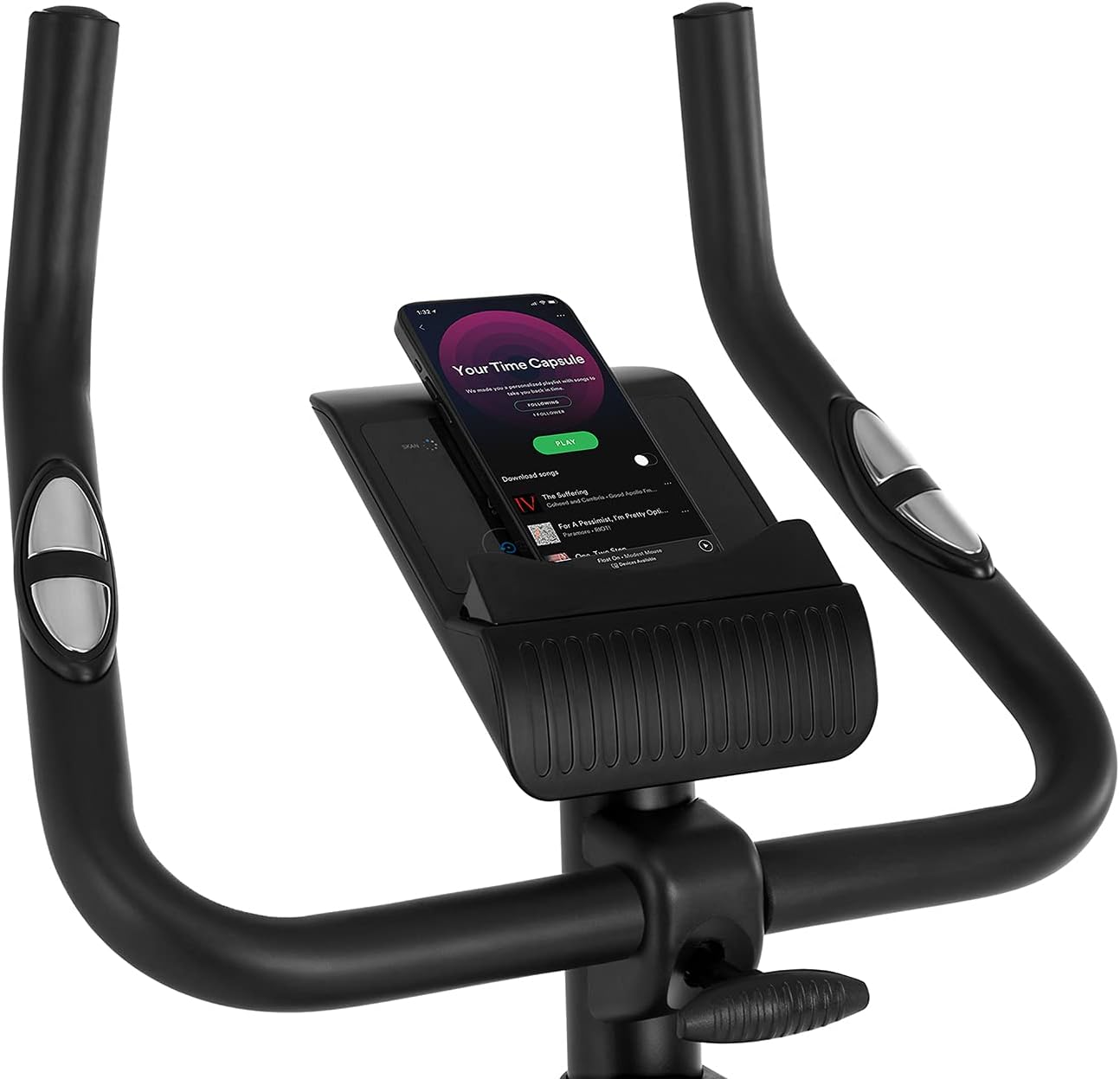
Figure 5.2: Demonstrating how to adjust the magnetic resistance using the tension control knob.
5.2 Saddle and Handlebar Adjustments
Proper adjustment of the saddle and handlebars ensures comfort and effective training.
- Tinggi Pelana: Loosen the adjustment knob on the seat post, raise or lower the saddle to your desired height (ensure a slight bend in your knee at the bottom of the pedal stroke), and tighten the knob securely.
- Saddle Horizontal Position: Loosen the knob beneath the saddle to slide it forward or backward for optimal positioning relative to the pedals. Tighten securely.
- Tinggi Stang: Loosen the adjustment knob on the handlebar post, raise or lower the handlebars to a comfortable position, and tighten the knob securely.
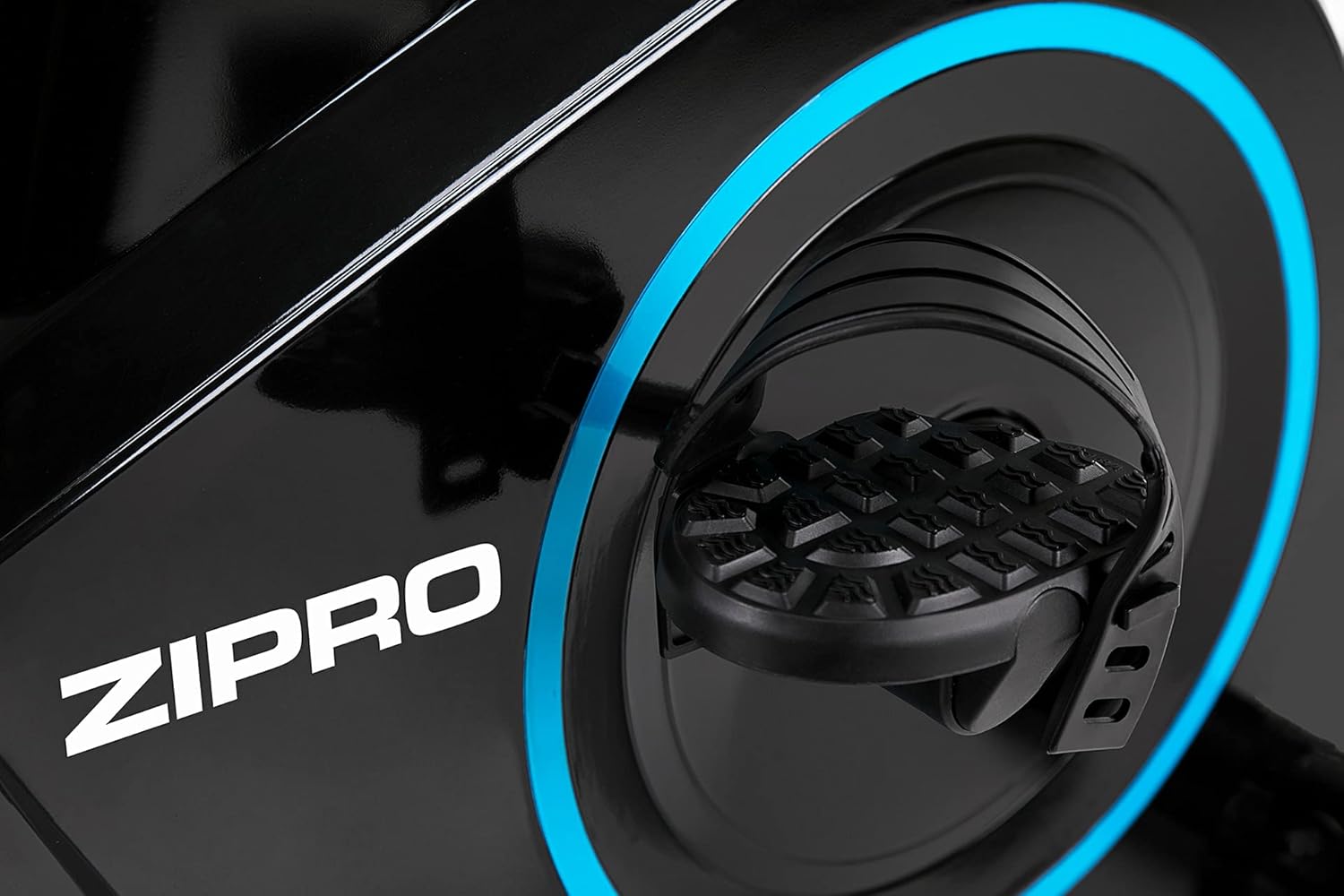
Figure 5.3: Adjusting the saddle's vertical position for user comfort.
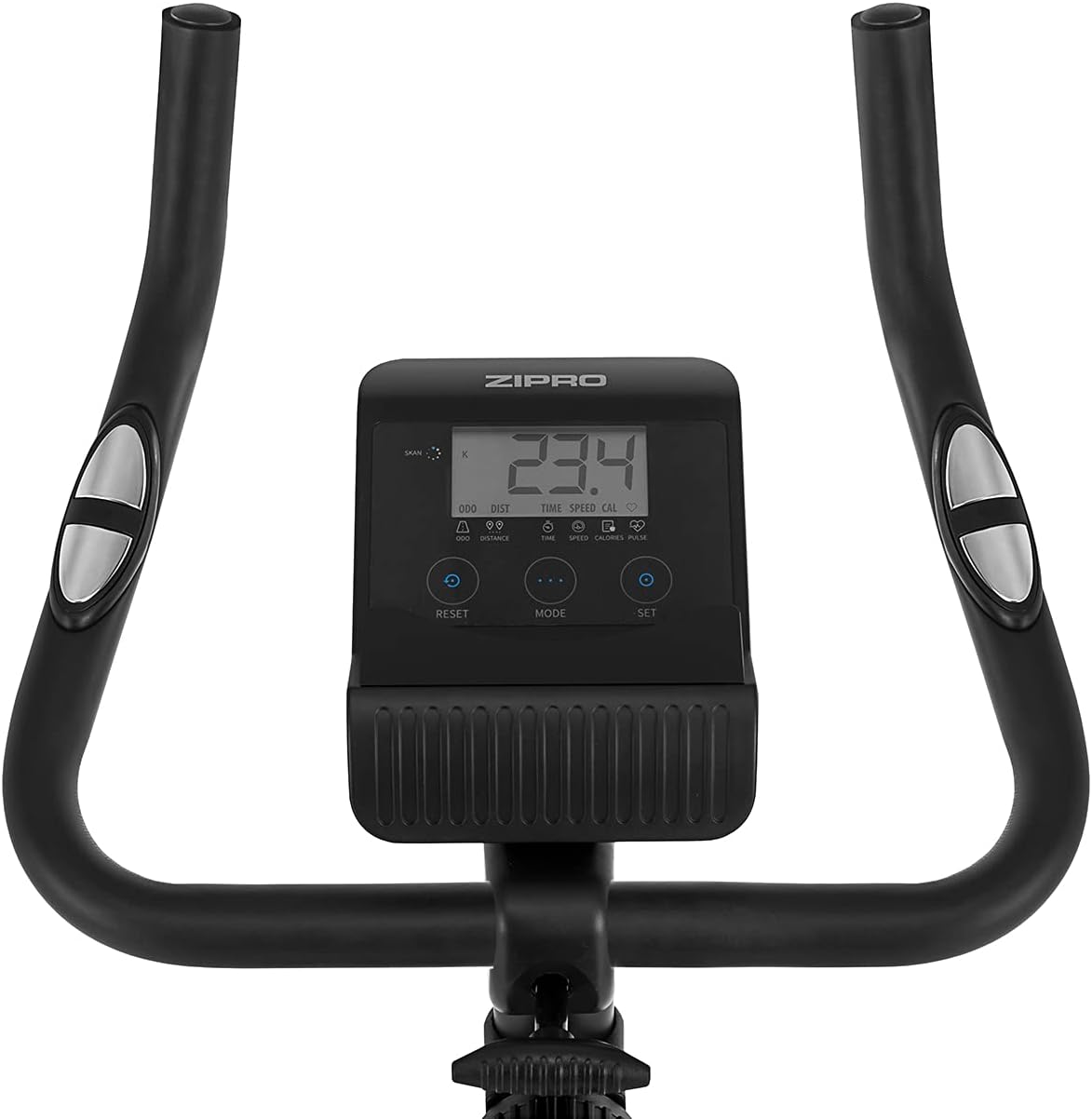
Figure 5.4: Adjusting the saddle's horizontal position for optimal riding posture.
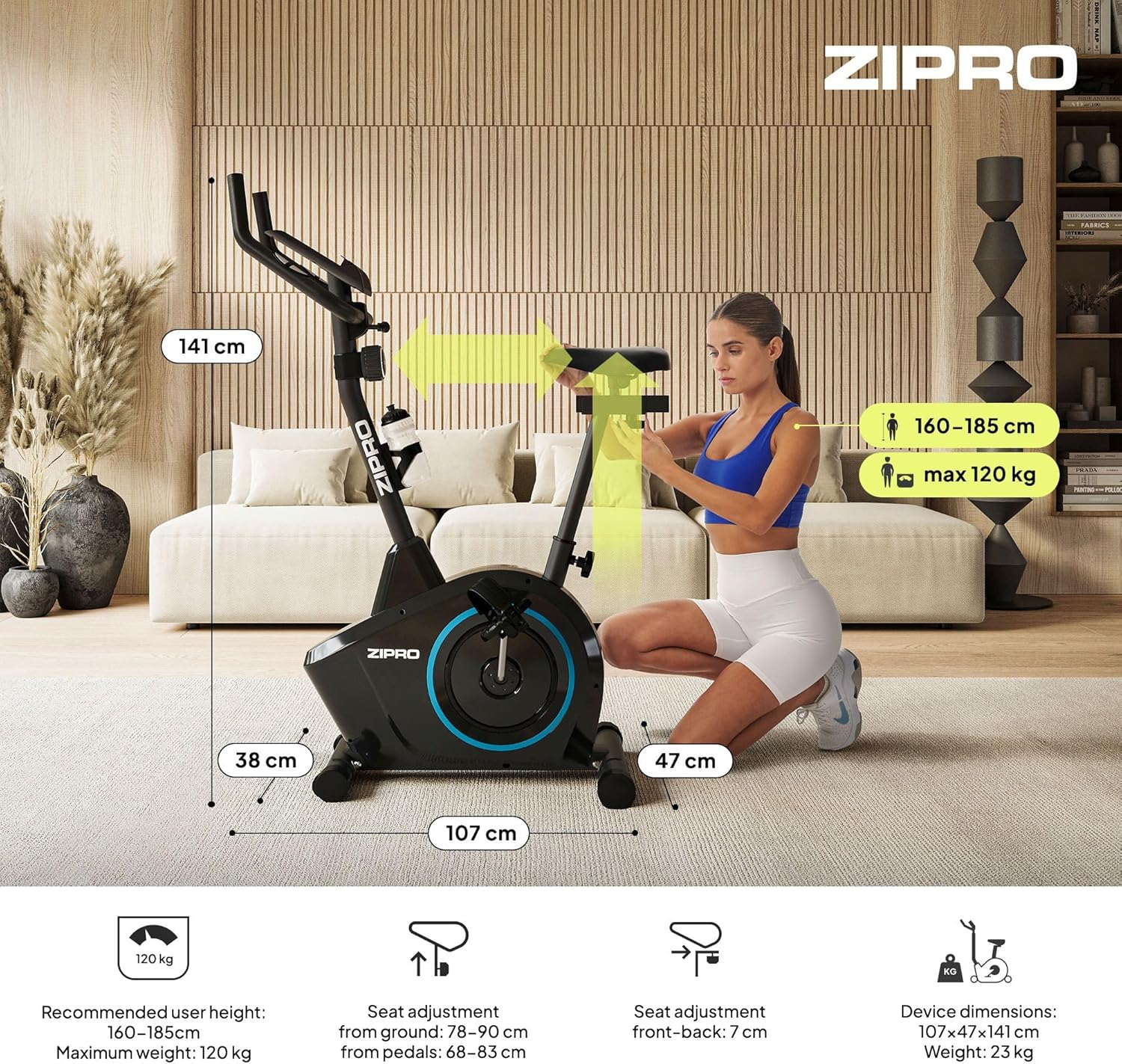
Figure 5.5: Adjusting the handlebar height to suit different user preferences and workout styles.
5.3 Computer Functions
The integrated computer tracks your workout data. It measures time, distance, speed, calories burned, and pulse (via sensors in the handlebar). The SCAN function cycles through all data alternately on the screen.
- Tombol MODE: Press to select the display function (Time, Speed, Distance, Calories, Odometer, Pulse).
- Tombol Atur ulang: Press and hold to clear all current workout data (Time, Distance, Speed, Calories).
- Tombol ATUR: Used to set target values for Time, Distance, or Calories.
- Sensor Denyut Nadi: Grip the metal plates on the handlebars to measure your heart rate.
- Mobile Device Shelf: A convenient shelf is provided above the computer for your smartphone or tablet.

Figure 5.6: The exercise computer display with MODE, RESET, and SET buttons.

Gambar 5.7: Lebihview of the computer display and integrated pulse sensors.

Figure 5.8: The integrated shelf designed to hold a mobile device like a tablet during workouts.
6. Pemeliharaan
Perawatan rutin memastikan umur pakai dan pengoperasian sepeda statis Anda yang aman.
- Pembersihan: Bersihkan sepeda dengan iklanamp Lap dengan kain setelah setiap penggunaan untuk menghilangkan keringat dan debu. Jangan gunakan pembersih abrasif.
- Periksa Koneksi: Periodically check all bolts, nuts, and screws to ensure they are tight. Tighten if necessary.
- Pelumasan: The magnetic resistance system is generally maintenance-free. If you notice any squeaking from moving parts (e.g., pedal axles), apply a small amount of silicone-based lubricant.
- Penyimpanan: When not in use, store the bike in a dry, cool place away from direct sunlight. The integrated transport wheels allow for easy movement.

Figure 6.1: The exercise bike features transport wheels for easy relocation after use.
7. Penyelesaian masalah
| Masalah | Kemungkinan Penyebab | Larutan |
|---|---|---|
| Computer display not working | Loose cable connection; Dead batteries | Check all cable connections to the computer; Replace batteries (if applicable). |
| No resistance change | Resistance cable disconnected or damaged | Check the resistance cable connection to the tension knob and the main unit. |
| Suara mencicit atau berderak | Loose parts; Lack of lubrication | Check and tighten all bolts and nuts; Apply silicone lubricant to moving parts if necessary. |
| Tidak stabil saat digunakan | Bike not on a level surface; Loose stabilizers | Ensure the bike is on a flat surface; Adjust leveling caps on stabilizers; Tighten stabilizer bolts. |
8. Spesifikasi
| Fitur | Spesifikasi |
|---|---|
| Model | 979536 |
| Dimensi (P x L x T) | Ukuran 73x48x137 cm |
| Berat Produk | 23 kg |
| Berat Pengguna Maksimum | 120 kg |
| Sistem Resistensi | Magnetic, 8-level manual adjustment |
| Sistem Penggerak | Sabuk |
| Fungsi Komputer | Time, Distance, Speed, Calories, Pulse (Heart Rate) |
| Jenis Bahan | Plastik, Logam |
| Power Source (Computer) | Bertenaga Baterai |
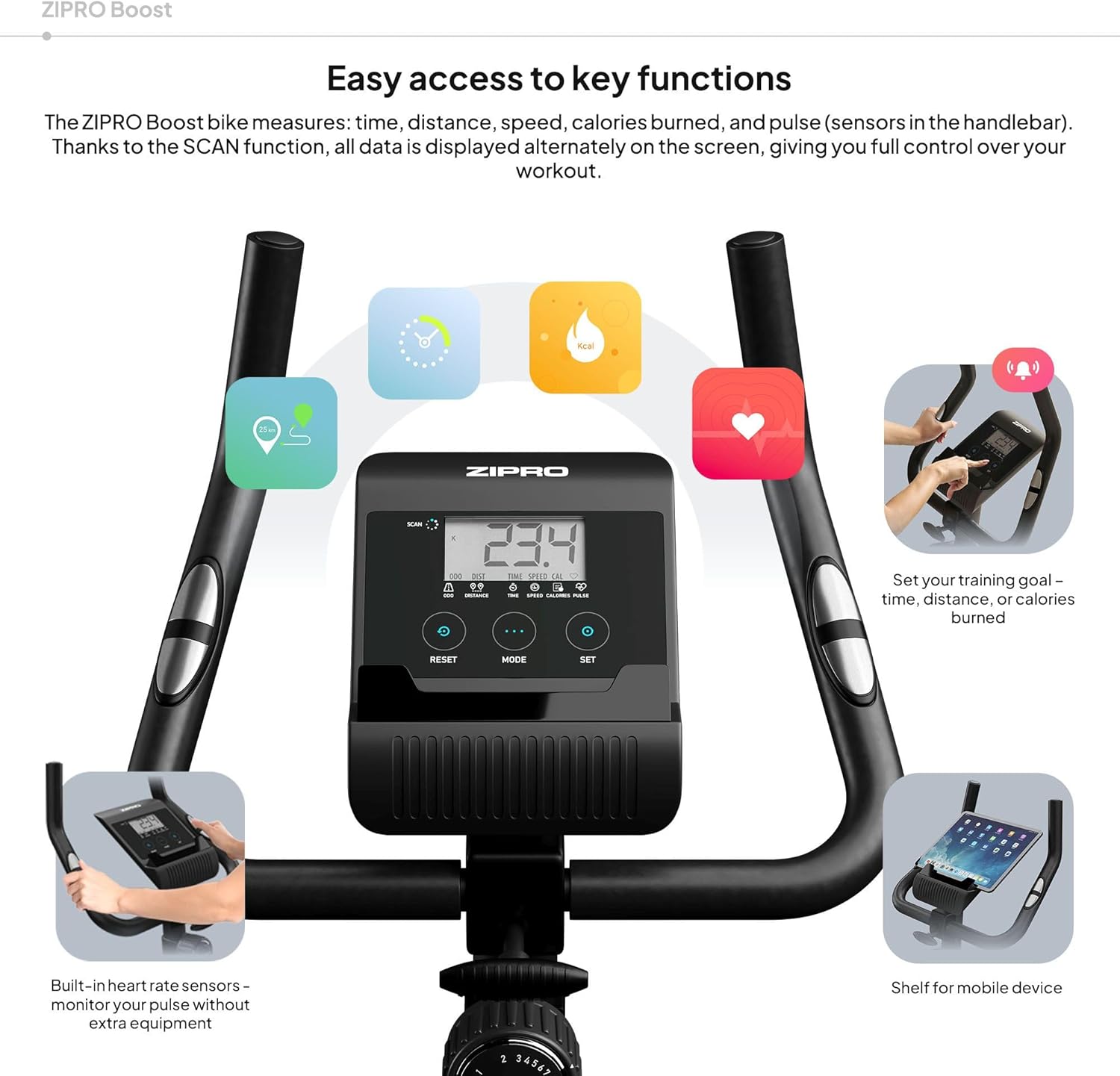
Figure 8.1: Key dimensions and user specifications for the exercise bike.
9. Garansi dan Dukungan
Your ZIPRO Boost Exercise Bike comes with a standard manufacturer's warranty. Please refer to the warranty card included in your package for specific terms and conditions. For technical support, spare parts, or any inquiries not covered in this manual, please contact ZIPRO customer service through their official websitus web atau pengecer tempat Anda membeli produk tersebut.


