Perkenalan
This manual provides detailed instructions for the installation, operation, and maintenance of your Foscam D2EP IP Camera. The D2EP is a high-definition 2-megapixel outdoor security camera designed for reliable surveillance with features such as infrared night vision, smart motion detection, and wired connectivity. Please read this manual thoroughly before using the product to ensure correct setup and optimal performance.
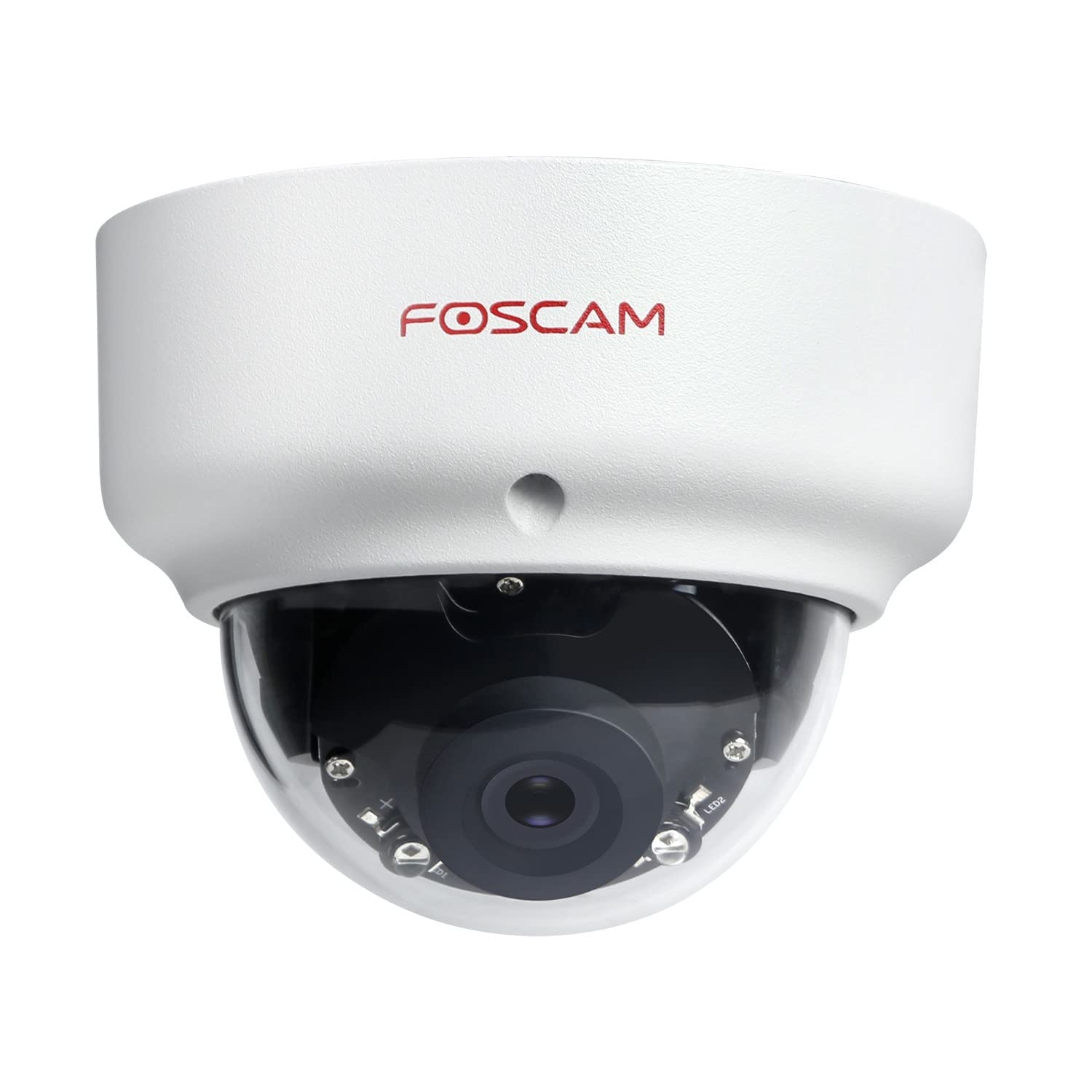
Image: The Foscam D2EP IP Camera, showcasing its compact, dome-shaped design suitable for outdoor environments.
1. Pengaturan dan Instalasi
1.1 Isi Paket
Sebelum memulai instalasi, harap pastikan bahwa semua komponen ada di dalam paket:
- Foscam D2EP IP Camera
- Sekrup Pemasangan dan Sumbat Dinding
- Kabel Ethernet
- Adaptor Daya
- Panduan Instalasi Cepat

Image: Foscam D2EP IP Camera with its power and Ethernet cables, illustrating the main components included in the box.
1.2 Instalasi Fisik
The Foscam D2EP camera is designed for outdoor use with an IP66 waterproof rating. Choose a suitable location that provides the desired viewing angle and is within reach of a power source and network connection.
- Lokasi Pemasangan: Identify a secure mounting surface, such as a wall or ceiling, that offers a clear view area yang ingin Anda pantau.
- Lubang Bor: Use the provided mounting template (if included) or the camera base to mark and drill pilot holes for the mounting screws. Insert wall plugs if mounting on masonry.
- Kamera Aman: Pasang dudukan kamera dengan aman ke permukaan pemasangan menggunakan sekrup yang disediakan.
- Sesuaikan Sudut: Kendurkan sekrup penyetel pada bodi kamera untuk memposisikan lensa secara optimal. viewsudut kemiringan. Kencangkan sekrup setelah sudut yang diinginkan tercapai.

Image: Foscam D2EP IP Camera mounted under an outdoor patio roof, demonstrating a typical installation scenario for outdoor surveillance.
1.3 Koneksi Jaringan dan Daya
- Hubungkan Kabel Ethernet: Connect one end of the Ethernet cable to the camera's network port and the other end to your router or network switch.
- Hubungkan Adaptor Daya: Plug the power adapter into the camera's power input and then into a suitable electrical outlet.
- Lampu Indikator: Wait for the camera's indicator light to show a stable status, indicating it is powered on and connected to the network. Refer to the Quick Installation Guide for specific indicator light behaviors.
1.4 Konfigurasi Awal
To access and configure your camera, download the Foscam app on your smartphone or use the Foscam client software on your computer.
- Download App/Software: Pencarian untuk "Foscam" in your app store (iOS/Android) or visit the official Foscam website for desktop software.
- Tambahkan Kamera: Follow the in-app or software instructions to add your D2EP camera. This typically involves scanning a QR code on the camera or manually entering its UID.
- Setel Kata Sandi: For security, change the default password immediately upon first access.
- Pengaturan Jaringan: Configure any necessary network settings, such as static IP (if required by your network).
2. Petunjuk Pengoperasian
2.1 Langsung View dan Rekaman
Once configured, you can access the live video feed from your Foscam D2EP camera through the Foscam app or desktop client.
- Hidup View: Pilih kamera Anda dari daftar perangkat untuk view the real-time 1080p HD video stream.
- Perekaman Manual: Most Foscam applications allow you to manually start and stop video recordings directly from the live view antarmuka.
- Foto: Ambil gambar diam dari umpan langsung.
2.2 Deteksi Gerak
The D2EP features smart motion detection to alert you to activity in the monitored area.
- Aktifkan Deteksi Gerakan: Navigate to the camera settings in the Foscam app/software and enable motion detection.
- Configure Detection Area: Tentukan area tertentu dalam kamera view where motion should be detected, ignoring irrelevant zones.
- Sesuaikan Sensitivitas: Set the motion detection sensitivity to minimize false alarms while ensuring important events are captured.
- Pengaturan Peringatan: Configure how you receive alerts (e.g., push notifications, email).
2.3 Penglihatan Siang dan Malam
The camera automatically switches between day (color) and night (infrared black and white) vision modes based on ambient light conditions. The infrared LEDs provide clear vision up to 20 meters in low-light environments.
2.4 Amazon Alexa Compatibility
The Foscam D2EP camera is compatible with Amazon Alexa, allowing for voice control and integration into your smart home system. Refer to the Foscam website or Alexa app for detailed instructions on linking your Foscam account and controlling your camera via Alexa commands.
3. Pemeliharaan
3.1 Membersihkan Kamera
Regularly clean the camera lens and housing to ensure optimal image quality and prevent debris buildup, especially for outdoor installations.
- Gunakan yang lembut, damp kain untuk membersihkan bodi kamera.
- Untuk lensa, gunakan kain pembersih lensa khusus dan larutan untuk menghindari goresan.
- Jangan gunakan bahan kimia keras atau bahan abrasif.
3.2 Pembaruan Firmware
Foscam regularly releases firmware updates to improve camera performance, add new features, and enhance security. It is recommended to keep your camera's firmware up to date.
- Check for updates through the Foscam app or desktop client.
- Follow the on-screen instructions carefully during the update process. Do not power off the camera during an update.
4. Penyelesaian masalah
4.1 Camera Not Connecting to Network
- Periksa Kabel: Ensure the Ethernet cable is securely connected to both the camera and the router/switch.
- Kekuatan: Verify the camera is powered on and the power adapter is working correctly.
- Status Router: Confirm your router is functioning and providing network access.
- Konflik Alamat IP: If using a static IP, ensure it does not conflict with other devices on your network. Try DHCP first.
- Setel Ulang Kamera: If issues persist, perform a factory reset (refer to the Quick Installation Guide for reset button location and procedure).
4.2 Kualitas Gambar Buruk
- Lensa Bersih: Pastikan lensa kamera bersih dan bebas dari kotoran atau noda.
- Penerangan: Verify adequate lighting in the monitored area during the day.
- Penglihatan Malam: In night mode, ensure there are no obstructions blocking the infrared LEDs.
- Pengaturan Resolusi: Check that the camera's resolution is set to 1080p (2MP) in the app/software settings.
4.3 Motion Detection Not Working or Too Many False Alarms
- Enable Feature: Confirm motion detection is enabled in the camera settings.
- Area Deteksi: Adjust the detection zone to cover only relevant areas.
- Kepekaan: Increase sensitivity if events are missed; decrease if there are too many false alarms (e.g., from moving trees, shadows).
- Jadwal: Check if motion detection is scheduled to be active during the desired times.
5. Spesifikasi
| Nama Model | D2EP |
| Merek | Kamera |
| Resolusi | 2 Megapixel (1080p) |
| Teknologi Konektivitas | Berkabel |
| Penggunaan yang Direkomendasikan | Kamera Keamanan Luar Ruang |
| Tahan Cuaca | IP66 Tahan Air |
| Rentang Penglihatan Malam | Hingga 20 meter (Inframerah) |
| Fitur Utama | Motion Sensor, Day/Night Vision, Amazon Alexa Compatible |
6. Informasi Garansi
The Foscam D2EP IP Camera comes with a Garansi 2 tahun from the date of purchase. This warranty covers manufacturing defects and ensures the product functions as described under normal use. Please retain your proof of purchase for warranty claims. For detailed warranty terms and conditions, please visit the official Foscam weblokasi.
7. Dukungan Pelanggan
If you encounter any issues or have questions regarding your Foscam D2EP IP Camera that are not covered in this manual, please refer to the following resources:
- Resmi Foscam Weblokasi: Mengunjungi www.foscam.com for FAQs, support articles, and the latest firmware.
- Dukungan Teknis: Contact Foscam technical support directly via their websitus atau informasi kontak yang tersedia dalam kemasan produk Anda.


