Informasi Keselamatan Penting
Please read all instructions carefully before operating the appliance and retain for future reference. Always follow basic safety precautions to reduce the risk of fire, electric shock, and personal injury.
- Pastikan catu daya sesuai dengan voltage persyaratan unit.
- Jangan mengoperasikan unit dengan kabel atau steker yang rusak.
- Jangan halangi saluran masuk dan keluar udara.
- Jauhkan unit dari bahan yang mudah terbakar.
- Selalu cabut unit sebelum membersihkan atau melakukan servis.
- Peralatan ini tidak ditujukan untuk digunakan oleh orang (termasuk anak-anak) dengan keterbatasan fisik, sensorik, atau mental, atau kurang pengalaman dan pengetahuan, kecuali mereka telah diberi pengawasan atau petunjuk mengenai penggunaan peralatan oleh orang yang bertanggung jawab atas keselamatan mereka.
Produk Selesaiview
The Amazon Basics 3-In-1 Portable Air Conditioner provides cooling, dehumidifying, and fan-only functions for versatile climate control in your home or office.

Gambar: Depan view of the Amazon Basics Portable Air Conditioner unit with its remote control.
Fitur Utama:
- Fleksibilitas 3-dalam-1: Cool, Dry (Dehumidifier), and Fan-only functions.
- Kapasitas Pendinginan: 12,000 BTU (ASHRAE) / 8,000 BTU (SACC) for spaces up to 550 sq. ft.
- Advanced Comfort: Auto-swing louvers, Sleep mode, 3 fan speeds, 3 cooling settings.
- Mudah digunakan: Digital display, programmable timer (0.5 to 24 hours), remote control with "FOLLOW ME" function.
- Mobilitas: Built-in wheels and ergonomic handles for easy movement.

Image: Diagram showing the dimensions of the portable air conditioner, adjustable fan levers, remote control range (26 ft / 8 m), and rolling caster wheels.
Pengaturan dan Instalasi
Proper installation is crucial for efficient operation. The unit comes with a complete window kit for easy setup.
Instalasi Kit Jendela:
The window kit is compatible with standard, crank, and egress windows, allowing for both horizontal and vertical venting.

Image: Illustrations demonstrating how to install the window kit for both horizontal and vertical window orientations.
- Siapkan Jendela: Open the window where you intend to install the unit.
- Assemble Window Slider Kit: Connect the window slider panels to fit the width or height of your window opening.
- Insert Slider: Insert the assembled window slider into the window opening. Close the window sash to secure the slider.
- Secure Slider: Adjust the window slider to the height/width of the window assembly and secure it with the provided plastic bolt.
- Pasang Selang Knalpot: Connect one end of the exhaust hose to the air conditioner's exhaust port and the other end to the window kit adapter. Ensure a tight seal to prevent hot air from re-entering the room.
- Posisi Unit: Place the portable AC unit on a flat, stable surface near the window, ensuring the exhaust hose is not kinked or bent sharply.

Image: Diagrams illustrating flexible installation options for both sash and sliding windows, showing compatible window dimensions (26.6 to 49.1 inches / 67.6 cm to 124.7 cm wide/tall).
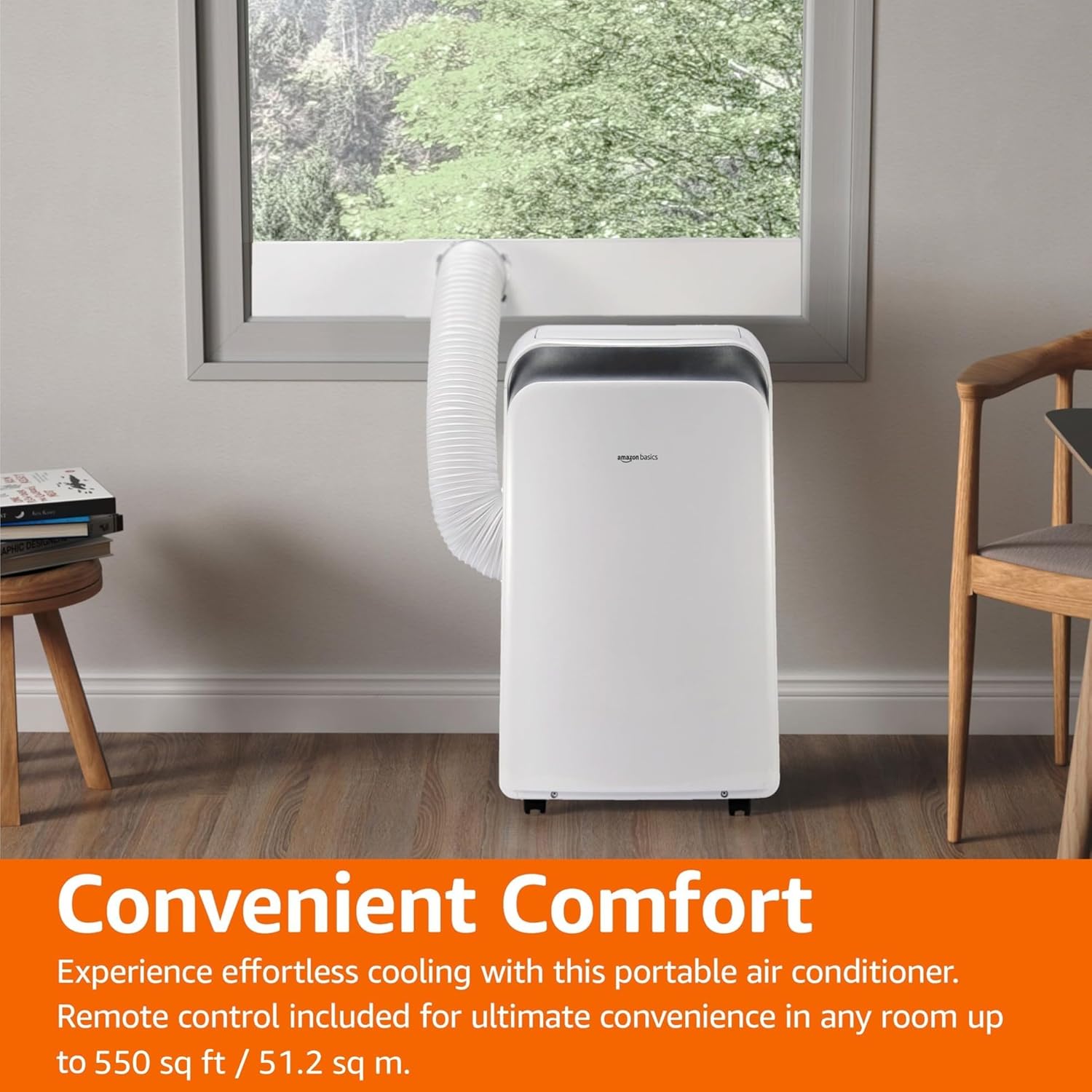
Image: The portable air conditioner unit installed in a living space, with the exhaust hose connected to a window, demonstrating its convenient placement.
Petunjuk Pengoperasian
The unit can be operated using the control panel on the unit or the included remote control.

Image: Close-up of the portable air conditioner's digital display and control buttons, highlighting its 3-in-1 design, automatic timer, 3 cooling settings, and 12,000 BTU capacity.
Panel Kontrol dan Remote:
- Tombol Daya: Menghidupkan/mematikan unit.
- Tombol Mode: Cycles through Cool, Dry (Dehumidifier), and Fan modes.
- Tombol Suhu (+/-): Menyesuaikan suhu yang diinginkan.
- Tombol Kecepatan Kipas: Memilih kecepatan kipas (Rendah, Sedang, Tinggi).
- Tombol pengatur waktu: Sets the auto ON/OFF timer (0.5 to 24 hours).
- Mode tidur: Activates energy-saving sleep function.
- Mode otomatis: The unit intelligently selects between cooling and fan-only operation based on room temperature.
- Follow Me Function (Remote): Remote control berfungsi sebagai termostat, memungkinkan unit untuk mendinginkan hingga suhu di lokasi remote tersebut.
Mode Operasi:
- Modus Keren: Provides powerful cooling. Set desired temperature and fan speed.
- Mode Kering (Dehumidifier): Removes excess moisture from the air. Fan speed is typically fixed in this mode.
- Modus Kipas: Mengalirkan udara tanpa mendinginkan. Pilih kecepatan kipas yang diinginkan.
- Mode otomatis: The unit intelligently selects between cooling and fan-only operation to maintain the set temperature.
Pemeliharaan
Regular maintenance ensures optimal performance and extends the life of your portable air conditioner.
Pembersihan Filter Udara:
Filter udara harus dibersihkan setiap dua minggu atau lebih sering tergantung pada penggunaan dan kualitas udara.
- Cabut unit dari stopkontak.
- Cari dan lepaskan filter udara dari bagian belakang atau samping unit.
- Cuci filter dengan air sabun hangat. Bilas hingga bersih.
- Biarkan filter mengering sepenuhnya sebelum memasangnya kembali ke dalam unit.
Drainase Air:
In Dry (Dehumidifier) mode or high humidity conditions, the internal water tank may fill up. The unit will typically stop operating and display an error code when the tank is full.
- Letakkan wadah atau ember dangkal di bawah lubang pembuangan di bagian belakang bawah unit.
- Lepaskan sumbat pembuangan untuk memungkinkan air mengalir keluar.
- Setelah terkuras, pasang kembali sumbat pembuangan dengan erat.
- For continuous drainage, connect a drain hose (not included) to the continuous drain port.
Penyimpanan:
Jika menyimpan unit untuk waktu yang lama, pastikan air telah terkuras sepenuhnya dan filter bersih serta kering. Simpan di tempat yang sejuk dan kering, sebaiknya dalam kemasan aslinya.
Penyelesaian Masalah
Sebelum menghubungi dukungan pelanggan, silakan lihat masalah dan solusi umum berikut ini.
| Masalah | Kemungkinan Penyebab | Larutan |
|---|---|---|
| Unit tidak menyala. | Tidak ada daya, kabel daya tercabut, pemutus arus tersandung. | Periksa sambungan daya, setel ulang pemutus sirkuit. |
| Unit tidak mendingin secara efektif. | Dirty air filter, blocked air intake/outlet, room too large, windows/doors open, exhaust hose not properly installed. | Clean air filter, clear obstructions, ensure room size is within capacity, close windows/doors, check exhaust hose connection. |
| Unit berisik. | Unit tidak berada di permukaan yang rata, kipas terhalang. | Place unit on a flat surface, check for foreign objects in fan. |
| Kebocoran air. | Drain plug loose, continuous drain hose kinked or blocked, internal water tank full. | Ensure drain plug is secure, clear any kinks/blockages in drain hose, empty internal water tank. |
| Kontrol jarak jauh tidak berfungsi. | Baterai mati, penghalang antara remote dan unit. | Replace batteries, ensure clear line of sight to unit's receiver. |
Spesifikasi
| Fitur | Detil |
|---|---|
| Nomor Model | MPPDA-08CRN8-BCG2 |
| Kapasitas Pendinginan (ASHRAE) | 12,000 mAh |
| Kapasitas Pendinginan (SACC) | 8,000 mAh |
| Area Cakupan yang Direkomendasikan | Hingga 550 kaki persegi. |
| Fungsi | Cool, Dry (Dehumidifier), Fan |
| Jil.tage | 115 Volt |
| Pendingin | R32 |
| Dimensi Produk (P x L x T) | 45.39 x 36.5 x 70 cm (17.87 x 14.37 x 27.56 inci) |
| Berat Barang | 22.68 kg (50 pon) |
| Rasio Efisiensi Energi Musiman (SEER) | 10 |
| Fitur Khusus | 3-In-1 (Cool/Dry/Ventilation), Digital Display, Remote Control, Auto Mode, Sleep Mode, Auto-Swing Louvers |
Garansi dan Dukungan
For warranty information or technical support, please refer to the Amazon Basics product page or contact Amazon customer service directly. Keep your purchase receipt for warranty claims.
Dukungan online: Visit the Amazon Basics store page for FAQs and additional resources.
Pelayanan pelanggan: Contact Amazon customer service for assistance with product issues or warranty claims.