1. Pendahuluan
This user manual provides detailed instructions for the DOOGEE S68 Pro rugged smartphone. It covers essential information regarding device setup, operation, maintenance, and troubleshooting to ensure optimal performance and longevity of your device. Please read this manual thoroughly before using your new smartphone.
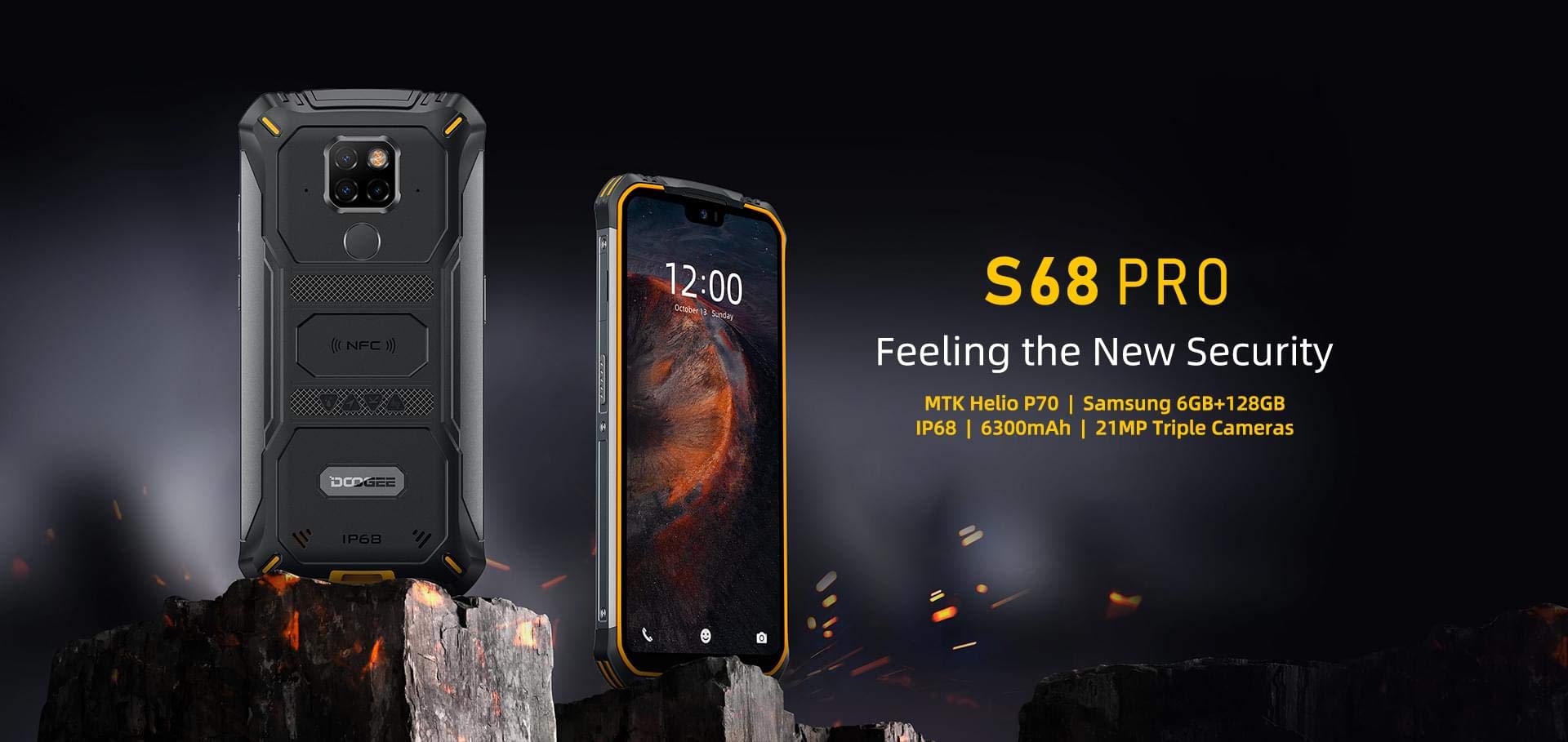
Image: The DOOGEE S68 Pro rugged smartphone, showcasing desainnya yang kokoh.
2. Produk Lebihview
The DOOGEE S68 Pro is a rugged smartphone designed for durability and high performance. It features a 5.9-inch FHD+ display, a powerful Helio P70 Octa Core processor, 6GB RAM, and 128GB internal storage. The device is equipped with a triple rear camera system, NFC for payments, and a large 6300mAh battery with wireless charging capabilities. Its robust construction ensures resistance to water, dust, and drops.

Gambar: Sebuah overview of the DOOGEE S68 Pro's key features, including its display, processor, memory, battery, and camera.
2.1 Ciri Fisik
- Menampilkan: 5.9-inch FHD+ Notch Screen (1080*2280 pixels, ~428 ppi density).
- Sistem Kamera Belakang: Triple camera setup including a 21MP standard lens, 8MP telephoto lens, and 8MP 130° wide-angle lens, accompanied by a dual flash.
- Kamera Depan: 16MP wide-angle lens.
- NFC: Integrated for contactless payments and data transfer.
- Port Pengisian Daya: Tipe-C USB.
- Sensornya: G-sensor, Proximity sensor.
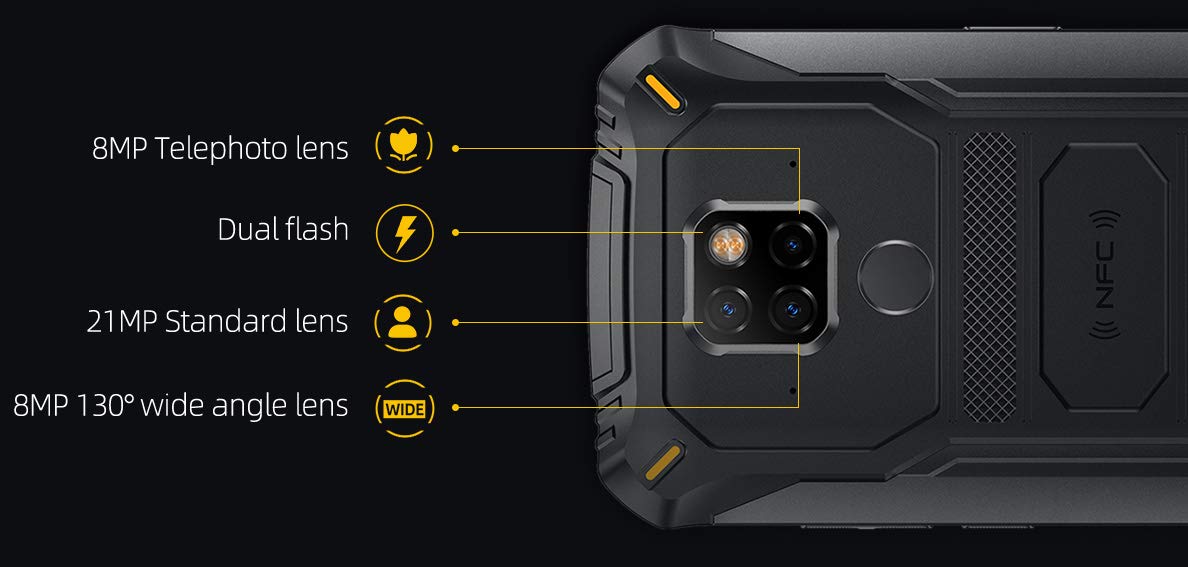
Gambar: Detail view of the DOOGEE S68 Pro's triple rear camera system, highlighting the telephoto, standard, and wide-angle lenses, along with the dual flash and NFC area.
3. Pengaturan
3.1 Pemasangan Kartu SIM dan Kartu TF
- Temukan baki kartu SIM di sisi perangkat.
- Masukkan alat pelepas SIM ke dalam lubang kecil di samping baki dan dorong perlahan hingga baki keluar.
- Place your Nano SIM card(s) and/or TF card (microSD, up to 128GB) into the designated slots on the tray. Ensure the gold contacts are facing down.
- Masukkan kembali baki secara hati-hati ke dalam telepon hingga terkunci pada tempatnya.
3.2 Penyalaan Awal
- Press and hold the Power button (usually on the right side) until the DOOGEE logo appears on the screen.
- Ikuti petunjuk di layar untuk menyelesaikan pengaturan awal, termasuk pemilihan bahasa, koneksi Wi-Fi, login akun Google, dan pengaturan keamanan.
4. Petunjuk Pengoperasian
Sistem Operasi 4.1
The DOOGEE S68 Pro runs on Android 9.0 Pie, offering a user-friendly interface and access to a wide range of applications through the Google Play Store.
4.2 Kinerja
The device is powered by a Helio P70 Octa Core processor (4xCortex-A53 up to 2.0GHz, 4xCortex-A73 up to 2.0GHz) and an ARM Mali-G72-MP2 700MHz GPU, providing efficient performance for multitasking and gaming.

Image: The DOOGEE S68 Pro being used for gaming, demonstrating its processing capabilities.
4.3 Memori dan Penyimpanan
Itu datang dengan RAM 6 GB for smooth operation and Kapasitas memori 128 GB for storing your files and applications. Storage can be expanded up to 128GB via a microSD card.
4.4 Konektivitas
- Wifinya: Hubungkan ke jaringan nirkabel untuk akses internet.
- Bluetooth dapat digunakan untuk berbagai keperluan, seperti: Hubungkan dengan perangkat berkemampuan Bluetooth lainnya seperti headphone atau speaker.
- NFC: Use for quick pairing, data exchange, and mobile payments.
- Bahasa Indonesia: Untuk layanan navigasi dan lokasi.
- OTG (On-The-Go): Connect USB devices such as flash drives or keyboards.
4.5 Fungsi Kamera
The triple rear camera system allows for versatile photography, including standard shots, wide-angle landscapes, and telephoto close-ups. The 16MP front camera is suitable for selfies and video calls. The LED flash assists in low-light conditions.
4.6 Baterai dan Pengisian Daya
Perangkat ini dilengkapi dengan Baterai 6300mAh, providing extended usage time. It supports 12V2A fast charging Dan Pengisian daya nirkabel 10W. Additionally, it features Pengisian daya nirkabel terbalik 5W, allowing you to charge other compatible devices.
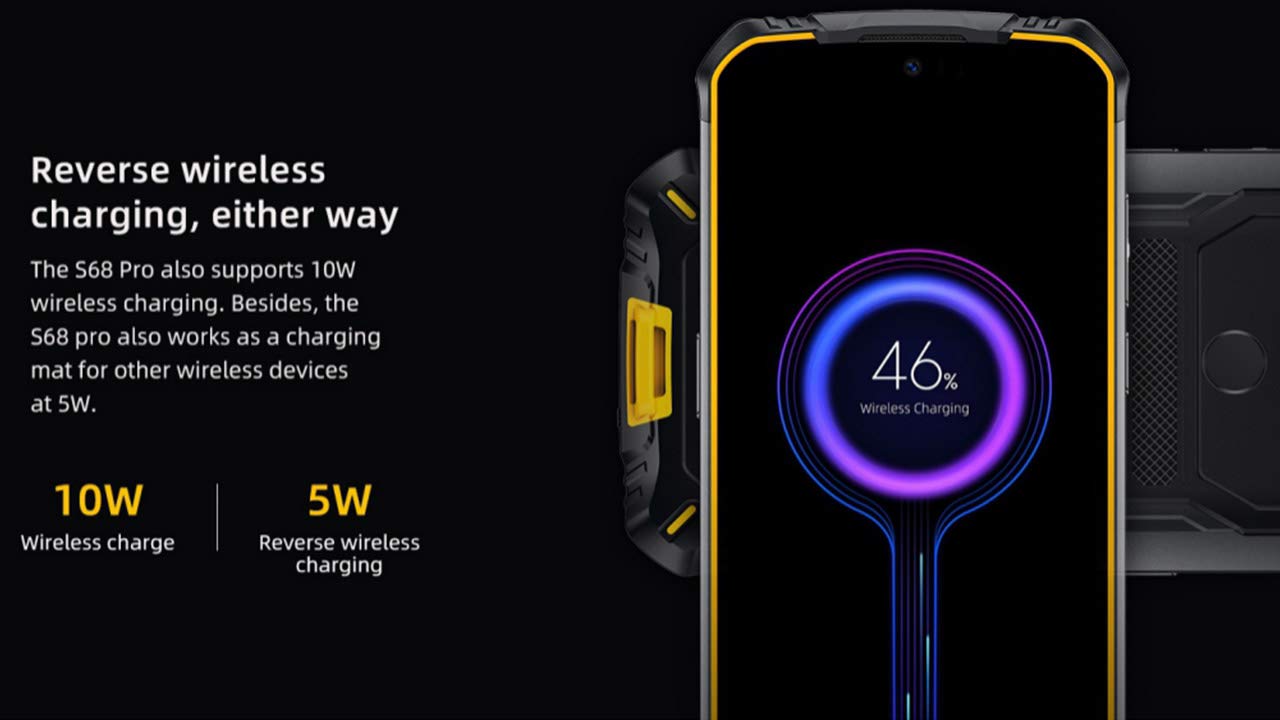
Image: The DOOGEE S68 Pro demonstrating its reverse wireless charging capability, charging another device.
4.7 Fitur Tangguh
The DOOGEE S68 Pro is designed to withstand harsh environments. It boasts an Peringkat IP68 for water and dust resistance and is built to be drop-proof, making it suitable for outdoor activities and demanding work conditions.

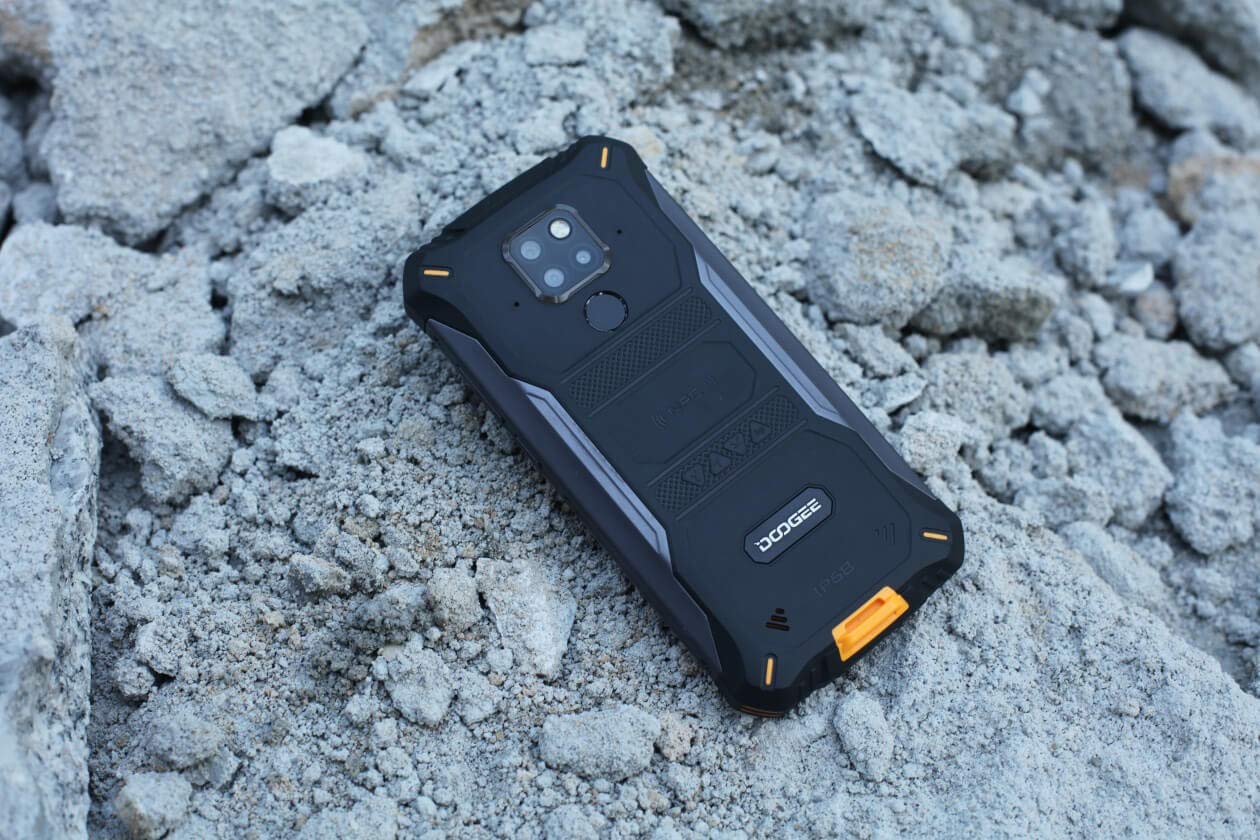
Images: The DOOGEE S68 Pro demonstrating its ruggedness by being submerged in mud and resting on rough terrain.
5. Pemeliharaan
To maintain your DOOGEE S68 Pro in optimal condition, follow these guidelines:
- Pembersihan: Gunakan yang lembut, damp cloth to clean the device. For stubborn dirt, especially after exposure to mud or dust, rinse gently with clean water and ensure all ports are dry before charging.
- Hindari Suhu Ekstrem: Do not expose the phone to excessively high or low temperatures for prolonged periods.
- Perlindungan Pelabuhan: Ensure all port covers are securely closed when the phone is exposed to water or dust.
- Pembaruan Perangkat Lunak: Regularly update your device's software to benefit from the latest security patches and performance improvements.
6. Penyelesaian masalah
If you encounter issues with your DOOGEE S68 Pro, refer to the following common solutions:
- Perangkat Tidak Menyala: Pastikan baterai terisi penuh. Sambungkan ponsel ke pengisi daya dan tunggu beberapa menit sebelum mencoba menghidupkannya kembali.
- Masalah Pengisian Daya: Check the charging cable and adapter for damage. Ensure the Type-C port is clean and free of debris. Try a different charger if available.
- Sinyal Jaringan Buruk: Pindah ke area dengan jangkauan jaringan yang lebih baik. Periksa apakah kartu SIM Anda terpasang dengan benar.
- Applications Crashing: Hapus cache dan data aplikasi yang bermasalah di Pengaturan > Aplikasi. Jika masalah masih berlanjut, hapus instalasi dan instal ulang aplikasi tersebut.
- Layar Sentuh Tidak Responsif: Restart the device. If the issue continues, perform a factory reset (note: this will erase all data).
7. Spesifikasi
| Fitur | Spesifikasi |
|---|---|
| Sistem Operasi | Android 9.0 Pie |
| Prosesor | Helio P70 Octa Core (4xCortex-A53, 4xCortex-A73) |
| RAM | 6 GB |
| Penyimpanan Internal (ROM) | 128 GB |
| Penyimpanan yang Dapat Diperluas | microSD hingga 128GB |
| Ukuran Layar | 5.9 inch FHD+ Notch Screen |
| Resolusi Tampilan | 1080*2280 pixels (~428 ppi) |
| Kamera Belakang | Kamera Tiga Lensa 21MP + 8MP + 8MP |
| Kamera Depan | 16MP |
| Kapasitas Baterai | 6300 mAh |
| Pengisian daya | 12V2A Fast Charge, 10W Wireless Charge, 5W Reverse Wireless Charge |
| Konektivitas | Wi-Fi, Bluetooth, NFC, GPS, OTG |
| Kekasaran | IP68 Water & Dust Resistant, Drop-proof |
| Ukuran | Ukuran 16.35x8x1.64 cm |
| Berat | 260 gram |
8. Garansi dan Dukungan
Your DOOGEE S68 Pro comes with a standard brand warranty. For detailed warranty information, service, and support, please refer to the official DOOGEE website or the product detail page on the retailer's weblokasi.
For further information, visit the product detail page: DOOGEE S68 Pro Product Page
9. Video Produk Selesaiview
Video: Seorang pejabatview of the DOOGEE S68 Pro Rugged Phone, highlighting its key features and specifications.


