Perkenalan
This manual provides essential instructions for the safe and efficient use of your Redmi 10000mAh Power Bank (Model PB100LZm). Please read this manual thoroughly before using the product and retain it for future reference.
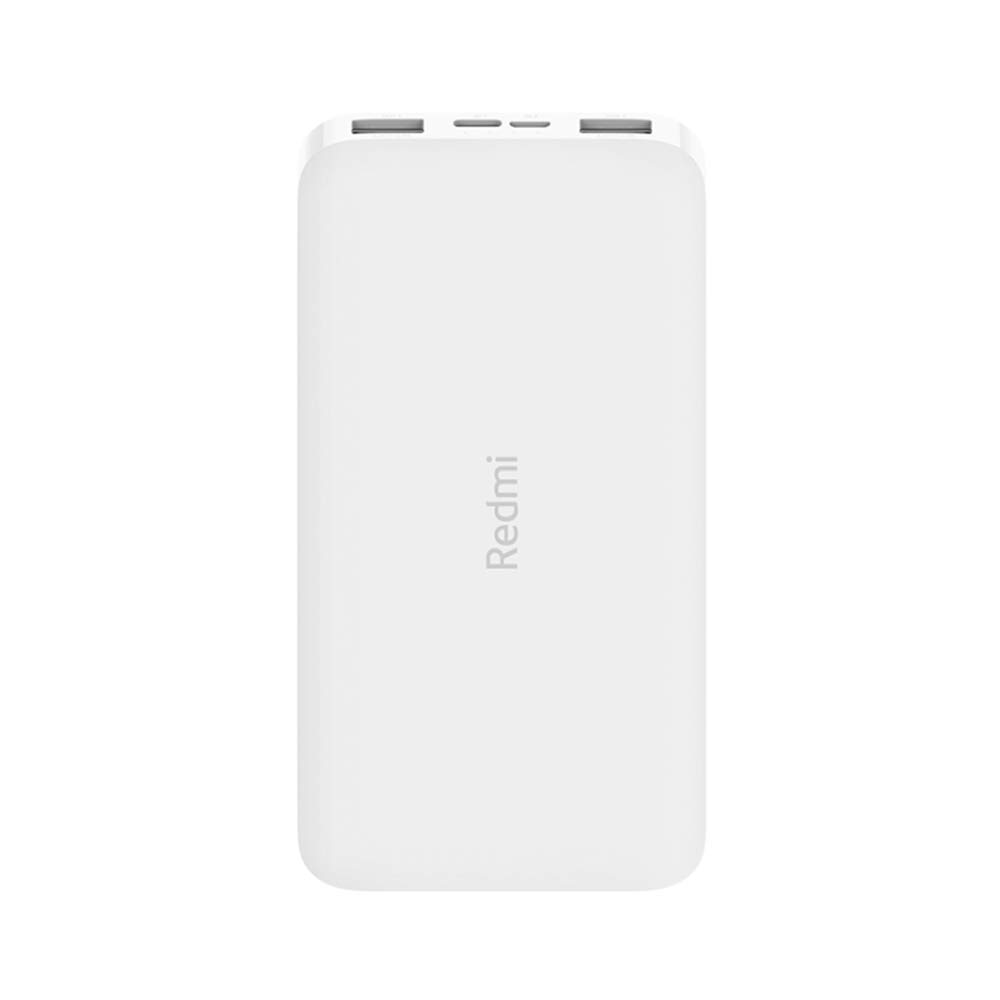
Gambar: Sudut view of the white Redmi 10000mAh Power Bank.
Informasi Keselamatan
To prevent injury, damage to the product, or damage to property, observe the following safety precautions:
- Jangan membongkar, memperbaiki, atau memodifikasi power bank.
- Do not expose the power bank to fire, high temperatures, or direct sunlight.
- Hindari kontak dengan air atau cairan lain.
- Jangan menjatuhkan, membenturkan, atau membuat power bank terkena getaran kuat.
- Jauhkan dari jangkauan anak-anak.
- Gunakan hanya kabel dan adaptor pengisi daya yang kompatibel.
- Buang bank daya sesuai dengan peraturan setempat.
Produk Selesaiview
Familiarize yourself with the components of your Redmi 10000mAh Power Bank.

Image: Close-up of the power bank's top edge showing two USB-A output ports (OUT1, OUT2), one Micro-USB input port (IN1), one USB-C input port (IN2), and four LED battery level indicators.
- Port Output USB-A (OUT1, OUT2): Used to charge external devices.
- Micro-USB Input Port (IN1): Used to charge the power bank.
- USB-C Input Port (IN2): Used to charge the power bank.
- Indikator LED: Four small lights indicating the remaining battery level.
- Tombol Daya: Located on the side, used to check battery level or activate charging.

Gambar: Samping view of the power bank highlighting the power button.
Pengaturan
Pengisian Awal Power Bank
Before first use, fully charge your Redmi 10000mAh Power Bank.
- Connect a compatible USB cable to either the Micro-USB (IN1) or USB-C (IN2) input port on the power bank.
- Hubungkan ujung kabel lainnya ke adaptor daya USB (tidak disertakan) atau port USB komputer.
- Indikator LED akan menyala, menunjukkan proses pengisian daya. Keempat LED akan menyala terus-menerus saat daya terisi penuh.
Menghubungkan Perangkat
The power bank is compatible with mobile phones and other USB-powered devices.
- Use the appropriate charging cable for your device.
- Connect one end of the cable to one of the USB-A output ports (OUT1 or OUT2) on the power bank.
- Hubungkan ujung kabel lainnya ke port pengisian daya perangkat Anda.
Petunjuk Pengoperasian
Mengisi Daya Perangkat Eksternal
Once a device is connected, the power bank should automatically begin charging. If not, press the power button once to initiate charging.

Image: The power bank connected via a USB cable to charge a mobile phone, resting on a wooden table.
- The LED indicators will show the power bank's remaining battery level during charging.
- You can charge two devices simultaneously using both USB-A output ports.
Memeriksa Tingkat Baterai
Press the power button once to check the remaining battery level. The LED indicators will light up for a few seconds:
- 1 LED: 0-25% sisa baterai
- 2 LED: 25-50% sisa baterai
- 3 LED: 50-75% sisa baterai
- 4 LED: 75-100% sisa baterai
Pemeliharaan
- Pembersihan: Bersihkan power bank dengan kain lembut dan kering. Jangan gunakan bahan kimia keras atau bahan abrasif.
- Penyimpanan: Simpan bank daya di tempat yang sejuk dan kering, jauhkan dari sinar matahari langsung dan suhu ekstrem.
- Perawatan Baterai: For optimal battery life, avoid fully discharging the power bank frequently. Recharge it when the battery level is low. If not used for extended periods, charge it to about 50% every three months.
Penyelesaian Masalah
| Masalah | Solusi yang mungkin |
|---|---|
| Power bank tidak dapat diisi dayanya. |
|
| Perangkat tidak mengisi daya dari bank daya. |
|
| Pengisian lambat. |
|
Spesifikasi
| Merek | Xiaomi |
| Nomor Model | PB100LZm |
| Kapasitas | 10000 mAh |
| Warna | Putih |
| Jenis Baterai | Polimer Litium |
| Port Masukan | 1x Micro-USB, 1x USB-C |
| Port Keluaran | 2x USB-A (5.1V=2.4A each) |
| Perangkat yang Kompatibel | Mobile Phones and other USB-powered devices |
| Ukuran | Ukuran 15.8x8x2 cm |
| Berat | 276 gram |
Garansi dan Dukungan
Based on the provided product information, this product is indicated as having tidak ada jaminan. For any product-related inquiries or technical support, please refer to the official Xiaomi support channels or your point of purchase.


