Perkenalan
The Boytone BR-56UM UHF Wireless Microphone System is designed to provide stable and clear audio for various applications, including karaoke, meetings, parties, church events, DJ performances, and weddings. This system features frequency synthesized technology, offering 120 adjustable digital channels to minimize interference and dropouts. Its rugged metal construction ensures durability and optimal sound quality.
Apa yang ada di dalam kotak
Your Boytone BR-56UM system comes with the following components:
- Penerima Nirkabel UHF
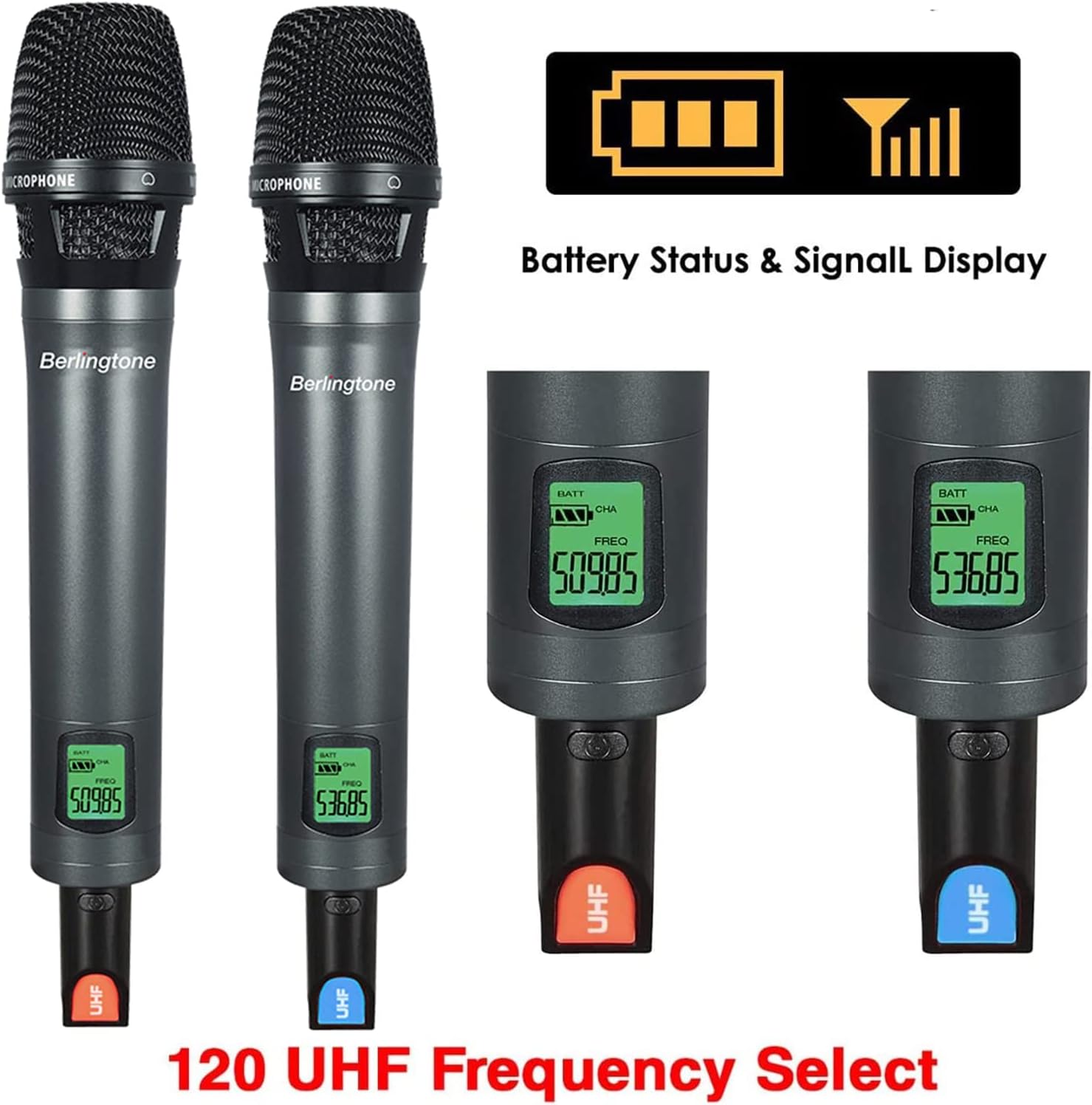
- 2 Handheld Wireless Dynamic Microphones
- Power Adapter (110-240 Volt)
- 1/4'' Audio Cable
- 2 Detachable Rubber Antennas
- 2 Different Color Microphone Foams
- 4 Baterai AA
- Tas Jinjing Aluminium
Panduan Pengaturan
- Cara Memasang Baterai pada Mikrofon: Unscrew the bottom part of each handheld microphone and insert 2 AA batteries into each. Ensure correct polarity.
- Hubungkan Antena ke Penerima: Screw the two detachable rubber antennas into the corresponding ANT A and ANT B ports on the rear of the receiver unit. Adjust them for optimal reception.
- Hubungkan Adaptor Daya: Plug the power adapter into the DC IN port on the receiver and then into a power outlet.
- Hubungkan Output Audio: Use the provided 1/4'' audio cable to connect the MIX OUT port on the receiver to your audio mixer, amplifier, or speaker system. For individual microphone outputs, use XLR cables (not included) to connect Balanced A and Balanced B outputs.
- Nyalakan: Press the POWER button on the receiver and the power buttons on each microphone. The units should automatically synchronize.


Video Guide: Setting Up Your Wireless Microphone System
This video provides a visual guide on how to set up a wireless microphone system, including connecting the receiver and microphones to an audio system. It demonstrates the various ports and controls for a seamless setup experience.
Petunjuk Pengoperasian
Daya Hidup/Mati
- Penerima: Press the POWER button on the front panel to turn the unit on or off.
- Mikrofon: Use the power switch on the microphone body to turn it on or off.
Penyesuaian Frekuensi
The BR-56UM system offers 120 selectable frequencies (480MHz-570MHz) per channel. To adjust the frequency:
- On the receiver, use the 'SET' button and arrow keys to navigate and select the desired frequency for Channel A or B.
- For quick manual frequency pairing, ensure the microphone's IR window is facing the receiver's IR window. The system will synchronize automatically.

Kontrol Volume
Adjust the volume for each microphone independently using the dedicated volume adjustment knobs on the receiver. The handheld microphones also feature volume +/- buttons for on-the-fly adjustments.
Jangkauan Operasi
The typical operating range in a wide-open area is 196-260 feet (60-80 meters) line-of-sight. Optimal performance is achieved within this range without significant obstacles.

Pemeliharaan
Penggantian Baterai
Each handheld microphone requires 2 AA batteries. Replace batteries when the low battery indicator appears on the microphone's digital screen. Always use fresh alkaline batteries for optimal performance and battery life (14-17 hours).
Pembersihan dan Penyimpanan
Wipe the microphones and receiver with a soft, dry cloth. Avoid using harsh chemicals or abrasive materials. Store the system in its aluminum carrying case when not in use to protect it from dust and physical damage.
Penyelesaian Masalah
- No Sound/Interference: Check microphone batteries. Ensure receiver and microphones are powered on and synchronized. Adjust frequencies on the receiver if interference is detected. Ensure antennas are properly connected and positioned.
- Volume Rendah: Adjust individual microphone volume knobs on the receiver and the master volume on your connected audio system. Check microphone battery levels.
- Mikrofon Tidak Terhubung: Perform manual frequency pairing by aligning the IR windows of the microphone and receiver. Ensure both units are within the effective operating range.
- Suara Terdistorsi: Reduce microphone volume on the receiver. Ensure the microphone is not too close to the speaker. Check for strong electromagnetic interference sources nearby.
Spesifikasi Teknis
| Fitur | Spesifikasi |
|---|---|
| Nama Model | BR-56UM |
| Merek | nada boy |
| Faktor Bentuk Mikrofon | Sistem Mikrofon |
| Frekuensi Mikrofon Nirkabel | 480MHz-570MHz (120 selectable frequencies) |
| Jangkauan Operasi | 196-260 feet (60-80 meters) line-of-sight |
| Jenis Baterai | Diperlukan 4 baterai AAA (termasuk) |
| Daya Tahan Baterai | 14-17 Jam |
| Bahan | Aluminium, Logam |
| Teknologi Konektivitas | XLR, 1/4" (Mixed Out) |
| Perangkat yang Kompatibel | Amplifier, Speaker, Audio Mixer, PA System, Karaoke Machine |
| Berat Barang | 7 pon |
Garansi dan Dukungan
This product is covered by a 30-day refund/replacement return policy. For further support, troubleshooting, or warranty claims, please visit the official Boytone Store on Amazon or contact customer service directly.
Kunjungi Boytone Store untuk informasi lebih lanjut.


