1. Lebihview
The Insta360 70cm Invisible Selfie Stick is designed to enhance your 360-degree camera experience by disappearing from your shots, creating unique, unobstructed perspectives. Its compact and lightweight design makes it ideal for travel and various shooting scenarios.
This selfie stick is engineered to be automatically removed from 360-degree footage when used with compatible Insta360 cameras, allowing for drone-like or third-person views without the stick being visible.

Figure 1: The Insta360 70cm Invisible Selfie Stick in its retracted state.
2. Fitur Produk
- Invisible in 360 Shots: Automatically removed from footage when used with compatible Insta360 cameras, providing seamless, impossible angles.
- Kompak dan Portabel: Retracts to a compact size for easy storage and transport.
- Friction-Based Extension: Features a smooth, friction-based mechanism for easy extension and retraction without locking mechanisms.
- Konstruksi Tahan Lama: Made with robust materials for reliable performance.
- Pemasangan Standar: Equipped with a 1/4-inch screw mount at the top for camera attachment and a 1/4-inch threaded hole at the base for tripod or other accessory mounting.

Figure 2: The selfie stick fully extended, showcasing desainnya.
3. Pengaturan
- Cara Memasang Kamera Anda:
Locate the 1/4-inch screw at the top of the selfie stick. Align your compatible Insta360 camera's 1/4-inch threaded hole with the screw and rotate the camera clockwise until it is securely fastened. Ensure the camera is tightly attached to prevent accidental detachment during use. - Extending the Selfie Stick:
Gently pull the top section of the stick upwards to extend it. The friction-based design allows you to stop at any desired length. The stick will hold its position without needing to twist or lock. - Retracting the Selfie Stick:
Push the extended sections downwards until the stick is fully retracted. This compacts the stick for easy storage. - Mounting to a Tripod (Optional):
The base of the selfie stick features a 1/4-inch threaded hole. This allows you to attach the selfie stick to a tripod or other mounting accessories for stable, stationary shots.
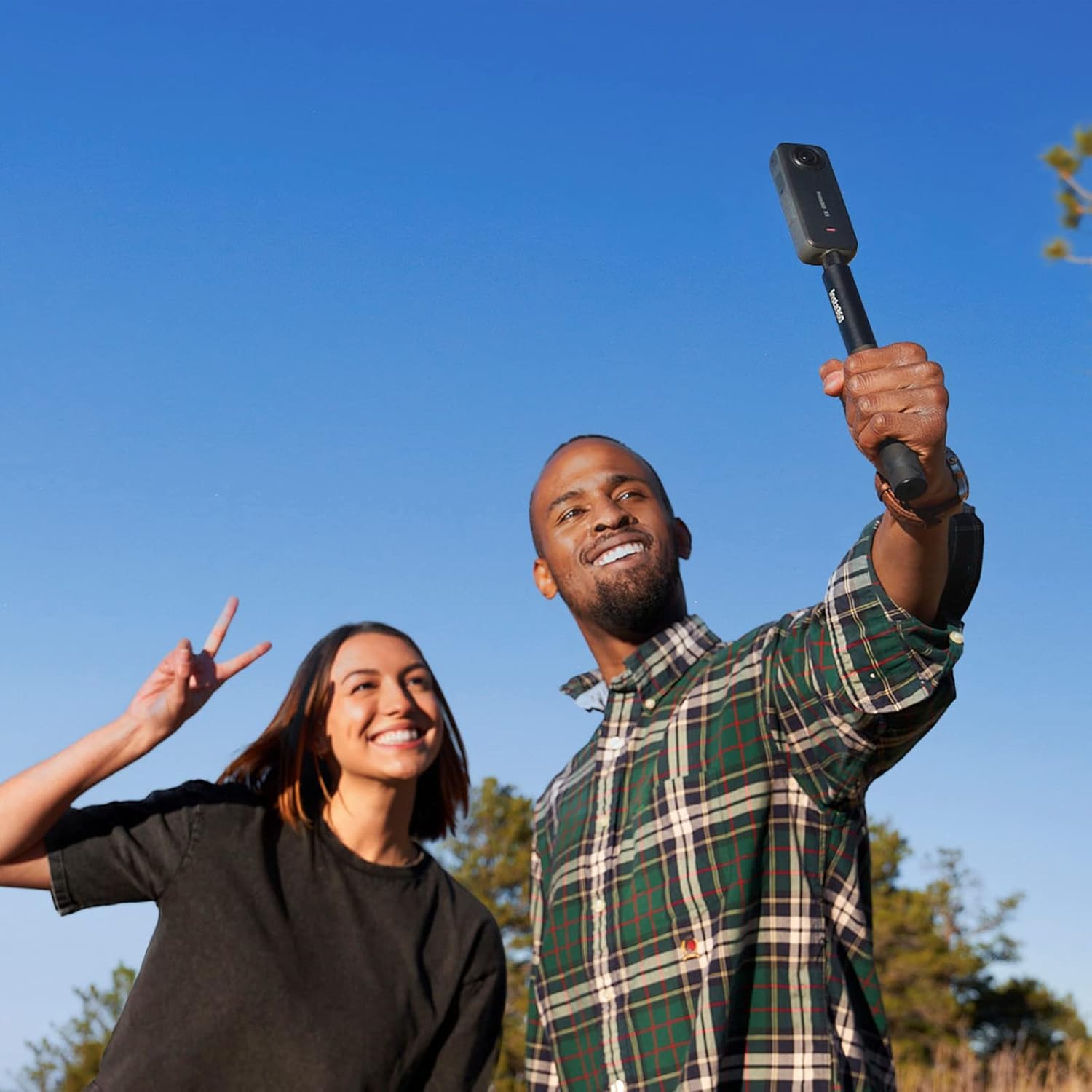
Figure 3: Securely attaching an Insta360 camera to the selfie stick.

Figure 4: The selfie stick extended with a camera attached, ready for use.
Video 1: Demonstrates the compact, pocket-friendly nature of the Insta360 selfie stick and its easy extension/retraction.
4. Petunjuk Pengoperasian
The primary function of the Insta360 Invisible Selfie Stick is to provide extended reach for your 360 camera while remaining invisible in the final footage. This effect is achieved through the camera's software stitching process.
- Holding the Stick:
Hold the selfie stick firmly. For optimal invisibility, ensure your hand is positioned on the grip section and not obstructing the camera's lenses. - Capturing 360 Footage:
With your compatible Insta360 camera attached, begin recording. The camera's dual lenses capture a full 360-degree view, and the stick is designed to fall within the camera's blind spot, allowing the software to seamlessly stitch it out. - Pasca Produksi:
After recording, import your footage into the Insta360 app or desktop software. The software will automatically detect and remove the selfie stick, presenting a clean, immersive 360-degree video or photo.

Figure 5: Comparison showing the selfie stick's invisibility in 360-degree footage.

Figure 6: A user capturing a 360-degree shot with the invisible selfie stick.
Video 2: Sebuah overview of the invisible selfie stick's features and how it works with Insta360 cameras.
5. Kompatibilitas
The Insta360 70cm Invisible Selfie Stick is compatible with the following Insta360 camera models:
- Insta360 GO 3
- Insta360 X3
- Insta360 SATU RS
- Insta360 SATU X2
- Insta360 ONE R (360 Mod)
- Insta360 ONE X
Note: The 'invisible' effect is specifically designed for 360-degree cameras with dual lenses, as the software stitches out the stick from the footage. Cameras without this capability may still use the stick as an extension, but it will be visible in the final output.
Video 3: Demonstrates the Insta360 Selfie Stick's compatibility with various Insta360 action cameras.
6. Pemeliharaan
- Pembersihan: Wipe the selfie stick with a soft, dry cloth after each use to remove dust, dirt, or moisture. Avoid using harsh chemicals or abrasive materials.
- Penyimpanan: Store the selfie stick in its fully retracted position in a dry, cool place away from direct sunlight and extreme temperatures.
- Inspeksi: Periodically check the mounting screw and threaded hole for any signs of wear or damage. Ensure the extension mechanism operates smoothly.
- Paparan Air: If used in wet conditions, ensure the stick is thoroughly dried before storage to prevent corrosion.
7. Penyelesaian masalah
- Tongkat Selfie Terlihat di Foto 360 Derajattage:
Ensure your camera is a compatible Insta360 360-degree model. Verify that the stick is held correctly, not obstructing the camera's lenses. Update your Insta360 app/software to the latest version for optimal stitching. - Kesulitan Memanjangkan/Menarik:
Check for any debris or foreign objects in the extension mechanism. Clean the stick as per maintenance instructions. Avoid forcing the mechanism. - Kamera Tidak Aman:
Ensure the 1/4-inch screw is fully tightened. If the screw or threaded hole appears stripped or damaged, discontinue use and contact support.
8. Spesifikasi
| Warna | Hitam |
| Panjang Diperpanjang | 70 cm (27.5 inci) |
| Panjang yang Ditarik | 16.5 cm (6 inci) |
| Berat | 95 gram (3.3 ons) |
| Dimensi Produk | 7 x 1.5 x 1.5 inci (saat dilipat) |
| Pemasangan Benang | 1/4-inch standard screw (top), 1/4-inch standard threaded hole (base) |
| Bahan | Aluminum alloy, rubber grip |
9. Garansi dan Dukungan
Untuk informasi garansi dan dukungan teknis, silakan merujuk ke situs resmi Insta360. websitus web atau hubungi layanan pelanggan mereka secara langsung. Simpan bukti pembelian Anda untuk klaim garansi.
Official Insta360 Support: www.insta360.com/support


