Perkenalan
Thank you for choosing the Daytech Wireless Caregiver Call Button System. This system is designed to provide peace of mind and quick assistance for caregivers and those in need of care, such as the elderly, patients, or individuals with limited mobility. The system includes one portable battery-operated receiver and one wireless call button, allowing for easy communication and prompt response within the home or care unit.

Gambar 1: The Daytech Wireless Caregiver Call Button System, showing the portable receiver and the call button. The receiver has a sleek, modern design with indicator lights, and the call button is compact with a prominent red call button and lanyard attachment.
Fitur dan Manfaat Produk
- Wireless Care Pager System: This system includes a portable battery-operated receiver and a wireless call button, enabling caregivers to attend to other tasks while remaining alert to calls for assistance from residents or loved ones.
- Mudah digunakan: Designed for simplicity, a single press of the call button sends an alert to the caregiver, making it ideal for urgent situations, especially during the night.
- Peringatan yang Dapat Disesuaikan: The receiver offers 55 distinct ringtones and 5 adjustable volume levels, ranging from 0 dB (silent with flashing light) to 110 dB, ensuring an alert suitable for any environment.
- Jangkauan yang Diperluas: The wireless signal boasts an operating range of up to 500 feet (approximately 150 meters) in open areas, ensuring reliable communication within a typical home or care unit.
- Aplikasi serbaguna: Suitable for seniors, patients, individuals with special needs, pregnant women, and children, providing an effective and compact remote control for requesting assistance.

Gambar 2: Illustrates various individuals who can benefit from the Daytech Wireless Caregiver Call Button System, including those requiring elderly care, disabled care, patient care, and bedridden individuals.

Gambar 3: Demonstrates the system's flexibility with 55 ringtones and 5 adjustable volume levels. It shows how different call buttons can be set to distinct ringtones for specific locations, such as a bedroom or bathroom, and highlights the range of volume options.
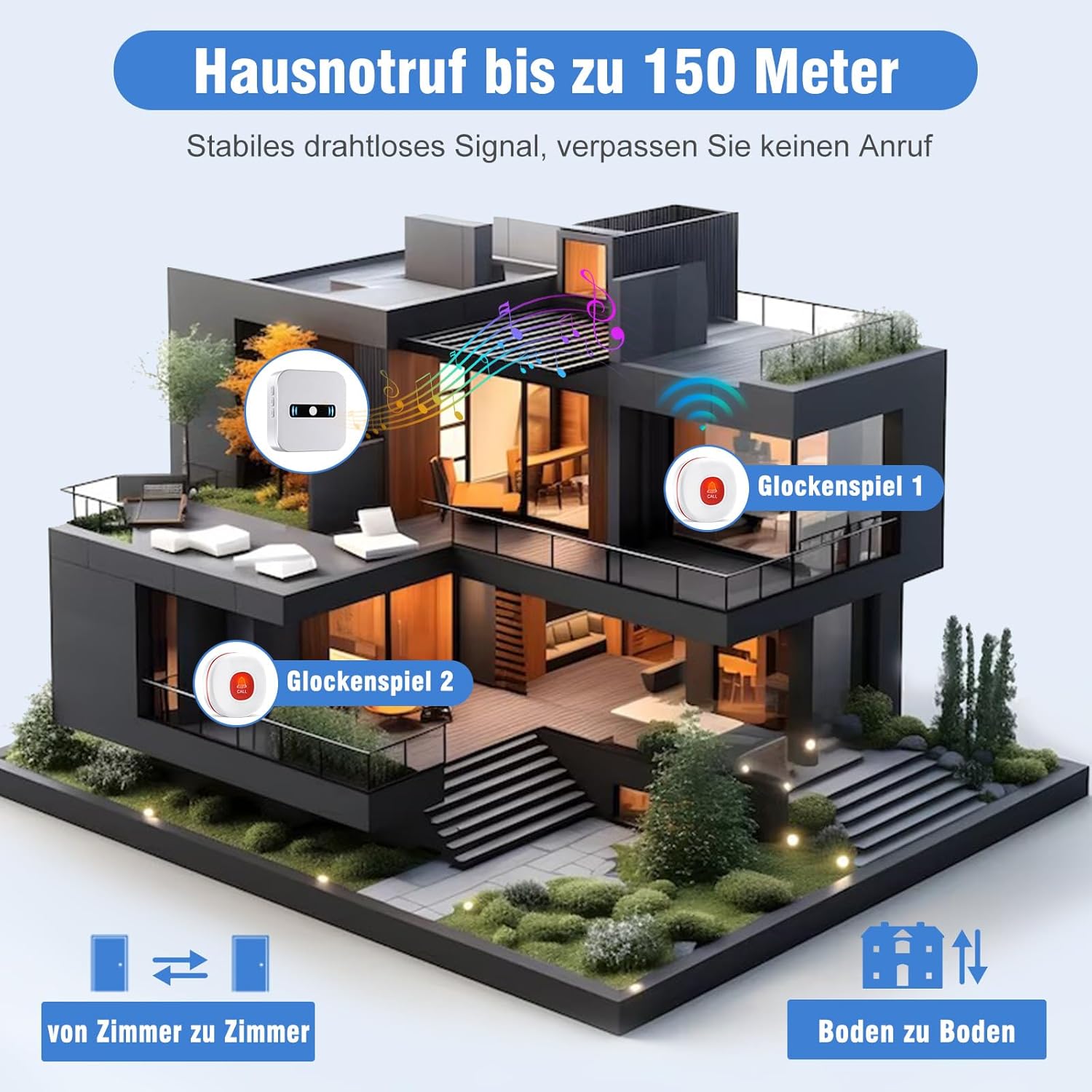
Gambar 4: Visual representation of the system's impressive wireless range, capable of transmitting signals up to 150 meters (500 feet) within a home, ensuring reliable alerts across multiple rooms and floors.
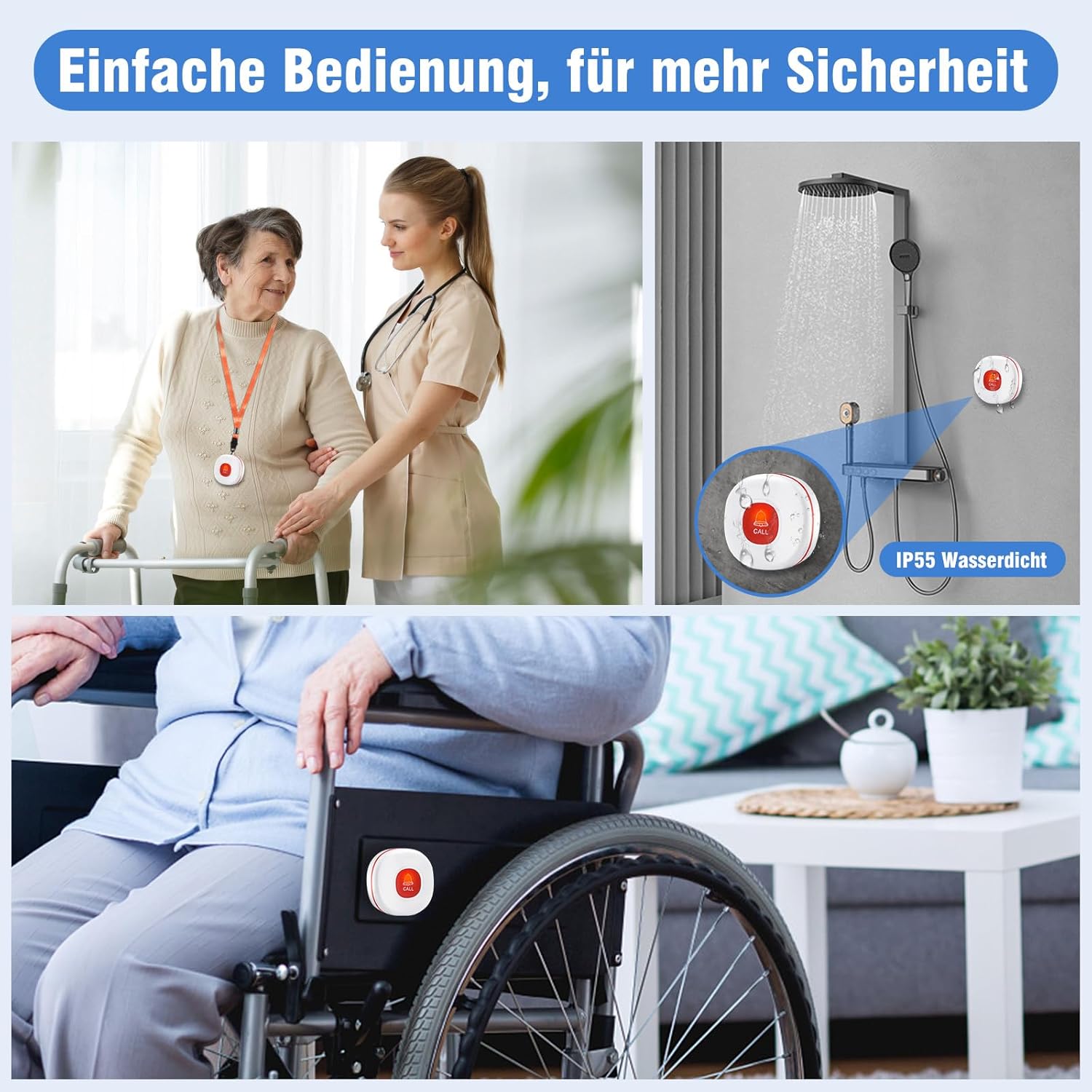
Gambar 5: Highlights the ease of operation and enhanced safety features, including its IP55 waterproof rating for use in wet environments like showers, and its suitability for attachment to wheelchairs for convenient access.
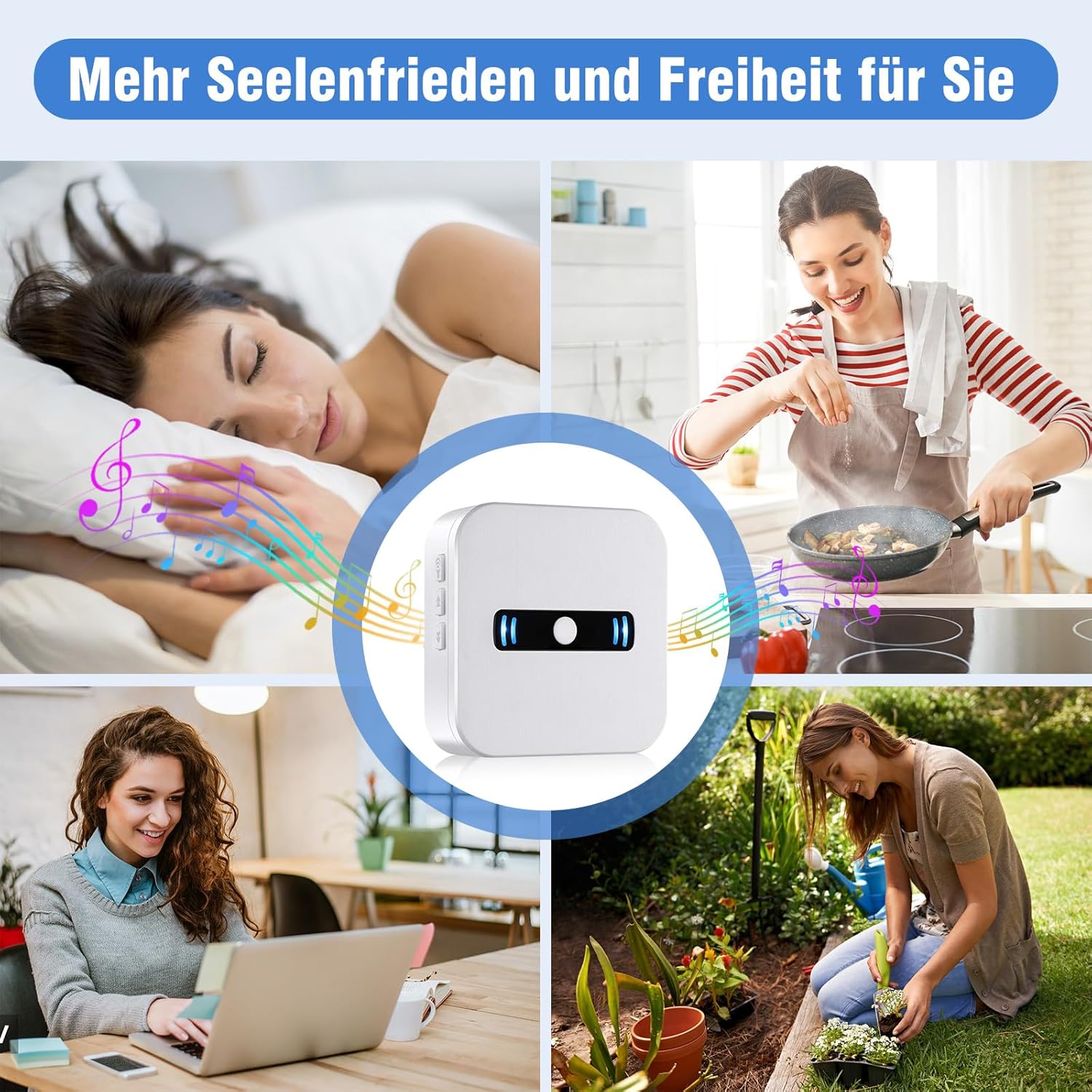
Gambar 6: Illustrates how the system provides caregivers with greater peace of mind and freedom, allowing them to perform other tasks around the house while remaining confident that they will be alerted if assistance is needed.
Panduan Pengaturan
1. Pembongkaran dan Pemeriksaan Awal
Carefully remove all components from the packaging. Ensure you have the portable receiver, the call button, and any included accessories. Inspect all items for any signs of damage.
2. Battery Installation (Receiver)
- Locate the battery compartment on the back of the portable receiver.
- Buka penutup ruang baterai.
- Insert 2 AAA alkaline batteries (included) into the compartment, ensuring correct polarity (+/-).
- Tutup penutup ruang baterai dengan rapat.
Gambar 7: Belakang view of the receiver, illustrating the battery compartment where 2 AAA batteries are to be inserted. Note: The image shows 3 batteries, but the product specifications state 2 AAA batteries are required for this model.
3. Call Button Battery
The call button comes with a pre-installed battery. Please remove any protective tab if present before first use. If the battery needs replacement in the future, refer to the Maintenance section.
4. Pairing (Pre-Paired)
Your Daytech Wireless Caregiver Call Button System is typically pre-paired at the factory. To test, simply press the call button, and the receiver should sound an alert. If the units do not respond, or if you wish to pair additional buttons (sold separately), please refer to the troubleshooting section or the full manual for pairing instructions.
5. Penempatan
- Penerima: Place the receiver in a central location where the caregiver can easily hear or see the alerts. Consider placing it in a bedroom, living room, or kitchen.
- Tombol Panggilan: The call button can be worn around the neck using the included lanyard, placed on a bedside table, or mounted in a convenient location such as a bathroom or near a bed. Its IP55 waterproof rating allows for safe use in wet environments like showers.
Petunjuk Pengoperasian
1. Memulai Panggilan
To request assistance, simply press the large red 'CALL' button on the wireless call button. The button will send a signal to the receiver.
2. Receiving an Alert
Upon receiving a signal from the call button, the portable receiver will:
- Sound the selected ringtone.
- Flash its indicator lights.
The alert will continue for approximately 10 seconds or until the caregiver responds.
3. Adjusting Volume and Ringtones
The receiver has buttons on its side to adjust settings:
- Kontrol Volume: Use the volume buttons (usually indicated by speaker icons or up/down arrows) on the side of the receiver to cycle through the 5 volume levels (0 dB to 110 dB). The 0 dB setting provides a silent alert with only flashing lights.
- Pemilihan nada dering: Use the ringtone selection button (often indicated by a music note or similar icon) to cycle through the 55 available melodies. Press the button repeatedly until you find your preferred ringtone.
Pemeliharaan
1. Penggantian Baterai
- Penerima: When the receiver's batteries are low, it will emit a
Dokumen Terkait - CC02 1-1 UK

DAYTECH Wireless Vibrable Caregiver Pager System User Manual
Comprehensive user manual for the DAYTECH Wireless Vibrable Caregiver Pager System. Learn how to set up, pair transmitters and receivers, adjust settings, and troubleshoot common issues for this emergency alert system.
Panduan Pengguna dan Manual Pager Pergelangan Tangan Pintar Nirkabel
Panduan pengguna ini memberikan instruksi dan spesifikasi terperinci untuk Penerima/Pager Pergelangan Tangan Pintar Nirkabel, meliputi pengaturan, pengoperasian, pemecahan masalah, dan detail teknis untuk model SW06.
Petunjuk Pengoperasian dan Panduan Pengguna Pager Multifungsi
Panduan pengguna yang komprehensif untuk Pager Multifungsi, merinci tampilannya, prosedur penyalaan, pemasangan dengan tombol SOS, konektivitas aplikasi seluler (Tuya Smart/Smart Life), operasi aplikasi termasuk pengaturan alarm dan manajemen perangkat, panduan pemasangan, spesifikasi, tanya jawab pemecahan masalah, dan informasi layanan purna jual.
Panduan Pengguna Bel/Pager Nirkabel Daytech - INST-EN-CC01-T-20230214
Panduan pengguna lengkap untuk Daytech Wireless Chime/Pager (INST-EN-CC01-T-20230214), yang mencakup fitur, spesifikasi, pemasangan, pengoperasian, pemecahan masalah, dan pemeliharaan.
Panduan Pengguna dan Kepatuhan Tombol Panggilan Pergelangan Tangan Daytech E-05W
Buku panduan pengguna untuk Tombol Panggilan Pergelangan Tangan Daytech E-05W (Model: E-05W-GY), yang mencakup seluruh produk.viewInformasi mengenai penggantian baterai, pengoperasian, dan kepatuhan terhadap FCC/ISED.
Manual Instruksi untuk Sistem Bel Pintu Nirkabel CC16BL
Manual instruksi lengkap untuk sistem bel pintu dan pager nirkabel CC16BL, merinci fitur, pemasangan, pengoperasian, dan pemecahan masalah.