Perkenalan
Terima kasih sudah membeliasing the Helix True Wireless Earbuds. This manual provides essential information for setting up, operating, and maintaining your earbuds. Please read it carefully before use and retain it for future reference.

Image: Helix True Wireless Earbuds, black and white, resting inside their open black charging case. One earbud is also shown outside the case, indicating its design.
Apa yang ada di dalam kotak
- Earbud Nirkabel Sejati (Kiri dan Kanan)
- Kotak Pengisian Daya
- Kabel Pengisian Daya USB
- Panduan Pengguna
Pengaturan
1. Pengisian Awal
Before first use, fully charge the earbuds and the charging case. Connect the USB charging cable to the charging case and a power source. The LED indicators on the case will show charging status.

Image: An open charging case with two earbuds inside. Three blue LED lights are visible on the case, indicating power status. Text overlays highlight "Superior HD Audio", "Hands-Free Calling", and "Power LED Indicators".
2. Power On/Off and Auto-Pairing
The earbuds feature auto on/off and pairing. Simply remove the earbuds from the charging case to power them on. They will automatically enter pairing mode or reconnect to the last paired device. Place them back into the case to power off and begin charging.
3. Pemasangan Bluetooth
- Pastikan earbud terisi daya dan dikeluarkan dari wadah pengisian daya.
- Pada perangkat Anda (ponsel pintar, tablet, dll.), buka pengaturan Bluetooth.
- Pencarian untuk new devices and select "Helix TW" from the list.
- Setelah terhubung, perangkat Anda akan menunjukkan bahwa pemasangan berhasil.
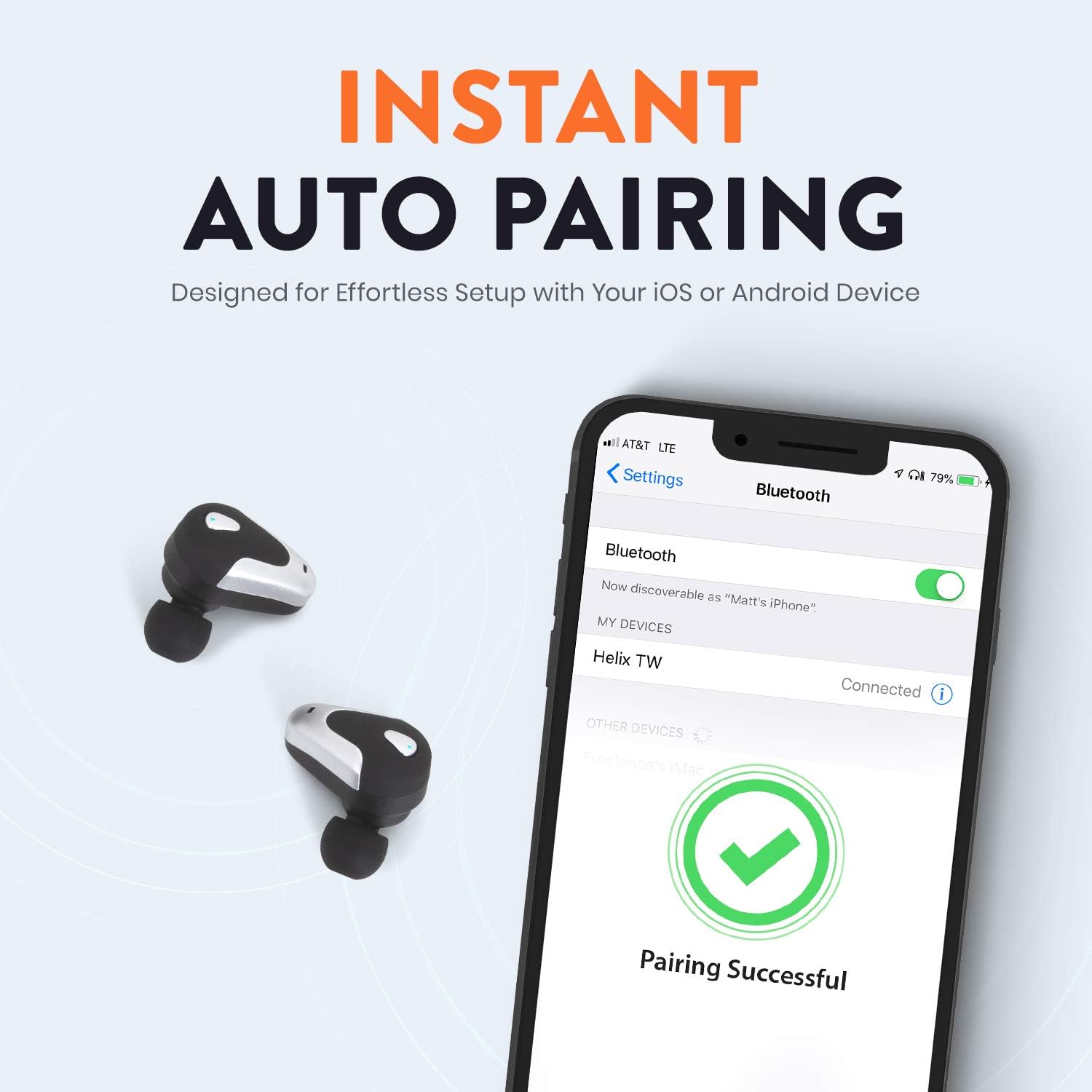
Image: A smartphone screen displaying Bluetooth settings, showing "Helix TW" as a connected device and a "Pairing Successful" message with a green checkmark. Two Helix earbuds are shown next to the phone.
4. SecureLock Fit
The Helix True Wireless Earbuds are designed with an ergonomic SecureLock Fit for comfort and stability during various activities. Gently insert the earbuds into your ears and twist slightly to secure them.

Image: A diagram illustrating the ergonomic SecureLock Fit of the earbuds, showing how they twist into the ear for a secure hold. In the background, people are exercising, suggesting the earbuds' suitability for active use.
Petunjuk Pengoperasian
Pemutaran Audio
- Putar/Jeda: Tap the control area on either earbud once.
- Lagu Berikutnya: Double-tap the control area on the right earbud.
- Lagu Sebelumnya: Double-tap the control area on the left earbud.
Panggilan Bebas Genggam
- Menjawab/Mengakhiri Panggilan: Tap the control area on either earbud once.
- Tolak Panggilan: Press and hold the control area on either earbud for 2 seconds.
Kontrol Asisten Suara
Triple-tap the control area on either earbud to activate your device's voice assistant (e.g., Siri, Google Assistant).
Daya Tahan Baterai
The earbuds provide up to 4 hours of run time on a single charge. The charging case extends total listening time to approximately 16 hours.

Image: A graphic illustrating the battery life of the Helix earbuds. It shows "4 HOURS" for a single charge of the earbuds and "16 HOURS" when combined with the charging case.
Suara HD
Experience HD audio with unrivaled bass, midtones, and treble frequencies for a rich listening experience.

Image: A graphic titled "NEXT-LEVEL HD AUDIO" with sound wave patterns in blue, representing high-definition audio quality. Two Helix earbuds are depicted in the foreground.
Pemeliharaan
- Pembersihan: Gunakan kain lembut dan kering untuk membersihkan earbud dan wadah pengisi daya. Jangan gunakan pembersih abrasif atau rendam dalam air.
- Penyimpanan: Jika tidak digunakan, simpan earbud dalam wadah pengisi dayanya untuk melindunginya dan menjaganya tetap terisi daya.
- Tahan Air: The earbuds are water resistant, but not waterproof. Avoid prolonged exposure to water or submersion.
Penyelesaian Masalah
| Masalah | Larutan |
|---|---|
| Earbud tidak berpasangan dengan perangkat. |
|
| Tidak ada suara dari satu earbud. |
|
| Earbud tidak dapat diisi dayanya. |
|
| Kualitas audio yang buruk. |
|
Spesifikasi
| Fitur | Detil |
|---|---|
| Nama Model | Spiral |
| Nomor Model | ETHTWB |
| Teknologi Konektivitas | Bahasa Indonesia: Bluetooth |
| Versi Bluetooth | 5.0 |
| Jangkauan Bluetooth | 10 Meter |
| Daya Tahan Baterai (Earbud) | Hingga 4 jam |
| Total Daya Tahan Baterai (dengan Casing) | Hingga 16 jam |
| Jenis Penggerak Audio | Pengemudi Armatur Seimbang |
| Rentang Frekuensi | 20Hz hingga 20,000Hz |
| Jenis Kontrol | Media Control, Voice Assistant |
| Mikropon | Included for Hands-Free Calling |
| Tingkat Tahan Air | Tahan Air |
| Bentuk Lubang Suara | Di telinga |
| Bahan | Plastik |
| Warna | Hitam |
| Berat Barang | 3.2 ons |
| Pabrikan | Spiral |
| UPC | 816983019126 |
Informasi Garansi
Specific warranty details are typically provided with your product packaging or available on the manufacturer's official websitus. Silakan lihat dokumentasi yang disertakan dengan pembelian Anda untuk syarat dan ketentuan garansi yang lengkap.
Mendukung
For further assistance, technical support, or customer service inquiries, please visit the official Helix website or contact their customer support channels as listed in your product documentation.
Anda juga dapat mengunjungi Helix Store on Amazon untuk informasi produk lebih lanjut.