Introduction to Your iPad Air
The Apple iPad Air (4th Generation) is a versatile tablet designed for a wide range of tasks, from creative work to entertainment and productivity. It features a 10.9-inch Liquid Retina display, powered by the A14 Bionic chip with Neural Engine, offering robust performance and efficiency. This manual provides essential information for setting up, operating, and maintaining your device.

Gambar 1: Depan view of the Apple iPad Air (4th Generation).
Fitur Utama:
- Stunning 10.9-inch Liquid Retina display with True Tone and P3 wide color for vibrant visuals.
- A14 Bionic chip with Neural Engine for powerful performance and machine learning capabilities.
- Touch ID integrated into the top button for secure authentication and Apple Pay.
- 12MP back camera and 7MP FaceTime HD front camera for high-quality photos and video calls.
- Wide stereo audio for an immersive listening experience.
- Wi-Fi 6 (802.11ax) for fast wireless connectivity.
- Daya tahan baterai hingga 10 jam untuk penggunaan yang lebih lama.
- USB-C connector for charging and connecting various accessories.
- Support for Magic Keyboard, Smart Keyboard Folio, and Apple Pencil (2nd generation) to enhance productivity and creativity.
Video 1: Sebuah overview of the Apple iPad Air (4th Generation) features and design.
Apa yang ada di dalam kotak
Upon opening your iPad Air packaging, you should find the following items:
- 10.9-inch iPad Air
- Kabel Pengisi Daya USB-C (1 meter)
- Adaptor Daya USB-C 20W

Figure 2: The iPad Air, USB-C charge cable, and 20W USB-C power adapter included in the box.
Panduan Pengaturan
1. Initial Power On and Charging:
- Tekan dan tahan tombol atas hingga logo Apple muncul.
- If the iPad does not turn on, connect it to the 20W USB-C Power Adapter using the USB-C Charge Cable and plug it into a power outlet. Allow it to charge for at least 30 minutes before attempting to power on again.
2. Pengaturan Dasar:
- Ikuti petunjuk di layar untuk memilih bahasa dan wilayah Anda.
- Connect to a Wi-Fi network. You will need the network name and password.
- Set up Touch ID by following the prompts to register your fingerprint. This is used for unlocking your iPad and making purchases.
- Create a passcode for additional security.
- Restore data from a previous backup (iCloud or computer) or set up as a new iPad.
- Sign in with your Apple ID. If you don't have one, you can create one during this step.
3. Aksesori Penghubung:
- Apple Pencil (Generasi ke-2): Attach the Apple Pencil magnetically to the right side of your iPad Air. It will automatically pair and begin charging.
- Keyboard Ajaib: Align the iPad Air with the magnetic connectors on the Magic Keyboard. The iPad will snap into place and connect automatically.

Figure 3: iPad Air connected to the Magic Keyboard.
Petunjuk Pengoperasian
Navigasi Dasar:
- Layar Beranda: Geser ke atas dari tepi bawah layar untuk menuju ke Layar Utama.
- Pengalih Aplikasi: Geser ke atas dari tepi bawah dan tahan di tengah layar untuk view buka aplikasi.
- Pusat Kontrol: Geser ke bawah dari pojok kanan atas untuk mengakses pengaturan cepat.
- Pemberitahuan: Geser ke bawah dari sudut kiri atas untuk view pemberitahuan.
Using Touch ID:
The Touch ID sensor is integrated into the top button. To unlock your iPad or authorize purchases, place your registered finger on the top button until the device responds.

Figure 4: The top button with integrated Touch ID.
Apple Pencil (2nd Generation) Usage:
The Apple Pencil allows for precise drawing, note-taking, and marking up documents. Simply touch the tip of the Pencil to the screen to interact. Double-tap the side of the Apple Pencil to switch between tools (e.g., pen and eraser) in supported apps.
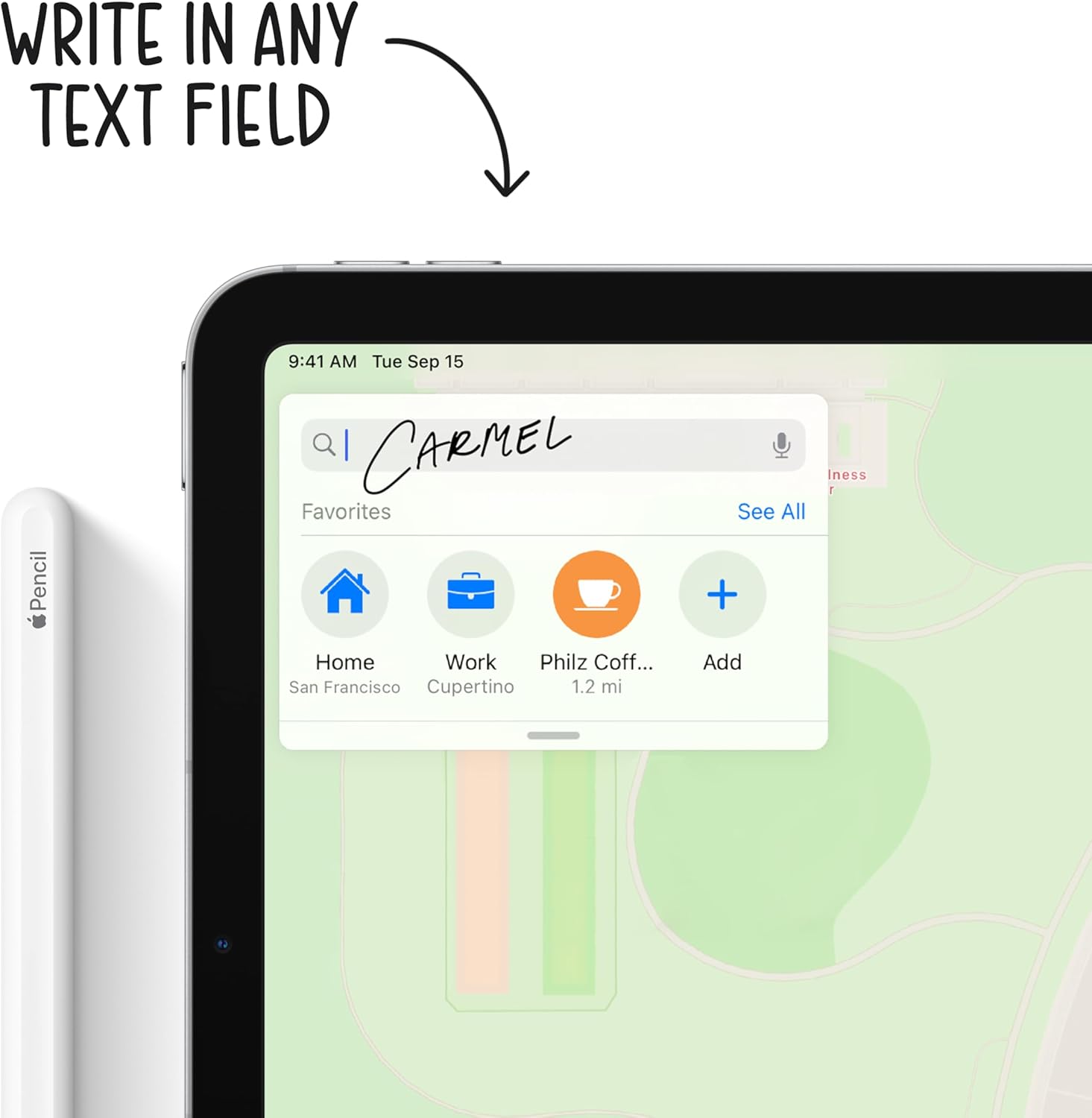
Figure 5: Using the Apple Pencil for writing on the iPad Air.
Fungsi Kamera:
Your iPad Air is equipped with a 12MP Wide back camera and a 7MP FaceTime HD front camera. Open the Camera app to take photos, record videos, or use features like Panorama and Slo-mo. The back camera supports 4K video recording at various frame rates.
Manajemen Baterai:
To optimize battery life, adjust screen brightness, enable Low Power Mode when needed, and manage background app refresh. Charge your iPad using the provided USB-C cable and 20W power adapter.
Pemeliharaan
Cleaning Your iPad Air:
- Cabut semua kabel dan matikan iPad Anda.
- Gunakan sikat yang lembut dan agak tebalamp, lint-free cloth (e.g., a microfiber cloth).
- Avoid excessive wiping and do not use window cleaners, household cleaners, aerosol sprays, solvents, ammonia, abrasives, or cleaners containing hydrogen peroxide.
- Do not spray cleaners directly onto the iPad.
Pembaruan Perangkat Lunak:
Regularly update your iPadOS to ensure optimal performance, security, and access to new features. Go to Pengaturan > Umum > Pembaruan Perangkat Lunak untuk memeriksa dan menginstal pembaruan yang tersedia.
Perawatan Baterai:
For long-term battery health, avoid exposing your iPad to extreme temperatures. If storing the device for an extended period, charge it to about 50% before powering it off.
Penyelesaian Masalah
Masalah Umum dan Solusinya:
- iPad not responding: If your iPad is unresponsive, try a force restart. Press and quickly release the Volume Up button, press and quickly release the Volume Down button, then press and hold the Top button until the Apple logo appears.
- Masalah konektivitas Wi-Fi: Ensure Wi-Fi is enabled in Control Center or Settings. Try restarting your Wi-Fi router and your iPad.
- Aplikasi mogok atau membeku: Close the app from the App Switcher and reopen it. If the issue persists, restart your iPad. Ensure all apps are updated to their latest versions.
- Masalah pengisian daya: Verify that the USB-C cable and power adapter are securely connected and free from damage. Try a different power outlet.
For more detailed troubleshooting or persistent issues, refer to the official Apple Support website or contact Apple Support directly.
Spesifikasi
| Fitur | Detil |
|---|---|
| Dimensi Produk | 9.74x7x0.24 inci |
| Berat Barang | 1 pounds (Wi-Fi model) |
| Nomor Model Barang | MYFN2LL/A |
| Baterai | 1 baterai Lithium Polymer diperlukan (termasuk) |
| Tanggal Pertama Tersedia | 15 Sept 2020 |
| Nama Model | iPad Udara |
| Kapasitas Penyimpanan Memori | 64GB (as per this variant) |
| Ukuran Layar | 10.9 inci |
| Resolusi Tampilan Maksimum | 2360 x 1640 Piksel |
| Jenis Tampilan | Layar Liquid Retina 10.9 inci |
| Keripik | A14 Bionic chip with 64-bit architecture Neural Engine |
| Kamera dan Video | 12MP Wide camera with Smart HDR and 4K video at 24 fps, 30 fps, or 60 fps |
| Kamera Depan | 7MP TrueDepth front camera with Smart HDR |
| Daya Tahan Baterai | Hingga 10 jam berselancar web melalui Wi-Fi atau menonton video |
| Konektor | USB Tipe C |
| Tinggi | 9.74 inci (247.6 mm) |
| Lebar | 7 inci (178.5 mm) |
| Kedalaman | 0.24 inci (6.1 mm) |
Garansi dan Dukungan
Garansi Produk:
Your Apple iPad Air is covered by a limited warranty. For specific terms and conditions, including coverage duration and service options, please refer to the warranty information provided with your purchase or visit the official Apple weblokasi.
Dukungan Teknis:
Untuk bantuan teknis, dukungan perangkat lunak, atau layanan perangkat keras, silakan kunjungi Dukungan Resmi Apple. websitus di support.apple.com/ipad. You can find articles, guides, and contact options for further help.


