1. Pendahuluan
The PeakTech P 8005 is a high-precision Class 2 sound level meter designed for accurate noise measurement and data logging. It is suitable for a wide range of applications including noise projects, quality control, disease prevention, and environmental sound measurements in factories, schools, offices, traffic, and households. This device features a 4-digit 20mm LCD multi-function display with a bargraph and backlight, a USB interface for continuous measurements, and AC/DC outputs for connection to frequency analyzers or X-Y wave recorders. This manual provides detailed instructions for the proper use, maintenance, and troubleshooting of your PeakTech P 8005.
2. Informasi Keselamatan
Please read all safety instructions carefully before operating the device. Failure to follow these instructions may result in damage to the device or personal injury.
- Hindarkan perangkat dari suhu ekstrem, kelembapan, atau sinar matahari langsung.
- Hindari getaran atau benturan yang kuat.
- Jangan mencoba membuka atau memodifikasi perangkat. Perbaikan hanya boleh dilakukan oleh personel yang berkualifikasi.
- Jauhkan perangkat dari medan elektromagnetik yang kuat.
- Ensure proper ventilation when using the AC adapter for extended periods.
- Buang baterai sesuai dengan peraturan setempat.
3. Isi Paket
Verifikasi bahwa semua item yang tercantum di bawah ini disertakan dalam paket Anda:
- PeakTech P 8005 Sound Level Meter
- Kotak Pembawa
- 3m Additional Microphone Cable
- Kabel Antarmuka USB
- Software for Windows (on CD-ROM)
- Kaki Tiga Mini
- Adaptor Daya AC 9V
- Baterai 9V
- Panduan Pengguna

4. Produk Lebihview
The PeakTech P 8005 is designed for user-friendly operation while providing professional-grade accuracy. Familiarize yourself with the main components and controls.
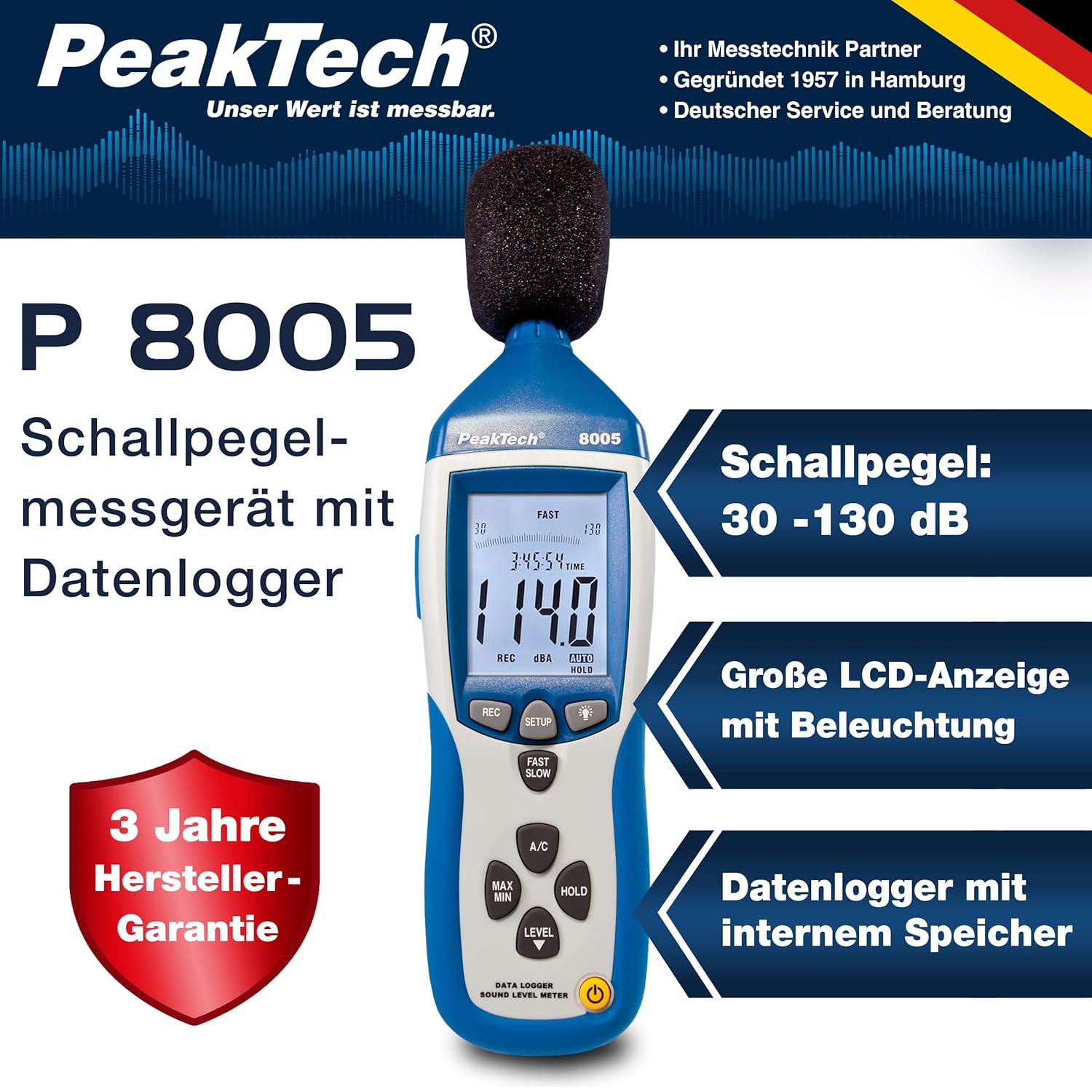
4.1. Fitur Utama
- Pengukuran Presisi: Class 2 sound level meter (IEC-61672-1 compliant) for accurate readings even in noisy environments.
- Rentang Pengukuran Lebar: 30 to 130 dB across 4 ranges with 0.1 dB resolution.
- Pencatatan Data: Internal memory for up to 32,000 readings (1x/sec to 1x/min).
- Konektivitas: USB 2.0 interface for PC connection and data transfer.
- Keluaran Analog: AC/DC outputs for connecting to frequency analyzers or X-Y wave recorders.
- Menampilkan: 4-digit 20mm LCD with bargraph and backlight.
- Mode Pengukuran: Fast (125 ms) and Slow (1 s) response times, A and C weighting.
- Fungsi Tambahan: MIN/MAX measurements, over-range/under-range indication.

5. Pengaturan
5.1. Pemasangan Baterai
The PeakTech P 8005 operates on a 9V battery or via the included 9V AC power adapter.
- Temukan tempat baterai di bagian belakang perangkat.
- Buka penutup baterai.
- Masukkan baterai 9V, pastikan polaritasnya benar.
- Tutup penutup baterai dengan rapat.
5.2. Menghidupkan Perangkat
- Untuk menghidupkan, tekan tombol KEKUATAN tombol.
- Untuk mematikan, tekan dan tahan KEKUATAN tombol sampai layar mati.
- For continuous operation, connect the 9V AC power adapter to the DC 9V input port on the side of the device.
5.3. Koneksi Mikrofon
The device comes with a built-in microphone. For remote measurements or specific setups, you can use the included 3m additional microphone cable.
- Unscrew the microphone cap from the top of the device.
- Connect the 3m microphone cable to the microphone input.
- Attach the external microphone to the other end of the cable.
- For stable measurements, attach the device to the mini tripod using the threaded mount at the bottom.

Video 5.1: Sebuah overview of the PeakTech 8005 Sound Level Meter, demonstrating its features and setup, including the use of the external microphone and power adapter.
6. Petunjuk Pengoperasian
6.1. Pengukuran Dasar
After powering on, the device will immediately begin measuring sound levels.
- The current sound level in dB is displayed on the LCD.
- Gunakan TINGKAT button to cycle through the four measurement ranges (30-80 dB, 50-100 dB, 80-130 dB, Auto 30-130 dB).
- Tekan CEPAT LAMBAT to switch between fast (125 ms) and slow (1 s) response times. Fast is suitable for sudden noise changes, while slow is for average noise levels.
- Tekan AC to select A-weighting (dBA) or C-weighting (dBC). A-weighting mimics human ear response, C-weighting is for mechanical noise.

6.2. Data Logging and PC Connection
The P 8005 can record up to 32,000 measurement values internally. To access and analyze this data, use the included Windows software.
- Install the software from the provided CD-ROM onto a Windows PC (Windows 95/98/NT/2000/XP/VISTA/7/8/10 supported).
- Connect the sound level meter to your PC using the USB interface cable.
- Open the software. The software allows for real-time data display, data import from the device's internal memory, and export to formats like Excel for further analysis.
- Refer to the software's help documentation for detailed instructions on data logging setup and analysis.

7. Pemeliharaan
7.1. Pembersihan
Bersihkan perangkat secara teratur untuk memastikan kinerja optimal.
- Lap bagian luar dengan kain kering yang lembut.
- Jangan gunakan pembersih atau pelarut yang bersifat abrasif.
- Keep the microphone free from dust and debris.
7.2. Penyimpanan
Saat tidak digunakan, simpan perangkat di dalam tasnya di tempat yang sejuk dan kering, terhindar dari sinar matahari langsung dan suhu ekstrem.
7.3. Kalibrasi
The PeakTech P 8005 is a precision instrument. Regular calibration is recommended to maintain accuracy, especially for professional applications. Refer to the included test report for the last calibration date. Contact PeakTech support for calibration services.
8. Penyelesaian masalah
| Masalah | Kemungkinan Penyebab | Larutan |
|---|---|---|
| Perangkat tidak menyala. | Low or dead battery; AC adapter not connected or faulty. | Replace the 9V battery or connect the AC adapter. Ensure the adapter is working. |
| Pembacaan yang tidak akurat. | Incorrect measurement range; microphone obstructed; device needs calibration. | Adjust the measurement range using the TINGKAT button. Clear any obstructions from the microphone. Consider professional calibration. |
| Perangkat lunak tidak mengenali perangkat. | USB cable faulty; driver issue; software compatibility. | Try a different USB port or cable. Reinstall the software and drivers. Check software compatibility settings (e.g., Windows 98 compatibility mode for older systems). |
| Data logging issues. | Memory full; incorrect logging settings. | Download and clear data from the device. Review data logging settings in the software. |
9. Spesifikasi
| Parameter | Nilai |
|---|---|
| Standar Terapan | IEC-61672-1 Type 2, ANSI S1.4 Type 2 |
| Accuracy (1 kHz Sine; A, C) | ± 1.4 dB |
| Akurasi (Rentang Frekuensi) | According to EN-61672-1 Class 2, max. ± 5.6 dB |
| Rentang Frekuensi | 31.5 Hz - 8 kHz |
| Rentang Dinamis | 50dB |
| Rentang Level | Low: 30 dB ~ 80 dB, Med: 50 dB ~ 100 dB, High: 80 dB ~ 130 dB, Auto: 30 dB ~ 130 dB |
| Waktu Respon | Fast: 125 ms / Slow: 1 s |
| Mikropon | ½-inch Electret Condenser Microphone |
| Resolusi | 0.1dB |
| Tampilan Pembaruan | 2 kali / detik. |
| Keluaran Analog | AC/DC Outputs, AC: 1 Veff = 10 mV/dB |
| Volume Operasitage | 9V Battery or 9V AC Power Adapter |
| Dimensi (P x L x T) | Ukuran 80x280x50 mm |
| Berat | 350 gram |
| Data Logger Memory | Hingga 32,000 bacaan |
10. Garansi dan Dukungan
PeakTech products are designed for reliability and performance. For warranty information and technical support, please refer to the documentation included with your product or visit the official PeakTech websitus. Simpan struk pembelian Anda sebagai bukti pembelian untuk klaim garansi.
Pabrikan: Teknologi Puncak
Weblokasi: PeakTech Official Store