1. Pendahuluan
This manual provides essential instructions for the assembly, operation, and maintenance of your Steelcase Series 1 Office Chair. The Steelcase Series 1 is designed to offer ergonomic support and comfort, featuring weight-activated controls, back supports, and arm supports to enhance productivity in various work environments.
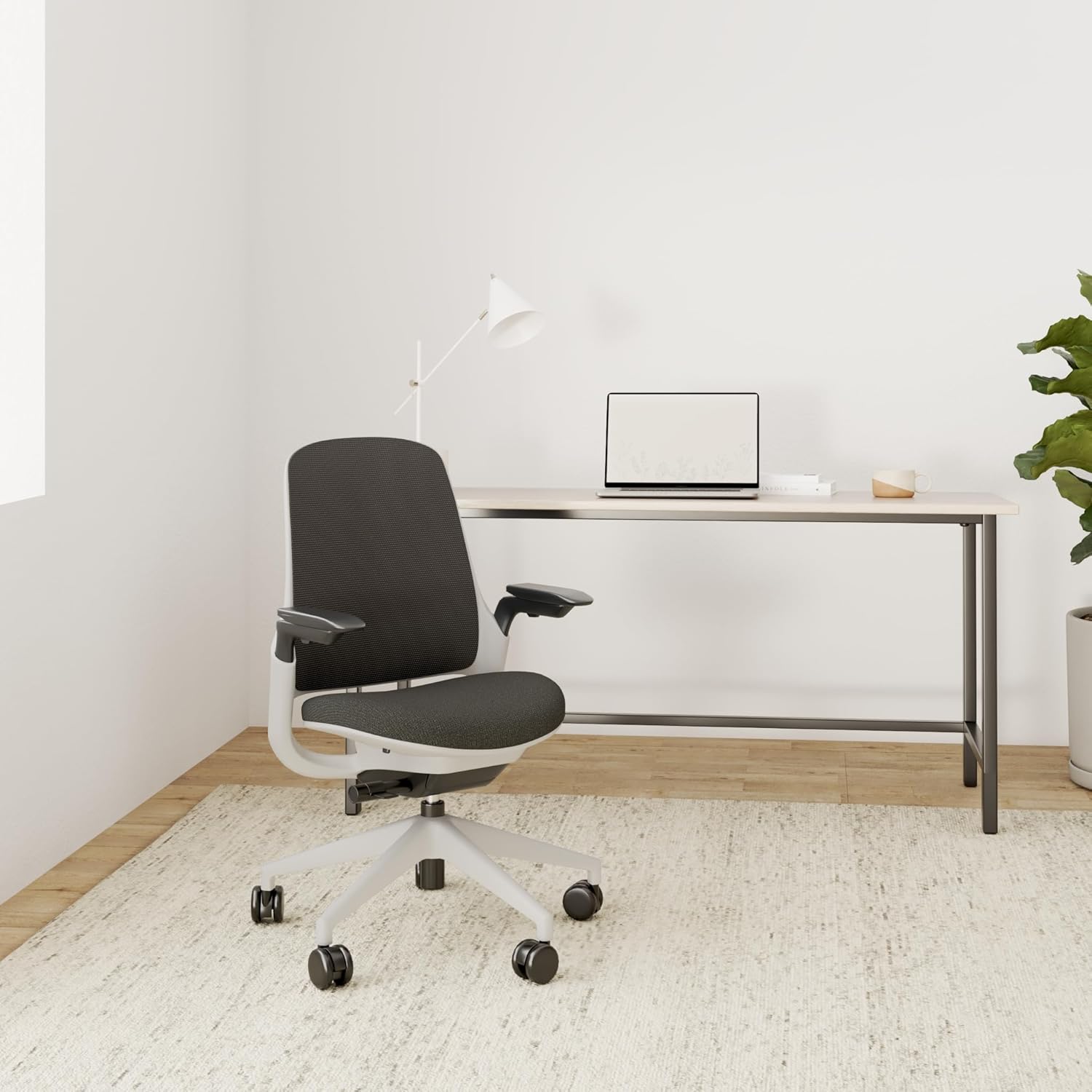
Figure 1.1: Steelcase Series 1 Office Chair in Graphite.
2. Informasi Keselamatan
WARNING: Always follow assembly instructions carefully to ensure safe use. Do not exceed the maximum weight limit of 400 pounds. Keep fingers and other body parts away from moving parts during assembly and use. Always use the chair on appropriate surfaces to maintain stability.
3. Petunjuk Perakitan
The Steelcase Series 1 Office Chair is designed for easy assembly without the need for special tools. Follow these steps for quick setup:
- Attach the Gas Lift to the Base: Insert the gas lift cylinder into the center hole of the chair base. Ensure it is firmly seated.
- Pasang Mekanisme Kursi: Place the seat mechanism onto the top of the gas lift.
- Hubungkan Sandaran Punggung: Align the backrest with the seat and secure it according to the chair's design.
- Pasang Sandaran Tangan: Attach the armrests to the designated slots on the chair.

Figure 3.1: Gas lift inserted into the chair base.

Figure 3.2: Seat mechanism installation.

Figure 3.3: Backrest attachment.

Figure 3.4: Armrest installation.
For a visual guide, please refer to the official assembly video below:
Video 3.1: Official Steelcase Series 1 Chair Assembly Guide. This video demonstrates the step-by-step process for assembling your chair quickly and efficiently.
4. Operasi dan Penyesuaian
The Steelcase Series 1 chair offers various adjustments to customize your seating experience for optimal comfort and ergonomic support.
4.1. Penyesuaian Ketinggian Kursi
To adjust the seat height, locate the lever under the right side of the seat. Lift the lever to raise the seat, or remain seated and lift the lever to lower the seat. Adjust until your feet are flat on the floor and your thighs are parallel to the floor.

Figure 4.1: Seat height adjustment control.
4.2. Penyesuaian Kedalaman Kursi
The seat depth can be adjusted to accommodate different leg lengths and reduce pressure behind the knees. Locate the handle under the front left side of the seat. Pull the handle up and slide the seat forward or backward until there are 2-3 inches of space between the seat edge and the back of your knees.
4.3. Penyesuaian Sandaran Tangan
The armrests are 4-dimensional, allowing for height, width, pivot, and depth adjustments. Press the button on the side of the armrest to adjust its height. To adjust width, pivot, or depth, grasp the arm cap and slide it to your desired position.

Figure 4.2: Multi-directional armrest adjustments.
4.4. Penyesuaian Dukungan Pinggang
The adjustable lumbar support provides additional comfort to your lower back. Grasp the handles on either side of the lumbar support on the backrest. Lean forward slightly and slide the lumbar support up or down to fit the small of your back.

Figure 4.3: Lumbar support positioning.
4.5. Recline Tension and Lock
The chair features weight-activated controls for recline tension. Use the comfort dial located under the seat to adjust the recline tension. Turn the dial to increase or decrease resistance. The chair also offers three reclining positions, including an upright back lock.

Figure 4.4: Recline tension adjustment dial.
For a visual guide on chair adjustments, please refer to the official adjustment video below:
Video 4.1: Official Steelcase Series 1 Chair Adjustment Guide. This video demonstrates how to properly adjust the various features of your chair for personalized comfort.
5. Pemeliharaan
To ensure the longevity and appearance of your Steelcase Series 1 Office Chair, follow these simple maintenance guidelines:
- Pembersihan: Spot wash the fabric components as needed. Use a mild soap and water solution with a soft cloth. Avoid harsh chemicals that may damage the material.
- Perawatan Umum: Regularly inspect all moving parts and fasteners to ensure they are secure. Tighten any loose components as necessary.
- Kastor: Keep the casters clean from debris (hair, dust, etc.) to ensure smooth movement.
6. Spesifikasi
| Fitur | Detil |
|---|---|
| Merek | kotak baja |
| Nama Model | Seri 1 |
| Warna | Grafit |
| Dimensi Produk | 23.7"Panjang x 27"Lebar x 41.25"T |
| Bahan | Polyester & Polyester Blend (Foam Fill) |
| Rekomendasi Berat Maksimum | 400 pon |
| Fitur Khusus | Adjustable Height, Adjustable Lumbar, Arm Rest, Ergonomic, Rolling |
| Gaya Punggung | Bagian Belakang Padat (Jaring) |
| Gaya Lengan | Dengan lengan |
| Jumlah Posisi Berbaring | 3 |
| Rekomendasi Permukaan | Lantai Keras |
| Berat Barang | 29 pon |
| UPC | 724274002309 |
| Nomor Model Barang | 435A00-5T29-5S25-6053-4ARM-LUM-HF |

Gambar 6.1: Dimensi utama Kursi Kantor Steelcase Seri 1.
7. Penyelesaian masalah
If you encounter any issues with your Steelcase Series 1 Office Chair, please refer to the following common solutions:
- Kursi tidak dapat diatur ketinggiannya: Ensure the gas lift lever is fully engaged and that there is no weight on the seat when raising, or apply weight when lowering.
- Roda tidak berputar dengan lancar: Check for debris (hair, lint) wrapped around the caster wheels and remove it.
- Suara mencicit: Inspect all connections and tighten any loose screws. Applying a small amount of silicone lubricant to moving metal parts may help.
- Backrest feels loose: Verify that the backrest attachment points are securely fastened.
Jika masalah berlanjut, hubungi dukungan pelanggan.
8. Garansi dan Dukungan
Steelcase products are designed for durability and performance. For specific warranty details and to register your product, please visit the official Steelcase websitus atau lihat kartu garansi yang disertakan dengan pembelian Anda.
For further assistance, technical support, or to inquire about replacement parts, please contact Steelcase Customer Service through their official websitus atau informasi kontak yang tersedia dalam kemasan produk Anda.


