1. Pendahuluan
This manual provides essential information for the safe and efficient operation of your iFFALCON 32F2A 32-inch HD Ready Android Smart LED TV. Please read these instructions thoroughly before using the television and retain them for future reference.
The iFFALCON 32F2A is an 80 cm (32 inches) HD Ready Android Smart LED TV designed to offer a comprehensive entertainment experience. It features a 720p resolution display, integrated Android operating system, and smart functionalities like Google Assistant and Chromecast built-in.
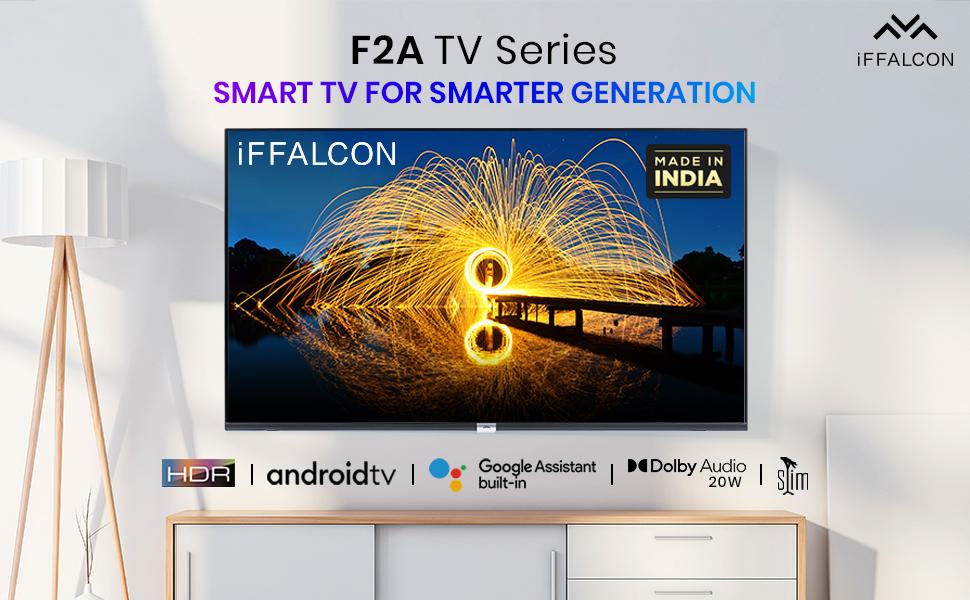
Gambar 1.1: Depan view of the iFFALCON 32F2A Smart LED TV displaying the Android TV interface, alongside icons representing key features such as HDR, Android TV, Google Assistant, Micro Dimming, IPQ Engine, Chromecast built-in, AI, and Dolby Audio with 20W speakers.
2. Apa yang ada di dalam kotak
Verify that all components are present and undamaged upon unpacking your new television.
- 1 x TV LED iFFALCON 32F2A
- 1 x Dudukan Meja
- 1 x Panduan Pengguna
- 1 x Kartu Garansi
- 1x Kontrol Jarak Jauh
- 2 x Baterai AAA (untuk kendali jarak jauh)
3. Pengaturan
3.1 Pembongkaran dan Penempatan
Carefully remove the TV from its packaging. It is recommended to have two people for this process. Place the TV on a stable, flat surface or mount it securely on a wall.
3.2 Attaching the Table Top Stand
- Letakkan layar TV menghadap ke bawah pada permukaan yang lembut dan bersih untuk mencegah goresan.
- Sejajarkan dasar dudukan dengan slot yang sesuai di bagian bawah TV.
- Secure the stand bases using the provided screws. Ensure they are tightened firmly.
3.3 Pemasangan di Dinding (Opsional)
If you choose to wall mount your TV, please note that the wall mount bracket is not included and must be purchased separately. Follow the instructions provided with your wall mount kit and ensure professional installation for safety.
3.4 Menghubungkan Perangkat Eksternal
Your iFFALCON 32F2A TV offers various connectivity options:
- Port HDMI: Hubungkan pemutar Blu-ray, konsol game, atau set-top box.
- Port USB: Hubungkan perangkat penyimpanan USB untuk pemutaran media.
- Port Ethernet: Untuk koneksi internet kabel.
- Jack Headphone: Untuk didengarkan secara pribadi.
3.5 Sambungan Daya
Connect the power cord to the TV's power input and then to a suitable AC power outlet (240 Volts, 50 Watts). Ensure the power cable is securely connected.
3.6 Panduan Pengaktifan dan Pengaturan Awal
After connecting power, press the power button on the TV or remote control. The TV will guide you through the initial setup wizard, including language selection, network connection (Wi-Fi or Ethernet), Google account sign-in, and channel scanning.

Image 3.1: A diagram illustrating the physical dimensions of the iFFALCON 32F2A TV, including screen size (32 inches / 79.97 cm diagonal), width (73.20 cm / 29 inch), height (48.20 cm / 19 inch), and depth (17.30 cm / 6.9 inch).
4. Petunjuk Pengoperasian
4.1 Kontrol Jarak Jauh
The provided remote control allows you to navigate the TV's interface and access various functions. Insert the two AAA batteries (included) into the remote control, ensuring correct polarity.
- Tombol Daya: Menyalakan atau mematikan TV.
- Tombol Navigasi: Gunakan tombol arah dan tombol OK untuk berpindah antar menu.
- Volumenya +/-: Menyesuaikan tingkat volume.
- Saluran +/-: Mengganti saluran TV.
- Tombol Home: Kembali ke layar beranda Android TV.
- Tombol Kembali: Kembali ke layar sebelumnya.
- Tombol Asisten Google: Mengaktifkan kontrol suara.
- Tombol Netflix: Direct access to Netflix.
- Tombol Amazon Prime Video: Direct access to Amazon Prime Video.
- Zee5 Button: Direct access to Zee5.
- TCL Channel Button: Direct access to TCL channel.

Image 4.1: The smart remote control for the iFFALCON TV, highlighting the Google Assistant button and a dedicated hotkey for Netflix for quick access.
Antarmuka Android TV 4.2
Your TV runs on Android 9, providing access to a wide range of apps and services. The home screen displays recommended content, installed applications, and input sources.
- Aplikasi: Access pre-installed applications like Netflix, YouTube, Prime Video, Disney+Hotstar, Sun NXT, and Zee5. Download more from the Google Play Store.
- Masukan: Switch between HDMI inputs, USB, and other connected devices.
- Pengaturan: Customize TV settings such as picture, sound, network, and system preferences.

Image 4.2: The iFFALCON Smart LED TV showcasing its Android TV home screen, featuring prominent app icons for Netflix, YouTube, Prime Video, and other streaming services.

Image 4.3: The iFFALCON Smart LED TV interface, illustrating the availability of popular streaming platforms such as YouTube, Prime Video, Disney+ Hotstar, SonyLIV, Zee5, ALTBalaji, Voot Select, and Eros Now.
4.3 Asisten Google
The built-in Google Assistant allows you to control your TV and smart home devices using voice commands. Press the Google Assistant button on your remote and speak into the microphone.
- Search Content: Say "Play a cartoon movie" or "Pencarian untuk action films."
- Control TV: Say "Turn up the volume" or "Switch to HDMI 1."
- Get Information: Ask "What's the weather today?" or "How long is Moonlight?"
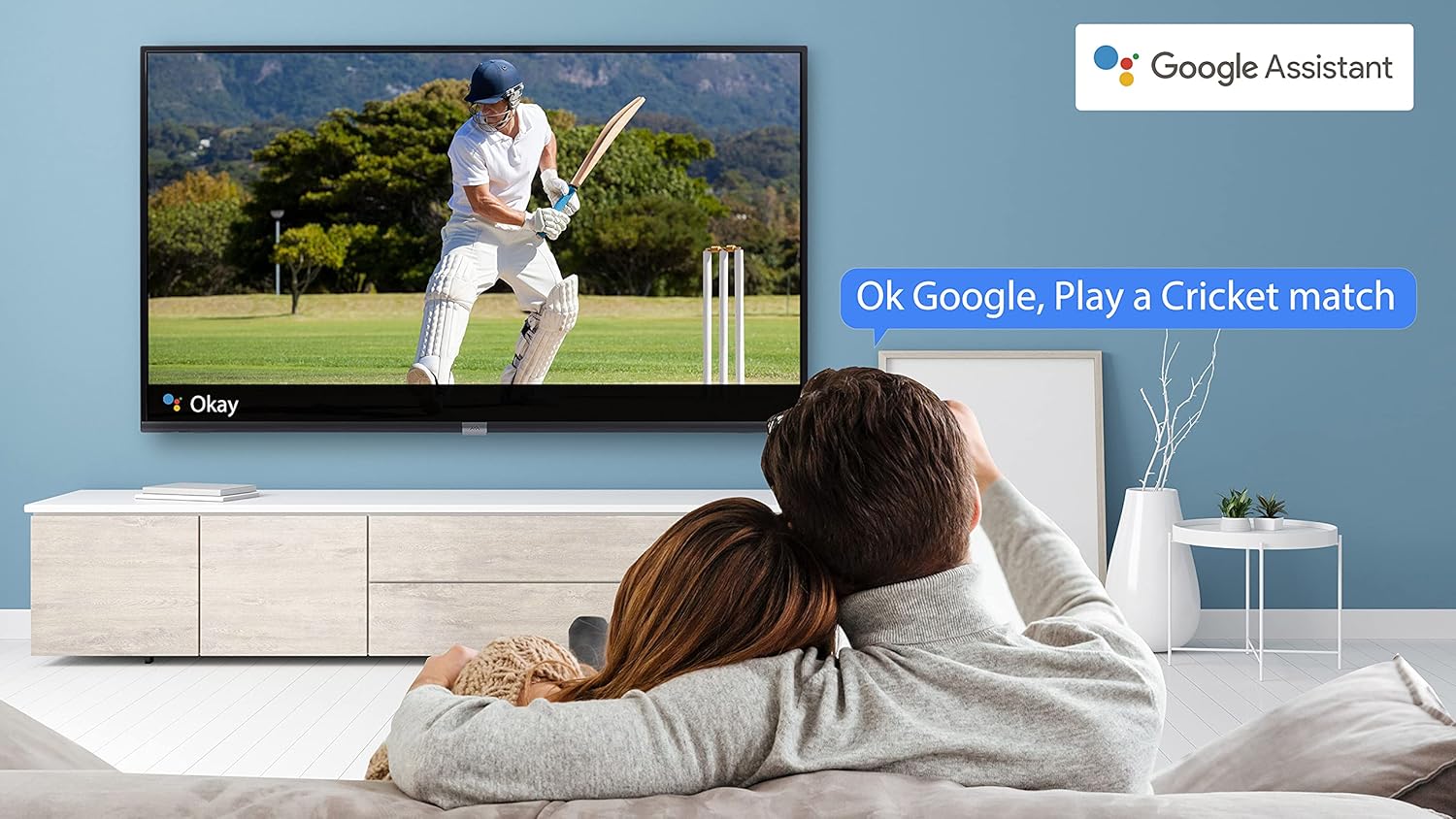
Image 4.4: A couple watching a cricket match on the iFFALCON TV, with a Google Assistant prompt bubble showing "Ok Google, Play a Cricket match," demonstrating voice control functionality.
Image 4.5: The Google Assistant logo, indicating the TV's integrated voice control capabilities.
4.4 Chromecast Bawaan
Use Chromecast built-in to cast content from your compatible smartphone, tablet, or computer directly to your TV screen. Ensure your device and TV are connected to the same Wi-Fi network.

Image 4.6: A smartphone displaying a car image, with a casting icon indicating that the content is being mirrored to a larger TV screen, demonstrating the Chromecast built-in feature.
5. Fitur Utama
5.1 HDR (Jangkauan Dinamis Tinggi)
HDR technology enhances contrast, color accuracy, and brightness, delivering a more lifelike and immersive viewing experience with greater detail in both dark and bright scenes.

Image 5.1: A split-screen comparison showing the visual difference between an image without HDR 10 (left, darker, less vibrant) and with HDR 10 (right, brighter, more detailed, and richer colors).
5.2 Peredupan Mikro
Micro Dimming analyzes the TV content in hundreds of separate zones to adjust brightness and darkness independently. This results in improved contrast and picture quality, especially in scenes with mixed light levels.

Image 5.2: A split-screen comparison demonstrating the effect of Micro Dimming, with the 'Without Micro Dimming' side appearing less vibrant and the 'With Micro Dimming' side showing enhanced contrast and color saturation in a city night scene.
5.3 IPQ Engine
The IPQ Engine (Image Quality Processing Engine) optimizes picture quality by intelligently adjusting brightness, color range, and contrast, ensuring a more vivid and accurate display.

Image 5.3: A visual representation of the IPQ Engine, highlighting its 'High Brightness Precision Control Technology' and 'Intelligent Color Range Control Technology' for optimized picture quality.
5.4 Audio Dolbi
Experience rich, clear, and powerful sound with Dolby Audio. This technology enhances the audio output, providing an immersive listening experience for movies, music, and games.

Image 5.4: The Dolby Audio logo, signifying enhanced sound quality and an immersive audio experience.
5.5 Smart Volume
Smart Volume automatically adjusts the sound level to prevent sudden changes in volume, such as during commercials or when switching channels, ensuring a consistent listening experience.

Image 5.5: An illustration of the Smart Volume feature, showing how it maintains consistent audio levels across different content types, represented by varying sound wave patterns.
5.6 Mode Olahraga
Sports Mode optimizes picture and sound settings for sports content, enhancing motion clarity and audio to provide a more engaging viewpengalaman untuk olahraga langsung.

Image 5.6: A split-screen comparison of a cricket player, showing the 'Without Sports Mode' side with standard clarity and the 'With Sports Mode' side with enhanced motion and detail, indicated by a playback bar.
Desain Ramping 5.7
The iFFALCON 32F2A features a slim design, allowing it to blend seamlessly into various living spaces and offering a modern aesthetic.

Image 5.7: An illustration emphasizing the slim profile of the iFFALCON TV, with a hand demonstrating its thinness.
6. Pemeliharaan
6.1 Membersihkan Layar
Usap layar secara perlahan dengan kain lembut bebas serat. Untuk noda membandel, usap layar dengan lembut.ampBilas kain dengan air atau pembersih layar khusus. Hindari penggunaan bahan kimia keras atau bahan abrasif.
6.2 Membersihkan Kabinet
Bersihkan kabinet TV dengan kain lembut dan kering. Jangan gunakan cairan pembersih langsung pada kabinet.
6.3 Perawatan Kabel Daya
Regularly check the power cord for any damage. Do not place heavy objects on the cord or expose it to excessive heat.
7. Penyelesaian masalah
Jika Anda mengalami masalah dengan TV Anda, lihat masalah umum dan solusi berikut:
| Masalah | Kemungkinan Penyebab | Larutan |
|---|---|---|
| Tidak ada daya | Kabel daya terputus, masalah stopkontak | Ensure power cord is securely plugged in. Check if the power outlet is working. |
| Tidak ada gambar, tetapi ada suara | Sumber input tidak tepat, kabel rusak | Verify the correct input source is selected. Check HDMI/AV cable connections. |
| Tidak ada suara, tetapi gambar ada | Volume muted or too low, audio settings issue | Increase volume. Check audio output settings in the TV menu. |
| Kontrol jarak jauh tidak berfungsi | Dead batteries, obstruction, remote out of range | Replace batteries. Remove obstructions between remote and TV. Ensure remote is within operating range. |
| Tidak dapat terhubung ke Wi-Fi | Incorrect password, router issue, TV too far from router | Re-enter Wi-Fi password. Restart router. Move TV closer to router or use Ethernet. |
Jika masalah berlanjut setelah mencoba solusi ini, hubungi dukungan pelanggan.
8. Spesifikasi
Spesifikasi teknis terperinci untuk TV LED Pintar iFFALCON 32F2A:
| Fitur | Spesifikasi |
|---|---|
| Merek | iFFALCON |
| Nama Model | 32F2A |
| Ukuran Layar | 32 Inci (80 cm) |
| Teknologi Tampilan | Panel LED Kelas A+ |
| Resolusi | Siap HD (1366 x 768 Piksel) |
| Tingkat Penyegaran | 60Hz |
| Viewsudut ing | 178 Derajat |
| Rasio Aspek Gambar | 16:9 |
| Rasio Kontras Gambar | 3000:1 |
| Sistem Operasi | Bahasa Indonesia: Android |
| Ukuran Memori RAM Terpasang | 1 GB |
| Kapasitas Penyimpanan Digital | 8 GB |
| Koprosesor Grafis | Mali470x2 |
| Wat Audiotage | 16 Watt |
| Suara Sekitar Speaker | Suara Dolby |
| Teknologi Konektivitas | Wi-Fi, Ethernet, HDMI, USB |
| Jumlah Port USB | 1 |
| Sumber Daya | AC |
| Jil.tage | 240 Volt |
| Apatage | 50 Watt |
| Dimensi Produk | Ukuran 48.2x73.2x18.3 cm |
| Berat Barang | 3.9 kg |
9. Garansi dan Dukungan
Your iFFALCON 32F2A TV comes with a warranty. Please refer to the included Warranty Card for detailed terms and conditions, including the warranty period and coverage.
For technical assistance, service requests, or further inquiries, please visit the official iFFALCON support website or contact their customer service helpline. Contact information can typically be found on the Warranty Card or the manufacturer's official weblokasi.


