1. Pendahuluan dan Selesaiview
The Tera Mini 1D 2D QR Wireless Barcode Scanner is a compact, robust, and versatile device designed for efficient barcode data collection. Its IP66 waterproof and dustproof rating ensures durability in various environments. With multiple connection options and support for a wide range of barcode types, this scanner is suitable for diverse applications.

Figure 1.1: Tera Mini 1100D Barcode Scanner and accessories.
2. Isi Paket
Harap verifikasi bahwa semua item ada dalam paket:
- Pemindai Kode Batang x1
- Kabel USB x1
- Dongle x1
- Panduan Pengguna x1 (dokumen ini)
3. Fitur dan Komponen Produk
The Tera Mini 1100D is designed with user convenience and durability in mind. Key components and features include:
-
Silicone Button: Provides a soft and smooth scanning experience.
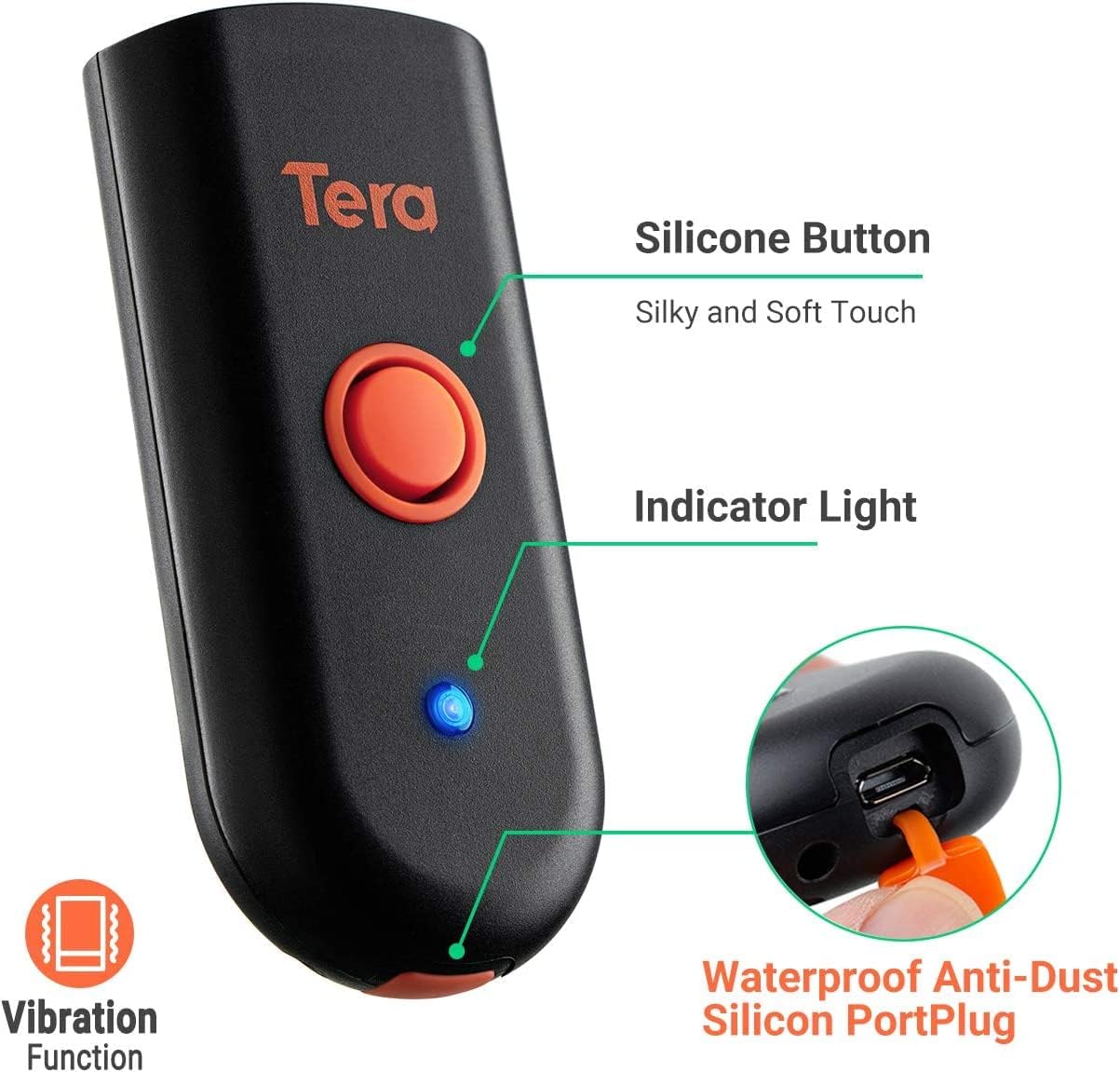
Figure 3.1: Scanner components including the silicone button and port plug.
- Lampu Indikator: Provides visual feedback on scanner status.
-
Waterproof Anti-Dust Silicone Port Plug: Ensures better performance in various working conditions by protecting the charging port.

Figure 3.2: Detail of the waterproof silicone port plug.
-
Peringatan Getaran: Provides tactile feedback when a barcode is detected, useful for quiet environments.
Figure 3.3: Vibration alert functionality.
-
Desain Kompak dan Ringan: Easily fits into a pocket for portability.

Figure 3.4: Scanner dimensions and portability.
4. Pengaturan
The Tera Mini 1100D offers three connection methods:
-
Koneksi Bluetooth:
To connect via Bluetooth, ensure your device's Bluetooth is enabled. Scan the Bluetooth pairing barcode (usually found in the full user manual or quick start guide) with the scanner. The scanner will then appear in your device's Bluetooth settings for pairing.
-
Koneksi Nirkabel 2.4GHz:
Insert the provided 2.4G USB dongle into a USB port on your computer. The scanner will automatically connect to the dongle. This mode offers a transmission distance of up to 656ft in barrier-free environments and 98ft with obstacles.
-
Koneksi Kabel USB:
Hubungkan pemindai langsung ke komputer Anda menggunakan kabel USB yang disediakan. Pemindai akan berfungsi sebagai perangkat berkabel dan juga mengisi daya secara bersamaan.

Figure 4.1: Three-in-one connection modes.
5. Mode Operasi
The scanner supports different operating and data upload modes to suit various workflows:
-
Mode Pengunggahan Data:
- Mode Unggah Instan: Barcodes are uploaded directly to your connected device immediately after scanning.
- Mode Penyimpanan: Scan and store up to 10,000 barcodes internally. Data can be uploaded to a computer later when available.
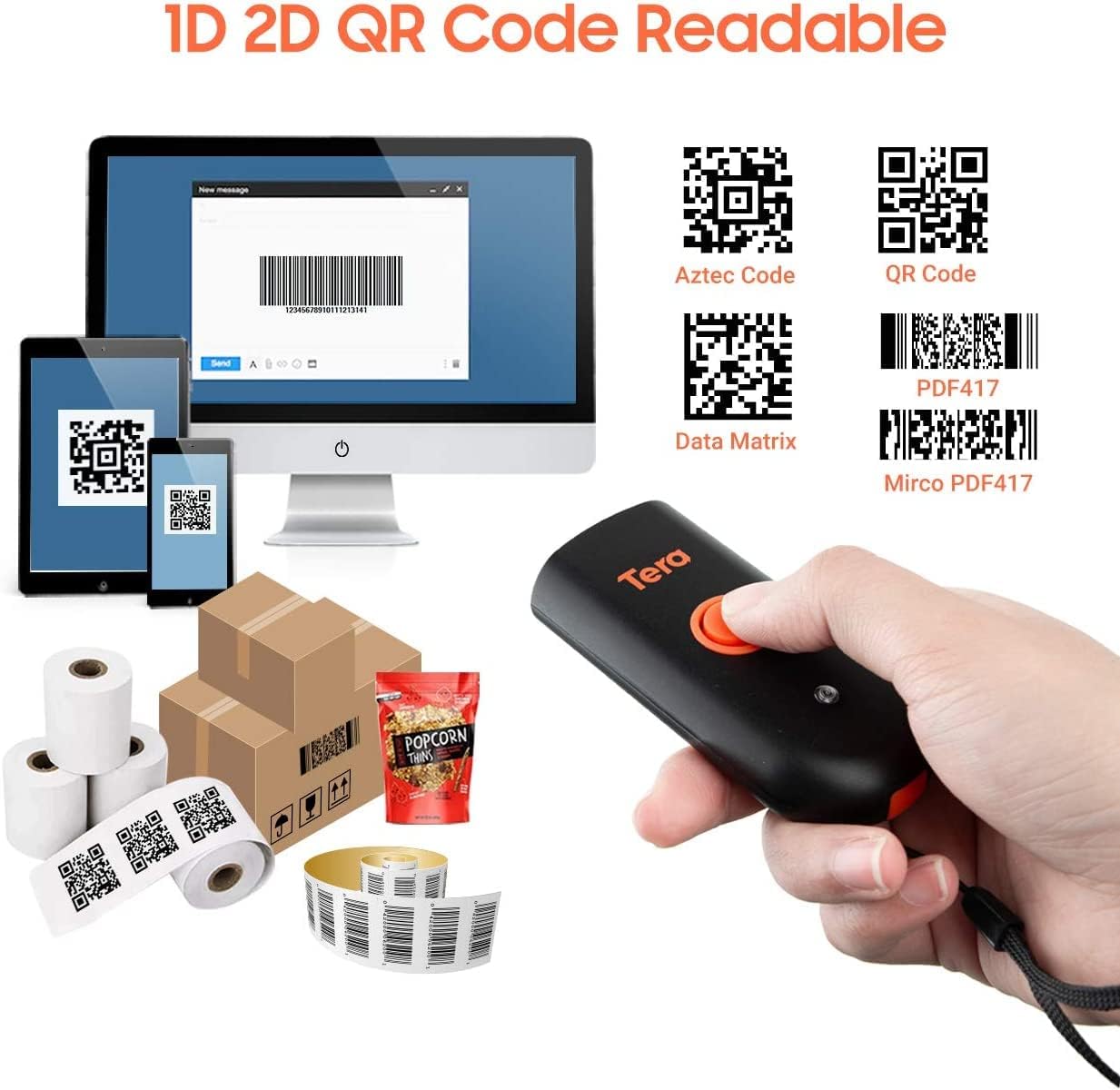
Figure 5.1: Data upload modes.
-
Mode Pemindaian:
- Mode Pemicu Kunci: Scan a barcode by pressing the trigger button for each scan.
- Modus terus menerus: The scanner continuously emits its scan beam, allowing for rapid scanning without repeatedly pressing the trigger.

Figure 5.2: Scanning modes.
6. Pengisian daya
To charge the Tera Mini 1100D, use the provided USB cable. Connect it to a standard USB power source. Observe the following charging guidelines:
- Arus Pengisian yang Direkomendasikan: 5V/1A.
- Arus Pengisian Maksimum: 5V/1.2A.
- Penting: Do BUKAN use quick charge adapters or USB Power Delivery (USB PD) standard power adapters and data cables to charge this scanner. Use only the original USB cable included in the package for optimal charging and to prevent damage.
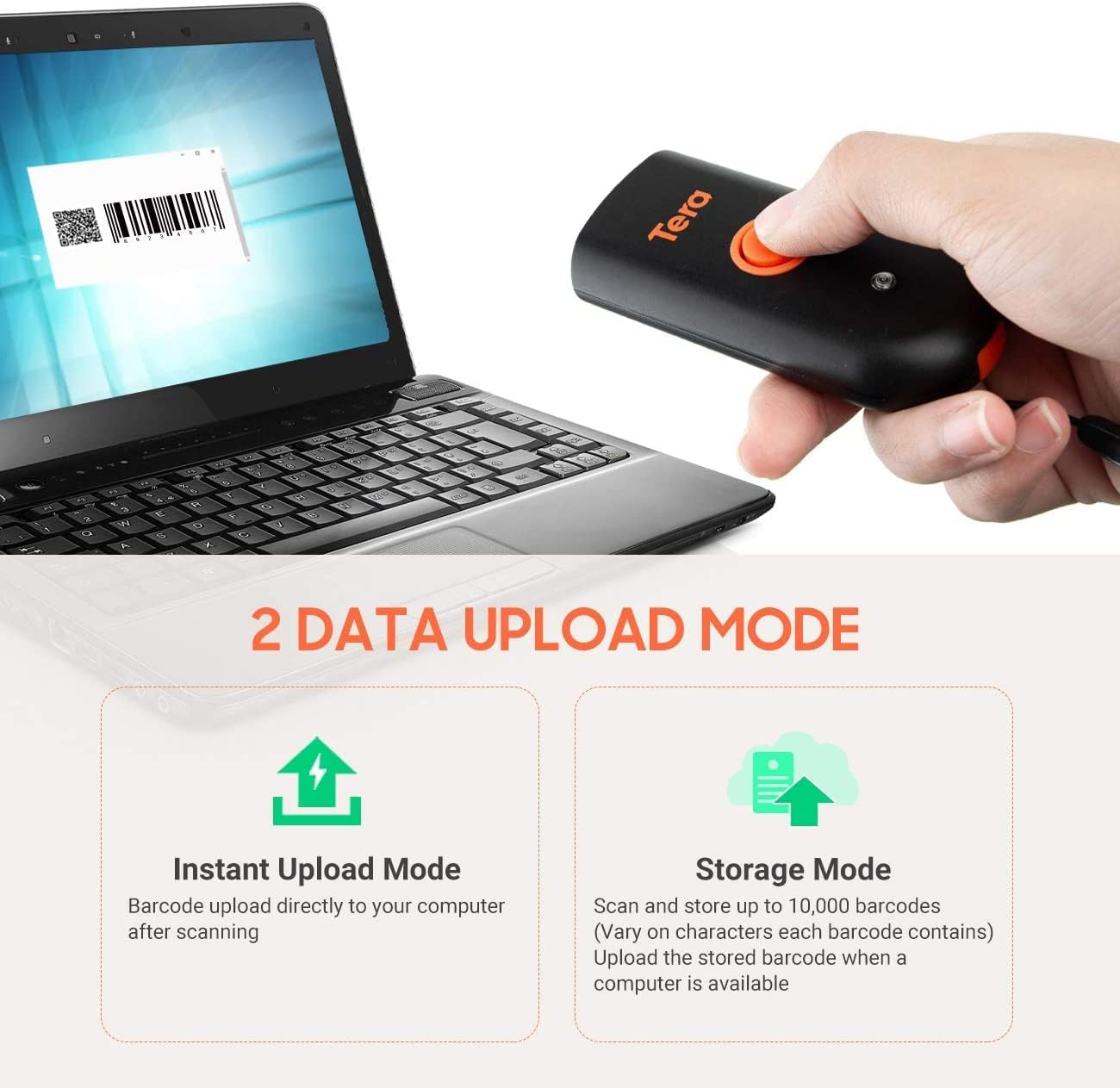
Figure 6.1: Charging specifications and warnings.
7. Kompatibilitas
The Tera Mini 1100D barcode scanner is compatible with a wide range of devices and operating systems:
- Perangkat yang Kompatibel: Desktop computers, laptops, smartphones, tablets.
- Sistem Operasi yang Kompatibel: Windows (11/10/8/7/XP), Mac OS, iOS, Android, Linux.
- Catatan: This scanner is bukan compatible with Square POS systems.
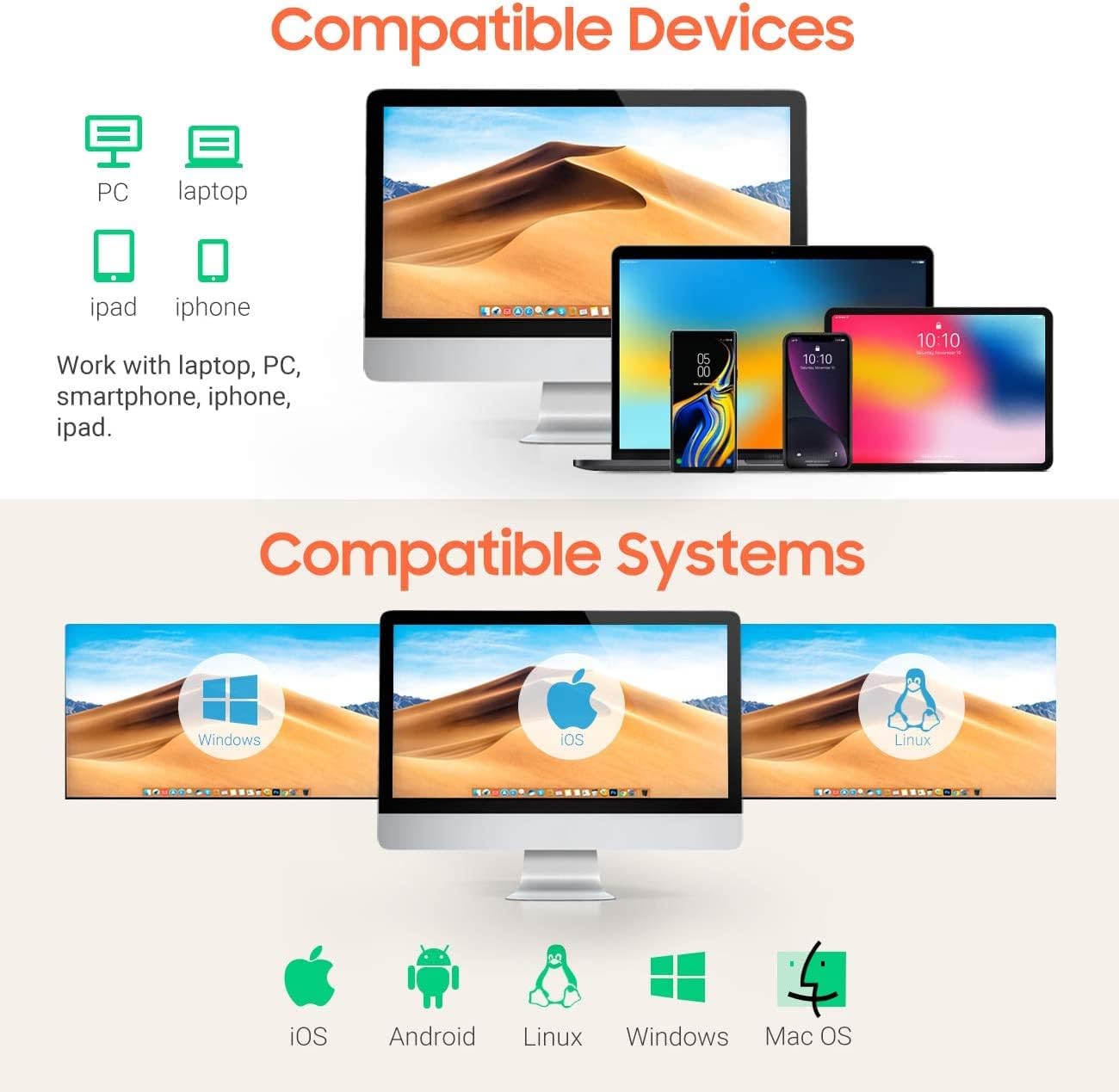
Figure 7.1: Device and system compatibility.
8. Kemampuan Pemindaian
The Tera Mini 1100D is capable of reading both digital and printed 1D, 2D, and QR barcode symbologies. It features a global shutter for fast and accurate decoding performance.
- 1D Decode Capability: Codabar, Code 11, Code93, MSI, Code 128, UCC/EAN-128, Code 39, EAN-8, EAN-13, UPC-A, ISBN, Industrial 25, Interleaved 25, Standard 25, 2/5 Matrix.
- 2D Decode Capability: QR, PDF417, Data Matrix, Aztec code, Maxi Code.
- The scanner supports reading barcodes directly from computer screens and mobile phones.
- It also supports adding time prefixes or suffixes to scanned data.
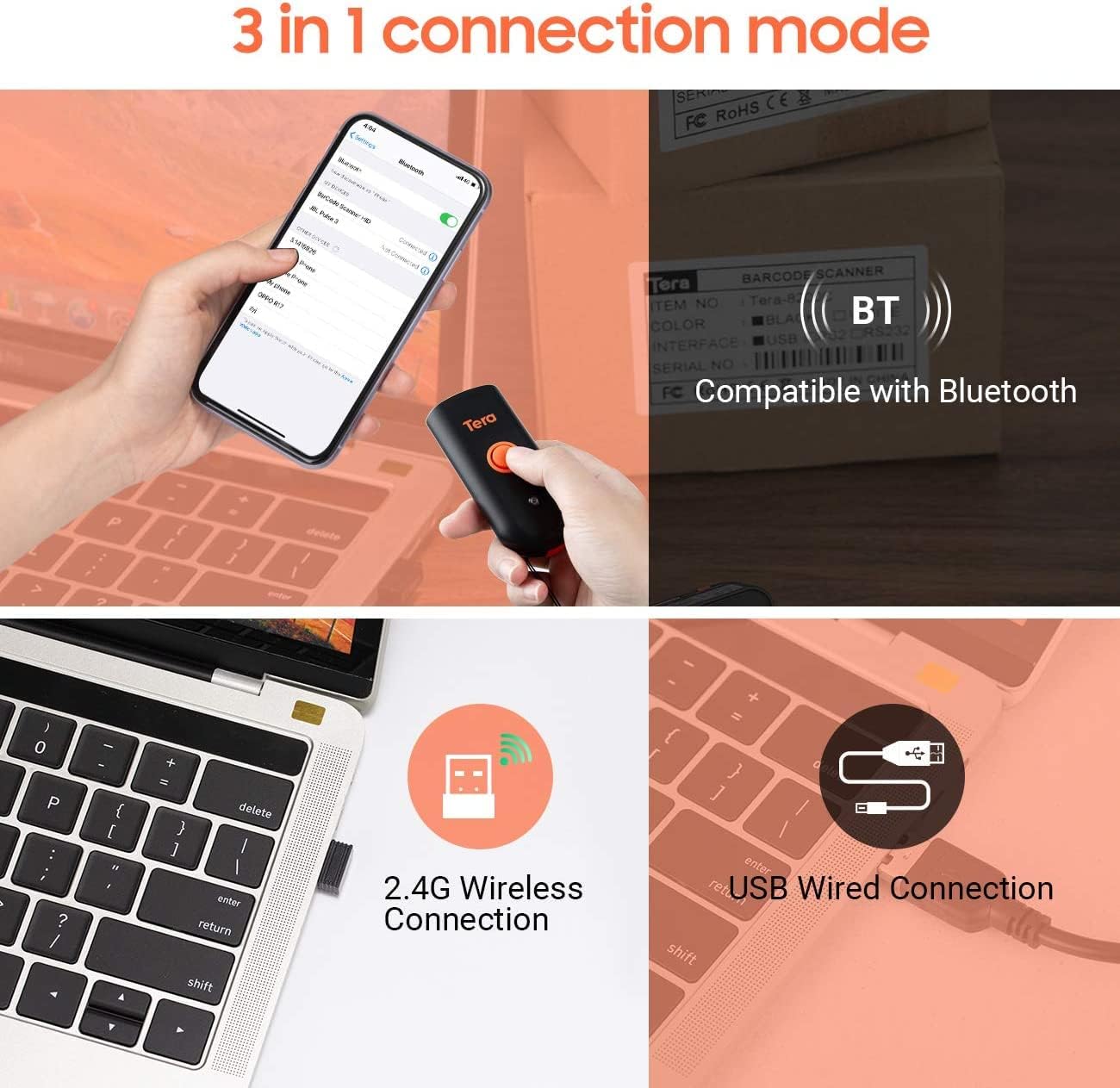
Figure 8.1: 1D, 2D, and QR code readability.
Figure 8.2: Reading barcodes from screens.
Figure 8.3: Time prefix/suffix support.
9. Pengaturan Lanjut
The scanner can be configured for various advanced functionalities by scanning specific setup barcodes (refer to the comprehensive user manual for all configuration barcodes):
-
Adding or Hiding Digits: Customize scanned data by adding or removing specific digits from the barcode output.

Figure 9.1: Customizing barcode output.
-
Dukungan Multibahasa: Configure the scanner to support various keyboard layouts for different languages, including English, Spanish, German, Japanese, French, and Italian.

Figure 9.2: Multi-language keyboard support.
10. Spesifikasi
| Fitur | Detil |
|---|---|
| Dimensi Produk | 3.43"P x 1.57"L x 0.79"T (87 x 40 x 20 mm) |
| Berat Barang | 5.3 ons (150g) |
| Teknologi Konektivitas | Nirkabel 2.4G, Bluetooth, Kabel USB |
| Sumber Daya | Bertenaga Listrik Berkabel (Baterai Internal) |
| Perangkat yang Kompatibel | Komputer desktop, Laptop, Ponsel pintar, Tablet |
| Pabrikan | Tera |
| Peringkat IP | IP66 (Tahan Air & Tahan Debu) |

Figure 10.1: IP66 Waterproof and Dustproof design.
11. Pemeliharaan
Perawatan yang tepat memastikan umur panjang dan kinerja optimal pemindai Anda:
- Pembersihan: Use a soft, dry cloth to clean the scanner's exterior. For stubborn dirt, a slightly damp Kain dapat digunakan, tetapi pastikan tidak ada kelembapan yang masuk ke dalam lubang.
- Penyimpanan: Simpan pemindai di tempat yang sejuk dan kering, jauh dari sinar matahari langsung dan suhu ekstrem.
- Perlindungan Pelabuhan: Always ensure the silicone port plug is securely in place when the USB cable is not connected to maintain its waterproof and dustproof integrity.
- Perawatan Baterai: Avoid fully discharging the battery frequently. Charge the scanner regularly, especially if it will be stored for an extended period.
12. Penyelesaian masalah
If you encounter issues with your Tera Mini 1100D scanner, please refer to the following common troubleshooting steps:
-
Pemindai Tidak Terhubung:
- Pastikan pemindai terisi penuh.
- Verify the correct connection mode (Bluetooth, 2.4G, or USB) is selected and properly set up.
- For Bluetooth, ensure your host device's Bluetooth is on and the scanner is in pairing mode.
- For 2.4G wireless, ensure the USB dongle is securely inserted and recognized by your computer.
- Cobalah untuk memulai ulang pemindai dan perangkat host.
-
Tidak dapat memindai kode batang:
- Ensure the scanner is powered on and connected.
- Check if the barcode is damaged or poorly printed.
- Adjust the scanning distance and angle. The scanner works best within 2 to 16 inches.
- Ensure there is sufficient lighting for the barcode to be read.
- Verify that the barcode type is supported by the scanner (refer to Section 8).
- Jika memindai dari layar, pastikan kecerahan layar memadai dan tidak ada pantulan cahaya.
-
Data Not Uploading Correctly:
- Confirm the correct data upload mode (Instant or Storage) is selected.
- If using Storage Mode, ensure you have initiated the upload process to transfer stored data.
- Check for any software or driver issues on your host device.
-
Baterai Cepat Habis:
- Pastikan pemindai terisi penuh daya sebelum digunakan.
- Reduce continuous scanning if not necessary, as this consumes more power.
- Check for any background processes or settings that might be keeping the scanner active.
13. Video Produk Resmi
Watch the official product video for a visual guide on the Tera Pro 1100D Waterproof Mini Barcode Scanner's features and capabilities.
Video 13.1: Tera Pro 1100D Waterproof Mini Barcode Scanner Overview.
14. Garansi dan Dukungan
For warranty information, technical support, or further assistance, please contact Tera customer service through the official website or your point of purchase. Keep your purchase receipt as proof of purchase.
A detailed PDF user manual is also available for download: Unduh Panduan Pengguna (PDF)


