1. Pendahuluan
Thank you for choosing the KLARSTEIN VapoAir Opal Smart Humidifier. This device is designed to improve air quality and comfort in your home by adding moisture to dry air. It features smart control via an app, an ionizer, a large 5-liter water tank, and multiple mist levels. Please read this manual carefully before use to ensure proper operation and maintenance.
2. Petunjuk Keselamatan
- Selalu letakkan pelembap udara di permukaan yang kokoh, rata, dan kedap air, jauhkan dari sinar matahari langsung dan sumber panas.
- Do not place the humidifier near furniture or appliances that are sensitive to moisture.
- Jauhkan alat ini dari jangkauan anak-anak dan hewan peliharaan.
- Jangan merendam unit di dalam air atau cairan lainnya.
- Cabut steker pelembap udara dari stopkontak sebelum mengisi, membersihkan, atau memindahkannya.
- Gunakan hanya air keran yang bersih dan dingin. Air suling atau air demineralisasi disarankan untuk mencegah penumpukan mineral.
- Jangan menambahkan minyak esensial langsung ke dalam tangki air; gunakan wadah diffuser aroma yang telah disediakan.
- Jika kabel daya rusak, maka harus diganti oleh pabrikan, agen servisnya, atau orang yang memenuhi syarat untuk menghindari bahaya.
- Jangan menghalangi saluran keluar kabut.
3. Isi Paket
Silakan periksa paket untuk item berikut:
- KLARSTEIN VapoAir Opal Smart Humidifier
- Kontrol Jarak Jauh
- Manual Instruksi
- Cleaning Brush (may be included)
4. Produk Lebihview dan Komponen
Kenali bagian-bagian utama pelembap udara Anda:

Gambar: Depan view of the KLARSTEIN VapoAir Opal Smart Humidifier, showcasinberkat desainnya yang ramping dan layar LED-nya.
- Outlet Kabut: Where the mist is released into the air.
- Tangki Air: Removable tank for water storage.
- Unit dasar: Berisi transduser ultrasonik dan elemen pemanas.
- Control Panel/LED Display: Touch-sensitive buttons and digital display for settings.
- Nampan Diffuser Aroma: Small tray for essential oils (located at the bottom/side).
- Kabel Daya: Untuk menghubungkan ke stopkontak listrik.

Image: The KLARSTEIN VapoAir Opal Smart Humidifier with its dimensions labeled: 23cm (depth), 18cm (width), 37cm (height).
5. Pengaturan
5.1 Membongkar
Carefully remove all packaging materials. Retain the packaging for future storage or transport.
5.2 Penempatan
Place the humidifier on a flat, stable surface at least 15 cm away from walls and furniture. Ensure the mist outlet is not directed towards any objects or walls.
5.3 Mengisi Tangki Air
- Pastikan alat pelembap udara sudah dicabut dari stopkontak.
- Carefully lift the water tank from the base unit.
- Invert the water tank and unscrew the cap at the bottom.
- Fill the tank with clean, cool tap water. Distilled or demineralized water is recommended to minimize mineral residue. Do not fill past the MAX line.
- Pasang kembali tutupnya dengan kencang.
- Place the filled water tank back onto the base unit, ensuring it is seated correctly. The auto-stop function will prevent operation if the tank is not properly placed or if water is absent.
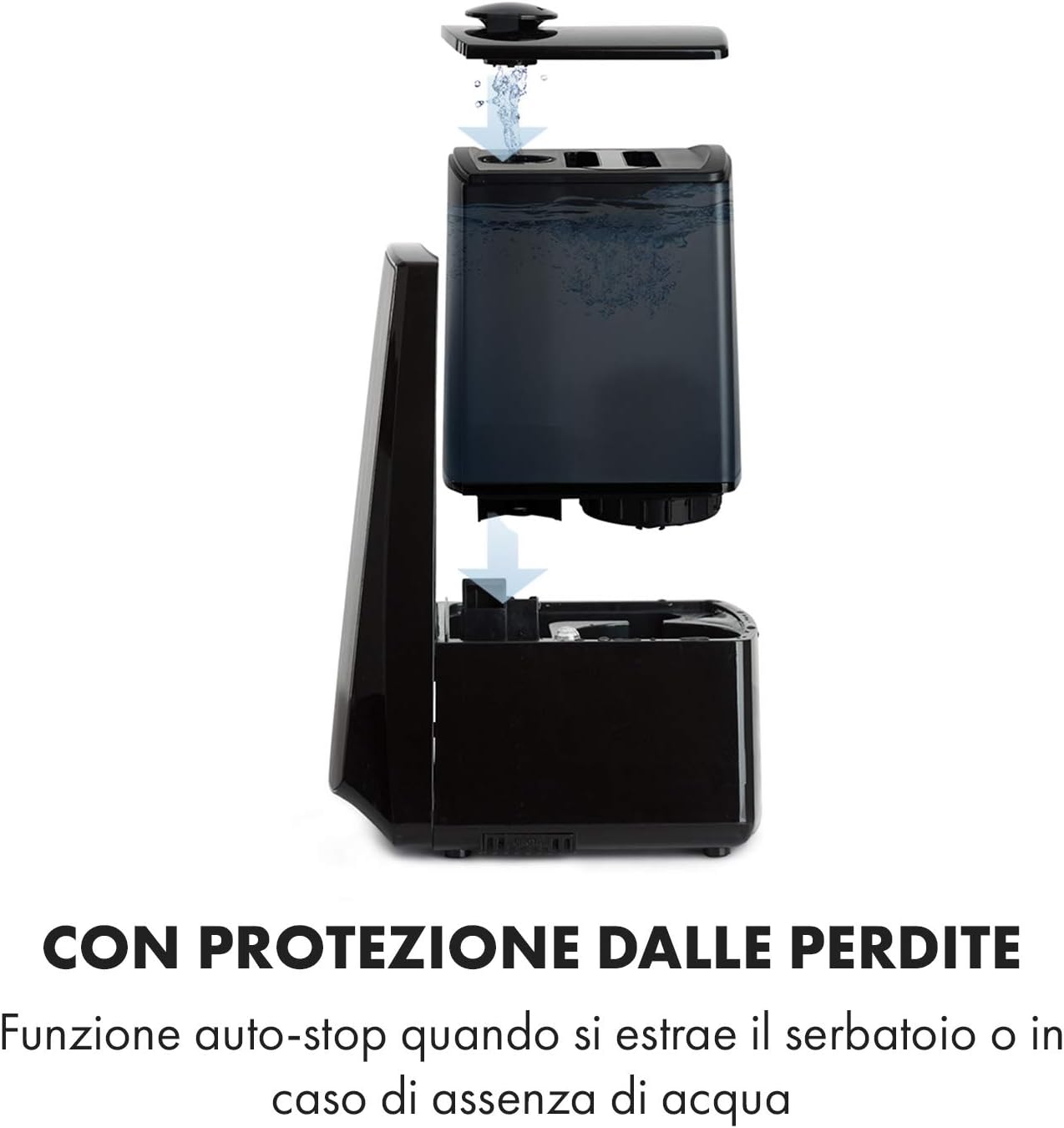
Image: Diagram illustrating the removal and refilling process of the water tank, highlighting the auto-stop feature when the tank is removed or empty.
5.4 Sambungan Daya
Sambungkan kabel daya ke stopkontak listrik yang sesuai (230V).
6. Petunjuk Pengoperasian
6.1 Panel Kontrol Selesaiview

Gambar: Close-up view of the humidifier's LED display and touch controls, showing a hand interacting with the buttons.
The LED display shows current humidity, temperature, and selected settings. The touch buttons allow control over various functions.
6.2 Daya Hidup/Mati
Tekan tombol AKTIF/NONAKTIF pada panel kontrol atau kendali jarak jauh untuk menghidupkan atau mematikan unit.
6.3 Pengaturan Tingkat Kabut
The humidifier offers 7 levels of mist output. Press the KABUT button repeatedly to cycle through the mist intensity levels. The current level will be displayed on the screen.
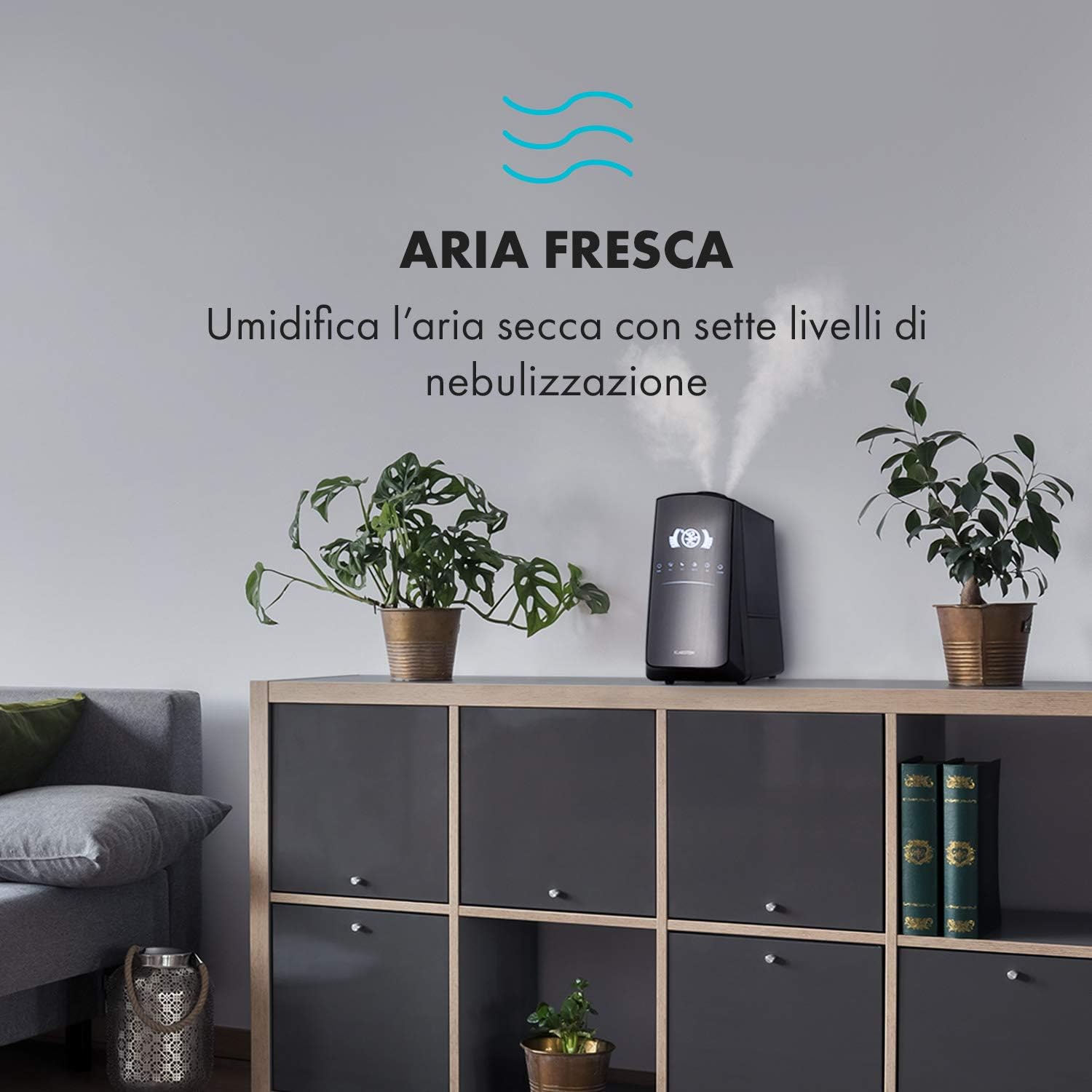
Image: The humidifier operating in a room, releasing mist to humidify the air.
6.4 Humidity Setting (Humidistat)
Tekan tombol KELEMBABAN button to set your desired humidity level (e.g., 40% to 80% RH). The unit will automatically maintain this level, turning on and off as needed.
6.5 Kabut Hangat/Dingin
Tekan tombol PANAS button to activate the warm mist function. Press again to switch back to cool mist. Warm mist can help raise room temperature slightly and is often preferred in colder climates.

Image: A close-up shot of the mist output, illustrating the option for either cool or warm mist.
6.6 Fungsi Timer
Tekan tombol PENGATUR WAKTU button to set an operating duration from 1 to 12 hours. The unit will automatically turn off after the set time.
6.7 Fungsi Ionizer
Tekan tombol ION button to activate the ionizer. This function releases negative ions to help purify the air by attracting dust and other particles.
6.8 Pengharum Aroma
Pull out the aroma diffuser tray located at the bottom of the unit. Add a few drops of essential oil onto the sponge pad. Slide the tray back in. The mist will carry the aroma into the air.

Image: The integrated aroma diffuser tray, shown pulled out with an essential oil bottle and lemon slices nearby, indicating its use for adding scents.
6.9 Modus Malam
Tekan tombol MALAM button to dim the LED display and reduce operational noise for undisturbed sleep.

Image: The humidifier in a modern living space, illustrating its versatile functions like auto mode, heating, health, baby, night mode, and timer.
7. Kontrol Aplikasi
The KLARSTEIN VapoAir Opal Smart Humidifier can be controlled via a dedicated smartphone application.

Image: A person using a smartphone with the Klarstein app open, showing controls for the humidifier's settings and current humidity levels.
7.1 Mengunduh Aplikasi
Pencarian untuk the 'Klarstein App Experience' in your smartphone's app store (available for Android and iOS).
7.2 Menghubungkan ke Wi-Fi
- Ensure your humidifier is plugged in and turned on.
- Open the Klarstein App and follow the on-screen instructions to add a new device.
- The humidifier requires a Jaringan Wi-Fi 2.4GHz for connection. It is not compatible with 5 GHz networks. Ensure your router is configured to support 2.4 GHz or that your phone is connected to the 2.4 GHz band during setup.
- Once connected, you can control all humidifier functions remotely via the app.

Image: A smartphone displaying the Klarstein app interface, indicating smart home control via WiFi for Android and iOS devices.
8. Perawatan dan Pembersihan
Pembersihan teratur sangat penting untuk kinerja dan kebersihan yang optimal.
8.1 Pemeliharaan Harian
- Kosongkan dan bilas tangki air setiap hari.
- Bersihkan bagian dalam tangki air dengan kain bersih.
8.2 Pembersihan Mingguan
- Cabut unitnya sebelum dibersihkan.
- Remove the water tank and empty any remaining water from both the tank and the base unit.
- Membersihkan Tangki Air: Fill the tank with a mixture of water and white vinegar (1:1 ratio). Let it sit for 30 minutes, then rinse thoroughly.
- Membersihkan Unit Dasar: Gently wipe the ultrasonic transducer (the small disc in the center of the base) with a soft brush or cloth to remove mineral deposits. Do not scrape or use abrasive cleaners. You can use a cotton swab dipped in vinegar for hard-to-reach areas.
- Nampan Diffuser Aroma: Remove and clean the sponge pad with mild soap and water. Allow it to dry completely before reinserting.
- Wipe all external surfaces with a soft, damp kain.
8.3 Penyimpanan
Jika pelembap udara tidak akan digunakan dalam jangka waktu lama, bersihkan secara menyeluruh, pastikan semua bagian kering, dan simpan dalam kemasan aslinya di tempat yang sejuk dan kering.
9. Penyelesaian masalah
| Masalah | Kemungkinan Penyebab | Larutan |
|---|---|---|
| Tidak ada kabut atau keluaran kabut rendah |
|
|
| Unit tidak menyala |
|
|
| Bau yang tidak sedap |
|
|
| Debu putih di sekitar unit | Hard water with high mineral content | Gunakan air suling atau air demineralisasi. Bersihkan unit secara teratur. |
| Masalah koneksi Wi-Fi |
|
|
10. Spesifikasi
| Fitur | Spesifikasi |
|---|---|
| Merek | KLARSTEIN |
| Nomor Model | XJ3-VapoAirOpalSmart |
| Warna | Hitam |
| Dimensi (P x L x T) | Ukuran 23x18x37 cm |
| Berat | 2.5 kg |
| Kekuatan | 110 Watt |
| Jil.tage | 230 Volt |
| Kapasitas Tangki Air | 5 liter |
| Waktu Operasional | Up to 2 hours (continuous, depending on mist level) |
| Fitur Khusus | Remote Control, Timer, App Control, Ionizer, LED Display, 7 Mist Levels, Warm/Cool Mist, Aroma Diffuser |
| Tipe Kamar | Ruang tamu |
11. Garansi dan Dukungan
KLARSTEIN products are covered by a manufacturer's warranty. For detailed warranty information, please refer to the warranty card included with your product or visit the official KLARSTEIN website. For technical support, spare parts, or service inquiries, please contact KLARSTEIN customer service through their official channels.
Harap simpan bukti pembelian Anda untuk klaim garansi.