Perkenalan
This user manual provides detailed instructions for the setup, operation, maintenance, and troubleshooting of your iFFALCON 43K71 4K Ultra HD Smart Android LED TV. Please read this manual thoroughly before using the television and retain it for future reference.

Gambar: Depan view of the iFFALCON 43K71 4K Ultra HD Smart Android LED TV, showcasinberkat desainnya yang ramping dan layarnya yang cerah.
Informasi Keselamatan
Selalu patuhi tindakan pencegahan keselamatan berikut untuk mencegah kebakaran, sengatan listrik, atau cedera:
- Jangan biarkan TV terkena hujan atau lembab.
- Pastikan ventilasi yang baik; jangan halangi lubang ventilasi.
- Gunakan hanya kabel daya yang disertakan dengan TV.
- Do not open the TV cabinet; refer all servicing to qualified personnel.
- Jauhkan TV dari sinar matahari langsung, sumber panas, dan medan magnet yang kuat.
- Letakkan TV di permukaan yang stabil dan rata, atau pasang dengan aman di dinding.
Apa yang ada di dalam kotak
Verifikasi bahwa semua komponen ada saat membuka kemasan:
- 1 x iFFALCON 43K71 LED TV
- 1 x Pengendali Jarak Jauh (dengan 2 baterai AAA)
- 2 x Table Stand components
- 1 x Panduan Pengguna
- 1 x Kartu Garansi
- 1 x Kabel Audio
Pengaturan
1. Instalasi Fisik
You can install your TV using the included table stands or by wall-mounting (wall mount bracket sold separately).
Instalasi Dudukan Meja:
- Letakkan TV dengan hati-hati menghadap ke bawah di permukaan yang lembut dan rata untuk mencegah kerusakan layar.
- Attach the two table stand components to the designated slots on the bottom of the TV using the provided screws. Ensure they are securely fastened.
- Angkat TV dengan hati-hati ke posisi tegak di atas permukaan yang stabil dan rata.
Pemasangan di Dinding:
For wall mounting, consult a professional installer. Ensure the wall mount bracket is compatible with the TV's VESA mounting pattern and can support the TV's weight (approximately 6.9 kg).

Gambar: Atas view of the iFFALCON 43K71 TV, showing its slim profile dan titik pemasangan penyangga.
2. Daya Awal dan Koneksi Jaringan
- Hubungkan kabel daya ke TV lalu ke stopkontak.
- Tekan tombol daya pada TV atau remote control untuk menghidupkan TV.
- Follow the on-screen instructions to complete the initial setup, including language selection, country, and network connection (Wi-Fi or Ethernet).
- Masuk dengan akun Google Anda untuk mengakses fitur Android TV dan mengunduh aplikasi.
Mengoperasikan TV
Kontrol Jarak Jauh
The supplied remote control allows you to navigate the TV's interface and access various functions.
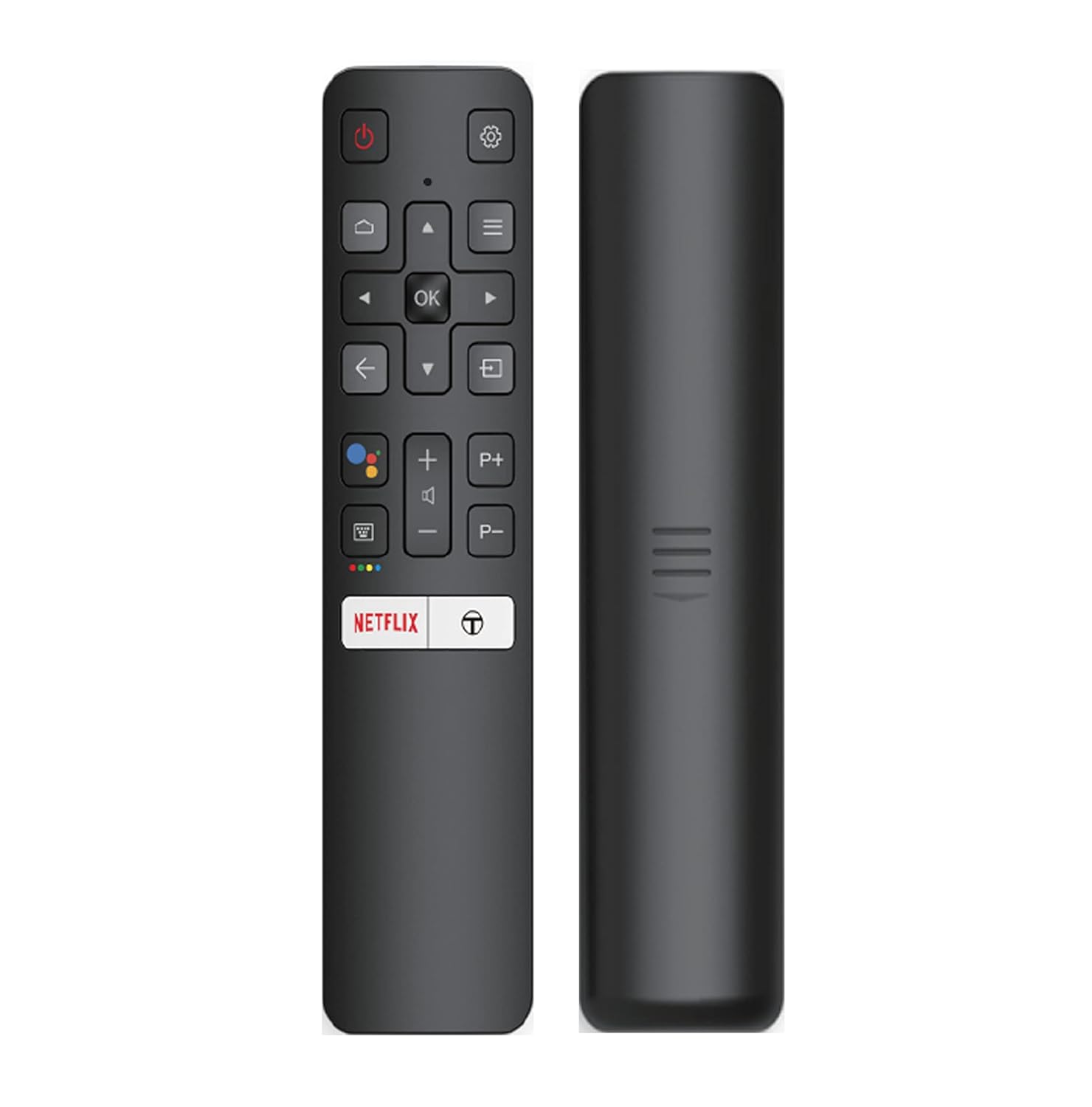
Image: The iFFALCON 43K71 remote control, featuring dedicated buttons for Netflix, Amazon Prime Video, Zee5, and Google Assistant.
Tombol-tombol utama meliputi:
- Kekuatan: Menghidupkan/mematikan TV.
- Navigasi (Atas/Bawah/Kiri/Kanan/OK): Menavigasi menu dan mengonfirmasi pilihan.
- Kembali: Kembali ke layar sebelumnya.
- Rumah: Mengakses layar beranda Android TV.
- Volumenya +/-: Menyesuaikan volume.
- Channel P+/P-: Mengubah saluran.
- Asisten Google: Mengaktifkan kontrol suara.
- Netflix, Prime Video, Zee5: Tombol akses langsung untuk layanan streaming.
Smart TV Features (Android TV)
Your iFFALCON 43K71 TV runs on Android 9.0, providing access to a wide range of applications and smart functionalities.

Image: The Android TV home screen on the iFFALCON 43K71, displaying various streaming apps like Netflix, YouTube, and Prime Video.
- Aplikasi: Download and install apps from the Google Play Store, including Netflix, YouTube, Prime Video, Disney+Hotstar, and more.
- Kontrol Suara Bebas Genggam: Use the built-in Google Assistant to control your TV, search for content, and manage smart home devices by speaking commands directly to the TV.
- Chromecast Bawaan: Tayangkan konten dari ponsel pintar, tablet, atau komputer Anda langsung ke layar TV.
- AI-IN: iFFALCON's AI-IN technology integrates with Google Assistant for enhanced smart home connectivity and personalized recommendations.
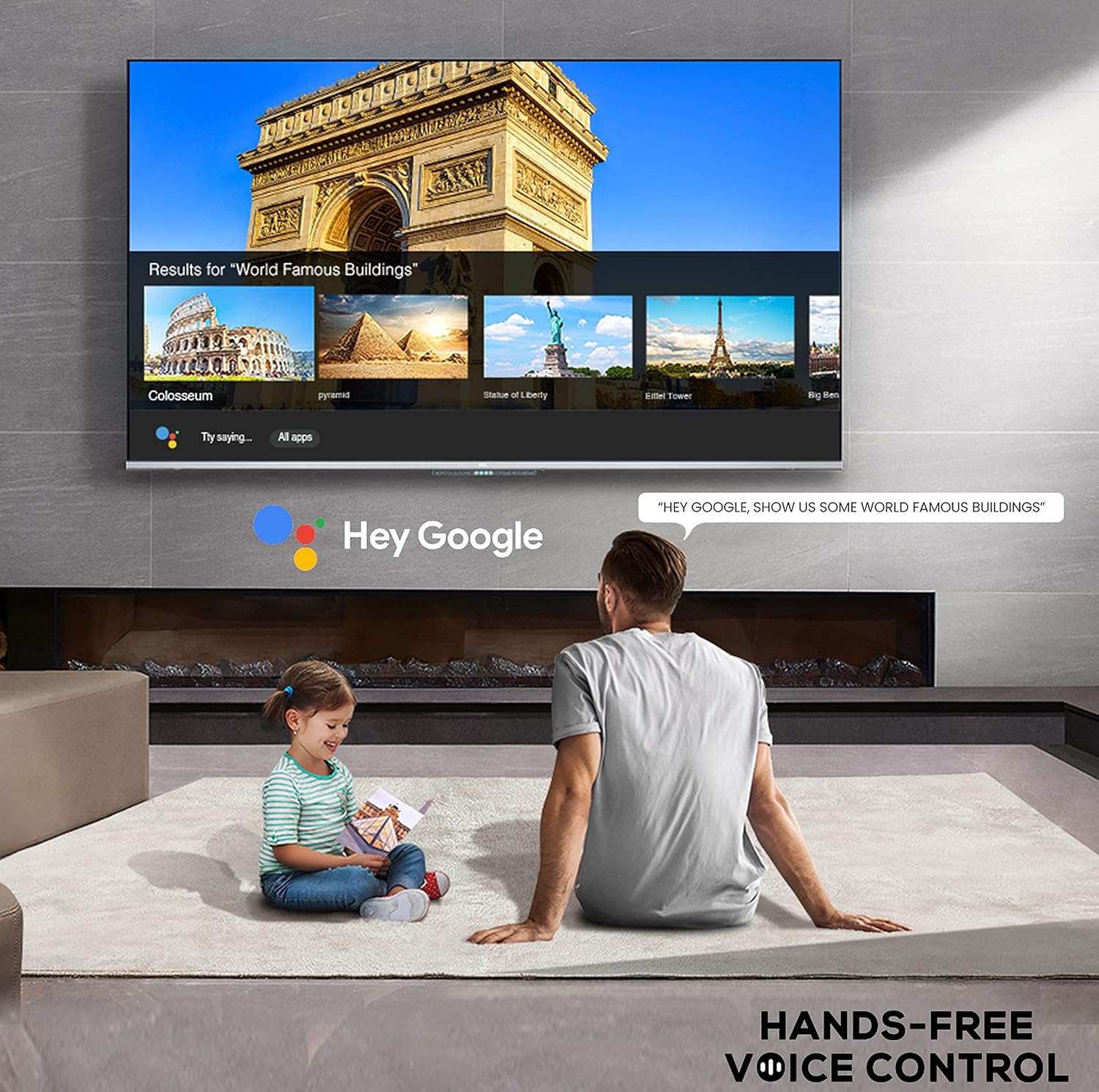
Image: A user interacting with the iFFALCON 43K71 using hands-free voice control, demonstrating the Google Assistant feature.
Konektivitas
Televisi ini menawarkan berbagai port untuk menghubungkan perangkat eksternal:
- Port HDMI (2): Connect set-top boxes, Blu-ray players, gaming consoles, etc.
- Port USB (1): Hubungkan hard drive dan flash drive USB untuk pemutaran media.
- Bluetooth dapat digunakan untuk berbagai keperluan, seperti: Hubungkan headphone nirkabel, soundbar, atau aksesori berkemampuan Bluetooth lainnya.
- Wifinya: Hubungkan ke jaringan nirkabel rumah Anda untuk akses internet.
- Kabel Audio: For external audio connections.
Pengaturan Gambar dan Suara
Sesuaikan pengaturan gambar dan suara untuk mengoptimalkan tampilan Anda. viewpengalaman ing.
- Mode Gambar: Pilih dari berbagai mode gambar preset (misalnya, Standar, Dinamis, Film, Olahraga) atau sesuaikan pengaturan seperti kecerahan, kontras, warna, dan ketajaman.
- 4K Ultra HD & HDR 10: Experience stunning detail and vibrant colors with 4K resolution and High Dynamic Range (HDR 10) support.
- Peredupan Mikro: Enhances contrast by analyzing video content in hundreds of separate zones and adjusting brightness and darkness independently.
- Mode Suara: Pilih dari mode suara preset (misalnya, Standar, Musik, Film, Suara Jelas) atau sesuaikan pengaturan equalizer.
- Audio Dolbi: Enjoy immersive audio with Dolby Audio processing, delivering rich, clear, and powerful sound from the 30 Watts speakers.
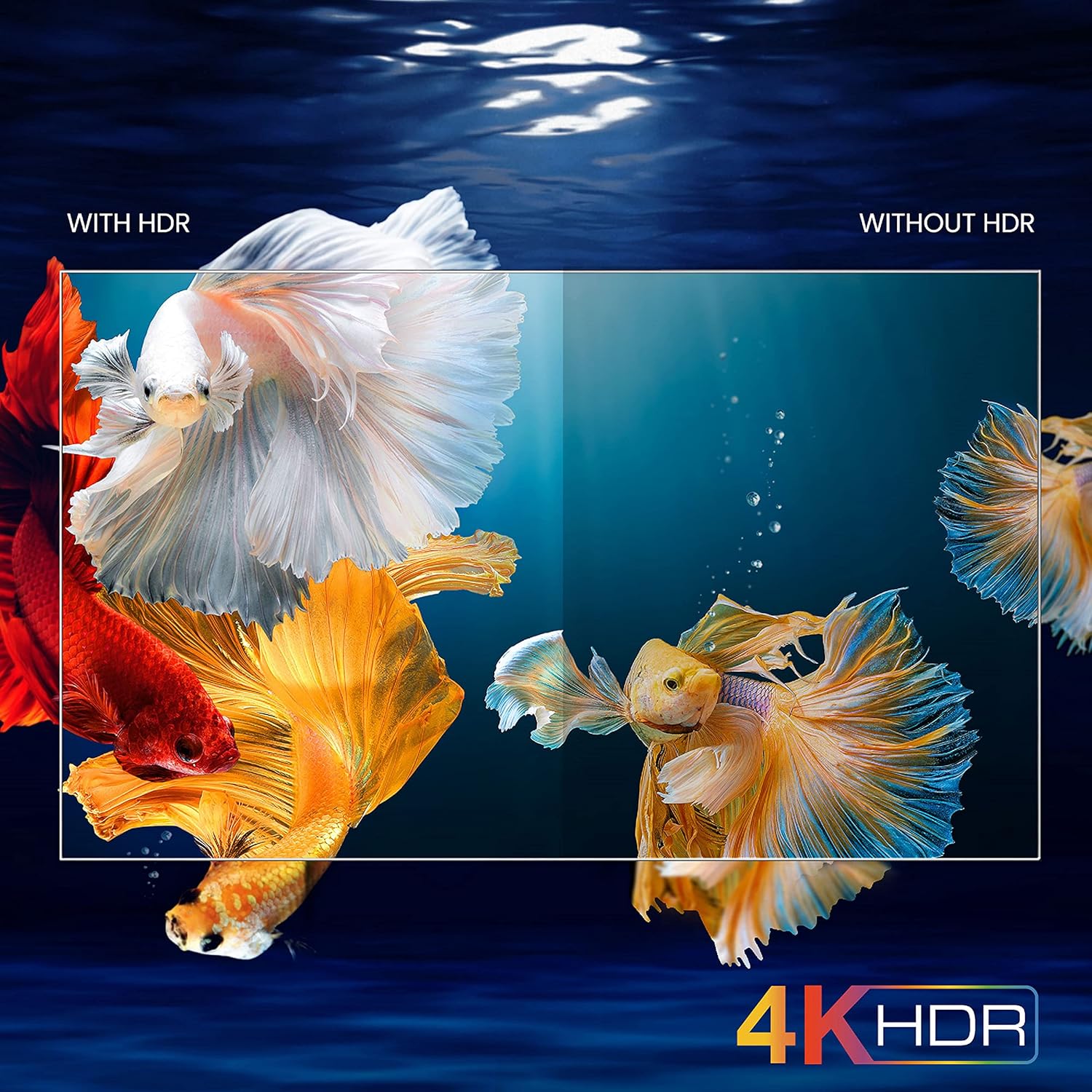
Image: A visual comparison demonstrating the enhanced color and contrast with 4K HDR enabled versus disabled on the iFFALCON 43K71 TV.
Pemeliharaan
Pembersihan
- Selalu cabut kabel TV sebelum membersihkan.
- Gunakan kain lembut dan kering untuk menyeka layar dan kabinet. Untuk noda membandel, gosok perlahan.ampbersihkan kain dengan air atau pembersih layar yang lembut dan tidak bersifat abrasif.
- Jangan menggunakan alkohol, benzena, tiner, atau zat mudah menguap lainnya.
Pembaruan Perangkat Lunak
The TV may receive software updates periodically to improve performance and add new features. Ensure your TV is connected to the internet to receive these updates automatically or check for them manually in the settings menu.
Penyelesaian Masalah
If you encounter issues, refer to the following common solutions before contacting support:
| Masalah | Solusi yang mungkin |
|---|---|
| TV tidak menyala. | Check if the power cord is securely plugged into the TV and the power outlet. Ensure the power outlet is working. Try pressing the power button on the TV itself. |
| Tidak ada gambar, tetapi ada suara. | Check the input source. Ensure external devices are properly connected and powered on. Try restarting the TV. |
| Tidak ada suara, tetapi ada gambar. | Check the volume level and ensure the TV is not muted. Verify audio output settings. If using external speakers, check their connections and power. |
| Kontrol jarak jauh tidak berfungsi. | Ganti baterai (2 AAA). Pastikan tidak ada penghalang antara remote dan sensor IR TV. |
| Tidak dapat terhubung ke Wi-Fi. | Check your router and modem. Restart them if necessary. Ensure you are entering the correct Wi-Fi password. Try moving the TV closer to the router or using an Ethernet cable. |
| Performa lambat atau aplikasi mengalami crash. | Close unused applications. Clear cache for problematic apps. Restart the TV. Consider a factory reset as a last resort (this will erase all data and settings). |
Spesifikasi
Key technical specifications for the iFFALCON 43K71 TV:
| Fitur | Detil |
|---|---|
| Model | 43K71 |
| Ukuran Layar | 43 inci (108 cm) |
| Resolusi | 4K Ultra HD (3840 x 2160 piksel) |
| Tingkat Penyegaran | 60Hz |
| Sistem Operasi | Android 9.0 |
| RAM | 2 GB |
| Penyimpanan | 16 GB |
| Keluaran Suara | 30 Watts (Dolby Audio Power Speakers) |
| Port HDMI | 2 |
| Port USB | 1 |
| Konektivitas | Wi-Fi, Bluetooth |
| Dimensi (P x L x T) | 96 x 4.1 x 55.8 cm (tanpa dudukan) |
| Berat Barang | 6.9 kg |

Image: Diagram showing the physical dimensions of the iFFALCON 43K71 TV in centimeters and inches.
Jaminan
The iFFALCON 43K71 TV comes with a Garansi 1 tahun provided by the manufacturer from the date of purchase. Please retain your purchase receipt for warranty claims. For detailed terms and conditions, refer to the included Warranty Card.
Mendukung
For further assistance, technical support, or service requests, please contact iFFALCON customer service. Contact details can typically be found on the manufacturer's official websitus web atau pada kartu garansi.
Produk Selesaiview Video
Video: Sebuah Pra-Persiapan Singkatview pertunjukan videoasing key features and visual enhancements of the iFFALCON 43K71 4K Ultra HD Smart Android LED TV, including 4K HDR, dynamic tone mapping, color enhancement, Android TV interface, and hands-free voice control.


