1. Pendahuluan
The Thomson WEAR7701 Bluetooth HiFi Earbuds provide a wireless audio experience with high-fidelity sound. Designed for comfort and convenience, these lightweight in-ear headphones feature touch controls, voice assistant compatibility, and IPX4 splash protection, making them suitable for various activities, including sports.
This manual provides detailed instructions for setting up, operating, and maintaining your WEAR7701 earbuds to ensure optimal performance and longevity.

2. Isi Paket
Harap periksa apakah semua item ada dalam paket:
- 1x Thomson WEAR7701 Bluetooth Earbuds
- 1x Kotak Pengisian Daya
- 3x Pairs of Silicone Ear Tips (Sizes S, M, L)
- 1x Kabel Pengisian Daya Mikro USB
- 1x Panduan Pengguna
3. Pengaturan
3.1 Pengisian Awal
Sebelum penggunaan pertama, isi daya earbud dan casing pengisi daya hingga penuh.
- Connect the supplied Micro USB cable to the charging port on the charging case and to a suitable USB power source.
- Place the earbuds into the charging case. Ensure they are correctly seated; indicator lights on the earbuds or case will confirm charging status.
- A full charge for the case takes approximately 3 hours. The earbuds charge within the case.
The charging case provides up to 3 additional full charges for the earbuds, extending their usage time.
3.2 Memasangkan dengan Perangkat Bluetooth
For the first connection, it is crucial to remove both earbuds from the charging case simultaneously to ensure proper stereo pairing with your smartphone.
- Ensure your smartphone's Bluetooth function is enabled.
- Keluarkan kedua earbud dari casing pengisi daya. Earbud akan otomatis menyala dan masuk ke mode berpasangan.
- On your smartphone, search for available Bluetooth devices.
- Select "Thomson WEAR7701" (or similar name) from the list of found devices.
- Setelah terhubung, perangkat Anda akan menunjukkan bahwa pemasangan berhasil.
Catatan Penting: If only one earbud connects, place both earbuds back into the charging case, close the lid, wait a few seconds, then remove both simultaneously and repeat the pairing process.

4. Petunjuk Pengoperasian
4.1 Daya Hidup/Mati
- Nyalakan: Earbud akan otomatis menyala saat dilepaskan dari wadah pengisi daya.
- Matikan: Earbud akan mati secara otomatis saat diletakkan kembali ke dalam wadah pengisian daya dan penutupnya ditutup.
4.2 Kontrol Sentuh
The earbuds feature intuitive touch controls for managing music playback and calls.
- Putar/Jeda Musik: Ketuk satu kali pada salah satu earbud.
- Lagu Berikutnya: Ketuk dua kali pada earbud kanan.
- Lagu Sebelumnya: Ketuk dua kali pada earbud kiri.
- Menjawab/Mengakhiri Panggilan: Ketuk satu kali pada salah satu earbud.
- Tolak Panggilan: Tekan dan tahan salah satu earbud selama 2 detik.
- Aktifkan Asisten Suara (Siri/Google Assistant): Ketuk tiga kali pada salah satu earbud.

4.3 Mengenakan Earbud
Select the ear tips that provide the most comfortable and secure fit. The package includes three sizes (S, M, L) of Mushroom-shaped silicone ear tips to ensure a proper seal for optimal sound quality and stability, even during physical activity.
- Masukkan earbud secara perlahan ke dalam saluran telinga Anda.
- Putar earbud sedikit hingga terasa aman dan nyaman.
- If the fit is not ideal, try a different size of ear tip.
5. Pemeliharaan
5.1 Pembersihan
- Bersihkan earbud dan casing pengisi daya secara teratur dengan kain yang lembut, kering, dan tidak berbulu.
- Lepaskan ujung telinga dan bersihkan dengan sabun lembut dan air, lalu keringkan sepenuhnya sebelum dipasang kembali.
- Jangan gunakan pembersih abrasif, alkohol, atau pelarut kimia.
5.2 Tahan Air (IPX4)
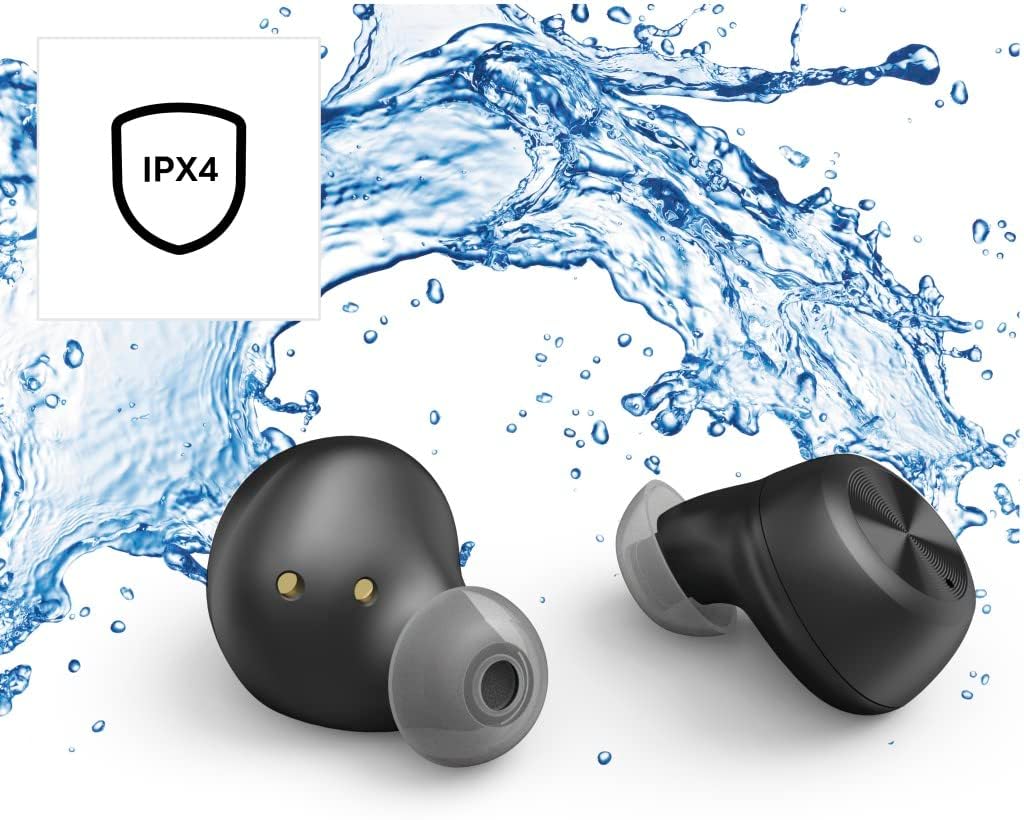
The Thomson WEAR7701 earbuds are rated IPX4, meaning they are protected against splashing water from any direction. This makes them suitable for use during workouts or in light rain.
- Jangan merendam earbud di dalam air.
- Jangan sampai terkena air bertekanan atau air berkecepatan tinggi, seperti saat mandi atau berenang.
- Pastikan earbud dalam keadaan kering sebelum memasukkannya kembali ke dalam wadah pengisian daya untuk mencegah kerusakan pada kontak pengisian daya.
5.3 Penyimpanan
Jika tidak digunakan, simpan earbud dalam wadah pengisi dayanya untuk melindunginya dan menjaganya tetap terisi daya.
6. Penyelesaian masalah
6.1 Earbuds Not Pairing or Only One Earbud Connects
- Pastikan kedua earbud terisi penuh.
- Place both earbuds back into the charging case, close the lid, wait a few seconds, then remove both simultaneously.
- Delete the earbuds from your device's Bluetooth list ("Forget Device") and attempt to pair again from scratch.
- Ensure the earbuds are within Bluetooth range of your device (up to 10 meters).
6.2 Tidak Ada Suara atau Volume Rendah
- Periksa level volume pada perangkat yang terhubung dan pada earbud Anda.
- Pastikan earbud terpasang dengan benar di telinga Anda dan ujung earbud memberikan kedap suara yang baik.
- Sambungkan kembali earbud ke perangkat Anda.
- Bersihkan segala kotoran dari speaker earbud.
6.3 Masalah Pengisian Daya
- Pastikan kabel pengisian daya tersambung dengan aman ke casing dan sumber daya.
- Pastikan sumber daya listrik berfungsi.
- Bersihkan kontak pengisian daya pada kedua earbud dan di dalam wadah pengisian daya.
- Try a different Micro USB charging cable.
7. Spesifikasi
| Nama Model | PAKAI7701 |
| Nomor Model | 132568 |
| Warna | Hitam |
| Konektivitas | Bluetooth 5.0 |
| Kelas Bluetooth | Kelas 2 |
| Pita Frekuensi | Frekuensi 2402-2480MHz |
| Earbud Frequency Range | 20 Hz - 20 kHz |
| Rentang Frekuensi Mikrofon | 100 Hz - 5 kHz |
| Earbud Impedance | 32 Ω = XNUMX |
| Impedansi Mikrofon | 2.2kΩ (XNUMXkΩ) |
| Jarak Transmisi | 10 meter persegi |
| Earbud Sensitivity | 92 dB +/- 3 dB |
| Sensitivitas Mikrofon | -42dB ± 3dB |
| Max. Talk Time | 4 jam |
| Max. Music Playback Time | 4 jam |
| Maks. Waktu Siaga | 150 jam |
| Isi Ulang Casing Pengisi Daya | Hingga 3 kali |
| Average Charging Time (Case) | 3 jam |
| Jenis Pengisian Daya | Mikro USB |
| Posisi Mikrofon | Terintegrasi |
| Jenis Mikrofon | Segala arah |
| Kontrol Suara | Apple Siri/Asisten Google |
| Didukung Bluetooth Profiles | A2DP V1.3/AVRCP V1.6/HFP V1.7/SPP V1.2 |
| Fitur Khusus | Finger-Touch Sensor, QuickPair, Call Answer Button, True Wireless |
| Peringkat Tahan Air | IPX4 (Tahan cipratan) |
| Berat (per earbud) | 4 gram |
| Berat Total | 41 g (earbuds + case) |
| Penggunaan yang Direkomendasikan | Olahraga |
8. Garansi dan Dukungan
Thomson products are manufactured with attention to quality and performance. For information regarding warranty coverage, please refer to the warranty card included with your product or visit the official Thomson weblokasi.
For technical support, troubleshooting assistance, or to inquire about replacement parts, please contact Thomson customer service through their official channels. Contact details can typically be found on the product packaging or the manufacturer's weblokasi.
Harap simpan bukti pembelian Anda untuk klaim garansi.


