1. Pendahuluan
Thank you for choosing the KALINCO P96 Smartwatch. This device is designed to help you monitor your health, track your fitness activities, and stay connected. This manual provides essential information for setting up, operating, and maintaining your smartwatch to ensure optimal performance and longevity.
2. Produk Lebihview
The KALINCO P96 Smartwatch features a 1.69-inch TFT display and offers a wide range of functionalities:
- Pemantauan Kesehatan: Continuous monitoring of heart rate, blood oxygen (SpO2), blood pressure, and sleep patterns. Includes a menstrual cycle tracking function for women.
- Kustomisasi: Split-screen mode for quick access to frequently used functions and over 100 stylish watch faces available via the GloryFit app. You can also upload personal photos as watch faces.
- Mode Olahraga: Over 100 sports modes (running, cycling, rope skipping, dancing, yoga, etc.) with activity tracking for steps, calories burned, distance, heart rate, and blood oxygen during exercise.
- Pemberitahuan pintar: Receive text messages and notifications from apps like WhatsApp, Messenger, Facebook, and Instagram directly on your watch. Notifications can be individually deleted from the watch.
- Durability & Battery Life: IP67 water resistance for daily use (hand washing, rain). Equipped with a 260 mAh battery, providing 5-7 days of active use and 15-20 days of standby time with a 2-hour charge.
- Fungsi Tambahan: Features include phone/watch finder, screen brightness adjustment, breathing training, remote photography, music control, sedentary reminder, alarm clock, timer, stopwatch, and weather forecasts.

Image: The KALINCO P96 Smartwatch displaying its 1.69-inch screen with multiple customizable watch faces and user interface elements.
3. Pengaturan
3.1. Mengisi Daya Jam Tangan Pintar
Before initial use, fully charge your smartwatch. Connect the magnetic charging cable to the charging contacts on the back of the watch and plug the USB end into a standard USB power adapter (not included). A full charge typically takes approximately 2 hours.
3.2. Mengunduh dan Menginstal Aplikasi
The KALINCO P96 Smartwatch requires the KemuliaanFit application for full functionality and data synchronization. You can download the app from:
- The Apple App Store (for iOS devices)
- Google Play Store (untuk perangkat Android)
- Scan the QR code provided in the quick start guide (if available).
The GloryFit app is compatible with smartphones running Android 5.0 or iOS 9.0 and above.
3.3. Memasangkan dengan Ponsel Pintar Anda
- Pastikan Bluetooth telepon pintar Anda diaktifkan.
- Buka aplikasi GloryFit di ponsel cerdas Anda.
- Follow the in-app instructions to search for and connect to your KALINCO P96 Smartwatch. The watch will typically appear as 'P96' or a similar device name.
- Konfirmasikan permintaan pemasangan di ponsel cerdas dan jam tangan pintar Anda jika diminta.
Setelah dipasangkan, jam tangan akan menyinkronkan waktu dan data dengan ponsel Anda.
4. Petunjuk Pengoperasian
4.1. Navigasi Dasar
- Geser ke Atas/Bawah: Menavigasi menu dan notifikasi.
- Geser ke Kiri/Kanan: Akses fungsi cepat atau layar data yang berbeda.
- Mengetuk: Pilih item atau konfirmasi tindakan.
- Tombol Samping: Tekan untuk mengaktifkan layar, kembali ke layar utama, atau mengakses menu utama.
4.2. Pemantauan Kesehatan
The smartwatch continuously monitors several health metrics:
- Denyut Jantung: Provides 24-hour heart rate monitoring. View real-time data on the watch or detailed trends in the GloryFit app.
- Oksigen Darah (SpO2): Monitors blood oxygen levels using infrared technology. Access readings on the watch or app.
- Tekanan darah: Measures blood pressure. For accurate readings, ensure the watch is worn correctly and remain still during measurement. Consult a medical professional for precise medical data.
- Pelacakan Tidur: Automatically tracks your sleep patterns, including deep sleep, light sleep, and awake times. Review your sleep quality analysis in the GloryFit app.
- Pelacakan Siklus Menstruasi: A dedicated feature for women to record and track menstrual cycles within the GloryFit app.

Image: The smartwatch interface showing health monitoring features such as blood oxygen, blood pressure, heart rate, and a visual representation of sleep tracking data.
4.3. Mode Olahraga dan Pelacakan Aktivitas
The P96 Smartwatch supports over 100 sports modes. To use:
- Navigate to the 'Sports' section on your watch.
- Select your desired activity (e.g., running, cycling, yoga).
- Start the activity. The watch will track metrics like steps, calories, distance, and heart rate.
- End the activity to save your data. Detailed reports are available in the GloryFit app.

Image: A visual representation of the smartwatch's 100+ sports modes icons and a smartphone screen displaying detailed daily activity tracking data including steps, distance, and calories.
4.4. Notifikasi Cerdas
Once paired with your phone, the watch can display notifications:
- Ensure app notifications are enabled in the GloryFit app settings.
- Incoming calls, text messages, and app alerts will vibrate the watch and display content on the screen.
- You can dismiss or delete notifications directly from the watch.

Image: The smartwatch showing icons for various smart notifications (calls, Facebook, Line, Instagram, etc.) and illustrations of vibration reminders for calls, sedentary alerts, and alarms.
4.5. Kustomisasi
- Tampilan Jam: In the GloryFit app, browse and select from over 100 watch faces. You can also upload your own photos to personalize the watch face.
- Mode Layar Terpisah: Swipe right on the main screen to access the split-screen area, allowing quick selection of frequently used functions.
4.6. Fungsi Tambahan
Explore other useful features:
- Stopwatch: Gunakan stopwatch bawaan untuk mengukur waktu aktivitas.
- Prakiraan Cuaca: View current weather conditions and forecasts (requires app synchronization).
- Kontrol Musik: Kontrol pemutaran musik di ponsel cerdas Anda (putar, jeda, lewati lagu).
- Penyesuaian Kecerahan: Sesuaikan kecerahan layar untuk visibilitas optimal dalam berbagai kondisi pencahayaan.
- Temukan Ponsel/Jam Tangan: Locate your paired phone or watch if misplaced.
- Pelatihan Pernapasan: Latihan pernapasan terpandu untuk relaksasi.
- Fotografi Jarak Jauh: Gunakan jam tangan Anda sebagai rana jarak jauh untuk kamera ponsel Anda.
- Pengingat Sedentary: Dapatkan peringatan untuk berpindah jika Anda sudah terlalu lama tidak aktif.
- Jam Alarm dan Pengatur Waktu: Set alarms and timers directly from your watch.
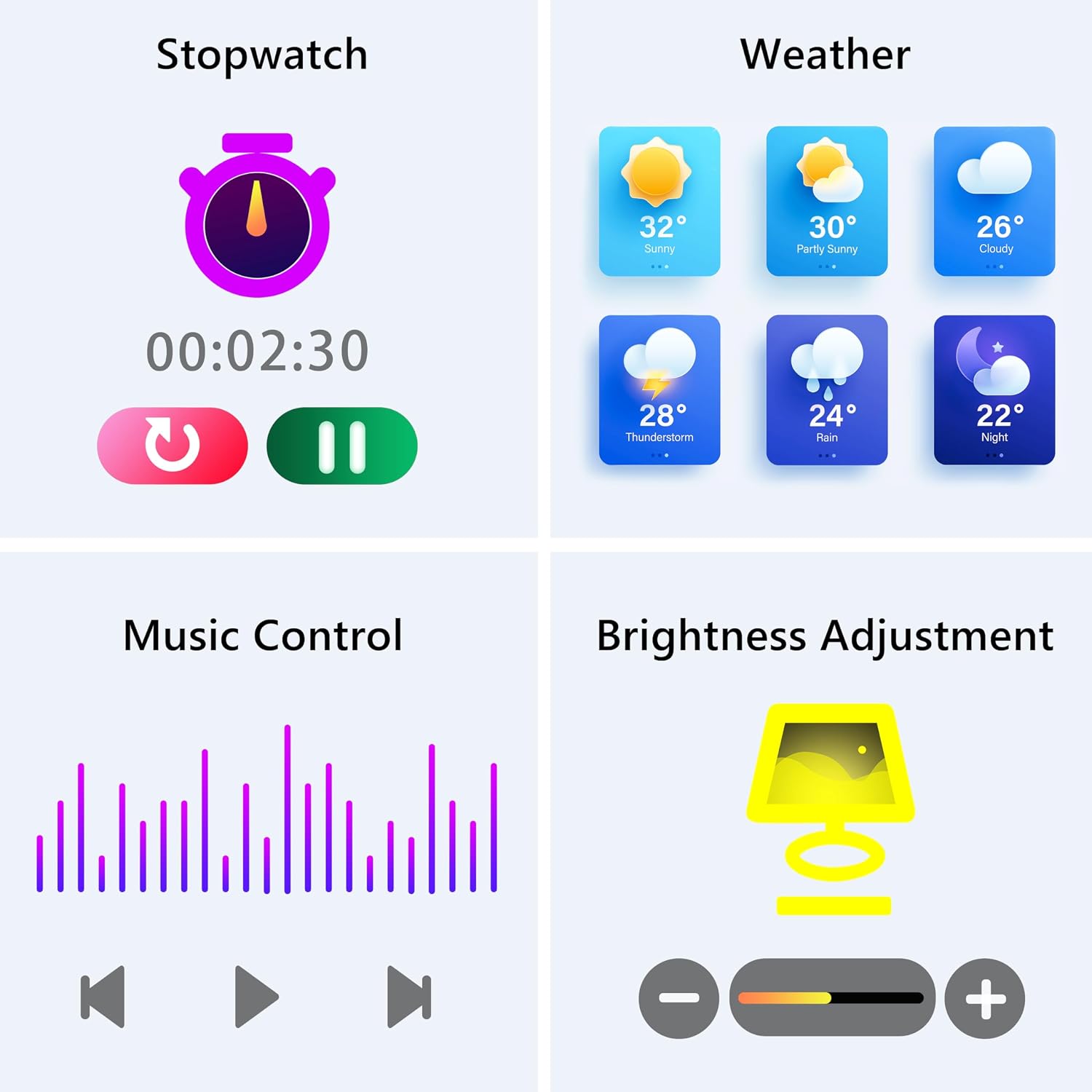
Image: The smartwatch screen showing various utility functions including a stopwatch, weather forecast, music control interface, and brightness adjustment slider.
5. Pemeliharaan
- Pembersihan: Regularly clean your smartwatch and strap with a soft, dry cloth. Avoid using harsh chemicals or abrasive materials.
- Tahan Air (IP67): The watch is IP67 water-resistant, meaning it can withstand splashes, hand washing, and rain. It is bukan suitable for swimming, showering with hot water, or diving. Avoid prolonged exposure to water.
- Perawatan Baterai: Charge the battery fully when indicated. Avoid completely draining the battery frequently to prolong its lifespan. Store the watch in a cool, dry place when not in use for extended periods.
- Pembaruan Perangkat Lunak: Keep the GloryFit app updated to ensure your smartwatch has the latest features and performance improvements.
6. Penyelesaian masalah
If you encounter issues with your KALINCO P96 Smartwatch, try the following solutions:
- Jam tidak menyala: Pastikan jam tangan terisi penuh. Sambungkan ke pengisi daya setidaknya selama 10-15 menit.
- Tidak dapat dipasangkan dengan telepon:
- Pastikan Bluetooth diaktifkan di ponsel Anda.
- Pastikan jam tangan berada dalam jangkauan Bluetooth (biasanya 10 meter).
- Mulai ulang ponsel dan jam tangan pintar Anda.
- Check if the GloryFit app is updated to the latest version.
- If previously paired, try unpairing and re-pairing the device through the GloryFit app.
- Notifikasi tidak diterima:
- Verify that notifications are enabled for specific apps in the GloryFit app settings.
- Ensure your phone's notification settings allow the GloryFit app to display alerts.
- Check if the watch is properly connected via Bluetooth.
- Data kesehatan yang tidak akurat:
- Pastikan jam tangan dikenakan dengan pas di pergelangan tangan Anda, tidak terlalu ketat atau terlalu longgar.
- For blood pressure readings, remain still and follow instructions. Note that smartwatch blood pressure measurements are for reference only and should not replace professional medical equipment.
- Bersihkan sensor di bagian belakang jam.
- Masa pakai baterai pendek:
- Kurangi kecerahan layar.
- Nonaktifkan pemantauan detak jantung terus menerus jika tidak diperlukan 24/7.
- Batasi jumlah aplikasi yang mengirimkan notifikasi ke jam tangan.
Jika masalah berlanjut, silakan lihat bagian dukungan untuk informasi kontak.
7. Spesifikasi
| Fitur | Detil |
|---|---|
| Merek | KALI |
| Nomor Model | Bagian 96 |
| Ukuran Layar | 1.69 inci |
| Sistem Operasi | Multiple Versions of Both iOS and Android |
| Teknologi Konektivitas | Bluetooth 4.0 |
| Kapasitas Baterai | 260 mAh (Lithium-polimer) |
| Tahan Air | Tingkat IP67 |
| Perangkat yang Kompatibel | Smartphone (Android 5.0+ / iOS 9.0+) |
| Fitur Khusus | Text Messaging, Notification, Health Monitoring |
| Bahasa Indonesia: GPS | GPS melalui ponsel pintar |
8. Garansi dan Dukungan
KALINCO is committed to providing exceptional products. Your KALINCO P96 Smartwatch comes with a Garansi 12 bulan sejak tanggal pembelian.
If you encounter any problems, have suggestions, or require assistance, please do not hesitate to contact KALINCO customer support. We are dedicated to providing you with satisfactory solutions at all times.
For support, please refer to the contact information provided with your product packaging or visit the official KALINCO weblokasi.


