Perkenalan
Thank you for choosing the GENBOLT GB217K 2K Wireless Solar PTZ Security Camera. This manual provides essential information for the safe and efficient use of your new security camera. Please read these instructions carefully before installation and operation, and retain them for future reference.
Produk Selesaiview
Fitur Utama
- 100% Wireless & IP66 Weatherproof: Designed for easy outdoor or indoor installation without power cables or Ethernet. Withstands various weather conditions.
- 24/7 Solar Charging: Equipped with a 7W solar panel and 15600mAh rechargeable batteries for continuous operation and extended standby time (up to 180 days).
- Enhanced Smart PIR Alarm: Features a PIR sensor and humanoid detection to reduce false alarms from pets. Includes a spotlight function to deter intruders.
- 2K Color Night Vision: Delivers 3MP (2304x1296px @ 15fps) high-resolution images with a 2.8mm lens offering a 120° super wide-angle view.
- Fungsi PTZ: Menawarkan pergerakan horizontal 355° dan kemiringan vertikal 90° untuk cakupan area yang komprehensif.
- Audio Dua Arah: Berkomunikasi langsung melalui kamera.
- Akses Multi-Pengguna: Share camera access with multiple users.
- Penyimpanan Lokal: Supports Micro SD card recording, even if WiFi is unavailable.
Komponen
The GENBOLT GB217K camera system includes the following main components:

Gambar 1: Terperinci view of the GENBOLT GB217K camera components, including the solar panel, antennas, various sensors, and ports.
- 7W Solar Panel (with 6pcs 18650 Li-ion batteries)
- Dual 5dBi Antenna
- Power ON/OFF Switch & Charging Port (USB 5V)
- Sensor PIR
- 6pcs White LED (for illumination)
- Sensor Fotosensitif
- Lensa HD
- Mikropon
- Reset Button & Micro SD Card Slot
- Pembicara
- Panduan Pengguna
- Kunci pas
- Sekrup Pemasangan
Pengaturan
1. Pengisian Awal
Before first use, fully charge the camera's internal batteries using the provided USB cable. Connect the USB cable to the charging port (USB 5V) on the camera and a standard USB power adapter (not included).
2. Instalasi dan Pemasangan Aplikasi
- Unduh GENBOLT PRO Unduh aplikasi dari toko aplikasi ponsel cerdas Anda (iOS atau Android).
- Daftarkan akun dan masuk.
- Follow the in-app instructions to add your new camera. This typically involves scanning a QR code on the camera or manually entering its ID. Ensure your phone is connected to a 2.4GHz Wi-Fi network during setup.
3. Pemasangan Panel Surya
The 7W solar panel is designed to keep your camera continuously charged. For optimal performance, consider the following:
- Cahaya matahari langsung: Pasang panel surya di lokasi yang menerima sinar matahari langsung maksimal sepanjang hari. Hindari area yang teduh.
- Orientasi: Orient the solar panel towards the south (in the Northern Hemisphere) for best charging efficiency. Adjust the angle to capture sunlight effectively.

Gambar 2: Solar panel installation tips for maximizing charging efficiency.
- Instalasi Fleksibel: Use the included 3-meter extension cord to install the solar panel separately from the camera if a better sunlit location is available.

Gambar 3: Example of split installation for the solar panel and camera.
4. Pemasangan Kamera
The camera is designed for wall mounting. Use the provided screws and Allen wrench for secure installation. Ensure the mounting location provides a clear view of the area you wish to monitor and is within range of your 2.4GHz Wi-Fi network.
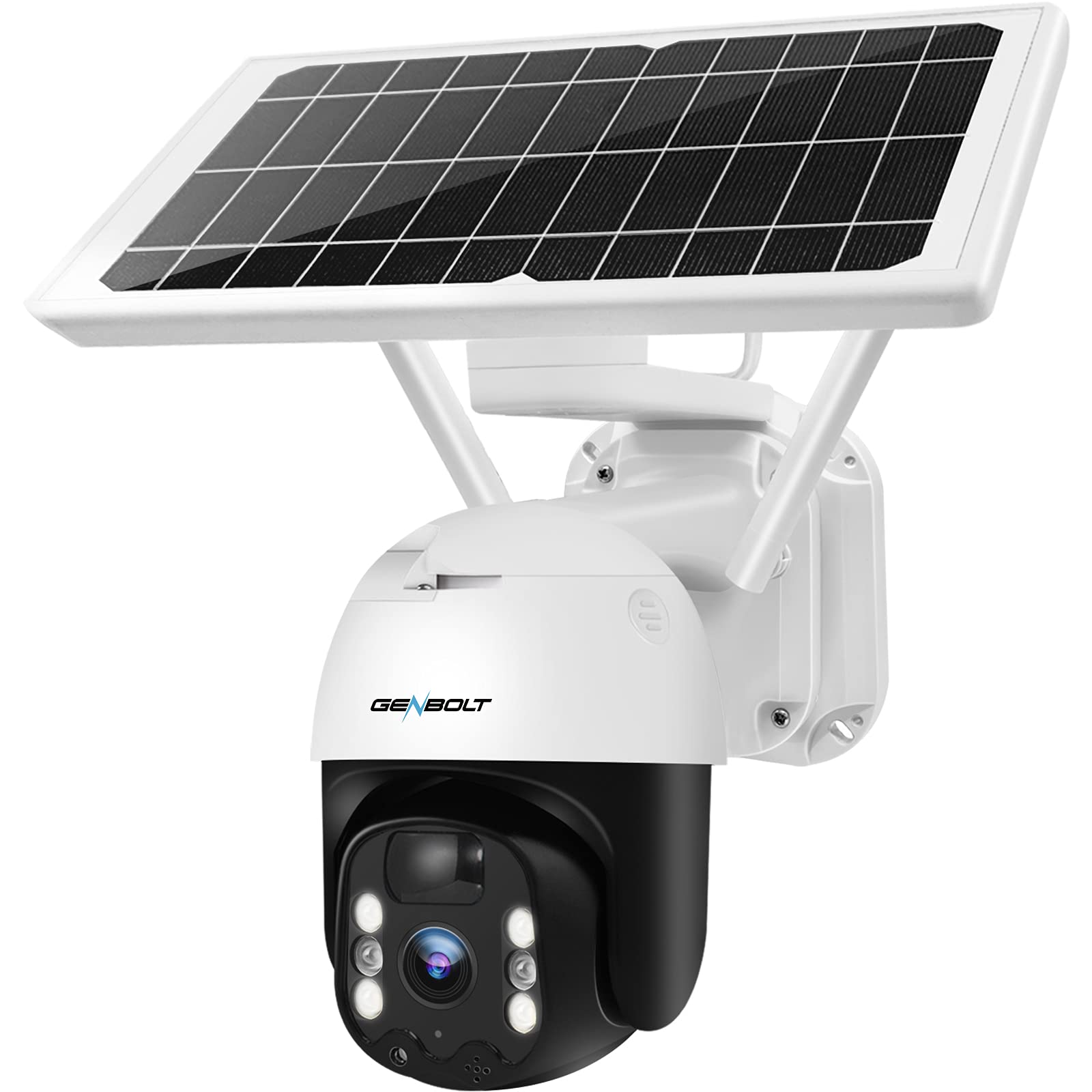
Gambar 4: GENBOLT GB217K camera with solar panel mounted.
Petunjuk Pengoperasian
1. Langsung View dan Kontrol PTZ
Open the GENBOLT PRO app on your smartphone. Select your camera to access the live view. Use the on-screen controls to pan (355° horizontally) and tilt (90° vertically) the camera lens to adjust the viewing angle. The camera provides a 120° wide-angle view.

Gambar 5: Hidup view and PTZ control via the GENBOLT PRO app.
2. Deteksi Gerakan dan Peringatan
The camera features an enhanced PIR sensor with humanoid detection. This system is designed to detect human movement and reduce false alarms from other sources. When motion is detected, the camera can:
- Send instant notifications to your smartphone.
- Activate the built-in spotlight to deter intruders.
- Begin recording video footage.
Adjust sensitivity settings within the GENBOLT PRO app to optimize detection for your environment.

Gambar 6: Enhanced PIR detection with humanoid recognition.
3. Penglihatan Malam
The camera supports 2K color night vision, providing clear, full-color images even in low-light conditions. It also has traditional IR night vision for situations where color is not needed or desired.
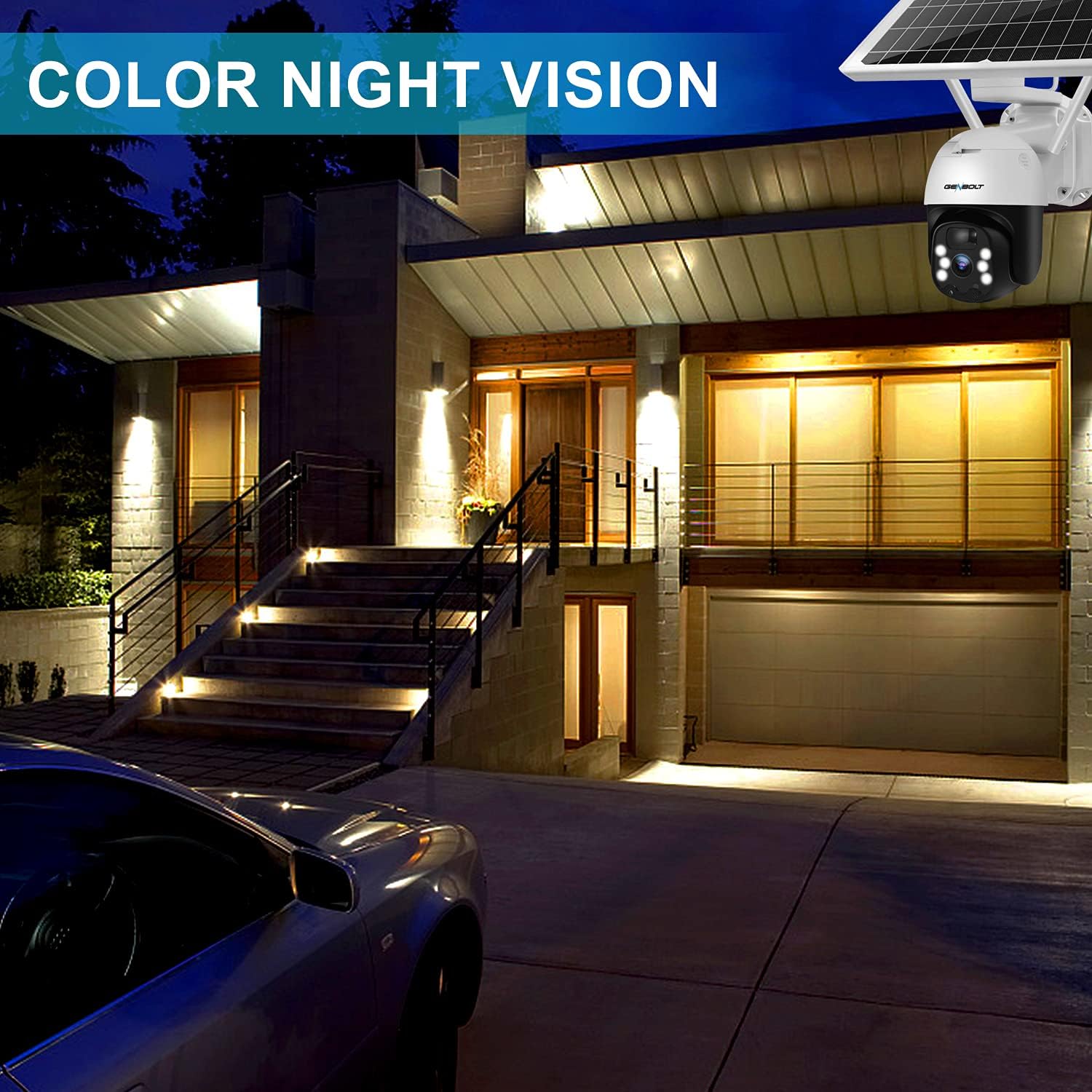
Gambar 7: Example of 2K color night vision.
4. Audio Dua Arah
Utilize the two-way audio feature to communicate with visitors or deter unwanted guests. Tap the microphone icon in the app's live view to speak, and listen through the camera's built-in speaker.

Gambar 8: Komunikasi audio dua arah.
5. Perekaman dan Penyimpanan
The camera supports local storage via a Micro SD card (not included). Insert a Micro SD card into the designated slot (refer to Figure 1 for location). The camera will continue to record even if your Wi-Fi connection is temporarily unavailable.

Gambar 9: Camera continues recording to Micro SD card even without WiFi.
Pemeliharaan
- Pembersihan Lensa: Bersihkan lensa kamera secara berkala dengan kain lembut dan kering untuk memastikan kualitas gambar yang jernih. Hindari pembersih abrasif.
- Pembersihan Panel Surya: Keep the solar panel free of dust, dirt, and debris to maintain optimal charging efficiency. Wipe it gently with a damp kain sesuai kebutuhan.
- Kesehatan Baterai: The camera uses 15600mAh Lithium-ion batteries. While solar charging keeps them topped up, ensure the camera receives sufficient sunlight. If the camera is installed in a consistently shaded area, occasional manual charging via USB may be required.
- Pembaruan Firmware: Check the GENBOLT PRO app regularly for available firmware updates to ensure your camera has the latest features and security enhancements.
Penyelesaian Masalah
| Masalah | Kemungkinan Penyebab | Larutan |
|---|---|---|
| Kamera tidak menyala. | Baterai lemah; Daya mati. | Ensure the power switch is ON. Charge the camera fully using the USB cable. Verify the solar panel is receiving adequate sunlight. |
| Tidak dapat terhubung ke Wi-Fi. | Incorrect Wi-Fi password; Camera too far from router; Only 5GHz Wi-Fi network available; Network issues. | Ensure correct 2.4GHz Wi-Fi password. Move camera closer to the router. Confirm your router supports 2.4GHz Wi-Fi. Restart your router and camera. If issues persist, try resetting the camera (refer to Figure 1 for reset button location) and re-pairing. |
| Micro SD card not recognized or recording stops. | SD card corrupted; Incorrect format; Card not inserted properly. | Remove and reinsert the Micro SD card. If the issue persists, remove the card and format it on a computer (FAT32 format recommended), then reinsert. Ensure the card is Class 10 or higher. |
| Sering terjadi alarm palsu. | High PIR sensitivity; Environmental factors (e.g., moving branches, strong sunlight). | Adjust the PIR sensitivity settings in the GENBOLT PRO app. Utilize the humanoid detection feature. Ensure the camera is not pointed at areas with constant movement or direct sunlight that could trigger the sensor. |
| Kualitas gambar buruk. | Dirty lens; Low network bandwidth. | Clean the camera lens. Ensure a stable and strong Wi-Fi connection. |
Spesifikasi
| Fitur | Detil |
|---|---|
| Nomor Model | GB217K |
| Resolusi Video | 3 MP (2304 x 1296 px @ 15 fps) |
| Viewsudut ing | 120 derajat |
| Jangkauan Pan/Tilt | Pan 355 °, Miringkan 90 ° |
| Konektivitas Nirkabel | Wi-Fi (2.4 GHz) |
| Sumber Daya | Bertenaga Surya (Panel Surya 7W) |
| Kapasitas Baterai | 15600 mAh (2 Lithium-ion batteries included) |
| Tahan Cuaca | Tingkat IP66 |
| Penglihatan Malam | Color Night Vision, Infrared Night Vision |
| Fitur Khusus | PIR Humanoid Detection, Two-Way Audio, Spotlight Alarm |
| Bahan | Plastik |
| Dimensi (P x L x T) | 15 x 15 x 25 cm (sekitar 5.9 x 5.9 x 9.8 inci) |
| Berat | 2.05 kg (sekitar 4.5 pon) |
Garansi dan Dukungan
GENBOLT offers the following support for your product:
- Pertukaran 30 Hari: For product exchanges within 30 days of purchase.
- Garansi 1 Tahun: Covers manufacturing defects for one year from the purchase date.
- Dukungan Teknis Gratis: Available for all product-related inquiries.
Informasi Kontak:
- E-mail: inggris@genbolt.com
- Local Support (Canada): +1 (778) 807-9710 (Monday - Friday, 5:30 AM to 10:30 AM PST)


