Perkenalan
This manual provides essential information for the safe and efficient operation, installation, and maintenance of your IRIS USA 3-in-1 WOOZOO Portable Air Conditioner and Dehumidifier. Please read this manual thoroughly before using the appliance and retain it for future reference.
Informasi Keselamatan
Selalu ikuti tindakan pencegahan keselamatan dasar saat menggunakan peralatan listrik untuk mengurangi risiko kebakaran, sengatan listrik, dan cedera pada orang.
- Pastikan catu daya sesuai dengan voltage yang ditentukan pada label peringkat unit.
- Jangan mengoperasikan unit dengan kabel atau steker yang rusak.
- Jangan halangi saluran masuk dan keluar udara.
- Keep children away from the appliance. Activate the child lock function for added safety.
- Do not insert fingers or foreign objects into the air outlet.
- Cabut unit sebelum membersihkan atau melakukan perawatan apa pun.
- This unit is UL listed to meet U.S. safety standards.
Produk Selesaiview
Familiarize yourself with the components and features of your portable air conditioner.

Gambar 1: The IRIS USA WOOZOO Portable Air Conditioner shown with its accompanying remote control. The unit is white with a black top panel and front grille, featuring wheels for easy mobility.

Gambar 2: An illustration highlighting the powerful cooling capabilities of the unit, including 10,000 BTU AC cooling power, 3 adjustable fan speeds, and a dehumidifying capacity of 74 pints per day.

Gambar 3: A diagram illustrating the detailed dimensions of the portable air conditioner, showing its height (30 inches), depth (16 inches), and width (12 inches). Key specifications like weight (55 lbs), wattage (1010W), cable length (71 inches), and temperature range (61°F - 86°F) are also displayed.

Gambar 4: This image shows the full-function remote control with a digital display, allowing easy operation of the unit. Below, a close-up of the built-in casters demonstrates the unit's easy maneuverability.
Pengaturan dan Instalasi
Proper installation is crucial for optimal performance. This unit includes a window kit for exhaust ventilation.
- Membongkar: Carefully remove the unit and all accessories from the packaging. Check for any damage.
- Penempatan: Place the unit on a flat, stable surface. Ensure there is at least 20 cm (8 inches) of space around the unit for proper airflow. The unit is equipped with wheels for easy movement.
- Instalasi Kit Jendela:
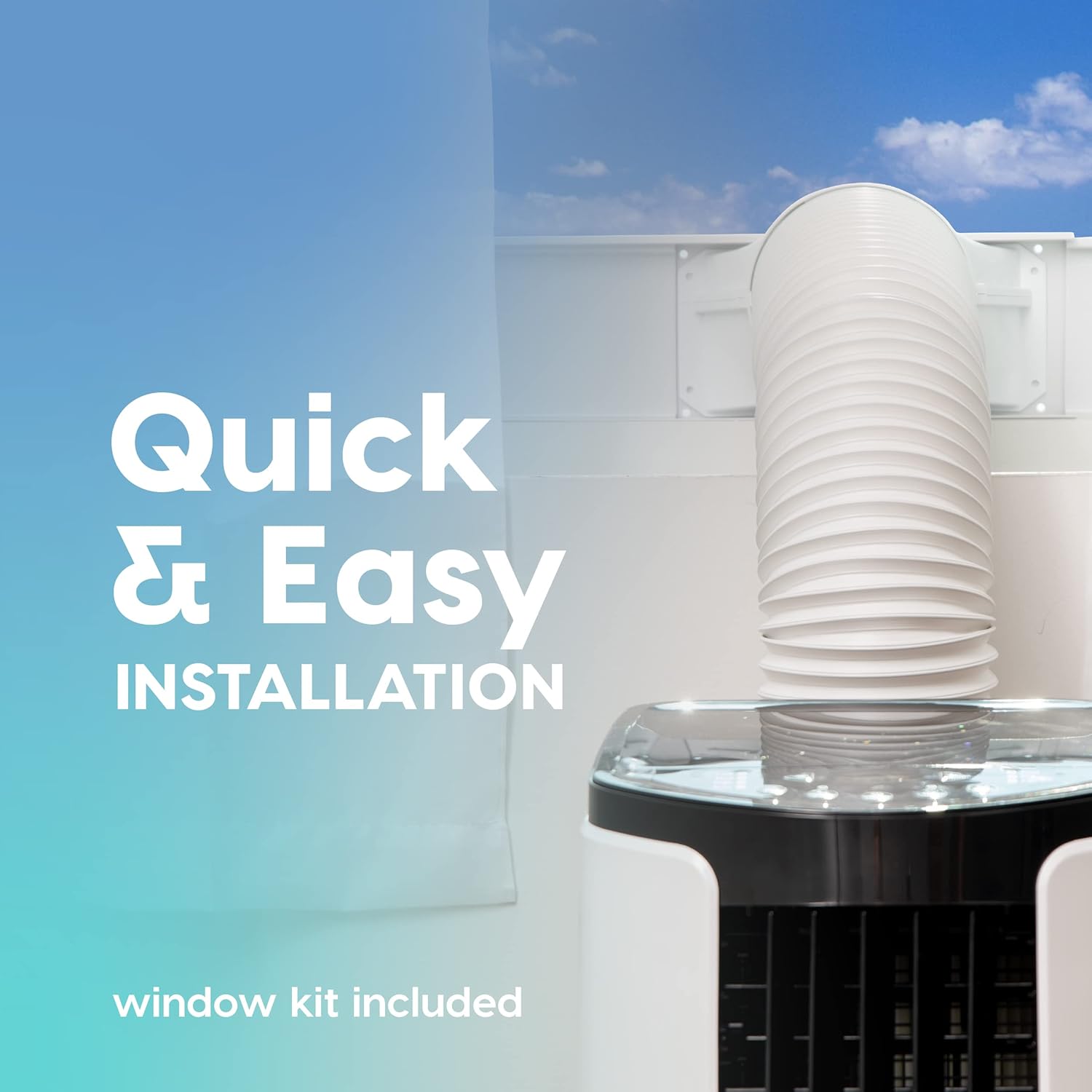
Gambar 5: This image illustrates the quick and easy installation process, showing the exhaust hose connected to the unit and extended through a window using the included window kit.
- Assemble the window sealing plate kit according to the instructions provided in the separate window kit manual.
- Connect the exhaust hose to the unit's exhaust outlet and extend it to the window kit.
- Ensure the hose is not kinked or bent sharply, as this can restrict airflow and reduce efficiency.
- Sambungan Daya: Sambungkan kabel daya ke stopkontak listrik yang diarde.
Petunjuk Pengoperasian
Your portable air conditioner offers multiple modes for customized comfort. All functions can be easily operated with the included remote control.
Panel Kontrol dan Kontrol Jarak Jauh
The unit can be controlled via the top-mounted control panel or the remote control. The remote control features a digital display for easy viewing.
Mode Operasi
- Mode Pendinginan: Provides powerful cooling for rooms up to 450 square feet.
- Tekan tombol MODE button until the cooling indicator light is on.
- Adjust the desired temperature using the + or - buttons (range: 61°F / 16°C to 86°F / 30°C).
- Sesuaikan kecepatan kipas menggunakan FAN button (3 speeds available).
- Modus Kipas: Mengedarkan udara tanpa pendinginan.
- Tekan tombol MODE button until the fan indicator light is on.
- Sesuaikan kecepatan kipas menggunakan FAN tombol.
- Mode Dehumidifier: Menghilangkan kelebihan kelembapan dari udara.
- Tekan tombol MODE button until the dehumidifier indicator light is on.
- The unit will automatically exhaust condensate in most environments.
Fungsi Tambahan
- Mode tidur: Activates quiet operation and gradually adjusts temperature for comfortable sleep. Press the TIDUR tombol.
- Fungsi Pengatur Waktu: Set the unit to turn on or off automatically within a 24-hour period. Press the PENGATUR WAKTU tombol dan gunakan + or - untuk mengatur waktu yang diinginkan.
- Kunci Anak: Prevents accidental changes to settings. Refer to the remote control instructions for activation.
- Osilasi: Both vertical and horizontal oscillation can be adjusted manually to direct airflow.
Pemeliharaan
Perawatan rutin memastikan umur panjang dan efisiensi AC portabel Anda.
Pembersihan Filter

Gambar 6: This image shows the reusable air filter being cleaned under running water, emphasizing the ease of maintenance with simple soap and water.
The unit is equipped with a washable air filter that can be cleaned with simple soap and water. Clean the filter every two weeks or more frequently depending on usage and air quality.
- Cabut unit dari stopkontak.
- Cari dan lepaskan filter udara dari bagian belakang atau samping unit.
- Wash the filter under running water with a mild detergent.
- Bilas hingga bersih dan biarkan filter mengering sepenuhnya sebelum memasangnya kembali ke dalam unit.
Perawatan Umum
- Lap bagian luar unit dengan lembut, damp kain. Jangan gunakan bahan kimia keras atau pembersih abrasif.
- For long-term storage, drain any accumulated water, clean the filter, and store the unit in a dry place.
Penyelesaian Masalah
Lihat bagian ini untuk masalah umum dan solusinya.
| Masalah | Kemungkinan Penyebab | Larutan |
|---|---|---|
| Unit tidak menyala. | Tidak ada daya, kabel daya tercabut, pemutus arus tersandung. | Periksa sambungan daya, setel ulang pemutus sirkuit. |
| Unit tidak mendingin secara efektif. | Air filter dirty, exhaust hose blocked/kinked, room too large, windows/doors open. | Clean air filter, check exhaust hose, ensure proper room size, close windows/doors. |
| Unit berisik. | Unit tidak berada di permukaan yang rata, kipas terhalang. | Place on a level surface, check for obstructions in fan area. |
| Kebocoran air. | Drain plug not properly sealed, unit tilted. | Ensure drain plug is secure, place unit on a level surface. |
Spesifikasi
| Fitur | Detil |
|---|---|
| Model | WOOZOO Portable Air Conditioner |
| ASIN | B096SHCS8J |
| Kapasitas Pendinginan | 10,000 BTU (ASHRAE) |
| Area Cakupan | Hingga 450 kaki persegi |
| Kapasitas Dehumidifying | 74 pint / hari |
| Kisaran Suhu | 61°F (16°C) hingga 86°F (30°C) |
| Kecepatan Kipas | 3 |
| Konsumsi Daya | 1010W |
| Jil.tage | 115 Volt |
| Tingkat Kebisingan | 30dB |
| Dimensi (P x L x T) | 31.5D x 39.5W x 77H Sentimeter (kira-kira 12.4D x 15.6W x 30.3H inci) |
| Berat | 55 pon (sekitar 24.9 kg) |
| Fitur Khusus | LED Temperature Display, Remote Controlled, Sleep Mode, Timer, Child Lock, Auto Drain Function |
Garansi dan Dukungan
For warranty information or technical support, please refer to the warranty card included with your product or contact IRIS USA customer service. Keep your purchase receipt as proof of purchase.
For further assistance, visit the official IRIS USA websitus atau menghubungi saluran dukungan pelanggan mereka.


