1. Pendahuluan
The BirdDog PF120 is a high-performance Full HD NDI box camera designed for professional video production environments. It features an Exmor R back-illuminated sensor, 20x optical zoom, and a full color matrix, all housed within a durable all-metal chassis. This manual provides essential information for the proper setup, operation, and maintenance of your PF120 camera.
2. Isi Paket
Harap pastikan bahwa semua barang yang tercantum di bawah ini termasuk dalam paket Anda. Jika ada barang yang hilang atau rusak, segera hubungi penjual Anda.
- BirdDog PF120 Full HD NDI 20x Box Camera
- Adaptor Daya (DC 12V)
- Tutup Lensa
- Dokumentasi (Panduan Memulai Cepat, Informasi Keselamatan)
3. Produk Lebihview
The BirdDog PF120 is engineered for versatility and robust performance. Key features include:
- Full NDI support for seamless integration into IP workflows.
- 20x optical zoom for detailed close-ups.
- Exmor R back-illuminated sensor for superior low-light performance.
- Durable all-metal housing.
- Multiple connectivity options including HDMI, NDI/PoE, RS-232, and USB2.0.
3.1 Kamera Views dan Komponen

Gambar 3.1: Sisi depan view of the BirdDog PF120 camera, showcasing the lens and the BirdDog logo on the side panel.
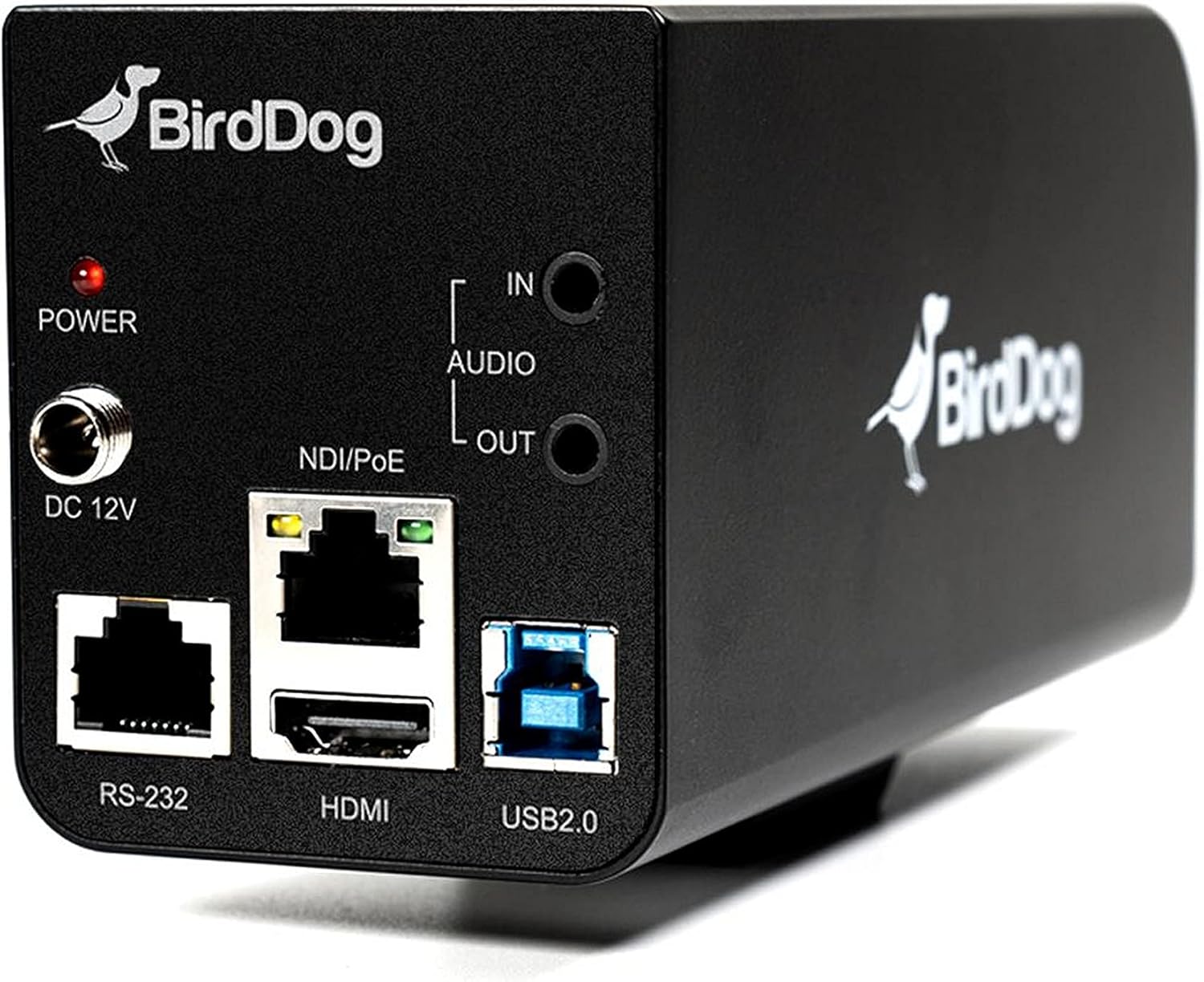
Gambar 3.2: Rear panel of the BirdDog PF120, displaying the power input (DC 12V), audio input/output, NDI/PoE port, HDMI output, RS-232 port, and USB2.0 port.
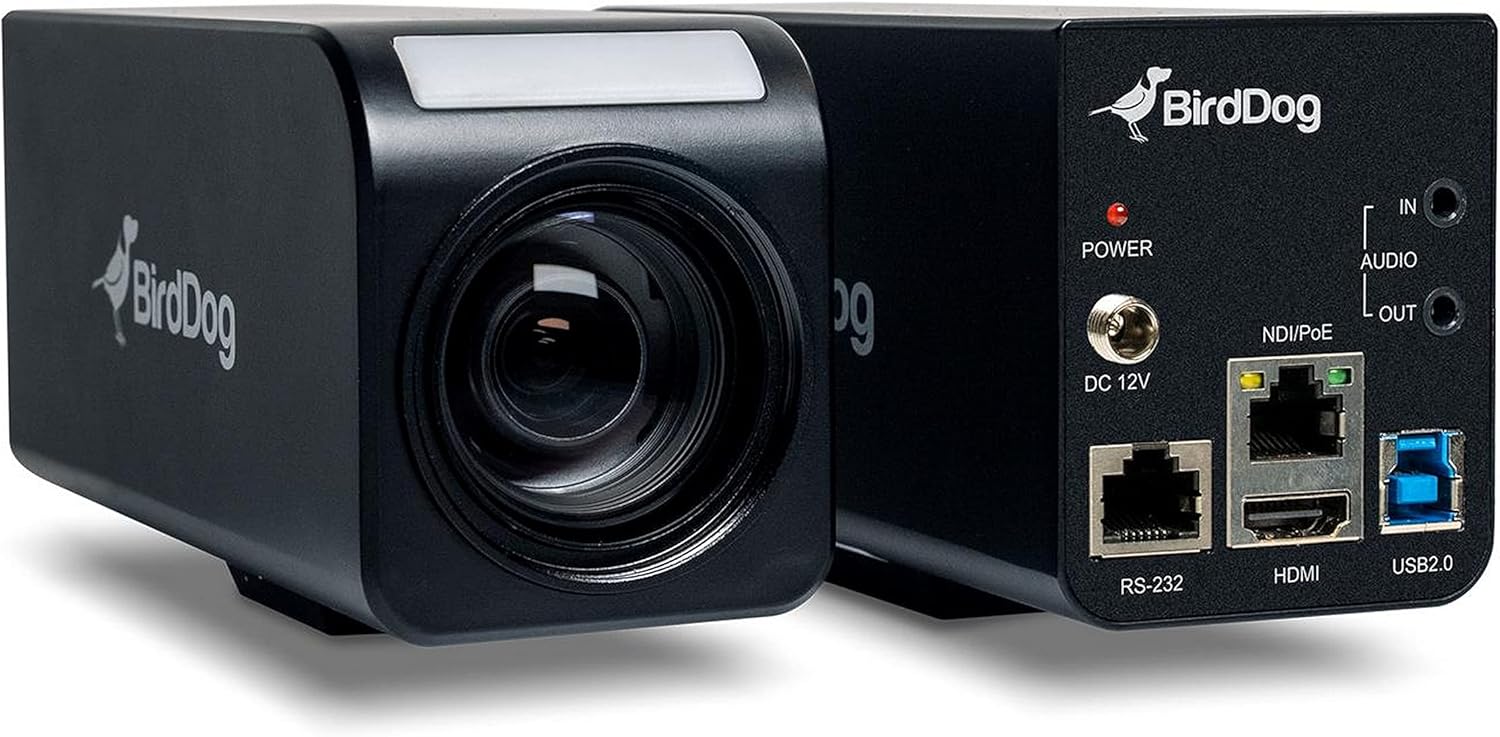
Gambar 3.3: Gabungan view of the BirdDog PF120, showing both the front lens assembly and the rear connectivity panel.

Gambar 3.4: Atas view of the BirdDog PF120 camera, highlighting the sleek design and BirdDog branding.
4. Pengaturan
4.1 Menghidupkan
- Connect the supplied DC 12V power adapter to the "DC 12V" port on the rear of the camera.
- Colokkan adaptor daya ke stopkontak yang sesuai.
- Alternatively, if using a PoE-enabled network switch, connect an Ethernet cable to the "NDI/PoE" port. The camera will power on via Power over Ethernet.
4.2 Network Connection (NDI)
- Connect an Ethernet cable from the "NDI/PoE" port on the camera to your network switch or router.
- Ensure your network is configured to support NDI protocols.
- The camera will obtain an IP address automatically via DHCP. For static IP configuration, refer to the BirdDog Central application or web antarmuka.
4.3 Keluaran Video
- NDI Output: The primary video output is via NDI over the Ethernet connection.
- Keluaran HDMI: Connect an HDMI cable from the "HDMI" port on the camera to a monitor or video switcher for direct video monitoring.
5. Mengoperasikan Kamera
5.1 Mengakses Web Antarmuka
- Once connected to the network, use the BirdDog Central application or an IP scanner to discover the camera's IP address.
- Buka sebuah web Buka browser dan masukkan alamat IP kamera untuk mengaksesnya. web antarmuka.
- Dari web interface, you can configure video settings, network parameters, and control camera functions.
5.2 Kontrol Kamera
The PF120 can be controlled via:
- NDI Tools: Utilize NewTek NDI Tools (e.g., NDI Studio Monitor) for basic control.
- BirdDog Central / Cam Control: BirdDog's dedicated software provides comprehensive control over camera settings, including zoom, focus, iris, and color matrix.
- RS-232: Connect a compatible serial controller to the RS-232 port for hardware control.
- Kontrol Jarak Jauh: The camera supports remote control methods as specified in the product documentation.
5.3 Zoom dan Fokus
The PF120 features a 20x optical zoom lens. Zoom and focus adjustments are typically made through the web interface or compatible control software.
6. Pemeliharaan
- Pembersihan: Use a soft, dry cloth to clean the camera body. For the lens, use a specialized lens cleaning solution and microfiber cloth. Avoid abrasive cleaners.
- Pembaruan Firmware: Periodically check the BirdDog webSitus untuk pembaruan firmware. Memperbarui firmware secara berkala memastikan kinerja optimal dan akses ke fitur-fitur baru.
- Penyimpanan: Saat tidak digunakan dalam jangka waktu lama, simpan kamera di tempat yang sejuk dan kering, jauh dari sinar matahari langsung dan suhu ekstrem.
7. Penyelesaian masalah
7.1 Tidak Ada Daya
- Pastikan adaptor daya terhubung dengan aman ke kamera dan stopkontak yang berfungsi.
- If using PoE, verify that the Ethernet cable is connected to a PoE-enabled port on your switch and that the switch is providing power.
7.2 No NDI Signal
- Periksa sambungan kabel Ethernet.
- Verify that the camera has obtained an IP address (check your router's DHCP client list or use BirdDog Central).
- Ensure your network firewall is not blocking NDI traffic.
- Confirm that NDI tools or software on your receiving device are correctly configured to discover NDI sources.
7.3 Masalah Kualitas Gambar
- Check lens for smudges or dust and clean if necessary.
- Adjust focus settings via the web interface or control software.
- Review exposure, white balance, and color matrix settings in the camera's web antarmuka.
8. Spesifikasi
| Fitur | Detil |
|---|---|
| Nomor Model | BD-BDPF120 |
| Resolusi Pengambilan Video | 1080p |
| Resolusi Video yang Efektif | 720 piksel |
| Zoom Optik | 20 kali |
| Jenis Zoom | Digital Zoom, Optical Zoom |
| Teknologi Konektivitas | Berkabel |
| Protokol Konektivitas | Wi-Fi (for control/management, NDI is primary video) |
| Metode Kontrol | Remote, Iris, RS-232 |
| Sumber Daya | AC/DC, PoE |
| Apatage | 5 watt |
| Bahan | Logam |
| Dimensi Barang (P x L x T) | 9.9x9x3.6 inci |
| Berat Barang | 2.94 pon |
| Jenis Pemasangan | Wall Mount (as per spec, but typically box cameras are versatile) |
| Penilaian Perlindungan Internasional | Tingkat IP65 |
| Teknologi Cahaya Rendah | Warna Malam |
9. Garansi dan Dukungan
For warranty information and technical support, please refer to the official BirdDog website or contact your authorized BirdDog reseller. Keep your proof of purchase for warranty claims.
BirdDog Official Weblokasi: www.bird-dog.tv


