Perkenalan
The XTOOL D7W is an advanced wireless OBD2 diagnostic scanner designed for comprehensive vehicle system analysis. This tool provides extensive diagnostic capabilities, including bidirectional control, ECU coding, and over 39 special reset functions. It supports a wide range of vehicle brands and incorporates modern communication protocols like CAN FD and DoIP, offering efficient and precise vehicle maintenance and repair solutions.

Image: XTOOL D7W diagnostic tablet and wireless VCI module.
Isi Paket
Verifikasi bahwa semua item ada dalam paket:
- D7W Tablet (Main diagnostic unit)
- VCI Box (Vehicle Communication Interface)
- Kabel USB (Tipe-C)
- Pengisi Daya Tablet
- Adaptor AS
- Adaptor UE
- EN Adapter
- Kotak Pembawa
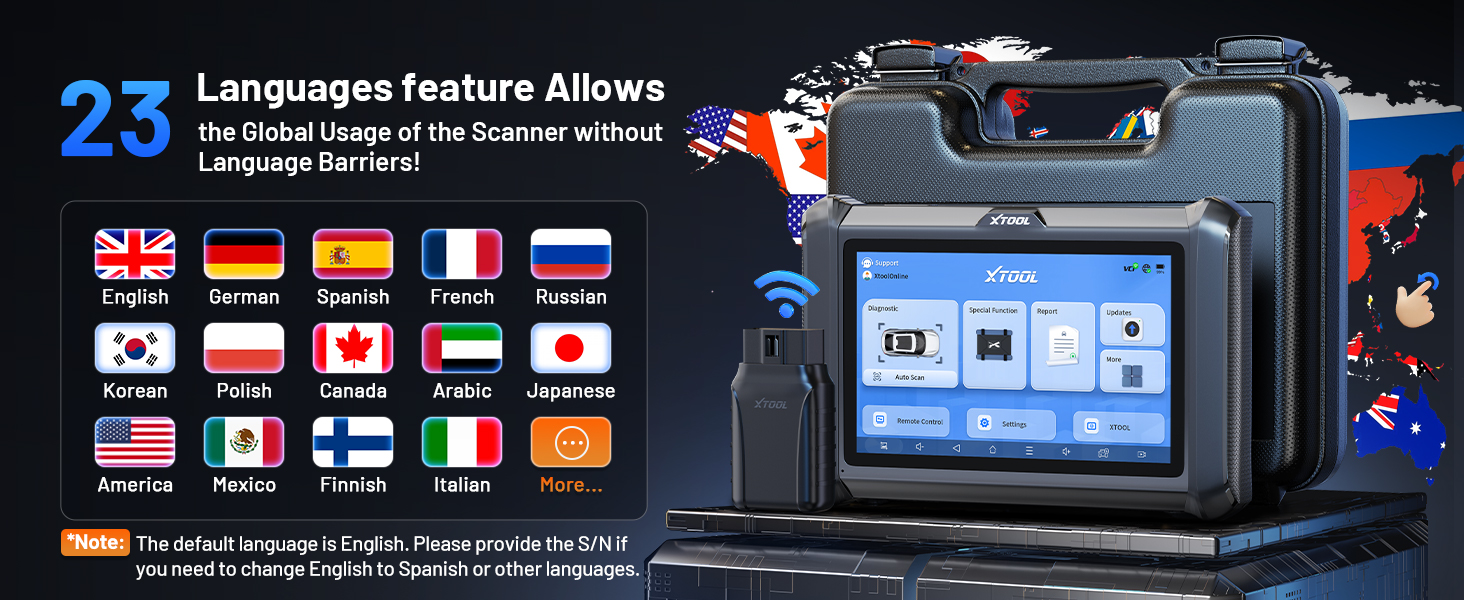
Image: Visual representation of the XTOOL D7W package contents, including the tablet, VCI box, cables, adapters, and carrying case.
Pengaturan
- Isi daya Tablet: Connect the D7W tablet to the power adapter using the provided USB Type-C cable. Ensure the tablet is fully charged before first use.
- Nyalakan: Tekan dan tahan tombol daya pada tablet untuk menyalakannya.
- Connect VCI Box: Plug the VCI box into the vehicle's OBD2 port. The OBD2 port is typically located under the dashboard on the driver's side.
- Establish Wireless Connection: The D7W tablet features built-in Wi-Fi for direct communication with the VCI box. No external Wi-Fi router is required for this connection. The tablet will automatically attempt to connect to the VCI box.
- Initial Software Setup: Follow the on-screen prompts to complete the initial software setup, including language selection and Wi-Fi network configuration for internet access (for updates).

Image: Diagram illustrating the wireless connection between the XTOOL D7W tablet and the VCI box, highlighting the freedom from tangled wires.
Petunjuk Pengoperasian
1. Diagnostik Sistem Lengkap
The D7W performs comprehensive diagnostics across all available vehicle systems, including Engine, ABS, SRS, Transmission, BCM, and more. This function allows you to:
- Membaca dan Menghapus Kode Masalah Diagnostik (DTC)
- View Live Data (up to 8 PIDs simultaneously)
- Retrieve Freeze Frame Data
- Access ECU Information
- Perform Auto VIN scanning for automatic vehicle identification
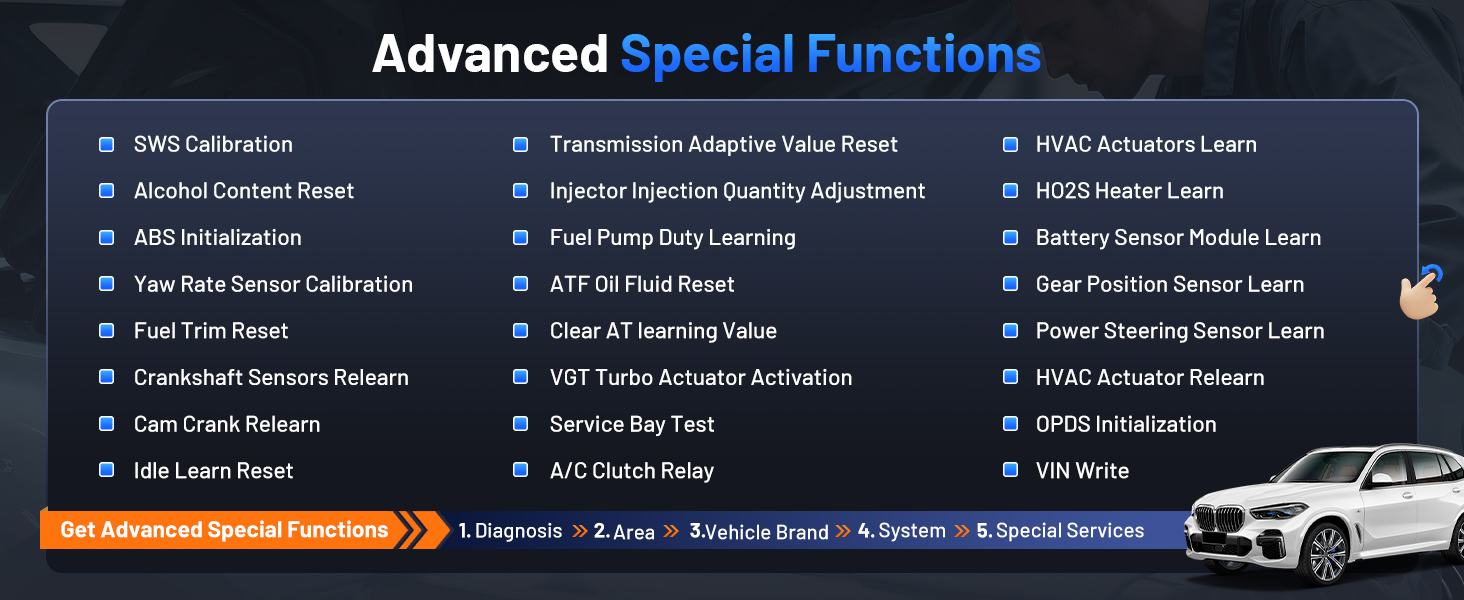
Image: Screenshot of the XTOOL D7W performing full system diagnostics, showing various diagnostic functions.
2. Bidirectional Control (Active Tests)
This function allows the diagnostic tool to send commands to vehicle components to test their functionality, aiding in faster fault isolation. Examples termasuk:
- Tes Dengung Injektor
- ABS Pump Control
- Cooling Fan Activation
- Fuel Pump On/Off
- Window/Door Lock Tests

Gambar: Examples of bidirectional control (active tests) such as injector buzz test, ABS pump control, and sound horn test.
3. Special Functions (39+ Resets)
The D7W offers a wide array of maintenance and reset services, including but not limited to:
- Reset Minyak
- Reset EPB (Rem Parkir Elektronik)
- Reset TPMS (Sistem Pemantauan Tekanan Ban)
- Reset BMS (Sistem Manajemen Baterai)
- Kalibrasi SAS (Sensor Sudut Kemudi)
- Pendarahan ABS
- Pengkodean Injektor
- Belajar Ulang Throttle
Gambar: Lebih dariview of the 39+ maintenance services available on the XTOOL D7W, including various reset and calibration functions.
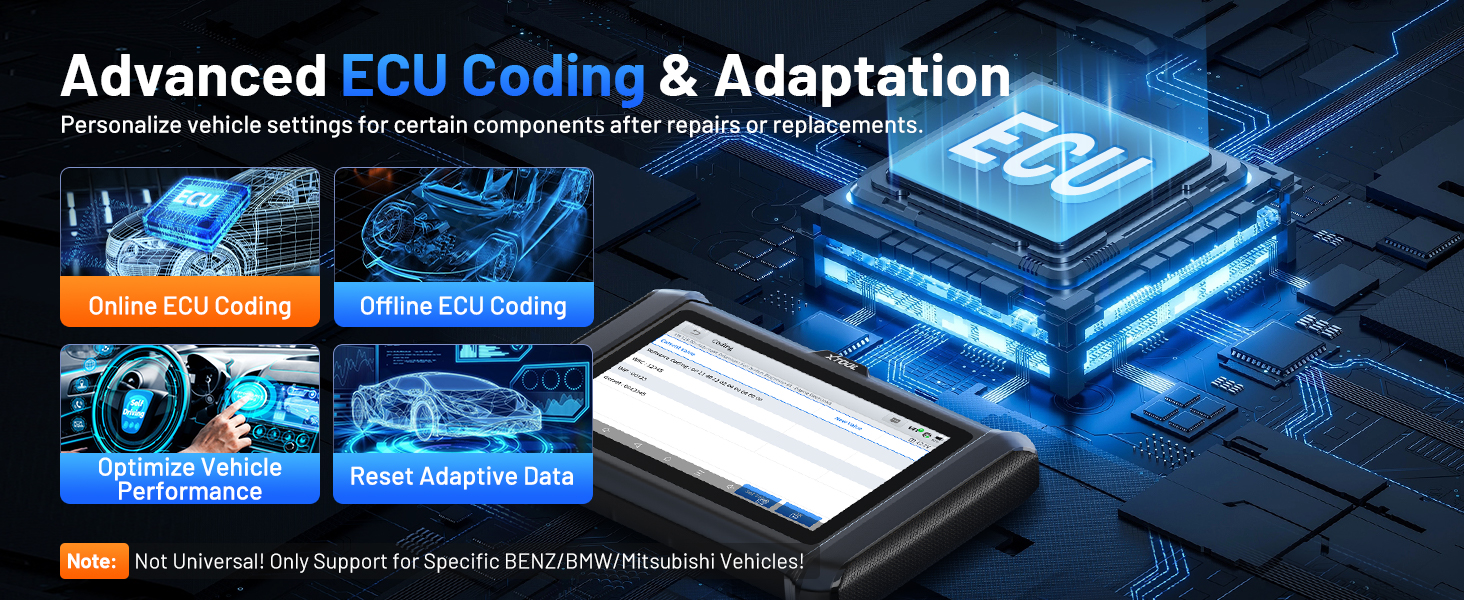
4. Advanced ECU Coding & PMI Programming
This feature allows for personalization of vehicle settings and recoding adaptive data for certain components after repairs or replacements. PMI (Programmable Module Installation) programming enables programming data from an original module to a new unit for module replacement, particularly for Ford, Lincoln, and Mazda vehicles. Catatan: ECU Coding is not universally supported for all vehicles; it is specific to certain brands like VW, Audi, Skoda, Benz, and Mitsubishi.
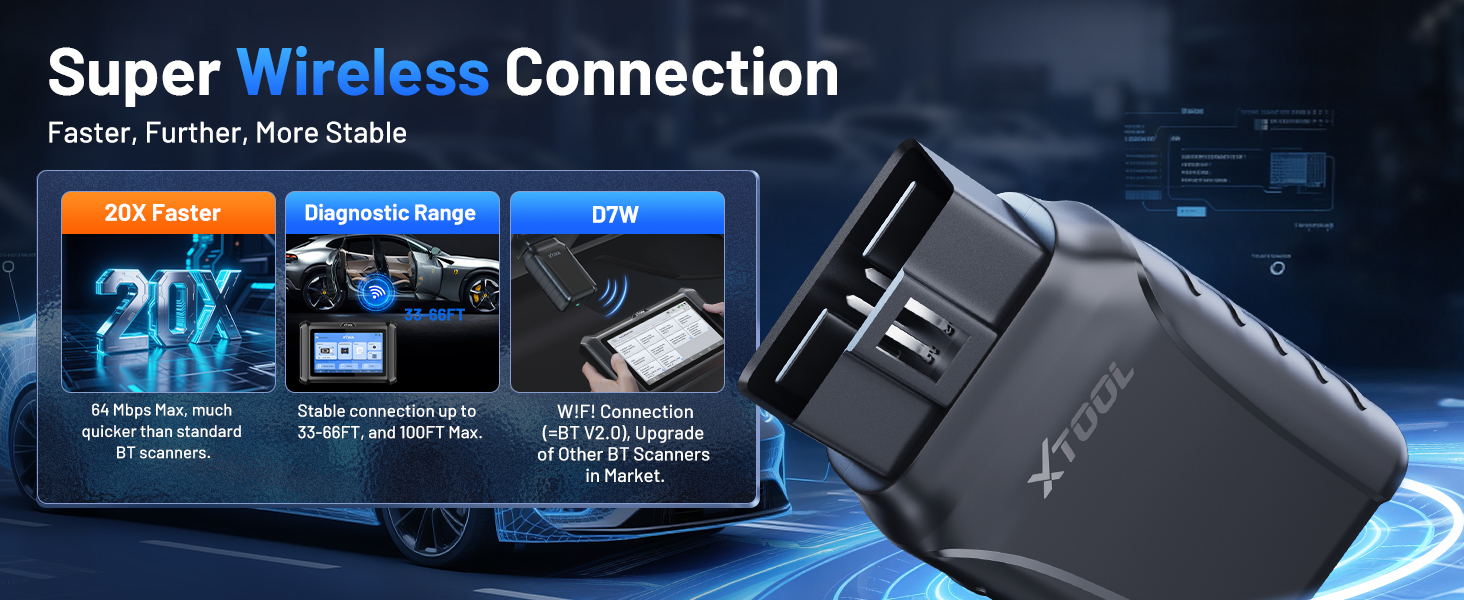
Image: Visual explanation of advanced ECU coding and adaptation, showing how it optimizes vehicle performance and resets adaptive data.
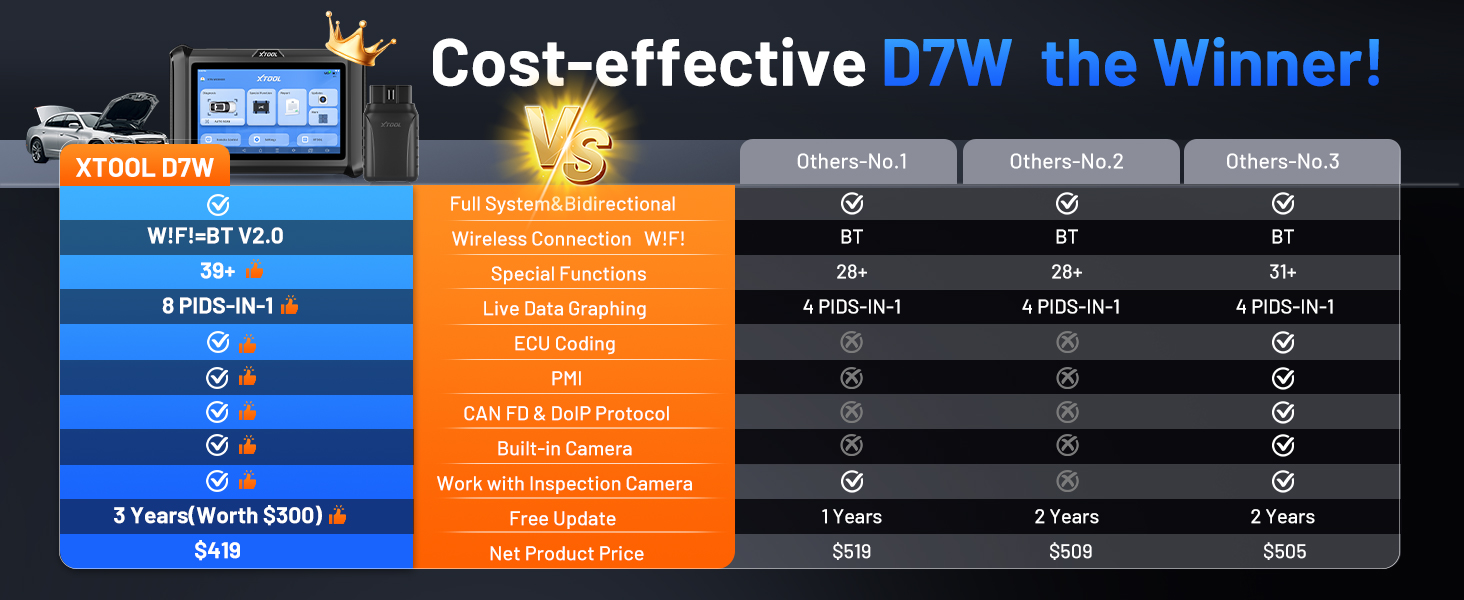
Image: Illustration of PMI and offline ECU programming for Ford, Lincoln, and Mazda vehicles, demonstrating module replacement procedures.
Pemeliharaan
- Pembaruan Perangkat Lunak: Regularly check for and install software updates via Wi-Fi to ensure compatibility with the latest vehicle models and diagnostic functions. The device includes 3 years of free updates.
- Perawatan Baterai: Untuk memperpanjang masa pakai baterai, hindari sering-sering menguras daya tablet sepenuhnya. Simpan perangkat di tempat yang sejuk dan kering saat tidak digunakan.
- Pembersihan: Gunakan yang lembut, damp Gunakan kain untuk membersihkan layar dan bodi tablet. Hindari pembersih atau pelarut abrasif.
- Penyimpanan: Store the device and its accessories in the provided carry case to protect them from damage.
Penyelesaian Masalah
- Perangkat Tidak Menyala: Ensure the tablet is sufficiently charged. Connect it to the charger and wait a few minutes before attempting to power on again.
- VCI Tidak Terhubung: Verify the VCI box is securely plugged into the vehicle's OBD2 port. Check the vehicle's ignition status. Ensure the tablet's Wi-Fi is enabled and attempting to connect to the VCI.
- Fungsi Diagnostik Tidak Berfungsi: Confirm that the vehicle model and year are correctly selected. Ensure the software is up to date. Some functions may not be supported on all vehicle makes/models. Refer to the vehicle compatibility list or contact support.
- Kinerja Lambat: Close any unnecessary applications running in the background. Ensure sufficient storage space is available.
Spesifikasi
| Fitur | Spesifikasi |
|---|---|
| Model | XTOOL D7W |
| Sistem Operasi | Android 10.0 |
| Menampilkan | Layar Sentuh 7 inci |
| Ingatan | RAM 2GB + Penyimpanan 64GB |
| Baterai | 5000mAh (7.3V) Lithium Polymer |
| Metode Koneksi | Built-in Wi-Fi (Wireless VCI) |
| Protokol yang Didukung | CAN FD, DoIP, FCA (with active subscription) |
| Ukuran | 12.6x11.25x4.1 inci |
| Berat Barang | 5.06 pon |
| Bahasa | 23 bahasa didukung |

Image: Comparison table highlighting the enhanced features of the XTOOL D7W compared to previous models like D7, D7S, and D7BT.
Garansi dan Dukungan
XTOOL D7W hadir dengan Garansi 2 tahunSelain itu, ini mencakup 3 tahun pembaruan perangkat lunak gratis from the date of purchase, ensuring your tool remains current with the latest vehicle data and functionalities.
For technical assistance, troubleshooting, or any inquiries, please contact XTOOL customer support:
- E-mail: xtooldirect@outlook.com
- 24/7 Technical Assistance is available.
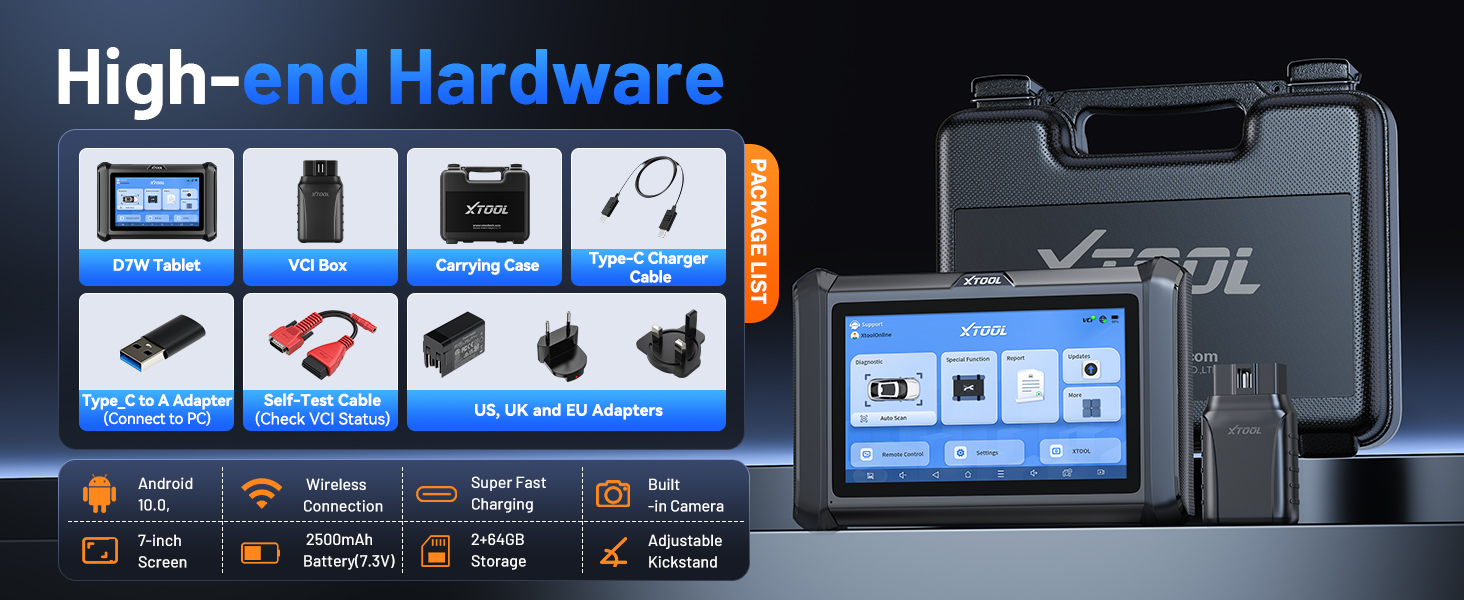
Image: Information regarding XTOOL's professional services, including 24/7 tech assistance, 2-year warranty, and 3 years of free updates.


