1. Pendahuluan
Terima kasih sudah membeliasing the BYTECH BYMCLB116BK Projector Decor Light-Rainbow. This device is designed to project vibrant rainbow light effects, enhancing room ambiance and providing unique lighting for creative photography. Please read this manual thoroughly before use to ensure proper operation and maintenance.

Image 1.1: The BYTECH BYMCLB116BK Projector Decor Light-Rainbow packaging, highlighting its key features including rainbow glow, secure stabilization, 360-degree rotation and tilt, and USB connectivity.
2. Informasi Keselamatan
- Jauhkan perangkat dari air dan kelembapan.
- Hindarkan perangkat dari suhu ekstrem atau sinar matahari langsung.
- Hindari menjatuhkan atau membenturkan perangkat dengan keras.
- Jangan mencoba membongkar atau memperbaiki perangkat sendiri. Serahkan semua servis kepada teknisi yang berkualifikasi.
- Use only the provided USB cable or a certified equivalent for power.
- Ensure the device is placed on a stable, flat surface to prevent tipping.
- Jauhkan dari jangkauan anak-anak dan hewan peliharaan.
3. Isi Paket
Harap periksa isi kemasan dengan saksama. Jika ada barang yang hilang atau rusak, hubungi penjual.
- 1 x BYTECH BYMCLB116BK Projector Decor Light-Rainbow
- 1 x USB Power Cable (with wired remote control)
- 1 x Panduan Pengguna
4. Pengaturan
- Membongkar: Carefully remove the Projector Decor Light from its packaging.
- Penempatan: Place the projector on a stable, flat surface. Consider the desired projection area and distance from the wall or ceiling for optimal effect. The device features 360-degree rotation and tilt for flexible positioning.
- Hubungkan Daya: Insert the small end of the USB power cable into the USB port on the projector. Connect the larger end of the USB cable to a standard USB power adapter (not included) or a powered USB port (e.g., on a computer or power bank).
- Secure Stabilization: Ensure the base is firmly placed to prevent accidental movement, utilizing its secure stabilization feature.
5. Petunjuk Pengoperasian
The BYTECH Projector Decor Light is designed for simple operation.
- Daya Hidup/Mati: Once connected to a power source, locate the wired remote control on the USB cable. Press the power button on the remote to turn the light on or off.
- Adjust Brightness/Mode: Use the other buttons on the wired remote control to cycle through different brightness levels or projection modes, if available. Refer to the remote's markings for specific functions.
- Sesuaikan Sudut Proyeksi: Sesuaikan l secara manualamp head to rotate and tilt 360 degrees to direct the rainbow light projection to your desired area.
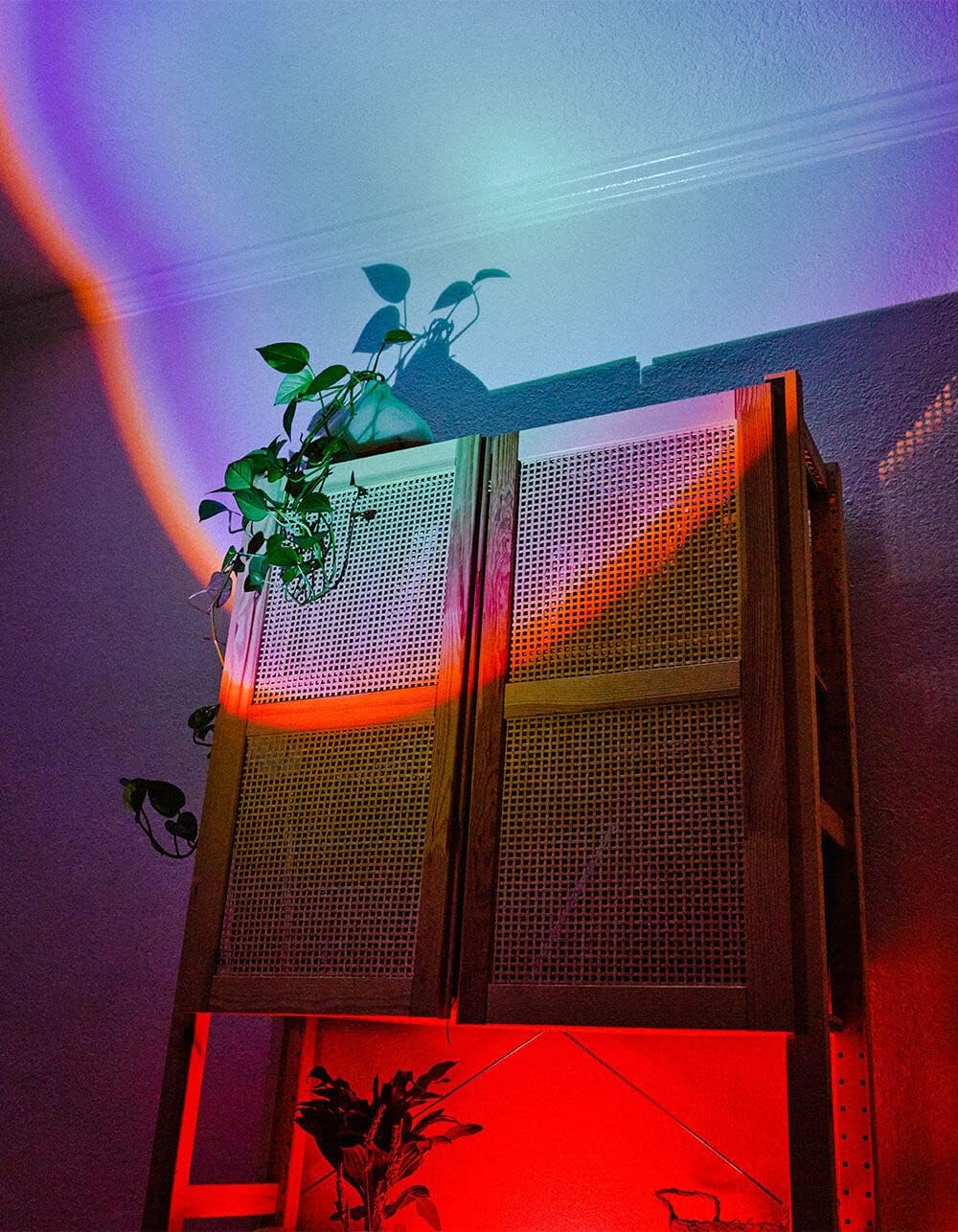
Image 5.1: The BYTECH Projector Decor Light-Rainbow in operation, casting vibrant rainbow light patterns onto a room's wall and furniture, demonstrating its ambient effect.
6. Pemeliharaan
- Pembersihan: Disconnect the power before cleaning. Use a soft, dry cloth to wipe the surface of the projector. Do not use abrasive cleaners or solvents.
- Penyimpanan: When not in use for extended periods, store the device in a cool, dry place, away from direct sunlight and moisture.
- Penanganan: Handle the device with care to avoid damage to the lens or internal components.
7. Penyelesaian masalah
| Masalah | Kemungkinan Penyebab | Larutan |
|---|---|---|
| Perangkat tidak menyala. | Tidak ada koneksi daya atau kabel rusak. | Ensure the USB cable is securely connected to both the projector and a powered USB port/adapter. Try a different USB port or adapter. |
| Cahaya redup atau berkedip-kedip. | Insufficient power supply or dirty lens. | Ensure the power source provides adequate power. Clean the projector lens gently with a soft, dry cloth. |
| Proyeksi kabur. | Lensa kotor. | Gently clean the projector lens with a soft, dry cloth. |
8. Spesifikasi
- Model: BYMCLB116BK
- Merek: Bytek
- Masukan Daya: USB Powered (5V DC, current not specified, typical for USB)
- Sumber Cahaya: DIPIMPIN
- Jenis Proyeksi: Rainbow Glow
- Penyesuaian: 360° Rotation & Tilt
- Dimensi Paket: 5x5x5 inci
- Berat Barang: 1 pon
- Pabrikan: BYTECH
9. Garansi dan Dukungan
This product is covered by a limited warranty provided by BYTECH. For specific warranty terms and conditions, please refer to the warranty card included with your purchase or visit the official BYTECH website. For technical support, troubleshooting assistance, or to inquire about replacement parts, please contact BYTECH customer service through their official channels.
Harap simpan bukti pembelian Anda untuk klaim garansi.


