Perkenalan
The Anova Precision Smart Oven is a versatile countertop appliance designed to bring professional-grade cooking capabilities to your home kitchen. It combines convection, steam, bake, broil, roast, and dehydrate functions, offering precise temperature control for a wide range of culinary tasks. This manual provides essential information for the safe and effective operation and maintenance of your Anova Precision Smart Oven.
For optimal performance and longevity, please read this manual thoroughly before first use and retain it for future reference.
Informasi Keselamatan
Selalu ikuti tindakan pencegahan keselamatan dasar saat menggunakan peralatan listrik untuk mengurangi risiko kebakaran, sengatan listrik, dan cedera pada orang.
- Jangan sentuh permukaan yang panas. Gunakan gagang atau kenop.
- Untuk melindungi dari sengatan listrik, jangan merendam kabel, steker, atau peralatan dalam air atau cairan lainnya.
- Pengawasan ketat diperlukan saat peralatan apa pun digunakan oleh atau di dekat anak-anak.
- Cabut kabel dari stopkontak saat tidak digunakan dan sebelum dibersihkan. Biarkan dingin sebelum memasang atau melepas komponen.
- Jangan mengoperasikan peralatan apa pun dengan kabel atau steker yang rusak, atau setelah peralatan tersebut mengalami kegagalan fungsi atau telah rusak dengan cara apa pun.
- Penggunaan aksesori tambahan yang tidak direkomendasikan oleh produsen alat dapat menyebabkan cedera.
- Jangan gunakan di luar ruangan.
- Jangan biarkan kabel menggantung di tepi meja atau meja dapur, atau menyentuh permukaan panas.
- Jangan menaruhnya di atas atau di dekat kompor gas atau listrik yang panas, atau di dalam oven yang sedang dipanaskan.
- Kehati-hatian yang ekstrim harus digunakan saat memindahkan peralatan yang berisi minyak panas atau cairan panas lainnya.
- Jangan menggunakan alat ini untuk tujuan lain selain yang dimaksudkan.
Komponen Lebihview
Familiarize yourself with the main components of your Anova Precision Smart Oven:
- Rongga Oven: Ruang memasak utama.
- Tangki Air: Removable tank for steam generation. Located on the side.
- Panel Kontrol: Digital display and knobs for setting temperature, time, and cooking modes.
- Pemeriksaan Makanan: Detachable probe for precise internal temperature monitoring.
- Removable Racks: Multiple racks for various cooking needs.
- Loyang: Included pan for general baking and roasting.

Gambar 1: Depan view of the Anova Precision Smart Oven, showing the main oven cavity, control panel, and side-mounted water tank.

Gambar 2: Interior view of the Anova Precision Smart Oven, illustrating the two removable racks and the included baking pan.

Figure 3: A user demonstrating the removal of the clear water tank from the side of the Anova Precision Smart Oven for refilling or cleaning.
Pengaturan
Pembongkaran dan Penempatan
- Keluarkan oven dan semua aksesori dari kemasan dengan hati-hati.
- Remove any protective film or packaging materials from the oven.
- Place the oven on a stable, level, heat-resistant surface with adequate clearance from walls and other appliances for ventilation. Ensure at least 4 inches of space on all sides and above the oven.
- Pastikan stopkontak mudah diakses.
Pembersihan Awal
- Sebelum penggunaan pertama, bersihkan bagian dalam dan luar oven dengan adamp kain.
- Wash the removable racks, baking pan, and water tank with warm, soapy water. Rinse thoroughly and dry completely.
Persiapan Tangki Air
- Remove the water tank from its housing on the side of the oven.
- Fill the water tank with distilled water. Do not use tap water as it can lead to mineral buildup.
- Securely reinsert the water tank into its housing until it clicks into place.
Koneksi Daya
Plug the oven into a grounded electrical outlet. The display will illuminate, indicating the oven is ready for use.
Petunjuk Pengoperasian
Panel Kontrol Berakhirview
The Anova Precision Smart Oven features an intuitive control panel with a digital display and rotary knobs for setting cooking parameters. The display shows temperature, time, and current cooking mode.
Connecting to the Anova App
For enhanced control and access to a recipe library, download the Anova Oven app on your smartphone. Follow the in-app instructions to connect your oven via Wi-Fi.
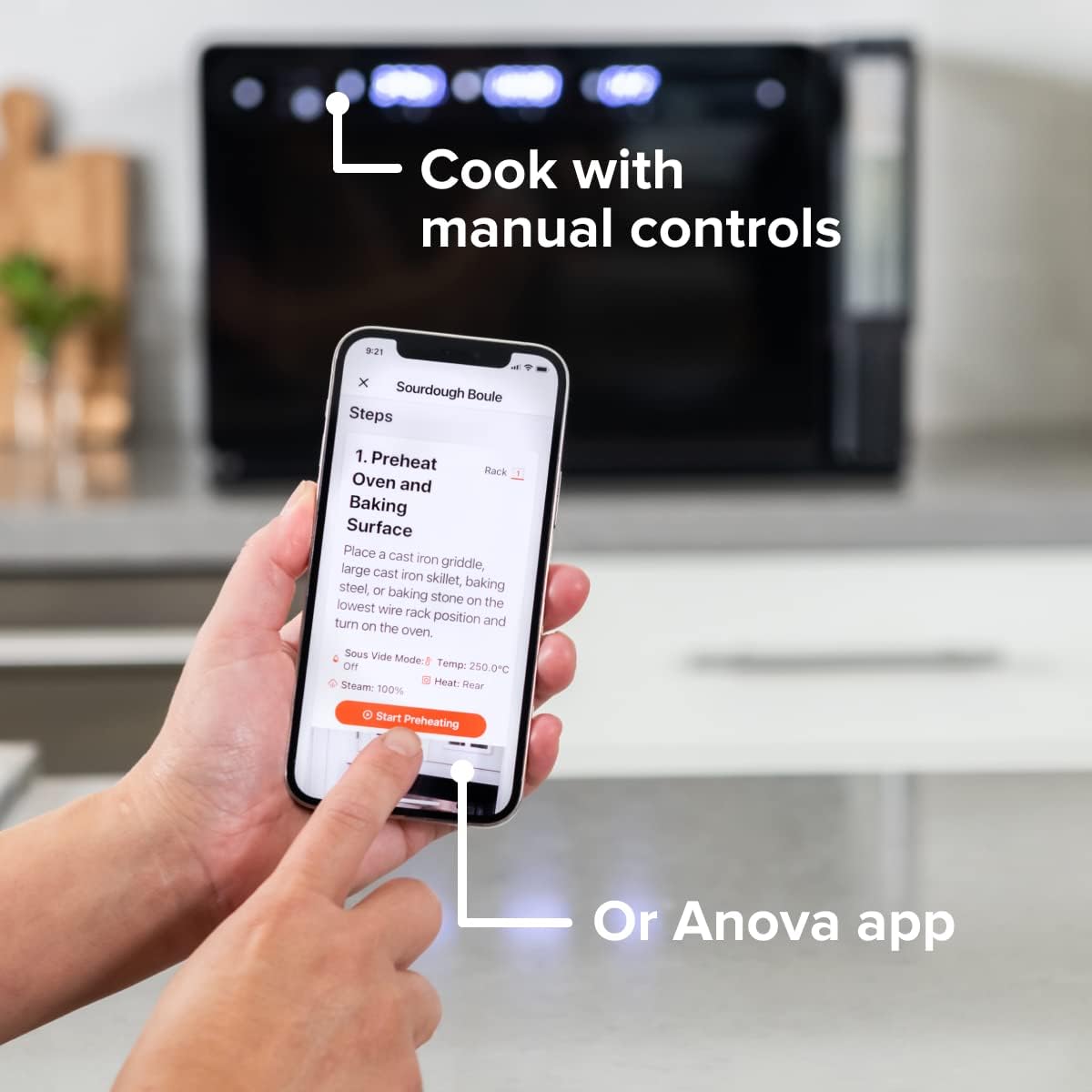
Figure 4: A user interacting with the Anova app on a smartphone, demonstrating remote control capabilities for the oven.
Basic Cooking Modes
The oven offers several cooking modes:
- Konveksi: Uses a fan to circulate hot air for even cooking and browning.
- Uap: Injects steam into the oven cavity, ideal for baking bread, steaming vegetables, or sous vide style cooking.
- Combi (Convection + Steam): Combines hot air and steam for moist interiors and crispy exteriors.
- Panggang/Panggang: Standard oven functions for baking and roasting.
- Memanggang: High heat from the top element for searing and browning.
- Menjadi kering: Low heat and fan circulation for drying foods.
Setting a Program (Manual Control)
- Turn the mode knob to select your desired cooking mode.
- Adjust the temperature using the temperature knob.
- Atur waktu memasak menggunakan kenop waktu.
- Tekan tombol Mulai/Jeda untuk mulai memasak.
- To use the food probe, insert it into the thickest part of your food before starting. The oven will cook until the target internal temperature is reached.
Modus Sous Vide
The Anova Precision Oven can achieve sous vide style results without a water bath. Use the steam function and the food probe to cook food to a precise internal temperature, ensuring tenderness and juiciness.
Steam Injection for Baking
For perfect breads with crispy crusts and soft interiors, utilize the steam injection feature. Ensure the water tank is filled before starting a steam-assisted baking program.

Figure 5: Two loaves of freshly baked bread, showcasing the results of steam injection for a perfect crust and crumb. The Anova Precision Smart Oven is visible in the background.
Perawatan dan Pembersihan
Regular cleaning and maintenance will ensure the longevity and optimal performance of your Anova Precision Smart Oven.
Pembersihan Harian
- Setelah setiap penggunaan, biarkan oven mendingin sepenuhnya.
- Bersihkan permukaan interior dan eksterior dengan iklanamp kain dan deterjen ringan. Hindari pembersih abrasif atau sabut gosok.
- Remove and clean the racks and baking pan with warm, soapy water.
- Empty and rinse the water tank after each use, especially if using steam functions. Allow it to air dry before reinserting.
Descaling (Steam Function Users)
If you frequently use the steam function, mineral buildup may occur. The oven may indicate when descaling is needed. Refer to the Anova app or online resources for detailed descaling instructions using a descaling solution.
Penyimpanan
When not in use for extended periods, ensure the oven is clean and dry. Store it in a cool, dry place.
Penyelesaian Masalah
This section addresses common issues you might encounter with your Anova Precision Smart Oven.
| Masalah | Kemungkinan Penyebab | Larutan |
|---|---|---|
| Oven not turning on. | Tidak terpasang; daya padamtage; pemutus arus tersandung. | Pastikan oven terpasang dengan benar ke stopkontak yang berfungsi. Periksa pemutus arus listrik rumah tangga. |
| Tidak ada uap yang dihasilkan. | Water tank empty or not properly seated; mineral buildup. | Fill water tank with distilled water and ensure it is correctly inserted. Perform descaling if necessary. |
| Makanan tidak matang secara merata. | Improper rack placement; overcrowding; fan obstruction. | Refer to recipe for recommended rack position. Avoid overcrowding the oven. Ensure nothing obstructs the convection fan. |
| Masalah koneksi Wi-Fi. | Kata sandi Wi-Fi salah; router terlalu jauh; gangguan jaringan. | Double-check Wi-Fi password. Move oven closer to router or use a Wi-Fi extender. Restart oven and router. |
If the problem persists after attempting these solutions, please contact Anova Customer Support.
Spesifikasi
- Merek: Kuliner Anova
- Nama Model: Oven Presisi
- Nomor Model Barang: AN900-10
- Dimensi Produk: 18"Panjang x 22"Lebar x 14"T
- Berat Barang: 59 pon
- Warna: Hitam
- Tipe Kontrol: Tombol
- Sumber Daya: Listrik
- Komponen yang Termasuk: Water tank, pan, temp probe
- Fitur Khusus: Dapat diprogram
Garansi dan Dukungan
The Anova Precision Smart Oven comes with a manufacturer's warranty. Please refer to the warranty card included with your product or visit the official Anova Culinary websitus untuk mengetahui syarat dan ketentuan garansi secara terperinci.
For technical support, troubleshooting assistance, or to inquire about replacement parts, please contact Anova Customer Support:
- Dukungan online: Kunjungi Anova Culinary Store on Amazon atau pejabat mereka weblokasi.
- Panduan Pengguna (PDF): Panduan pengguna lengkap tersedia untuk diunduh di [tautan unduhan]. tautan ini.

Figure 6: The Anova Precision Smart Oven integrated with a smart home assistant (Alexa), demonstrating its connectivity features.


