Panduan Pengguna: Konsol Game Genggam Retro ANBERNIC RG351M
Model: RG351M
Perkenalan
The ANBERNIC RG351M is a portable retro game handheld console designed for an immersive gaming experience. Featuring a 3.5-inch IPS screen and powered by an RK3326 quad-core processor, it supports a wide range of classic game formats. This manual provides essential information for setting up, operating, maintaining, and troubleshooting your device.
Informasi Keselamatan
- Jangan biarkan perangkat terkena suhu ekstrem, sinar matahari langsung, atau kelembapan tinggi.
- Hindari menjatuhkan atau membenturkan perangkat dengan keras.
- Use only the provided USB charging cable and a compatible power adapter (maximum load 2A) for charging.
- Jangan mencoba membongkar atau memperbaiki perangkat sendiri. Hubungi teknisi servis yang berkualifikasi.
- Jauhkan perangkat dari air dan cairan lainnya.
- Pastikan ventilasi yang tepat selama penggunaan dan pengisian daya.
Isi Paket

Image: The ANBERNIC RG351M console, its retail packaging, and the included USB charging cable.
Harap periksa isi paket saat membuka kotak untuk memastikan semua barang ada:
- 1 x RG351M Game Console
- 1 x Kabel USB
- 1 x Panduan Pengguna (dokumen ini)
- 1 x 64GB TF Card (pre-installed with games)
Produk Selesaiview
Depan View

Gambar: Depan view of the RG351M console, highlighting the 3.5-inch IPS screen, D-pad, dual analog joysticks, and action buttons (A, B, X, Y), along with SELECT and START buttons.
- Layar IPS 3.5 inci: Layar definisi tinggi untuk visual yang jernih.
- D-Pad: Directional pad for navigation and game control.
- Joystick Analog: Dual 3D rocker sticks for precise movement.
- Tombol Aksi (A, B, X, Y): Tombol input standar untuk game.
- Tombol PILIH: Used for various in-game functions and menu navigation.
- Tombol Mulai: Used for pausing games, confirming selections, and menu navigation.
Atas dan Bawah Views (Port dan Kontrol)

Image: Top edge of the console, displaying the L1, L2, R1, R2 shoulder buttons, a Type-C OTG port, a 3.5mm earphone jack, and another Type-C port labeled OTG/DC for data transfer and charging.

Image: Bottom edge of the console, showing the TF card slot for expandable storage and the recessed Reset button.
- Tombol L1/L2/R1/R2: Shoulder buttons for additional in-game controls.
- OTG 1 (Type-C): USB Type-C port for data transfer.
- Jack Earphone 3.5mm: Untuk menghubungkan headphone.
- OTG 2 (Type-C / Charging Port): USB Type-C port for data transfer and charging.
- Slot Kartu TF: For inserting the game TF card (supports up to 256GB).
- Tombol Reset: A small, recessed button to restart the device if it becomes unresponsive.
- Pembicara: High-quality double horn stereo speakers.
Kembali View

Gambar: Belakang view of the RG351M console, displaying the ANBERNIC logo, model number (RG351M), and battery specifications (Li-Po 3500mAh).
Pengaturan
1. Pengisian Awal
Before first use, fully charge the console. Connect the provided USB Type-C cable to the OTG 2 (charging) port on the top of the device and the other end to a compatible USB power adapter (not included, recommended 5V/1.3A to 2A). The charging indicator light will illuminate. A full charge typically takes about 4 hours.
2. Memasukkan Kartu TF
The console comes with a 64GB TF card pre-installed with games. If you need to remove or insert the TF card, gently push it into the TF card slot on the bottom of the device until it clicks into place. To remove, push it again until it springs out.
Petunjuk Pengoperasian
Daya Hidup/Mati
- Untuk menghidupkan: Press and hold the Power button (located on the left side) for a few seconds until the screen illuminates.
- Untuk mematikan: Press and hold the Power button until a power-off menu appears on the screen. Select "Power Off" or "Shutdown". Alternatively, a quick press of the power button will put the device into sleep mode.
Menavigasi Sistem
The RG351M runs on an open-source Linux system. Use the D-pad or analog joysticks to navigate through menus and game lists. The 'A' button typically confirms selections, and the 'B' button typically goes back.
Bermain Game
Select a game from the main menu. The console supports various game formats including PSP, N64, NDS, PS1, CPS1, CPS2, FBA, NEOGEO, GBA, GBC, GB, SFC, FC, MD, SMS, GG, MSX, PCE, WSC, and transplant games. Refer to specific emulator controls within the system for optimal gameplay.
Konektivitas Wi-Fi

Image: The RG351M console showing a game in progress, with an overlay graphic indicating fast Wi-Fi connectivity (2.4GHz 802.11b/g/n).
The RG351M supports 2.4GHz Wi-Fi (802.11b/g/n) for online features, such as game updates or online multiplayer (where supported by the game/emulator).
- Navigate to the system settings menu.
- Pilih "Jaringan" atau "Pengaturan Wi-Fi".
- Aktifkan Wi-Fi dan pilih jaringan yang Anda inginkan dari daftar.
- Masukkan kata sandi jika diminta.
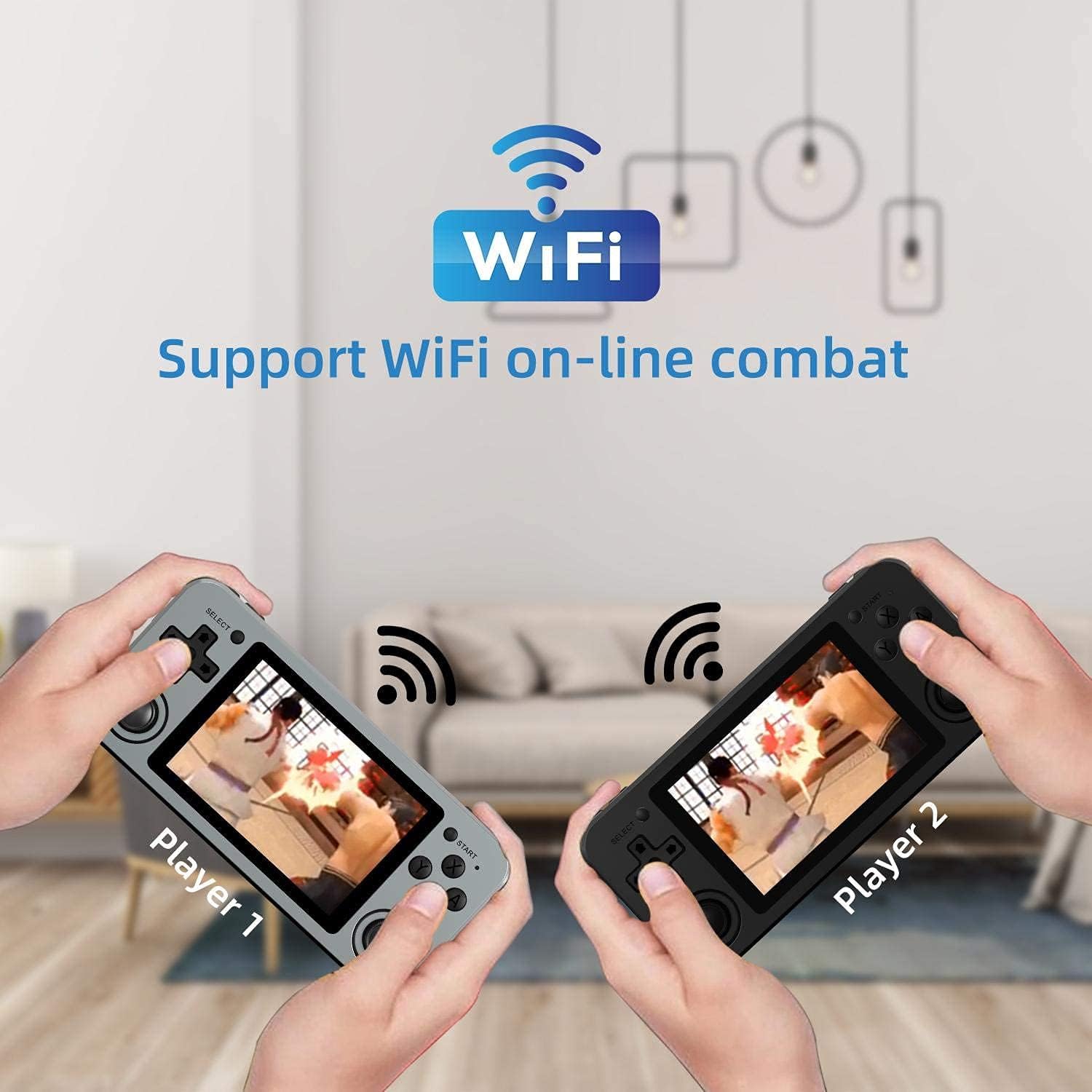
Image: Two RG351M consoles held by hands, illustrating the capability for Wi-Fi online combat between players.
Pemeliharaan
- Pembersihan: Use a soft, dry cloth to clean the console's exterior. For the screen, use a microfiber cloth specifically designed for electronics. Do not use liquid cleaners directly on the screen.
- Penyimpanan: When not in use for extended periods, store the console in a cool, dry place, away from direct sunlight.
- Perawatan Baterai: Untuk memperpanjang masa pakai baterai, hindari sering-sering menguras baterai sepenuhnya. Isi daya perangkat secara teratur, meskipun tidak digunakan, untuk menjaga kesehatan baterai.
- Pembaruan Perangkat Lunak: Periodically check for system updates (if available through the open-source community) to ensure optimal performance and compatibility.
Penyelesaian Masalah
| Masalah | Solusi yang mungkin |
|---|---|
| Perangkat tidak menyala. | Pastikan baterai terisi daya. Hubungkan pengisi daya dan tunggu beberapa menit sebelum mencoba menyalakannya kembali. |
| Layar membeku atau tidak responsif. | Locate the recessed Reset button on the bottom of the device and press it gently with a thin, non-metallic object (e.g., a paperclip) to restart the console. |
| Games are not loading or running slowly. | Ensure the TF card is properly inserted. Some games may require specific emulator settings or may be too demanding for the hardware. Check online communities for compatibility lists or optimization tips. |
| Tidak ada suara dari speaker atau headphone. | Check the volume level using the volume buttons on the right side of the console. Ensure headphones are fully plugged in. Restart the device. |
| Masalah koneksi Wi-Fi. | Ensure you are within range of a 2.4GHz Wi-Fi network. Double-check the Wi-Fi password. Restart the console and your Wi-Fi router. |
Spesifikasi
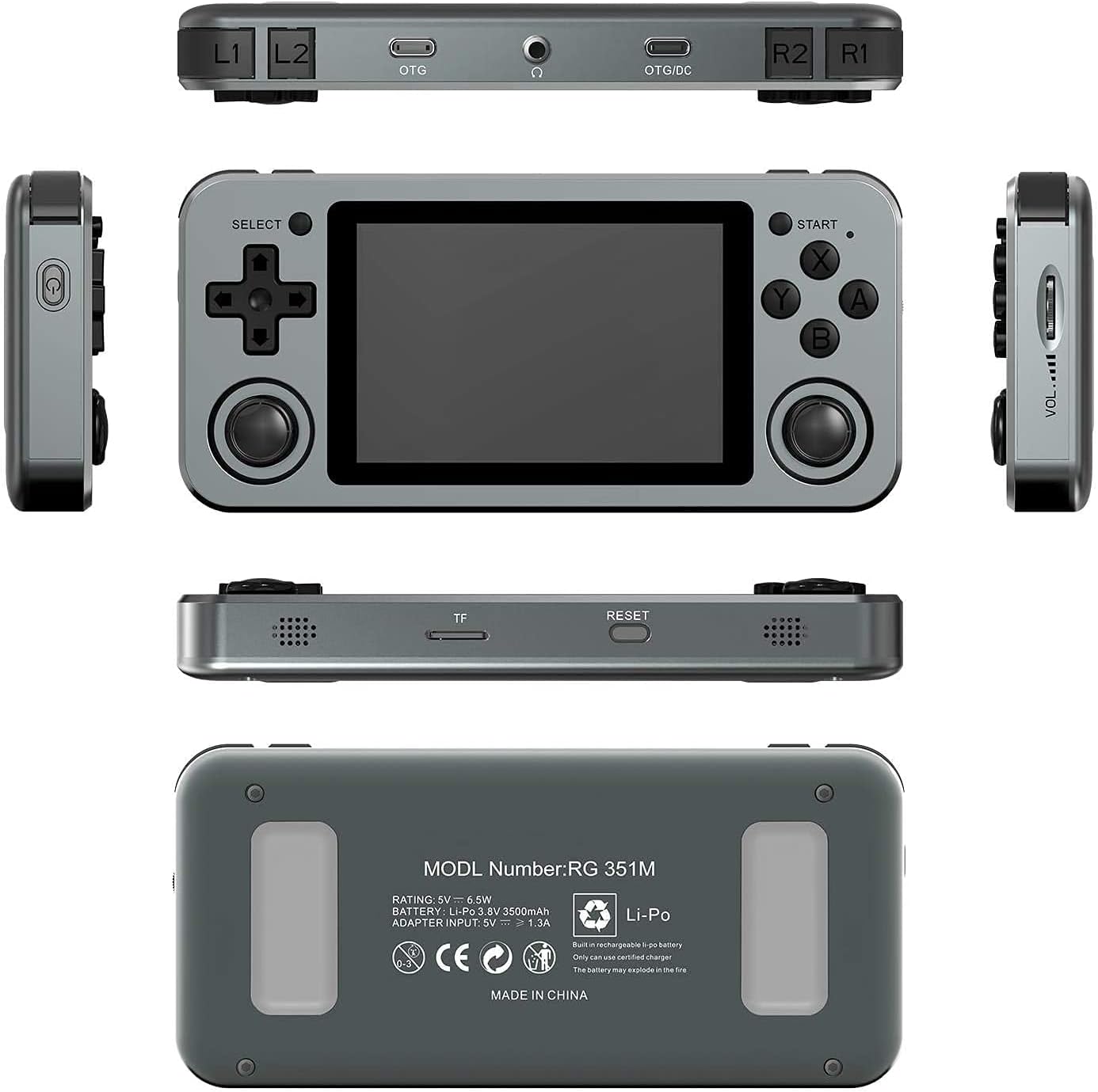
Image: A composite image showing the ANBERNIC RG351M from various angles, including front, top, bottom, sides, and back, providing a comprehensive view of its design and ports.
| Fitur | Detil |
|---|---|
| Model | RG351M |
| prosesor | RK3326 quad core 1.5 GHz |
| GPU | Mali G31 MP2 |
| RAM | DDR3L 1GB |
| Ingatan | 64GB (Kartu TF) |
| Layar | 3.5 inch IPS, OCA full lamination, 320*480 resolution |
| Sistem | Open source Linux system |
| Baterai | Li-polymer 3500 mAh, up to 8 hours battery life |
| Pengisian daya | 1.3A charging, max 2A, USB Type-C, 4 hours full charge |
| Dukungan Kartu TF | Maksimal 256GB |
| Antarmuka | TF Card Slot, 3.5mm Earphone, OTG 1 (Type-C), OTG 2 (Type-C Data/Charging) |
| Dimensi (Konsol) | 15.2cm (L) x 7.1cm (L) x 1.8cm (T) |
| Berat (Konsol) | 0.19kg (approx. 6.7 oz) |
Garansi dan Dukungan
For warranty information and technical support, please refer to the retailer or the official ANBERNIC website. Keep your proof of purchase for warranty claims. This manual provides general guidance; specific software-related issues may require consulting community forums or official support channels.


