1. Pendahuluan
The Hama MW-650 is a versatile 6-button optical wireless mouse designed for multi-device use. It offers flexible connectivity options via a 2.4 GHz USB-A receiver and Bluetooth, allowing seamless switching between up to three devices. The optical sensor provides precise cursor control, and adjustable DPI settings cater to various user preferences. This manual provides detailed instructions for setup, operation, maintenance, and troubleshooting to ensure optimal performance of your device.
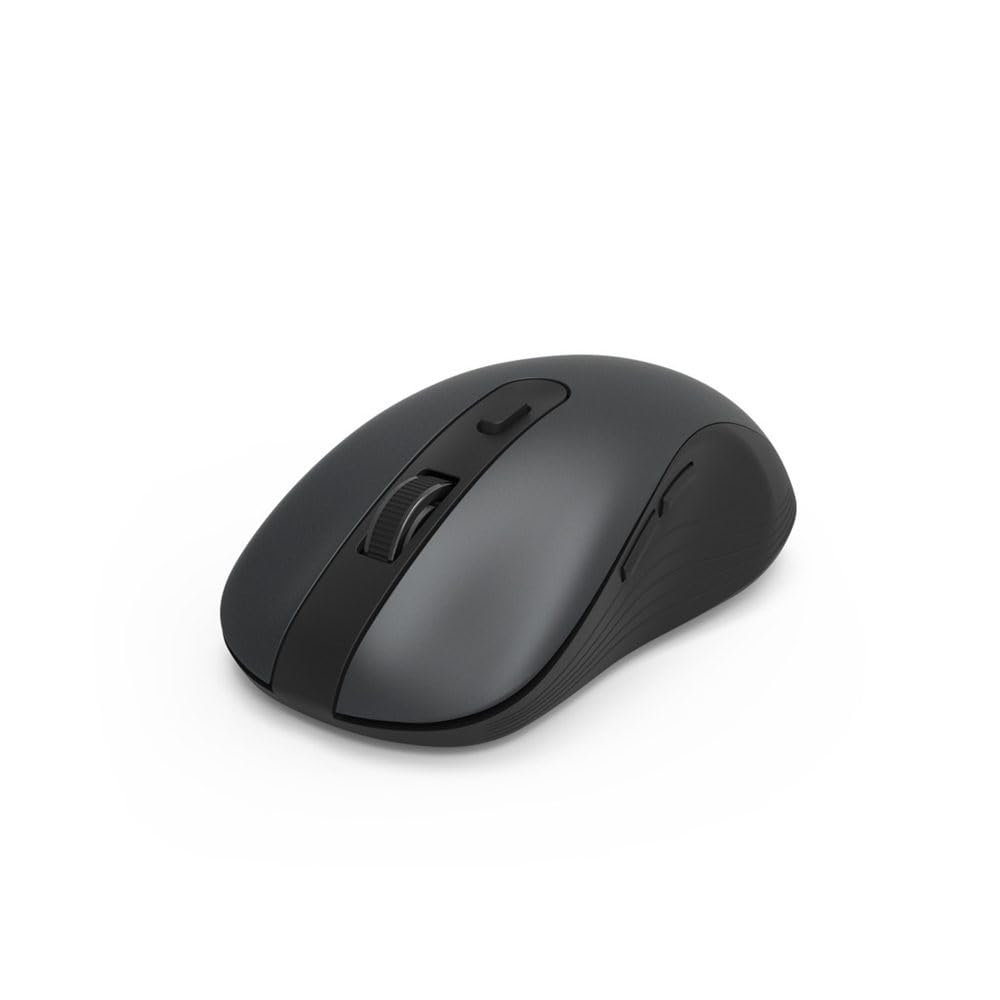
Image 1.1: Hama MW-650 Wireless Mouse (Top View)
2. Isi Paket
Silakan periksa paket untuk item berikut:
- 1 x Hama MW-650 6-Button Optical Wireless Mouse
- 1 x Penerima USB-A
- 2 buah baterai AA Mignon
- 1 x Buku Petunjuk (dokumen ini)

Image 2.1: Hama MW-650 Product Packaging
3. Pengaturan
3.1. Pemasangan Baterai
- Temukan tempat baterai di bagian bawah mouse.
- Buka penutup ruang baterai.
- Insert the two AA Mignon batteries, ensuring correct polarity (+/-).
- Tutup penutup ruang baterai dengan rapat.
3.2. Daya Hidup/Mati
On the underside of the mouse, slide the ON/OFF switch to the 'ON' position to power on the mouse. Slide it to 'OFF' when not in use to conserve battery life.

Image 3.1: Underside of Hama MW-650 Mouse with ON/OFF Switch and Receiver
3.3. Opsi Konektivitas
The Hama MW-650 mouse supports two wireless connection methods: 2.4 GHz via USB-A receiver and Bluetooth.
3.3.1. 2.4 GHz USB-A Receiver Connection
- Remove the USB-A receiver from its storage slot on the underside of the mouse.
- Colokkan penerima USB-A ke port USB-A yang tersedia di komputer atau laptop Anda.
- Sistem operasi seharusnya secara otomatis mendeteksi dan menginstal driver yang diperlukan.
- The mouse will connect automatically. The LED indicator for BT1/BT2 will not be lit when using the USB receiver.
3.3.2. Koneksi Bluetooth
The mouse can connect to two separate Bluetooth devices (BT1 and BT2).
- Pastikan mouse dihidupkan.
- Press the 'BT1' or 'BT2' button on the underside of the mouse to select the desired Bluetooth channel. The corresponding LED will flash slowly.
- To enter pairing mode, press and hold the selected 'BT1' or 'BT2' button for approximately 3 seconds until the LED flashes rapidly.
- Pada perangkat Anda (PC, laptop, tablet, ponsel pintar), aktifkan Bluetooth dan cari perangkat baru.
- Select "Hama MW-650" from the list of available devices to pair.
- Once successfully paired, the LED will stop flashing and remain steadily lit for a few seconds before turning off.
4. Petunjuk Pengoperasian
4.1. Fungsi Dasar Mouse
The Hama MW-650 features 6 buttons and a scroll wheel:
- Klik Kiri Tombol: Primary function, typically for selecting items or opening links.
- Klik Kanan Tombol: Secondary function, typically for context menus.
- Roda Gulir: For scrolling up and down documents or web pages. Can also be pressed for a middle-click function.
- Tombol DPI: Located behind the scroll wheel, used to adjust cursor sensitivity.
- Tombol Maju/Mundur: Located on the side of the mouse, typically used for navigating web halaman atau folder.
4.2. Beralih Antar Perangkat
The MW-650 mouse allows you to switch between three connected devices (one via USB receiver, two via Bluetooth).
- To switch to a Bluetooth-connected device, press the 'BT1' or 'BT2' button on the underside of the mouse. The corresponding LED will light up briefly.
- To switch to the device connected via the USB receiver, press the 'USB' button (or the button without a BT label) on the underside of the mouse.

Image 4.1: Multi-Device Connectivity Example

Image 4.2: Multi-Device Setup with Monitor
4.3. Penyesuaian Sensitivitas DPI
The mouse offers adjustable DPI (Dots Per Inch) settings to control cursor speed and sensitivity. Press the DPI button located behind the scroll wheel to cycle through the available sensitivities:
- 800DPI
- 1200 DPI (Bawaan)
- 1600DPI
- 2000DPI
- 2400DPI
Each press of the DPI button will change the sensitivity, allowing you to find the setting that best suits your task or preference.
5. Manajemen Daya
The Hama MW-650 mouse is designed with intelligent power management features to conserve battery life:
- Mode Siaga Otomatis: The mouse will automatically enter a standby mode after a period of inactivity. To wake it up, simply move the mouse or click any button.
- Sakelar Hidup/Mati: For extended periods of non-use, slide the ON/OFF switch on the underside of the mouse to the 'OFF' position to completely power down the device and maximize battery life.
6. Perawatan dan Pemeliharaan
6.1. Pembersihan
Untuk menjaga performa dan tampilan mouse Anda:
- Pastikan mouse dimatikan sebelum membersihkan.
- Gunakan kain yang lembut, kering, dan tidak berbulu untuk menyeka permukaan tetikus.
- Untuk kotoran membandel, sedikit dampBilas kain dengan air atau larutan pembersih ringan. Hindari bahan kimia keras atau bahan abrasif.
- Clean the optical sensor area on the underside of the mouse periodically with a cotton swab to ensure accurate tracking.
6.2. Penggantian Baterai
When the mouse's performance degrades or it stops responding, it may be time to replace the batteries.
- Power off the mouse using the ON/OFF switch.
- Buka kompartemen baterai di bagian bawah.
- Remove the old AA batteries and dispose of them according to local regulations.
- Insert new AA Mignon batteries, observing correct polarity.
- Tutup tempat baterai.
7. Penyelesaian masalah
If you encounter issues with your Hama MW-650 mouse, please refer to the following common solutions:
| Masalah | Solusi yang mungkin |
|---|---|
| Tikus tidak merespons. |
|
| Pergerakan kursor tidak menentu atau lambat. |
|
| Tidak dapat beralih antar perangkat. |
|
| Pemasangan Bluetooth gagal. |
|
8. Spesifikasi Teknis
| Nomor Model | 00182617 (MW-650) |
| Teknologi Konektivitas | 2.4GHz RF (USB-A Receiver), Bluetooth 5.0 |
| Teknologi Deteksi Gerakan | Optik |
| Sensitivitas DPI | 800 / 1200 / 1600 / 2000 / 2400 DPI (adjustable) |
| Jumlah Tombol | 6 (termasuk roda gulir) |
| Faktor Bentuk | Tangan kanan |
| Sumber Daya | 2 x AA Mignon Batteries (included) |
| Daya Tahan Baterai | Hingga 288 hari (tergantung penggunaan) |
| Sistem Operasi yang Kompatibel | Windows 11/10/8/7, Android 4.3 or higher, macOS 10.10 or higher, iOS 13 or higher |
| Dimensi Produk (P x L x T) | 11.3 x 6.3 x 4 cm (4.41 x 2.48 x 1.57 inci) |
| Berat Barang | 3.62 ons |
| Warna | Hitam |
9. Garansi dan Dukungan
Untuk informasi garansi dan dukungan teknis, silakan merujuk ke situs resmi Hama. websitus web atau hubungi layanan pelanggan mereka secara langsung. Simpan bukti pembelian Anda untuk klaim garansi.
- Pabrikan: Hama GmbH & Co KG
- Weblokasi: www.hama.com