1. Pendahuluan
This manual provides essential information for the safe and efficient operation of your ACROJOY D501 Native 1080P Mini Projector. Please read it thoroughly before using the product and retain it for future reference.
2. Informasi Keselamatan
- Jangan melihat langsung ke lensa proyektor saat lampuamp sedang menyala. Cahaya yang sangat terang dapat menyebabkan kerusakan mata.
- Pastikan ventilasi yang baik di sekitar proyektor. Jangan menghalangi lubang ventilasi.
- Jauhkan proyektor dari air, kelembapan, dan suhu ekstrem.
- Gunakan hanya adaptor daya yang disertakan dengan proyektor.
- Jangan mencoba memperbaiki proyektor sendiri. Serahkan semua perbaikan kepada personel yang berkualifikasi.
- Jauhkan dari jangkauan anak-anak.
3. Isi Paket
Verifikasi bahwa semua item ada dalam paket Anda:
- 1x ACROJOY D501 Projector
- 1x User Manual/Quick Start/Warranty Information
- 1x Perlengkapan Pembersih
- 1x Kabel HDMI
- 1x Kabel Listrik
- 1x Projector Lens Cover
- 1x 120-inch Projector Screen
- 1x Kontrol Jarak Jauh
4. Produk Lebihview
Familiarize yourself with the main components of your ACROJOY D501 projector.

Gambar 4.1: ACROJOY D501 Projector and included 120-inch screen. The image highlights key features such as native 1080p resolution, 5G+2.4G WiFi, 9500 lumens (as indicated in image), and 4K support.

Gambar 4.2: Samping view of the projector illustrating its connectivity options, including ports for PS5, Nintendo Switch, TV Stick, Phone/Tablet, USB, Laptop/PC, and Audio output.
5. Pengaturan
5.1 Penempatan Proyektor
Position the projector on a stable, flat surface or mount it (ceiling, tripod) according to your preference. Ensure the projector is perpendicular to the projection surface for optimal image quality.
- Jarak Proyeksi: The optimal projection distance ranges from 4 to 40 feet.
- Ukuran Layar: The projector can produce an adjustable display size from 35 inches to 400 inches. A 120-inch screen is included for convenience.

Gambar 5.1: The ACROJOY D501 Projector in an outdoor setting, demonstrating its portability and the use of the bundled 120-inch projector screen for an enjoyable viewpengalaman ing.
5.2 Sambungan Daya
- Hubungkan kabel daya ke port input daya proyektor.
- Plug the other end of the power cord into a suitable electrical outlet (120 Volts).
- Lampu indikator daya pada proyektor akan menyala.
5.3 Penyesuaian Fokus dan Keystone
After powering on the projector, adjust the image for clarity and shape:
- Cincin fokus: Putar cincin fokus pada lensa proyektor hingga gambar yang diproyeksikan tajam dan jelas.
- Koreksi Keystone: Use the keystone correction dial or digital adjustment (if available) to correct trapezoidal distortion, ensuring a rectangular image. The projector supports ±15 degrees keystone correction.
6. Petunjuk Pengoperasian
6.1 Daya Hidup/Mati
- Nyalakan: Tekan tombol daya pada proyektor atau remote control.
- Matikan: Tekan tombol daya lagi. Konfirmasi pematian jika diminta.
6.2 Pemilihan Sumber Input
The projector supports multiple input sources. Use the 'Source' button on the projector or remote to select the desired input:
- HDMI: Connect devices like laptops, TV sticks, gaming consoles (PS5, Xbox) via HDMI cables. The projector has 2 HDMI ports.
- Kabel USB: Masukkan drive USB untuk memutar media. files secara langsung.
- DARI: Hubungkan perangkat lama menggunakan kabel AV.
6.3 Konektivitas Nirkabel (WiFi & Bluetooth)
6.3.1 WiFi Screen Mirroring
The projector features 5G+2.4G dual-band WiFi for fast and stable screen mirroring from your smartphone or tablet.
- Pastikan proyektor dan perangkat seluler Anda terhubung ke jaringan WiFi yang sama.
- Pilih opsi 'Pencermian Layar' atau 'Tampilan Nirkabel' pada menu proyektor.
- On your iOS device, use 'Screen Mirroring'. On Android, use 'Wireless Projection' or similar.
- Pilih proyektor dari daftar perangkat yang tersedia.
Catatan: Due to copyright restrictions, streaming services like Netflix, Amazon Prime Video, and Hulu cannot be wirelessly mirrored directly from your device. Use an HDMI-connected TV stick or similar device for these services.

Gambar 6.1: Demonstrates 5G WiFi screen mirroring for seamless video streaming from iOS, Android, or Windows devices to the projector.
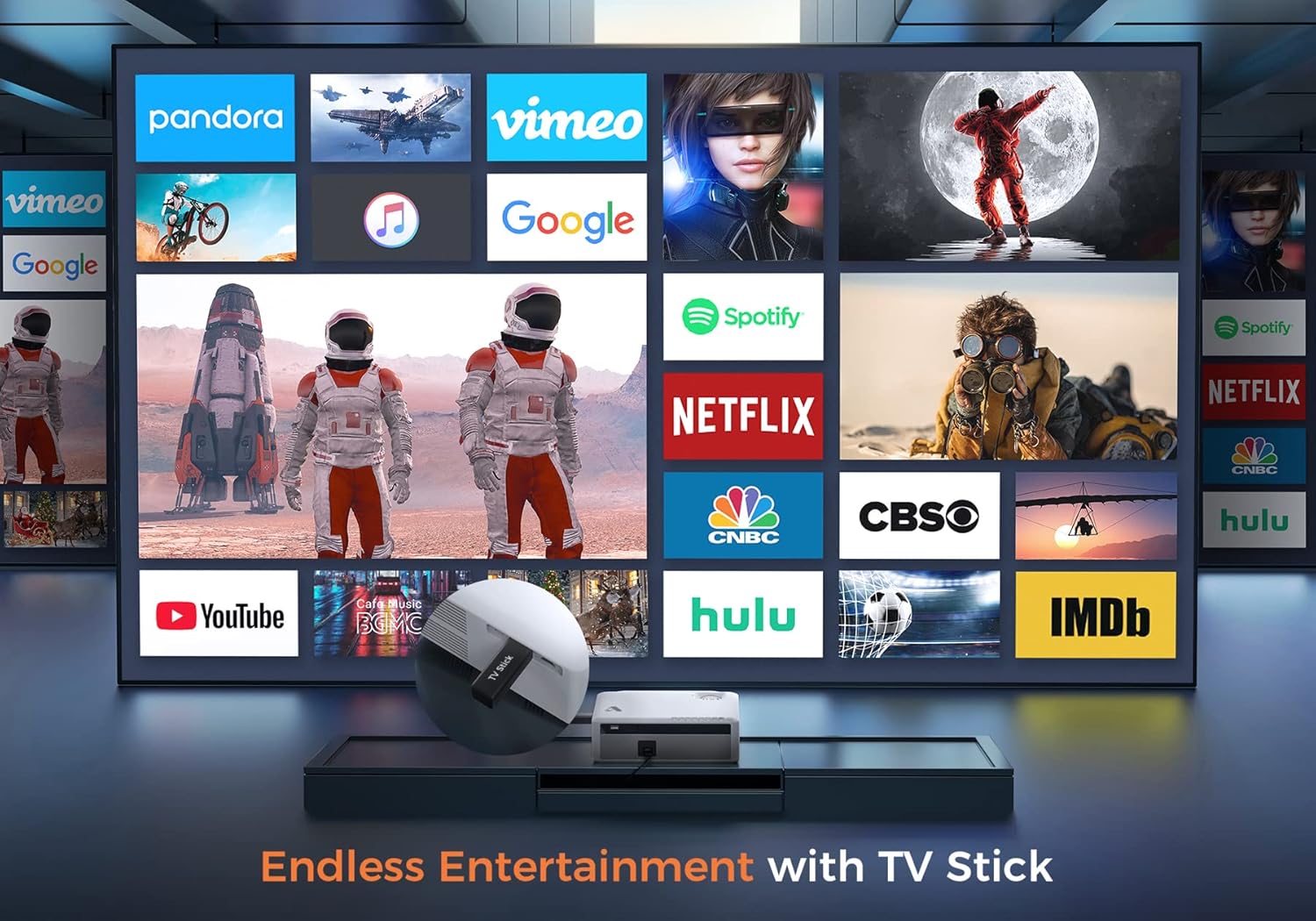
Gambar 6.2: Illustrates how to access various entertainment apps like YouTube, Netflix, and Hulu by connecting a TV stick to the projector.
6.3.2 Koneksi Bluetooth
Hubungkan speaker atau headphone Bluetooth eksternal untuk kualitas audio yang lebih baik.
- Aktifkan Bluetooth pada perangkat audio eksternal Anda dan atur ke mode pemasangan.
- On the projector's menu, navigate to 'Bluetooth Settings'.
- Pilih perangkat Anda dari daftar untuk dipasangkan.
The projector also features a built-in Hi-Fi speaker for direct audio output.
6.4 Fungsi Pembesaran
Adjust the image size without moving the projector using the 50%-100% zoom function, typically found in the projector's display settings menu.
7. Pemeliharaan
- Pembersihan Lensa: Gunakan perlengkapan pembersih yang disediakan atau kain lembut bebas serat yang dirancang khusus untuk lensa optik. Jangan gunakan pembersih abrasif.
- Penghilangan Debu: Regularly clean the projector's exterior with a soft, dry cloth. Use a small brush or compressed air to gently clear dust from ventilation openings.
- Penyimpanan: When not in use, store the projector in a cool, dry place, protected from dust and direct sunlight. Always replace the lens cover.
8. Penyelesaian masalah
- Tidak Ada Daya: Pastikan kabel daya terhubung dengan aman ke proyektor dan stopkontak. Coba stopkontak lain.
- Tidak ada gambar: Check the input source selection. Ensure the connected device is powered on and sending a signal. Verify HDMI/USB cable connections.
- Gambar Buram: Adjust the focus ring. Ensure the projection distance is within the recommended range.
- Gambar berbentuk trapesium: Sesuaikan koreksi keystone.
- Tidak Ada Audio: Check the volume settings on both the projector and the source device. If using external speakers, ensure they are properly connected or paired via Bluetooth.
- WiFi Mirroring Issues: Ensure both devices are on the same WiFi network. Some copyrighted content cannot be mirrored wirelessly.
9. Spesifikasi
| Merek | kegembiraan |
| Nomor Model | D501 |
| Resolusi Asli | 1920x1080 (HD Penuh) |
| Resolusi yang Didukung Max | Resolusi 3840x2160 (4K) |
| Kecerahan | 5500 lumen cahaya |
| Rasio Kontras | 12000:1 |
| Jenis Tampilan | Layar LCD |
| Konektivitas | 5G+2.4G WiFi, Bluetooth 5.1 |
| Port Masukan | 2x HDMI, 1x USB, AV |
| Port Keluaran | Keluaran Audio 3.5mm |
| Ukuran Proyeksi | 35" - 400" |
| Jarak Proyeksi | 4 - 40 kaki |
| Rasio Aspek | 4:3 / 16:9 |
| Koreksi Keystone | ±15 derajat |
| Fungsi Zoom | 50% - 100% |
| Dimensi Produk | Ukuran 22.86x17.75x7.62 cm |
| Berat Barang | 3.19 kg |
| Sumber Daya | Mesin Cuci Kabel Listrik (120 Volt, 600 Watt) |
10. Garansi dan Dukungan
ACROJOY provides comprehensive support for your projector:
- Jaminan: A 3-year warranty covers manufacturing defects and malfunctions.
- Dukungan Teknis: Dukungan teknis profesional seumur hidup tersedia.
- Kontak: For any questions or assistance, please refer to the contact information provided in your Quick Start Guide or Warranty Information document.


