1. Produk Lebihview
The NZXT Kraken Z73 RGB White is an all-in-one (AIO) liquid cooler designed for high-performance CPU cooling. It features a 360mm radiator, three Aer RGB 2 fans, and a pump with a customizable 2.36-inch LCD display. This cooler allows users to monitor system information, display custom images, or animated GIFs through the NZXT CAM software interface, providing both efficient cooling and aesthetic personalization.
Fitur Utama:
- Customizable LCD Display: A bright, 2.36-inch LCD screen on the pump allows for personalized display of 24-bit color images, GIFs, or system information.
- NZXT CAM Software Integration: Fine-tune settings, manage performance, and customize the appearance of your Kraken cooler with an intuitive software interface.
- Kinerja Pendinginan Unggul: Equipped with a chamfered intake and fluid dynamic bearings, the Aer RGB 2 fans deliver quiet operation, long-term reliability, and powerful cooling.
- Instalasi Sederhana: The pump's fully programmable display can be rotated to align with your motherboard's orientation without affecting the logo or image direction.
- Pencahayaan RGB yang Cerah: Included Aer RGB 2 fans provide dramatic lighting effects to complement your system build.
2. Apa yang ada di dalam kotak
Verifikasi bahwa semua komponen tersedia sebelum memulai instalasi.
- NZXT Kraken Z73 RGB Liquid Cooler (Pump and Radiator Assembly)
- 3x Aer RGB 2 120mm Fans
- Mounting Hardware for Intel (LGA 1700, 1200, 115X, 2011, 2066) and AMD (AM5, AM4, TR4) Sockets
- Fan and RGB Controller
- USB Cable for CAM Software Connectivity
- Power Cables and Fan Splitter Cables
- Pasta Termal yang Sudah Terpasang (pada pelat dingin)
3. Pengaturan dan Instalasi
Follow these general steps for installing your NZXT Kraken Z73 RGB liquid cooler. Refer to your motherboard and PC case manuals for specific mounting locations and clearances.
- Siapkan Motherboard: Install the appropriate backplate and standoffs for your CPU socket type (Intel or AMD).
- Pasang Radiator dan Kipas: Attach the three Aer RGB 2 fans to the 360mm radiator using the provided screws. Ensure the fan orientation is correct for desired airflow (intake or exhaust). Mount the radiator assembly to an available fan mount in your PC case (typically top or front).
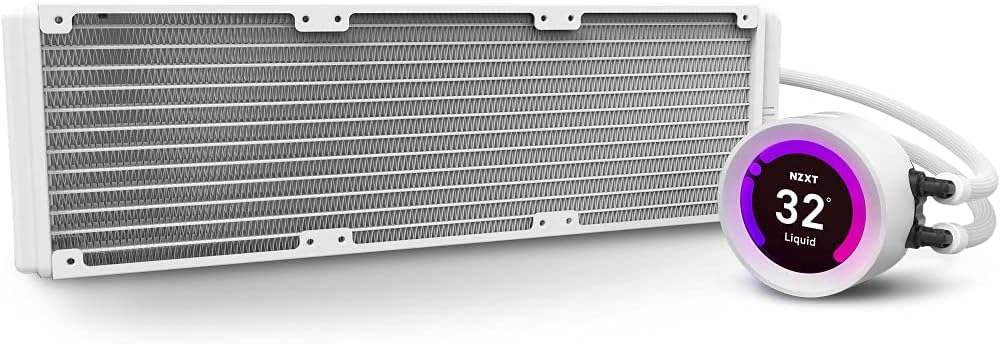
Image: The NZXT Kraken Z73 RGB White liquid cooler, showing the 360mm radiator and the pump with its LCD display.
- Install the Pump/Cold Plate: Carefully place the pump/cold plate assembly onto your CPU, aligning it with the standoffs. The Kraken Z series pump features a rotatable display, allowing you to adjust its orientation after installation to ensure the logo or image is upright.

Image: The Kraken Z series pump head, illustrating its digitally rotatable display for easier installation and aesthetic alignment.
- Amankan Pompa: Use the provided thumb screws or nuts to secure the pump to the motherboard, ensuring even pressure.
- Hubungkan Kabel: Connect the pump's power cable, USB cable, and fan cables to the appropriate headers on your motherboard and the included fan/RGB controller. Ensure all connections are secure.
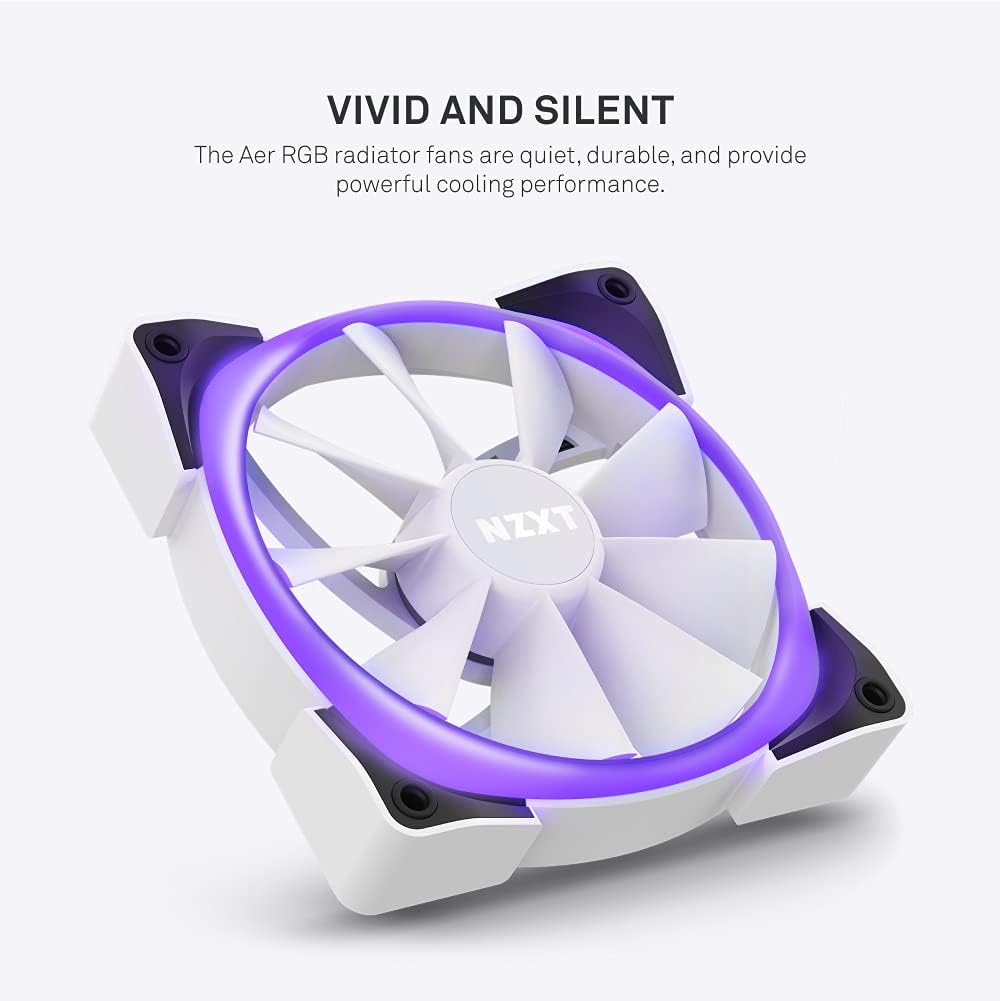
Image: An Aer RGB radiator fan, highlighting its quiet operation and powerful cooling performance with vivid lighting.
Catatan: No official seller videos demonstrating installation were available. Please refer to the written instructions and diagrams for guidance.
4. Operating the Cooler and LCD Display
The NZXT Kraken Z73 RGB's full functionality is managed through the NZXT CAM software.
- Install NZXT CAM Software: Download and install the latest version of NZXT CAM from the official NZXT weblokasi (www.nzxt.com/cam).
- Connect to CAM: Ensure the cooler's USB cable is connected to an internal USB 2.0 header on your motherboard. Launch the CAM software. The Kraken Z73 RGB should be automatically detected.
- Monitor Kinerja: Use CAM to monitor CPU and liquid temperatures, pump speed, and fan speeds.
- Kustomisasi Layar LCD: Navigate to the 'Cooling' or 'Lighting' section within CAM to customize the LCD display. You can choose from various presets, upload custom images (JPG, PNG) or animated GIFs, and display real-time system information like CPU temperature, GPU temperature, or pump speed.

Gambar: Close-up view of the NZXT Kraken Z73 RGB White's LCD display, showing the liquid temperature.
- Adjust Fan and Pump Curves: Create custom fan and pump profiles to optimize cooling performance and noise levels based on your preferences and system load.
- Kontrol Pencahayaan RGB: Adjust the RGB lighting effects and colors of the Aer RGB 2 fans through the CAM software.
5. Pemeliharaan
Perawatan rutin membantu memastikan kinerja optimal dan umur pakai yang lebih lama untuk pendingin cairan Anda.
- Pembersihan Debu: Periodically clean dust from the radiator fins and fan blades using compressed air. Ensure fans are not spinning during cleaning to prevent damage.
- Periksa Koneksi: Occasionally verify that all cables (power, USB, fan) are securely connected to prevent intermittent issues.
- Periksa Tabung: Check the liquid tubing for any signs of kinks, leaks, or damage.
- Pembaruan Perangkat Lunak: Keep your NZXT CAM software updated to benefit from performance improvements, new features, and bug fixes.
6. Penyelesaian masalah
If you encounter issues with your Kraken Z73 RGB, consider the following common troubleshooting steps:
- Cooler Not Detected by CAM: Ensure the USB cable from the pump is securely connected to an internal USB 2.0 header on your motherboard. Try a different USB header if available. Reinstall NZXT CAM software.
- Suhu CPU Tinggi: Verify that the pump is properly seated and making good contact with the CPU. Check that the pump and fans are receiving power and spinning. Ensure thermal paste application was adequate. Check fan orientation for proper airflow.
- Kipas Tidak Berputar/RGB Tidak Berfungsi: Check all fan and RGB cable connections to the fan/RGB controller and motherboard. Ensure the fan/RGB controller is receiving power. Verify settings in NZXT CAM software.
- Suara-suara yang Tidak Biasa: A slight gurgling sound upon initial startup is normal as air bubbles settle. If persistent, ensure the pump is mounted lower than the highest point of the radiator to prevent air from accumulating in the pump.
- Masalah Layar LCD: Ensure the USB connection is stable. Restart NZXT CAM. Update graphics drivers.
7. Spesifikasi
| Fitur | Spesifikasi |
|---|---|
| Dimensi Produk | 18.66"P x 7.17"L x 5.75"T |
| Nomor Model | RL-KRZ73-RW |
| Merek | NZXT |
| Metode Pendinginan | Air |
| Perangkat yang Kompatibel | Radiator (CPU Sockets: Intel LGA 1700, 1200, 115X, 2011, 2066; AMD AM5, AM4, TR4) |
| Tingkat Kebisingan | 33 Desibel (Maks) |
| Bahan | Aluminum, Copper, Plastic, Rubber |
| Kecepatan Putaran Maksimum (Kipas) | 2000 putaran/menit |
| Kapasitas Aliran Udara | 52.44 Kaki Kubik Per Menit (CFM) |
| Jenis Konektor Daya | 4-Pin |
| Jil.tage | 5 Volt |
| Apatage | 3.6 watt |
| Berat Barang | 5.06 pon |
| Warna | Putih |
| UPC | 815671016669 |
8. Garansi dan Dukungan
NZXT products are designed and manufactured to the highest quality standards. For detailed warranty information, please refer to the official NZXT website or the warranty card included with your product. For technical support, troubleshooting assistance, or to contact customer service, visit the NZXT support page at dukungan.nzxt.com.


