Perkenalan
The Koss TWS250i True Wireless Earbuds offer a seamless audio experience with Bluetooth 5.0 connectivity, intuitive touch controls, and a portable USB-C charging case. This manual provides essential information for setting up, operating, maintaining, and troubleshooting your earbuds.
Produk Selesaiview
Your Koss TWS250i package includes the true wireless earbuds and a compact charging case. The earbuds are designed for comfort and secure fit, ensuring optimal sound delivery.

Image: Koss TWS250i True Wireless Earbuds and charging case on a wooden surface.
The charging case not only protects your earbuds but also provides additional battery life on the go. Inside the case, you'll find designated slots for each earbud (Left and Right).
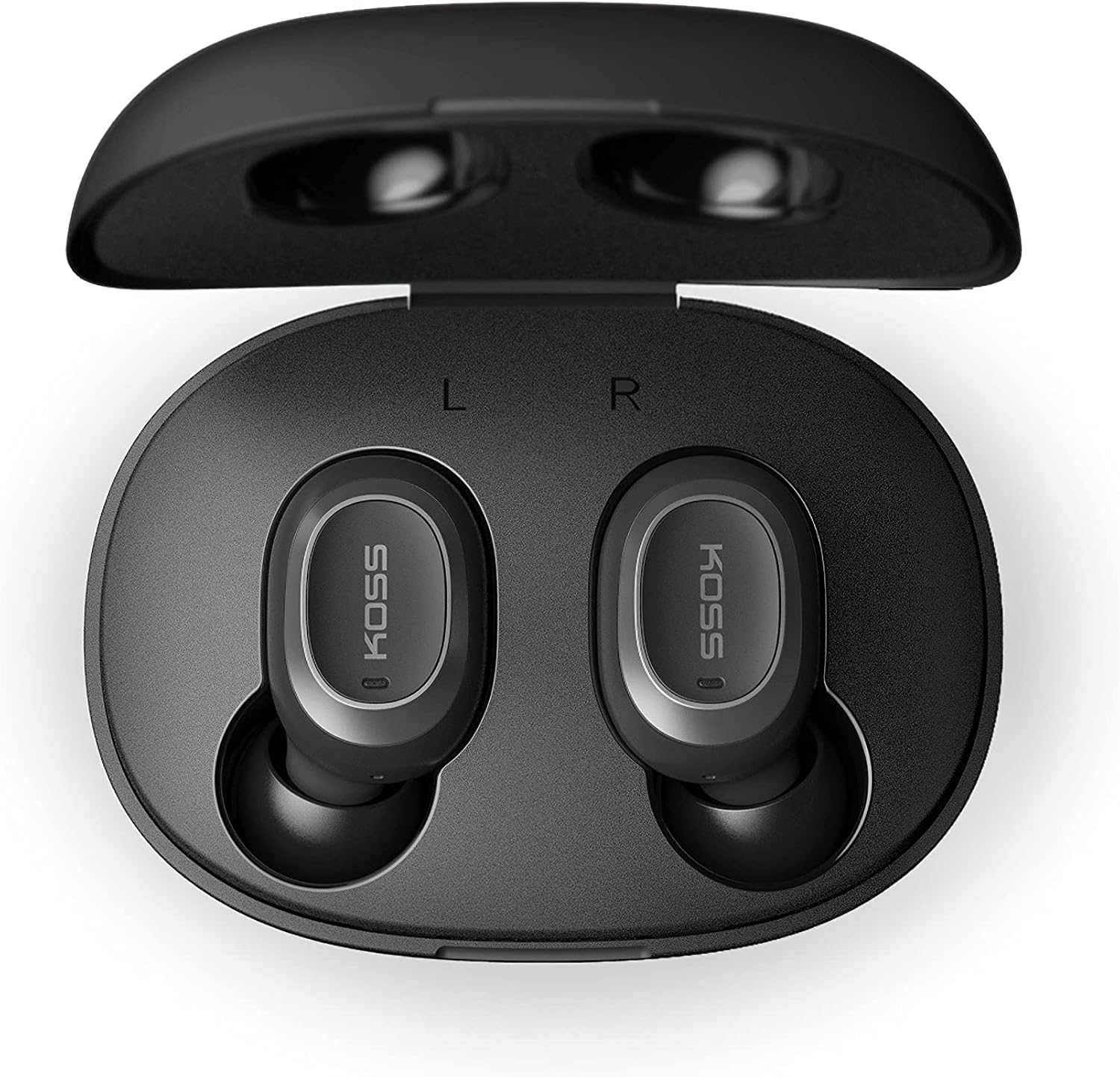
Image: Open Koss TWS250i charging case with both earbuds inside, showing L and R indicators.
To ensure the best fit and sound quality, the earbuds come with multiple sizes of silicone ear tips (Small, Medium, Large). Experiment with these to find the size that provides a comfortable and secure seal in your ear canal.

Image: Single Koss TWS250i earbud next to small, medium, and large silicone ear tips.
Pengaturan
1. Pengisian daya
Before initial use, ensure both the earbuds and the charging case are fully charged. Connect the provided USB-C cable to the charging port on the case and to a power source. LED indicators on the front of the case will illuminate to show the charging status. When earbuds are placed inside the case, they will automatically begin charging.
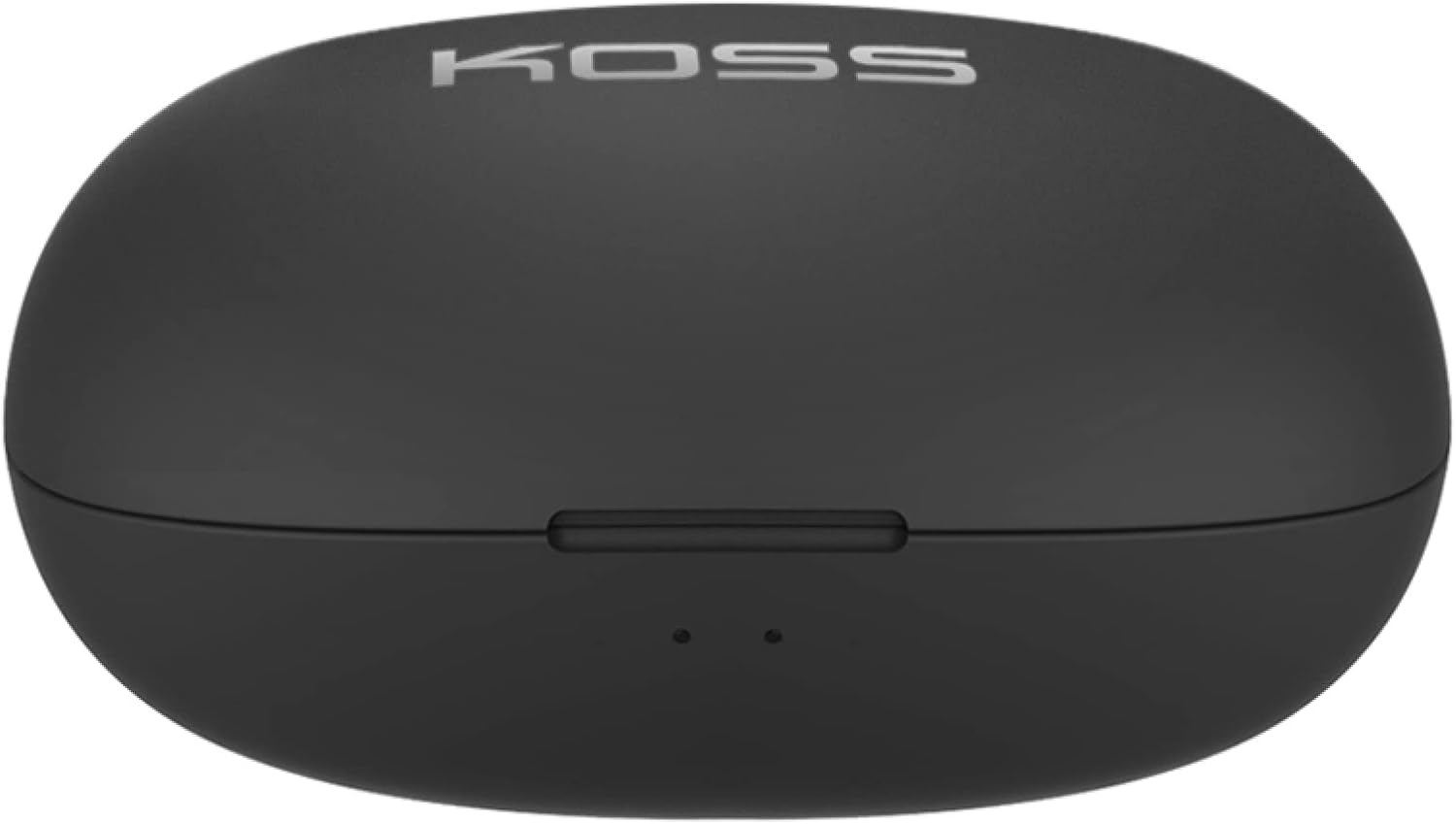
Image: Closed Koss TWS250i charging case, showing the USB-C charging port.
Video: Official product video demonstrating the Koss TWS250i True Wireless Earbuds, including their design, charging case, and basic features.
2. Pasangan
- Remove both earbuds from the charging case. They will automatically enter pairing mode, indicated by a flashing red and blue light on one of the earbuds.
- Pada ponsel pintar, tablet, atau perangkat lain yang mendukung Bluetooth, buka pengaturan Bluetooth.
- Select "Koss TWS250i" from the list of available devices to connect.
- Once successfully paired, the earbuds will connect automatically to your device whenever they are removed from the charging case.
3. Pemasangan
Choosing the correct ear tip size is essential for both comfort and sound performance. Experiment with the included Small, Medium, and Large silicone ear tips to find the best fit for your ears. A proper seal will enhance bass response and passive noise isolation.

Image: Man wearing a Koss TWS250i earbud, smiling and looking at his phone.
Petunjuk Pengoperasian
1. Kontrol Sentuh
The Koss TWS250i earbuds feature intuitive touch controls on their outer surface:
- Daya Hidup/Mati: Long press the touch surface until the earbuds power on or off.
- Putar/Jeda Musik: Ketuk satu kali pada salah satu earbud.
- Menjawab/Mengakhiri Panggilan: Ketuk satu kali pada salah satu earbud.
- Volume Naik: Ketuk sekali pada Benar earbud
- Volume Turun: Ketuk sekali pada Kiri earbud
- Lewati Jalur Maju: Longer touch on the Benar earbud
- Lewati Trek Mundur: Longer touch on the Kiri earbud
2. Dual Connect Functionality
The TWS250i earbuds support dual connect, allowing each earbud to function independently. This means you can use one earbud while the other charges, or share one earbud with a friend. Both earbuds have built-in microphones, ensuring clear communication regardless of whether you use one or both.
Pemeliharaan
- Pembersihan: Bersihkan earbud dan wadah pengisi daya secara teratur dengan kain lembut dan kering. Hindari penggunaan bahan abrasif atau bahan kimia keras.
- Penyimpanan: Selalu simpan earbud dalam wadah pengisi dayanya saat tidak digunakan untuk melindunginya dan menjaganya tetap terisi daya.
- Suhu: Avoid exposing the earbuds and case to extreme temperatures, direct sunlight, or high humidity.
Penyelesaian Masalah
- Tidak Ada Suara atau Kualitas Suara Buruk:
- Pastikan earbud terpasang dengan benar di telinga Anda dengan kedap suara. Cobalah berbagai ukuran ujung earbud.
- Periksa level volume pada perangkat yang terhubung dan pada earbud Anda.
- Verify that the earbuds are correctly paired and within the Bluetooth range of your device.
- Earbud Tidak Dipasangkan:
- Pastikan earbud terisi penuh.
- Remove both earbuds from the case to activate pairing mode (indicated by flashing red/blue lights).
- Di perangkat Anda,
Dokumen Terkait - TWS250i

KOSS TWS250i True Wireless Earbuds User Manual
User guide for KOSS TWS250i True Wireless Earbuds, covering setup, pairing, touch controls, charging, specifications, and safety warnings.
Panduan Pengguna, Spesifikasi, dan Informasi Keselamatan Headset Bluetooth Koss
Panduan pengguna lengkap untuk headset Bluetooth Koss, termasuk model KOSS BT115i V2, KOSS BT232i V2, KOSS BT221i V2, KOSS KSC35 Wireless V2, dan KOSS UTILITY UBTA. Meliputi peringatan keselamatan, garansi, spesifikasi teknis, dan perawatan baterai.
Panduan Pengguna & Instruksi Earbud Nirkabel Sejati Koss TWS150i
Panduan lengkap untuk menggunakan earbud nirkabel sejati Koss TWS150i Anda, meliputi pengaturan, pemasangan, kontrol, pengisian daya, dan informasi keselamatan.
Panduan Pengguna Headphone Nirkabel Koss KPH30
Panduan pengguna untuk Headphone Nirkabel Koss KPH30, yang mencakup pengaturan, pengoperasian, keselamatan, dan spesifikasi.
Speaker Bluetooth KOSS BTS1: Panduan Pengguna, Fitur, dan Informasi Keselamatan
Panduan lengkap untuk speaker Bluetooth KOSS BTS1, yang merinci fitur, konektivitas, mode mendengarkan, pengisian daya, indikator lampu, peringatan keselamatan, garansi, dan informasi kepatuhan.
Panduan Pengguna Headphone Nirkabel Koss Porta Pro
Panduan pengguna untuk Headphone Nirkabel Koss Porta Pro, yang mencakup kontrol depan dan belakang, pengisian daya, pemasangan Bluetooth, dan fungsi musik/panggilan.