1. Pendahuluan
Welcome to the TAOPON Smart Watch user manual. This guide provides essential information for setting up, operating, and maintaining your new smartwatch. The TAOPON Smart Watch is designed for both Android and iOS phones, featuring IP67 waterproofing, a full touch screen, and comprehensive fitness and health tracking capabilities.

Figure 1: TAOPON Smart Watch, showcasindengan desainnya yang ramping dan tampilan yang memukau.
2. Fitur Utama
- Desain modis: Features a 1.28-inch full touch color screen with 240x240 pixel resolution, offering high-definition clarity. Customize your watch face with various pre-set dials or your own photos.
- Comprehensive Fitness Tracking: Supports 8 sports modes including walking, running, cycling, skipping rope, badminton, basketball, football, and swimming. Tracks calorie consumption, steps, distance, activity minutes, and heart rate. Connects to your mobile phone's GPS for detailed movement tracking.
- Pemantauan Kesehatan Tingkat Lanjut: Accurately monitors real-time health data such as heart rate, blood oxygen, and blood pressure. Includes a sleep monitor to track deep sleep, light sleep, and overall sleep quality trends.
- Convenient Smart Tools: Integrates practical tools like weather forecast, pedometer, sedentary reminder, remote camera control, music control, theater mode, timer, deep breathing guide, and adjustable brightness. Supports up to 3 alarms.
- Pemberitahuan pintar: Receives message notifications from the 'Da Fit' APP, including call reminders, call rejection, SMS, Facebook, Twitter, LinkedIn, WhatsApp, Line, and Instagram
- Long Battery Life & Durability: Equipped with a 200mAh battery providing up to 7 days of typical use and 30 days of standby time on a single charge. Features an IP67 waterproof rating, suitable for hand washing and rainy conditions.
3. Panduan Pengaturan
3.1 Unboxing dan Pengisian Awal
Upon unboxing, ensure all components are present: the TAOPON Smart Watch, charging cable, and user manual. Before first use, fully charge the device.
- Hubungkan kabel pengisi daya magnetik ke titik pengisian daya di bagian belakang jam tangan.
- Colokkan ujung USB kabel ke adaptor daya USB standar (disarankan 5V/1A) atau port USB komputer.
- The watch display will indicate charging status. A full charge typically takes about 2 hours.

Figure 2: Illustration of the smartwatch's ultra-thin dial and charging process, highlighting its long battery life.
3.2 Instalasi dan Pemasangan Aplikasi
To unlock the full potential of your TAOPON Smart Watch, download and install the 'Da Fit' application on your smartphone.
- Scan the QR code in the manual or search for 'Da Fit' in your smartphone's app store (Google Play Store for Android, Apple App Store for iOS).
- Install the 'Da Fit' app and open it.
- Pastikan Bluetooth diaktifkan di ponsel cerdas Anda.
- In the 'Da Fit' app, navigate to the 'Device' section and select 'Add Device'.
- The app will search for available devices. Select 'smartwatch zl02g' from the list to pair.
- Follow any on-screen prompts to complete the pairing process. Once connected, the watch will synchronize time and data with your phone.
4. Petunjuk Pengoperasian
4.1 Navigasi Dasar
- Layar Sentuh: Geser ke kiri/kanan, atas/bawah untuk menavigasi menu dan fitur. Ketuk untuk memilih.
- Tombol Samping: Press the side button to return to the home screen or to turn the screen on/off.
- Bangun untuk Bangun: The display automatically lights up when you raise your wrist.
4.2 Menyesuaikan Tampilan Jam
Personalize your smartwatch by changing the watch face.
- From the home screen, long-press the watch face to enter the watch face selection mode.
- Swipe left or right to browse pre-installed watch faces. Tap to select.
- For more options, open the 'Da Fit' app, go to 'Watch Faces' or 'Dial Settings' to download new designs or set a custom photo as your watch face.
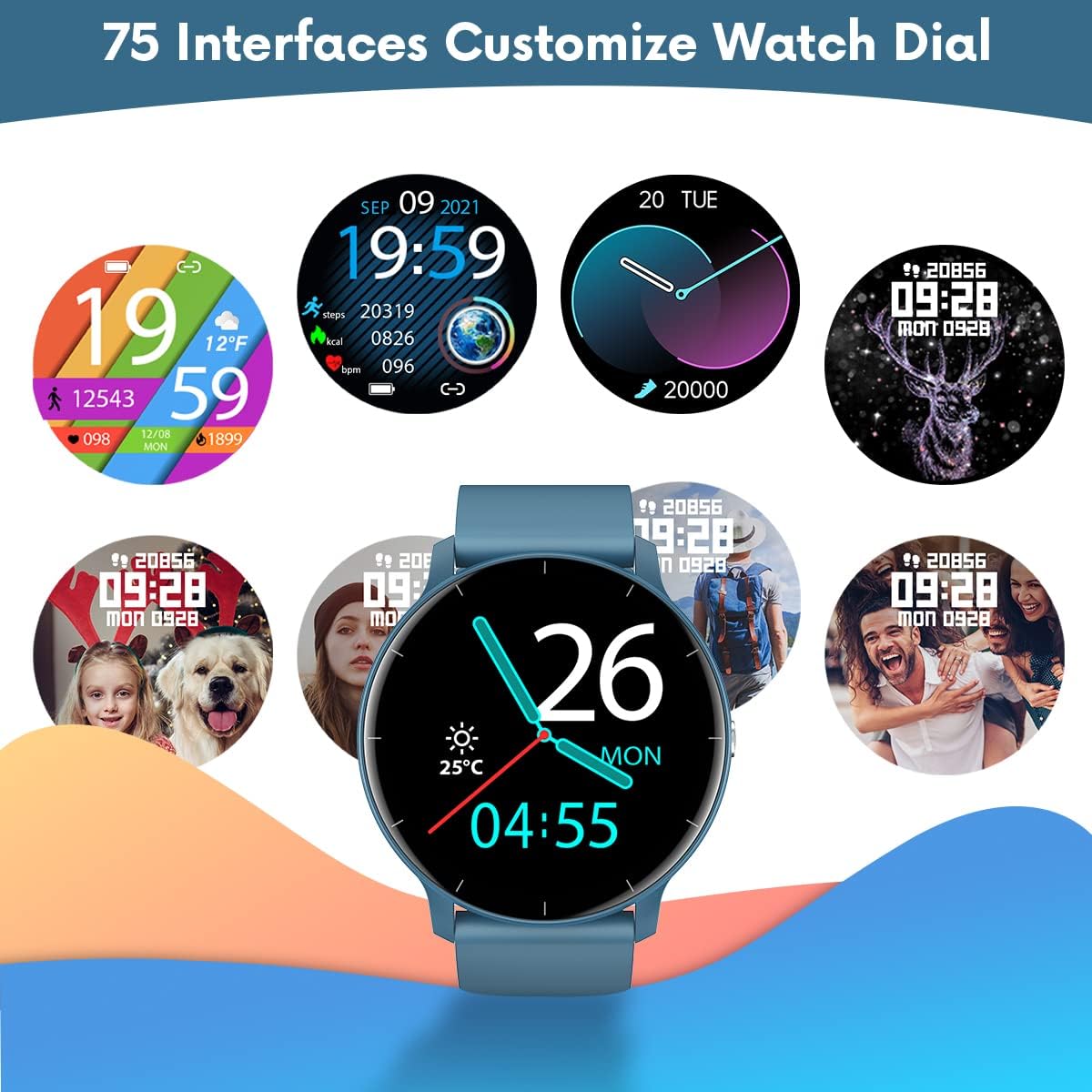
Gambar 3: Contohamples of customizable watch faces available on the TAOPON Smart Watch.
4.3 Pelacakan Kebugaran
Utilize the various sports modes to track your workouts.
- Swipe on the watch to find the 'Exercise' or 'Sports Modes' icon.
- Select your desired activity (e.g., Walking, Running, Cycling).
- The watch will begin tracking your activity, including steps, distance, calories burned, and heart rate.
- Connect to your phone's GPS via the 'Da Fit' app for detailed route mapping during outdoor activities.
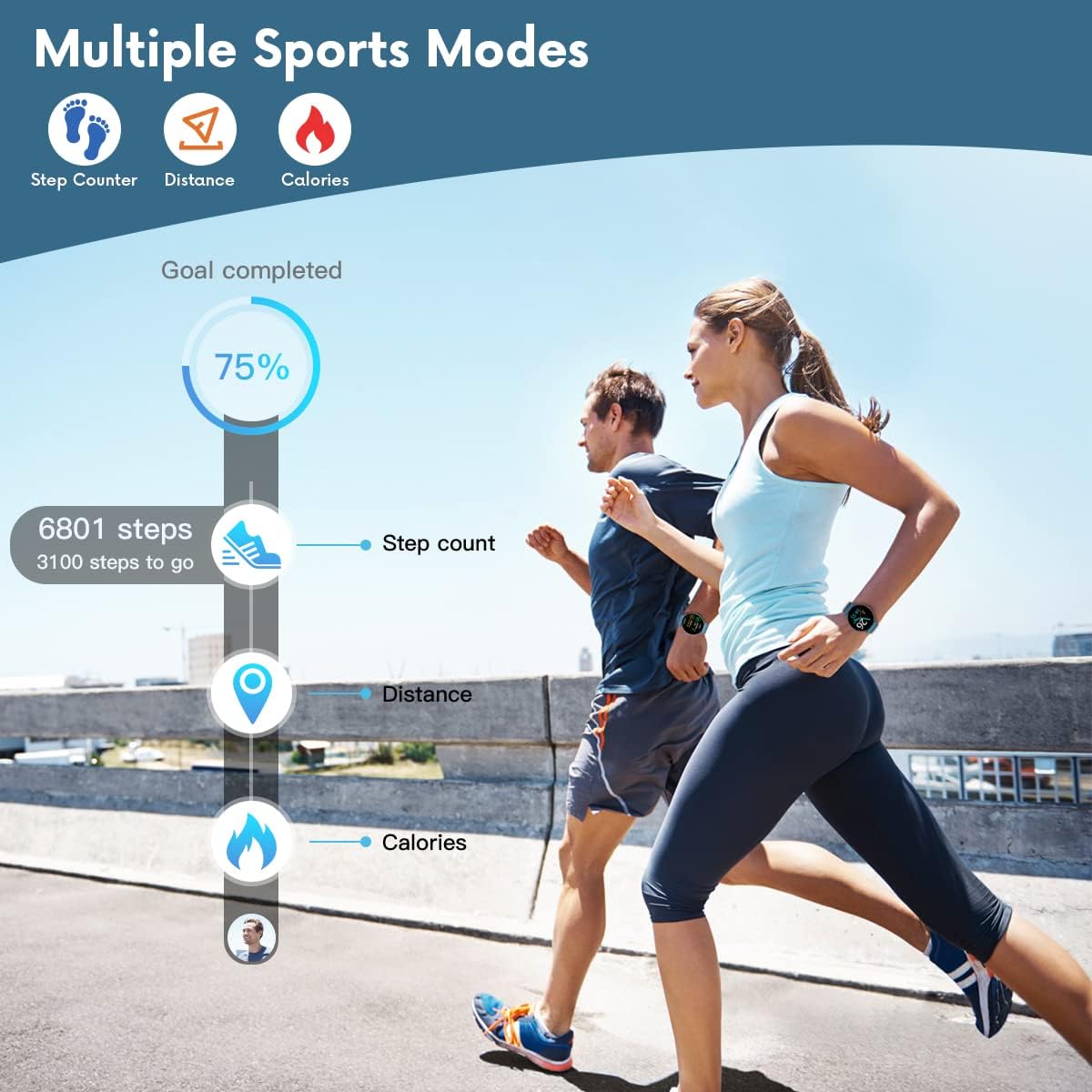
Figure 4: The smartwatch displaying fitness metrics like step count, distance, and calories during a workout.
4.4 Pemantauan Kesehatan
Monitor your vital health metrics directly from your wrist.
- Denyut Jantung: Navigate to the heart rate monitoring interface. The watch will automatically measure your heart rate. Continuous monitoring can be enabled via the 'Da Fit' app.
- Tekanan Darah & Oksigen Darah (SpO2): Access these functions from the watch menu. Ensure the watch is worn snugly on your wrist for accurate readings.
- Pemantauan Tidur: Wear the watch to bed. It will automatically track your sleep patterns, including deep sleep, light sleep, and wake times. View detailed sleep reports in the 'Da Fit' app.

Figure 5: Visual representation of the smartwatch's health monitoring capabilities, including heart rate, blood pressure, blood oxygen, and sleep tracking.
4.5 Fitur Cerdas
- Pemberitahuan: Ensure the 'Da Fit' app has necessary permissions. You will receive call, SMS, and social media notifications directly on your watch. You can reject calls from the watch.
- Kontrol Kamera Jarak Jauh: Open the camera function in the 'Da Fit' app. Use the watch as a remote shutter button to take photos on your phone.
- Kontrol Musik: Control music playback on your smartphone (play/pause, next/previous track) directly from the watch.
- Prakiraan Cuaca: View current weather conditions and forecasts after syncing with the 'Da Fit' app.
- Alarm & Pengingat: Set up to 3 alarms via the 'Da Fit' app. Enable sedentary reminders to prompt you to move after periods of inactivity.

Figure 6: Using the smartwatch to remotely control your phone's camera for group photos.

Figure 7: The smartwatch interface showing music playback controls.
5. Pemeliharaan dan Perawatan
Proper maintenance ensures the longevity and optimal performance of your TAOPON Smart Watch.
- Pembersihan: Bersihkan layar dan tali jam tangan secara teratur dengan kain lembut dan kering. Untuk kotoran yang membandel, gunakan kain yang sedikit kering.amp lap hingga bersih lalu keringkan sepenuhnya. Hindari bahan kimia keras atau bahan abrasif.
- Tahan Air: The watch is IP67 waterproof, meaning it can withstand splashes, rain, and brief immersion in shallow water (e.g., hand washing). Do not use it for hot showers, diving, or prolonged submersion. Hindari kontak dengan air panas, uap, atau cairan korosif.
- Penyimpanan: Simpan jam tangan di tempat yang sejuk dan kering, jauhkan dari sinar matahari langsung dan suhu ekstrem.
- Pengisian daya: Use only the provided charging cable. Do not attempt to charge the watch if it or the cable is wet.
6. Penyelesaian masalah
If you encounter issues with your TAOPON Smart Watch, refer to the following common solutions:
| Masalah | Solusi yang mungkin |
|---|---|
| Jam tangan tidak menyala | Pastikan jam tangan terisi penuh. Sambungkan ke pengisi daya dan tunggu beberapa menit sebelum mencoba menyalakannya. |
| Tidak dapat dipasangkan dengan telepon | Ensure Bluetooth is enabled on your phone and the watch is within range. Restart both the watch and your phone. Check if the 'Da Fit' app has necessary permissions. |
| Data kesehatan yang tidak akurat | Ensure the watch is worn snugly on your wrist, not too loose or too tight. Avoid excessive movement during measurements. Clean the sensor on the back of the watch. |
| Pemberitahuan tidak diterima | Verify that the 'Da Fit' app is running in the background and has notification permissions enabled for the desired apps. Check phone's notification settings. |
| Daya tahan baterai pendek | Reduce screen brightness, disable continuous heart rate monitoring, and limit frequent notifications. Ensure background app refresh is managed. |
7. Spesifikasi
| Fitur | Detil |
|---|---|
| Nomor Model | smartwatch zl02g |
| Ukuran | 1.77x1.77x0.39 inci |
| Berat | 1.23 ons (35 gram) |
| Ukuran Layar | 1.28 inci |
| Resolusi Tampilan | 240x240 piksel |
| Kapasitas Baterai | 200mAh Litium Polimer |
| Daya Tahan Baterai (Penggunaan Umum) | Hingga 7 hari |
| Waktu Siaga | Hingga 30 hari |
| Tahan Air | Tingkat IP67 |
| Kesesuaian | iOS 9.0 & Android 5.0 or higher |
| Konektivitas | Bahasa Indonesia: Bluetooth |
| Bahasa Indonesia: GPS | Melalui Smartphone |
| Pabrikan | TAOPON |
8. Garansi dan Dukungan
For warranty information and customer support, please refer to the documentation included with your product or contact TAOPON customer service directly. Keep your purchase receipt as proof of purchase.


