1. Produk Lebihview
The Apple iPhone 13 Pro Max, released in September 2021, is a high-performance smartphone designed for advanced users. This device combines a powerful processor with an exceptional camera system and a vibrant display, all encased in a durable design.
Fitur Utama:
- Menampilkan: 6.7-inch Super Retina XDR display with ProMotion, offering superfast downloads and high-quality streaming.
- Prosesor: A15 Bionic chip with a new 6-core CPU (2 performance, 4 efficiency cores), new 5-core GPU, and new 16-core Neural Engine.
- Sistem Kamera: Advanced triple-camera system with Cinematic mode for professional video, Dolby Vision HDR video recording up to 4K at 60 fps, and 6X optical zoom range.
- Baterai: Up to 28 hours of video playback.
- Daya tahan: Ceramic Shield front cover and surgical-grade stainless steel frame, with IP68 water and dust resistance.
- Keamanan: Face ID for secure authentication.
Deskripsi Fisik:
The iPhone 13 Pro Max features a sleek design with flat edges and a textured matte glass back. The device weighs approximately 7 ounces (200 grams) and has dimensions of 5.78 x 2.81 x 0.3 inches. It is available in various colors, including Gold, Graphite, Silver, and Sierra Blue.
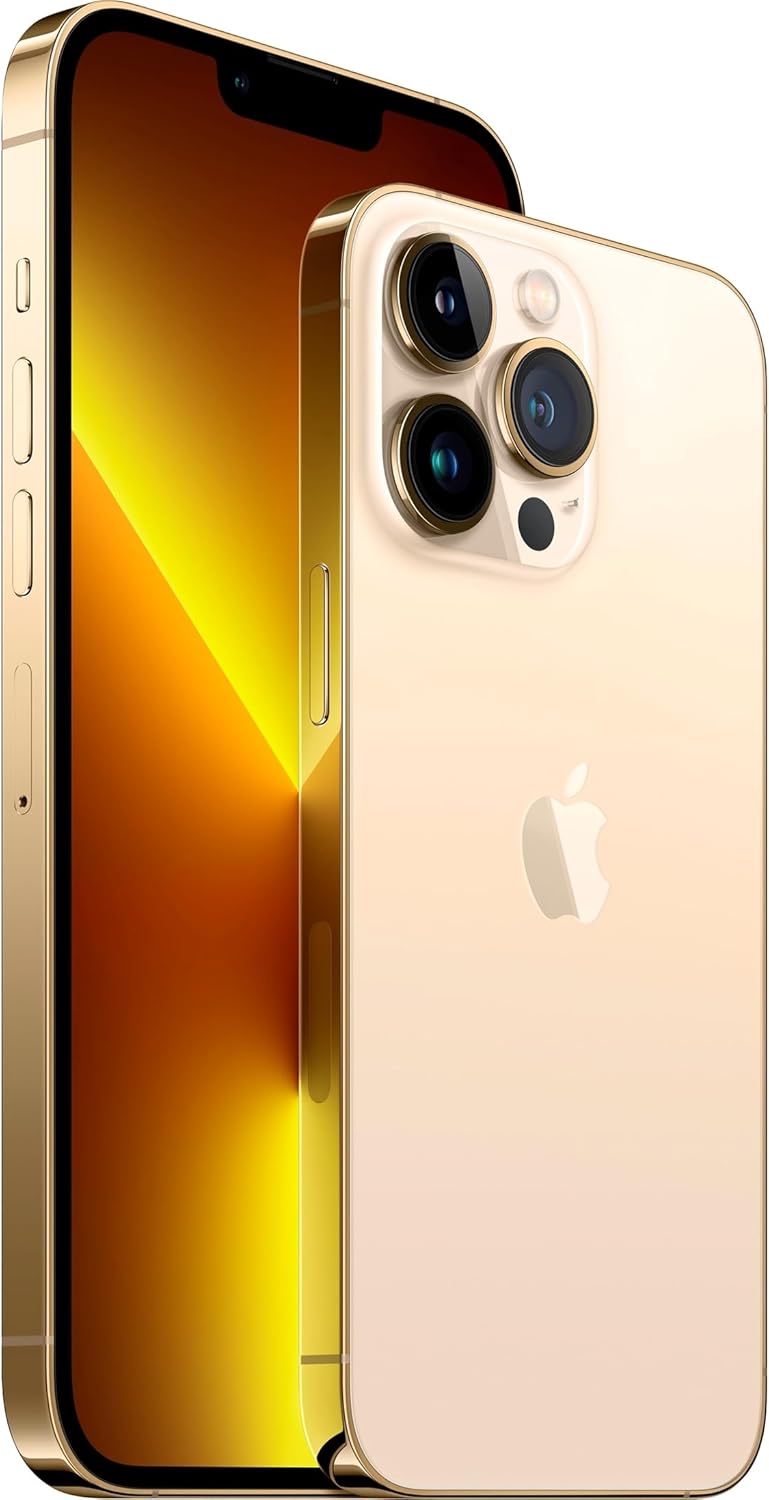
Gambar: Depan dan belakang view of the Apple iPhone 13 Pro Max in Gold, showcasing its triple camera system and display.
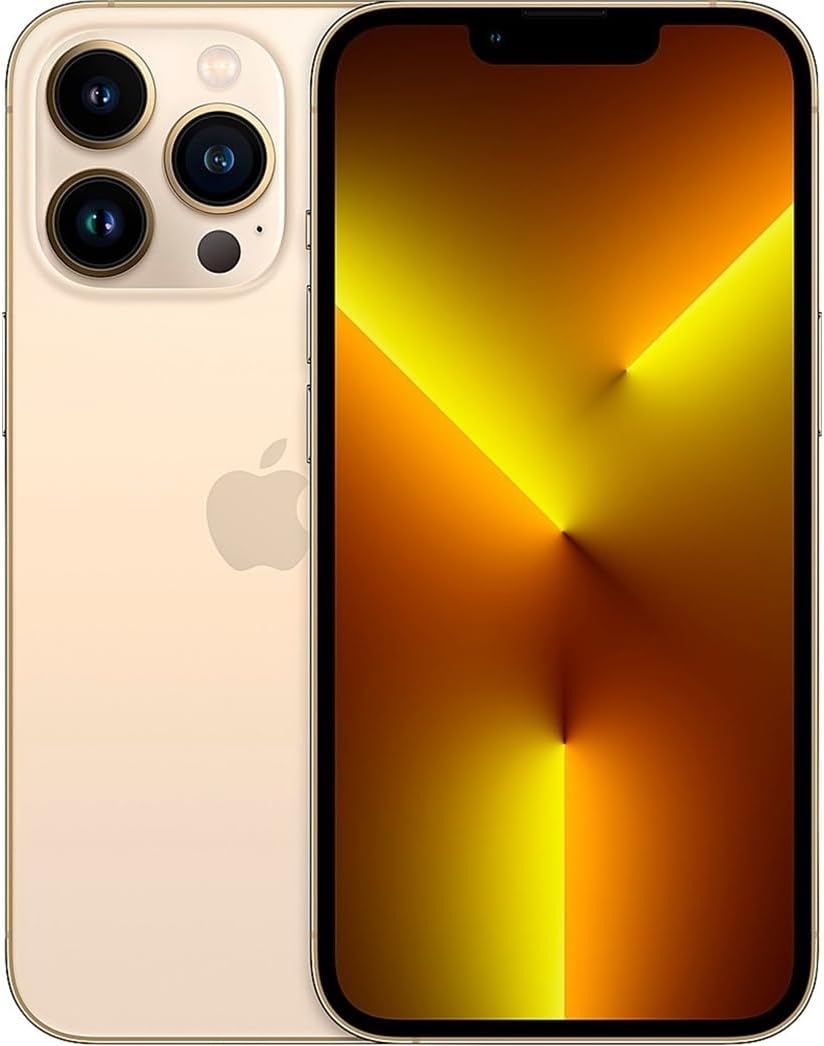
Gambar: Depan view of the Apple iPhone 13 Pro Max in Gold, displaying the screen.
2. Apa yang ada di dalam kotak
Upon unboxing your Apple iPhone 13 Pro Max, you should find the following items:
- Apple iPhone 13 Pro Max device
- Charging Cable (USB-C to Lightning)
- Alat Pelepas SIM
Note: Power adapter and headphones are sold separately.
3. Panduan Pengaturan
3.1 Penyalaan Awal
- Tekan dan tahan tombol Tombol samping on the right side of the device until the Apple logo appears.
- Ikuti petunjuk di layar untuk memilih bahasa dan wilayah Anda.
3.2 Masukkan Kartu SIM
- Locate the SIM tray on the left side of the iPhone.
- Insert the SIM removal tool into the small hole on the SIM tray and press firmly until the tray ejects.
- Masukkan kartu nano-SIM Anda ke dalam baki dengan kontak emas menghadap ke bawah.
- Carefully reinsert the SIM tray into the iPhone.
3.3 Pengaturan Dasar
After inserting the SIM card, continue with the on-screen setup process:
- Hubungkan ke jaringan Wi-Fi.
- Set up Face ID (facial recognition) for secure unlocking and purchases.
- Create a passcode for additional security.
- Restore data from a previous iPhone backup (iCloud or computer) or set up as a new iPhone.
- Masuk dengan Apple ID Anda atau buat yang baru.
- Configure location services, Siri, and other settings as prompted.
4. Petunjuk Pengoperasian
4.1 Navigasi dan Gerakan
- Layar Beranda: Geser ke atas dari tepi bawah layar untuk menuju ke Layar Utama.
- Pengalih Aplikasi: Geser ke atas dari tepi bawah dan tahan di tengah layar untuk view open apps. Swipe left or right to switch between them, or swipe up on an app to close it.
- Pusat Kontrol: Swipe down from the top-right corner of the screen to access quick settings like Wi-Fi, Bluetooth, brightness, and volume.
- Pemberitahuan: Geser ke bawah dari bagian tengah atas layar untuk view notifikasi Anda.
4.2 Penggunaan Kamera
The iPhone 13 Pro Max features a versatile camera system:
- Buka Aplikasi kamera.
- Swipe left or right to switch between modes (Photo, Video, Cinematic, Portrait, Pano, Slo-Mo, Time-Lapse).
- Ketuk tombol rana to take a photo or start/stop video recording.
- Use the zoom options (0.5x, 1x, 3x) or pinch the screen to adjust zoom.
- For Cinematic mode, tap the icon to enable depth-of-field effects in videos.
4.3 Manajemen Baterai
Untuk mengoptimalkan masa pakai baterai:
- Memungkinkan Mode Daya Rendah via Control Center or Settings > Battery.
- Adjust screen brightness (lower brightness consumes less power).
- Matikan Wi-Fi atau Bluetooth saat tidak digunakan.
- Memeriksa Kesehatan Baterai in Settings > Battery > Battery Health & Charging.
5. Pemeliharaan
5.1 Cleaning Your iPhone
- Unplug all cables and turn off your iPhone.
- Use a soft, lint-free cloth (e.g., a lens cloth) to gently wipe the screen and exterior.
- Hindari penggunaan bahan abrasif, aerosol, pelarut, atau pembersih berbahan dasar amonia.
- Do not spray cleaners directly onto the iPhone.
5.2 Pembaruan Perangkat Lunak
Regularly update your iPhone's software to ensure optimal performance, security, and access to new features:
- Pergi ke Pengaturan > Umum > Pembaruan Perangkat Lunak.
- Jika pembaruan tersedia, ketuk Unduh dan Instal. Ensure your iPhone is connected to Wi-Fi and has sufficient battery charge or is connected to power.
5.3 Tahan Air dan Debu
The iPhone 13 Pro Max is rated IP68, meaning it can withstand submersion in water up to 6 meters for up to 30 minutes. However, water and dust resistance are not permanent conditions and may decrease over time with normal wear. To prevent liquid damage:
- Avoid swimming or bathing with your iPhone.
- Avoid exposing your iPhone to pressurized water or high-velocity water.
- Avoid using your iPhone in a sauna or steam room.
- Avoid intentionally submerging your iPhone in water.
- If your iPhone gets wet, wipe it with a soft, lint-free cloth. Do not charge it until it is completely dry.
6. Penyelesaian masalah
6.1 Masalah Umum dan Solusinya
- Perangkat tidak responsif: Press and quickly release the Volume Up button. Press and quickly release the Volume Down button. Then, press and hold the Side button until you see the Apple logo.
- Baterai cepat terkuras: Check battery usage in Settings > Battery to identify apps consuming the most power. Enable Low Power Mode.
- Masalah konektivitas Wi-Fi/Bluetooth: Try toggling Wi-Fi/Bluetooth off and on in Control Center or Settings. Restart your iPhone and/or your router.
- Aplikasi mogok: Ensure apps are updated to their latest versions. Restart the app or your iPhone.
6.2 Reset Pabrik
A factory reset erases all data and settings from your iPhone and restores it to its original state. This should be considered a last resort for persistent software issues.
- Pergi ke Settings > General > Transfer or Reset iPhone > Erase All Content and Settings.
- Follow the on-screen prompts. You may need to enter your Apple ID password.
7. Spesifikasi
| Fitur | Detil |
|---|---|
| Nama Model | iPhone 13 Pro Max |
| Ukuran Layar | 6.7 inci |
| Kapasitas Penyimpanan Memori | 128 GB |
| Dimensi Produk | 5.78x2.81x0.3 inci |
| Berat Barang | 7 ons |
| Baterai | Diperlukan 1 baterai Lithium Ion (termasuk) |
| Operator Nirkabel | T-Mobile |
| Teknologi Seluler | 5G |
| Teknologi Konektivitas | Wi-Fi, CDMA, GSM, LTE |
| SIM card slot count | SIM Ganda |
| Warna | Emas |
| Pabrikan | Komputer Apple |
| Tanggal Pertama Tersedia | 11 Nopember 2021 |
8. Garansi dan Dukungan
8.1 Garansi Amazon Renewed
This Apple iPhone 13 Pro Max is an Amazon Renewed product. It comes with the Amazon Renewed Guarantee, which provides a replacement or refund within 90 days of receipt if the product does not work as expected.
8.2 Dukungan Apple
For technical assistance, software issues, or further product information, you can visit the official Apple Support websitus atau hubungi layanan pelanggan Apple.


