1. Pendahuluan dan Selesaiview
This manual provides essential information for the installation, operation, and maintenance of your Intel Core i3-12100 Alder Lake Desktop Processor. Please read this guide thoroughly before proceeding with installation to ensure proper functionality and longevity of your product.
Deskripsi Produk
The Intel Core i3-12100 is a high-quality desktop processor designed for various computing needs. It is part of the 12th Generation Alder Lake series, offering reliable performance for everyday tasks, gaming, and multimedia. For detailed care instructions, always refer to the manufacturer's product information sheet or packaging.
Fitur Utama
- Konfigurasi Inti: 4 Core, 8 Thread
- Frekuensi Dasar: 3.3 GHz
- Frekuensi Turbo Maksimum: Hingga 4.3 GHz
- Cache: Cache Cerdas 12MB
- Tipe Soket: LGA1700
- Daya Desain Termal (TDP): 60W
- Grafik Terpadu: Intel UHD Graphics 730 (where applicable, check specific model)

Gambar 1.1: Depan view of the Intel Core i3-12100 processor packaging.
2. Panduan Pengaturan
Proper installation is crucial for the performance and stability of your system. Please follow these steps carefully.
Sebelum Anda Memulai
- Ensure your motherboard supports the LGA 1700 socket and is compatible with 12th Generation Intel processors.
- Siapkan alat-alat yang dibutuhkan: obeng Phillips, pasta termal (jika belum terpasang pada pendingin), dan tali pergelangan tangan anti-statis.
- Bekerjalah di lingkungan yang bersih, terang, dan bebas statis.
- Unplug your computer from the power outlet and discharge any residual power.
Langkah-langkah Instalasi
- Siapkan Motherboard: Buka tuas pengunci soket CPU pada motherboard Anda. Angkat pelat penahan beban.
- Instal Prosesor: Carefully align the triangular arrow on the corner of the processor with the corresponding arrow on the CPU socket. Gently place the processor into the socket. Do not force it.
- Amankan Prosesor: Lower the load plate and then push down the retention lever until it clicks into place.
- Oleskan pasta termal (jika perlu): Jika pendingin CPU Anda tidak memiliki pasta termal yang sudah terpasang, oleskan sedikit pasta seukuran kacang polong ke bagian tengah penyebar panas terintegrasi (IHS) CPU.
- Pasang Pendingin CPU: Align the cooler with the mounting holes around the CPU socket. Gently press down and secure the cooler according to its specific mounting mechanism (e.g., push pins, screws, or backplate).
- Hubungkan Kipas Pendingin: Hubungkan kabel kipas pendingin CPU ke header 'CPU_FAN' pada motherboard Anda.
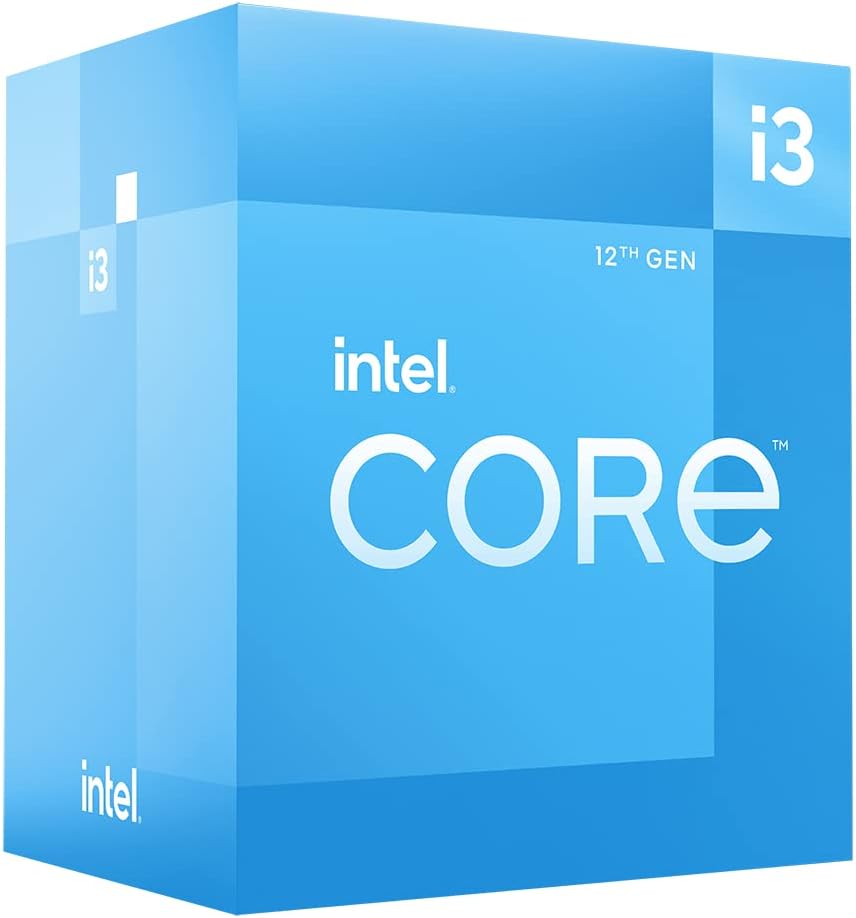
Gambar 2.1: Sudut view of the Intel Core i3-12100 processor packaging.

Gambar 2.2: Sisi view of the Intel Core i3-12100 processor packaging.
3. Mengoperasikan Prosesor Anda
Once installed, your Intel Core i3-12100 processor will operate automatically within your system. Here are some general considerations for optimal performance.
Manajemen Termal
Maintaining proper cooling is essential for processor longevity and stable performance. Ensure your CPU cooler is functioning correctly and that your PC case has adequate airflow. High temperatures can lead to performance throttling or system instability.
Pertimbangan Kinerja
The Intel Core i3-12100 is designed to dynamically adjust its clock speed based on workload and thermal conditions. This technology, known as Intel Turbo Boost Technology, allows the processor to reach higher frequencies (up to 4.3 GHz) when needed, providing a responsive computing experience.

Figure 3.1: The processor box in a typical desktop computing environment.

Figure 3.2: Visual representation of the processor's performance capabilities in a gaming scenario.

Figure 3.3: Illustrative image demonstrating the processor's architecture and platform compatibility.

Figure 3.4: Marketing image highlighting the processor's role in enhancing gaming performance.
4. Pemeliharaan
Minimal maintenance is required for your processor itself, but ensuring its operating environment is clean and cool will prolong its lifespan.
Penghilangan Debu
- Regularly clean dust from your CPU cooler's heatsink and fan using compressed air.
- Ensure your PC case filters are clean to prevent dust buildup inside the system.
Pengaplikasian Ulang Pasta Termal
Over time, thermal paste can dry out and become less effective. If you notice consistently high temperatures, consider reapplying fresh thermal paste to the CPU's IHS. This typically involves removing the CPU cooler, cleaning off old paste, and applying new paste before reattaching the cooler.
5. Penyelesaian masalah
If you encounter issues with your system after installing the processor, refer to the common problems and solutions below.
| Masalah | Kemungkinan Penyebab | Larutan |
|---|---|---|
| Sistem tidak melakukan booting / Tidak ada tampilan | CPU not seated correctly, CPU power cable disconnected, incompatible motherboard BIOS. | Re-seat the CPU, ensure all power cables are connected, update motherboard BIOS (if possible, using a compatible CPU). |
| System boots but shuts down quickly | Overheating due to improper cooler installation or insufficient thermal paste. | Check CPU cooler mounting pressure, reapply thermal paste, ensure CPU fan is connected and spinning. |
| Poor performance / Throttling | High temperatures, power limits, background processes. | Monitor CPU temperatures, ensure adequate cooling, check power settings in BIOS/OS, close unnecessary applications. |
| Ketidakstabilan sistem / Kerusakan | Overheating, faulty RAM, unstable power supply, driver issues. | Verify CPU temperatures, test RAM, check power supply, update chipset and graphics drivers. |
6. Spesifikasi Teknis
Detailed specifications for the Intel Core i3-12100 processor.
| Fitur | Detil |
|---|---|
| Merek | Intel |
| Seri | Saya 3 1200 |
| Nomor Model Barang | BX8071512100 |
| Merek Prosesor | Intel |
| Model CPU | inti i3 |
| Kecepatan CPU | 3.3 GHz |
| Jumlah Prosesor | 4 |
| Soket CPU | LGA1700 |
| Berat Barang | 10.6 ons |
| Dimensi Produk | 1.18x0.79x0.04 inci |
| Warna | black / black |
| Jenis Memori Komputer | Kartu grafis GDDR4 |
| Jil.tage | 1 Volt |
| Bahasa | Bahasa inggris |
| Tanggal Pertama Tersedia | 11 Mei 2022 |
7. Garansi dan Dukungan
Intel provides a standard warranty for its processors. Please retain your proof of purchase for warranty claims.
Informasi Garansi
The Intel Core i3-12100 processor is manufactured by Intel. For specific warranty terms and conditions, please refer to the official Intel warranty documentation included with your product or visit the official Intel support webCakupan garansi biasanya mencakup cacat material dan pengerjaan dalam penggunaan normal.
Paket Perlindungan Tambahan
Optional protection plans may be available for purchase from retailers. For example, a 4-Year Protection Plan or a Complete Protect plan may be offered. These plans are separate from the manufacturer's warranty and provide extended coverage or additional benefits.
Dukungan Teknis
For technical assistance, troubleshooting beyond this manual, or warranty inquiries, please contact Intel's official customer support. You can typically find contact information on the Intel websitus atau dalam kemasan produk Anda.
Sumber Daya Daring: Kunjungi situs resmi Intel. website for drivers, software, and additional support documentation.


