1. Petunjuk Keselamatan Penting
Please read all instructions carefully before using the Baseus A7 Handheld Vacuum. Keep this manual for future reference.
- Jangan gunakan penyedot debu di dekat air atau dalam kondisi basah.
- Jangan menyedot bahan yang mudah terbakar atau meledak, abu panas, atau benda tajam menggunakan penyedot debu.
- Jauhkan rambut, pakaian longgar, jari, dan semua bagian tubuh dari celah dan bagian yang bergerak.
- Gunakan hanya kabel pengisi daya yang disediakan oleh produsen.
- Jangan mengoperasikan penyedot debu dengan kabel atau steker yang rusak.
- Ensure the filter is properly installed before use.
- Peralatan ini tidak ditujukan untuk digunakan oleh orang (termasuk anak-anak) dengan keterbatasan fisik, sensorik, atau mental, atau kurang pengalaman dan pengetahuan, kecuali mereka telah diberi pengawasan atau petunjuk mengenai penggunaan peralatan oleh orang yang bertanggung jawab atas keselamatan mereka.
- Anak-anak harus diawasi untuk memastikan mereka tidak bermain-main dengan peralatan tersebut.
2. Isi Paket
Verifikasi bahwa semua item ada dalam paket:

Gambar 2.1: Komponen yang Termasuk
- Baseus A7 Handheld Vacuum Cleaner
- Flagship Flexible Extender Tube
- Silicone Brush / Precision Extensions (2-in-1 Crevice Tool)
- Kabel Pengisian Daya USB-C
- Storage Cloth Bag
- Filter HEPA (sudah terpasang atau cadangan)
- Panduan Pengguna
- Kartu Garansi
3. Produk Lebihview
The Baseus A7 is a portable, cordless handheld vacuum designed for efficient cleaning in various environments, including cars, carpets, and other small areas. It features two suction levels and a USB-C rechargeable battery.

Figure 3.1: Suction Power and Runtime
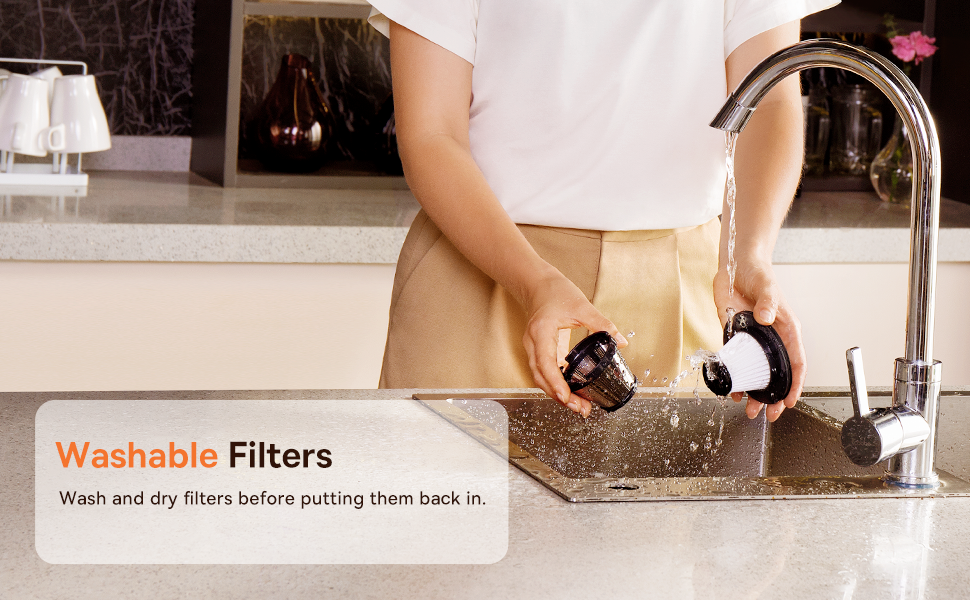
Figure 3.2: Powerful and Portable Design
Fitur Utama:
- Tanpa Kabel dan Portabel: Designed for easy handling and use in various locations.
- Dua Tingkat Hisap: Standard (4500PA) for general cleaning and High (8000PA) for tougher debris.
- USB-C Isi Ulang: Convenient charging with a modern USB-C port.
- Filtrasi HEPA: Menangkap debu halus dan alergen.
- 500ml Dust Box: Kapasitas besar untuk sesi pembersihan yang lebih lama.
4. Pengaturan dan Pengisian Daya
4.1 Biaya Awal
Before first use, fully charge the vacuum cleaner. The charging time is approximately 3 to 3.5 hours.
Gambar 4.1: Pengisian Daya USB-C
- Connect the provided USB-C charging cable to the charging port on the vacuum cleaner.
- Colokkan ujung kabel lainnya ke adaptor daya USB yang kompatibel (tidak termasuk) atau port USB.
- The indicator light will show charging status (refer to the device for specific light patterns).
- Once fully charged, disconnect the vacuum from the power source.
4.2 Memasang Aksesori
Select the appropriate attachment for your cleaning task and firmly attach it to the vacuum's suction inlet.
- Flexible Extender Tube: For reaching deep or awkward spaces.
- 2-in-1 Crevice Tool (Silicone Brush/Precision Extensions): Use the narrow end for tight corners and crevices, or slide the brush attachment forward for delicate surfaces.
5. Petunjuk Pengoperasian
5.1 Power On/Off and Suction Levels
- To turn on the vacuum, press the power button. It will start in Standard suction mode (4500PA).
- Press the power button again to switch to High suction mode (8000PA).
- Tekan tombol daya ketiga kalinya untuk mematikan penyedot debu.
5.2 Aplikasi Pembersihan
The Baseus A7 is versatile for various cleaning tasks:

Figure 5.1: Versatile Cleanups

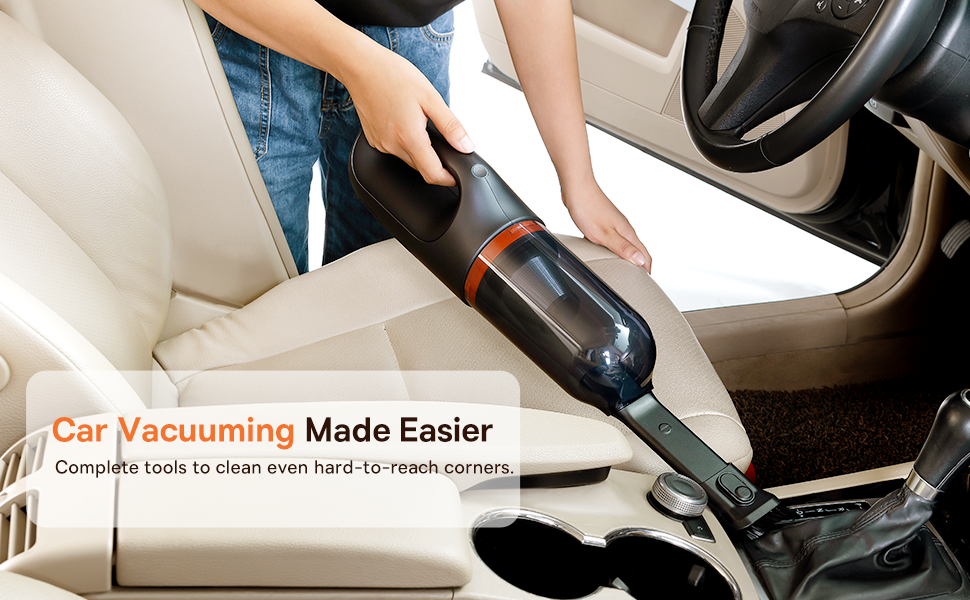
Figure 5.2: Car Vacuuming Made Easier
- Interior Mobil: Use the crevice tool for tight spots between seats and the flexible tube for under seats.
- Household Surfaces: Effective for quick cleanups on tables, countertops, and furniture.
- Bulu Hewan Peliharaan: Can be used for light pet hair removal on upholstery.
- Keyboards and Electronics: Use the brush attachment for delicate cleaning.
For optimal performance, ensure the dust box is not overfilled and the filter is clean.
6. Pemeliharaan
6.1 Mengosongkan Kotak Debu
Empty the dust box regularly to maintain suction power and prevent blockages.
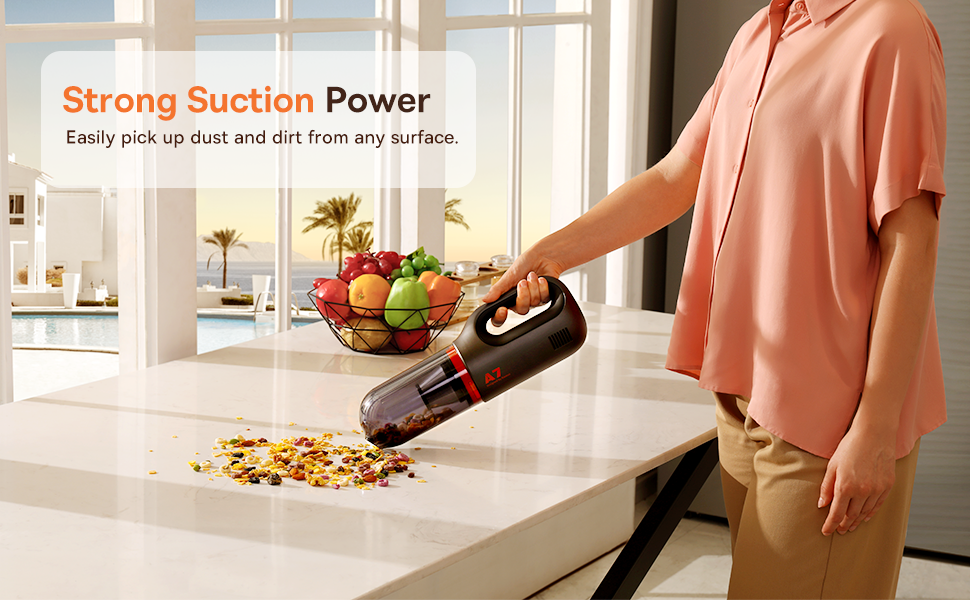
Figure 6.1: Easy to Empty Dust Box
- Pastikan penyedot debu dimatikan.
- Twist or unlatch the dust box from the main body of the vacuum (refer to device for specific mechanism).
- Carefully empty the collected debris into a trash receptacle.
- Reattach the dust box securely.
6.2 Membersihkan Filter
The HEPA filter is washable and should be cleaned periodically to ensure efficient filtration and suction.

Figure 6.2: Washing the HEPA Filter
- Remove the dust box and then carefully remove the HEPA filter.
- Rinse the filter under cool, running water until clean. Do not use detergents.
- Biarkan filter mengering sepenuhnya selama minimal 24 jam sebelum memasukkannya kembali ke dalam penyedot debu. Jangan gunakan penyedot debu dengan filter basah.
- Ensure the filter is fully dry and properly seated before reassembling the vacuum.
7. Penyelesaian masalah
If you encounter issues with your Baseus A7 vacuum, refer to the following common problems and solutions:
| Masalah | Kemungkinan Penyebab | Larutan |
|---|---|---|
| Tidak ada daya / Tidak menyala | Baterai habis. | Charge the vacuum fully (approx. 3-3.5 hours). |
| Daya hisap lemah | Kotak debu penuh. Filter tersumbat. Attachment is not properly sealed. | Kosongkan kotak debu. Clean and dry the HEPA filter. Ensure attachments are firmly connected. |
| Mesin penyedot debu berhenti secara tiba-tiba. | Baterai lemah. Perlindungan terhadap panas berlebih diaktifkan. | Isi ulang baterainya. Turn off the vacuum and let it cool down for 30 minutes before resuming use. |
| Indikator pengisian daya tidak berfungsi | Masalah kabel pengisi daya atau adaptor. Masalah pada port pengisian daya. | Try a different USB-C cable and power adapter. Ensure the cable is fully inserted. If the issue persists, contact customer support. |
Jika masalah berlanjut setelah mencoba solusi ini, silakan hubungi dukungan pelanggan Baseus.
8. Spesifikasi
| Fitur | Detil |
|---|---|
| Merek | Dasar |
| Nama Model | A7 |
| Fitur Khusus | HEPA, Portable |
| Jenis Filter | Kartrid (HEPA) |
| Tanpa kabel | Ya |
| Kapasitas | 500 Mililiter |
| Apatage | 120 watt |
| Waktu Pengisian Daya | 3 - 3.5 Jam |
| Penggunaan yang Direkomendasikan | Car, Carpet, Household |
| Faktor Bentuk | Genggam |
| Warna | Hitam |
| Dimensi Produk | 4"P x 3"L x 13"T |
| Jenis Baterai | Lithium-Ion (2 batteries included) |
| Tingkat Kebisingan | 75 Desibel |
| Ampmarah | 1.4 Amps |
| Jumlah Kecepatan | 2 |
| Berat Barang | 3.43 pon |
| Sumber Daya | Bertenaga Baterai |
9. Garansi dan Dukungan
The Baseus A7 Handheld Vacuum comes with a warranty to ensure your satisfaction.
- Jaminan: Includes a 1-year warranty card and a 3-year guarantee. Please refer to the warranty card included in your package for specific terms and conditions.
- Dukungan Pelanggan: For any questions, technical assistance, or warranty claims, please contact Baseus customer support through their official websitus web atau informasi kontak yang tertera pada kartu garansi Anda.
10. Video Produk
Watch the official product video for a visual guide on the Baseus A7 Handheld Vacuum's features and usage.
Video 10.1: Baseus A7 Handheld Vacuum Overview and Demonstration. This video showcases the vacuum's design, suction capabilities, and how to use its various attachments for different cleaning scenarios.


